
TOZO T13120
Contents
TOZO OpenReal Open Ear Headphones User Manual
Model: T13120
Brand: TOZO
Introduction
Welcome to the user manual for your TOZO OpenReal Open Ear Headphones. These headphones are designed to provide a comfortable and immersive audio experience while maintaining awareness of your surroundings. Featuring advanced air conduction technology, 16.2mm dynamic drivers, and dual-mic noise reduction, they are perfect for various activities, from daily commutes to intense workouts.
What's Included
- TOZO OpenReal Open Ear Headphones
- USB-C® (A to C) cable (20")
- User Manual
Setup Guide
1. Initial Charging
Before first use, fully charge your headphones using the provided USB-C cable. Connect the magnetic charging cable to the charging port on the headphones and the USB-A end to a compatible power source. A full charge provides up to 16 hours of playtime. A 10-minute quick charge can provide up to 2 hours of playtime.

Figure 1: Magnetic Charging Port. Ensure correct alignment for charging.
2. Pairing with Your Device
- Ensure the headphones are powered off.
- Press and hold the power button until the indicator light flashes, indicating pairing mode.
- On your device (smartphone, tablet, etc.), enable Bluetooth and search for "TOZO OpenReal".
- Select "TOZO OpenReal" from the list of available devices to connect.
- Once connected, the indicator light will change, and you will hear an audible confirmation.
Operating Instructions
Wearing the Headphones
The TOZO OpenReal headphones feature an ergonomic open-ear design. Place the ear hooks securely over your ears, ensuring the speakers rest comfortably near your ear canals without entering them. The flexible band should sit around the back of your neck.

Figure 2: Proper Wearing of Open-Ear Headphones for optimal comfort and situational awareness.
Button Controls
The headphones are equipped with physical buttons and a touch panel for easy control of music playback, calls, and voice assistant activation. The main controls are located on the right earphone.

Figure 3: Accessing the physical buttons and touch area for control.
| Action | Function |
|---|---|
| Press 1x (Right Earphone) | Play/Pause Music, Answer Call |
| Hold 3s (Right Earphone) | Hang Up Call |
| Hold 2s (Right Earphone) | Cancel Outgoing Call, Reject Call, Activate Voice Assistant |
| Press 1x (Volume + Button) | Increase Volume |
| Press 1x (Volume - Button) | Decrease Volume |
| Hold 2s (Volume + Button) | Next Song |
| Hold 2s (Volume - Button) | Previous Song |
TOZO App Integration
Enhance your audio experience by downloading the TOZO App. The app allows you to customize sound profiles with 32 preset EQs and access additional features for your headphones.

Figure 4: TOZO App for customized sound and user experience.
Key Features
Premium Sound Quality
Equipped with powerful 16.2mm dynamic drivers and TOZO OrigX Acoustic technology, these headphones deliver rich and deep bass, restoring various sound details for an intimate concert-like audio experience.

Figure 5: Internal structure highlighting the 16.2mm dynamic driver for superior sound.
Crystal-Clear Calls
The dual microphones combined with noise reduction algorithm technology ensure superior clear calls by precisely capturing your voice and canceling out ambient noise, allowing for high-quality conversations in any environment.

Figure 6: Dual-mic ENC technology for crystal-clear phone calls.
IPX8 Waterproof Rating
With an IPX8 waterproof rating, these headphones are resistant to sweat and rain, making them ideal for workouts and outdoor activities without concern for potential damage from moisture.
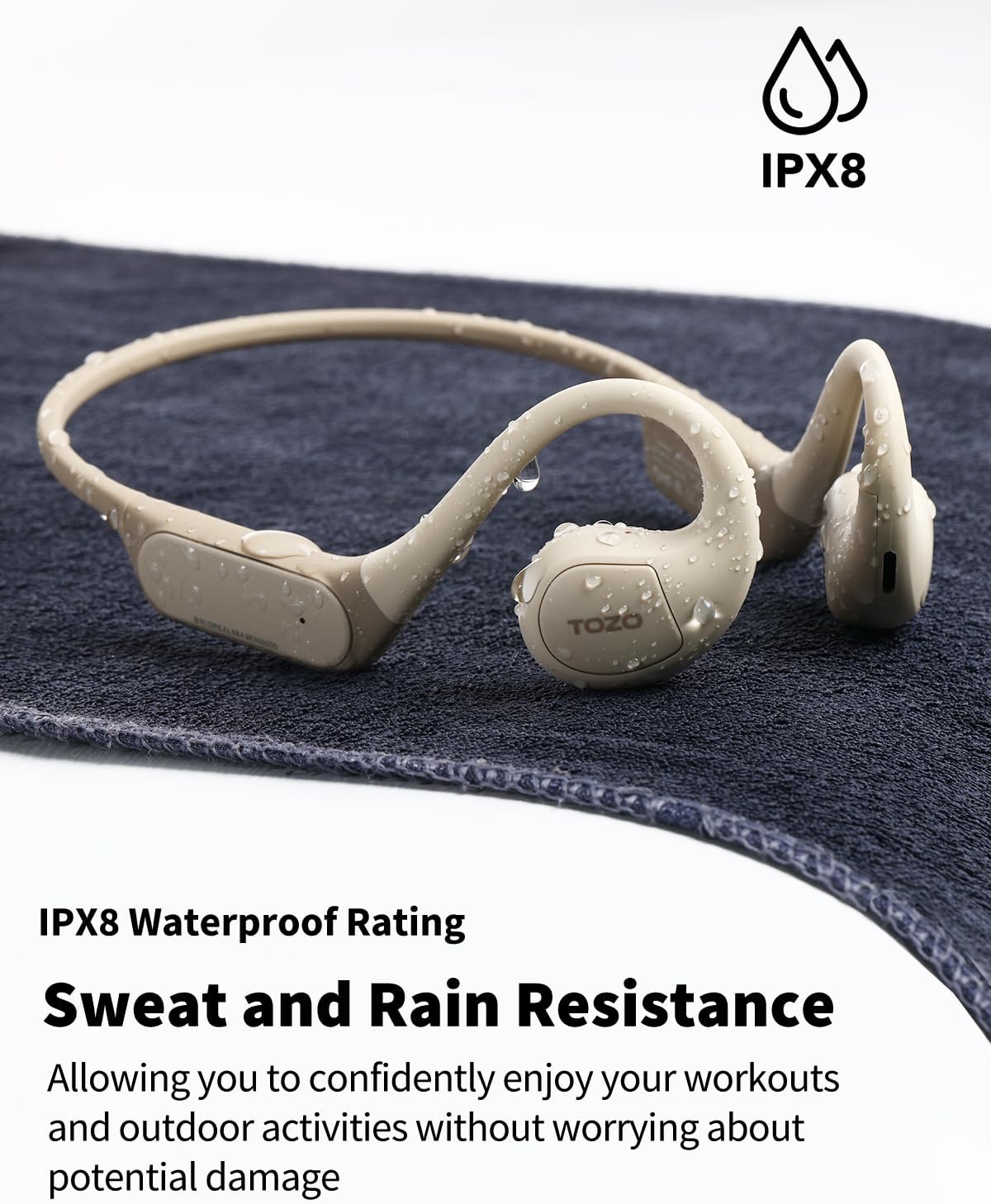
Figure 7: IPX8 Waterproof Rating for sweat and rain resistance.
Official Product Video
Video 1: Official overview of the TOZO OpenReal Open Ear Headphones, highlighting key features and design.
Maintenance
- Cleaning: Wipe the headphones with a soft, damp cloth. Do not use harsh chemicals or abrasive materials.
- Storage: Store the headphones in a cool, dry place away from direct sunlight and extreme temperatures.
- Charging: Use only the provided USB-C cable for charging to prevent damage to the device.
Troubleshooting
No Power / Cannot Turn On
- Ensure the headphones are fully charged. Connect them to the charger for at least 10 minutes.
- Press and hold the power button for 5-7 seconds to attempt a forced power-on.
Cannot Pair with Device
- Make sure the headphones are in pairing mode (indicator light flashing).
- Disable and re-enable Bluetooth on your device.
- Forget "TOZO OpenReal" from your device's Bluetooth list and try pairing again.
- Ensure the headphones are within the effective Bluetooth range (typically 10 meters/33 feet).
Low Volume or Poor Sound Quality
- Adjust the volume on both the headphones and your connected device.
- Ensure the speakers are positioned correctly near your ear canals.
- Check the EQ settings in the TOZO App and adjust as needed.
- Clean the speaker grilles if they appear obstructed.
Specifications
| Feature | Detail |
|---|---|
| Model Name | TOZO Openreal |
| Model Number | T13120 |
| Connectivity Technology | Wireless (Bluetooth 5.3) |
| Audio Driver Size | 16.2 mm |
| Battery Life | Up to 16 Hours |
| Charging Time (Quick Charge) | 10 minutes for 2 hours playtime |
| Water Resistance Level | IPX8 Waterproof |
| Control Type | App Control, Button, Touch Panel |
| Dimensions (L x W x H) | 5.67 x 3.62 x 2.01 inches |
| Item Weight | 0.001 ounces |
| Material | Acrylonitrile Butadiene Styrene (ABS) |
Warranty and Support
For warranty information, technical support, or any inquiries regarding your TOZO OpenReal headphones, please visit the official TOZO website or contact their customer service directly. Refer to the packaging or official product page for the most up-to-date contact details.
Official TOZO Store: TOZO Store on Amazon
Ask a question about this manual
Ask about setup, troubleshooting, compatibility, parts, safety, or missing instructions. Manuals+ will review the question and use this page’s manual context to help answer it.