
Monster Clarity 102 Plus
Monster Clarity 102 Plus Wireless Earbuds User Manual
Model: Clarity 102 Plus | Brand: Monster
Introduction
The Monster Clarity 102 Plus Wireless Earbuds are designed to provide a high-quality audio experience with advanced features for daily use. These earbuds offer clear sound, reliable connectivity, and a comfortable fit, making them suitable for various activities including listening to music, making calls, and sports.

Image: Monster Clarity 102 Plus Wireless Earbuds and their charging case, presented in white.
What's in the Box
Please check the package contents to ensure all items are present:
- 1 x Monster Clarity 102 Plus Wireless Earbuds
- 1 x USB-C Charging Cable
- 3 x Replacement Ear Caps (various sizes)
- 1 x User Manual (this document)
Setup
1. Charging the Earbuds and Case
Before first use, fully charge the earbuds and the charging case. Connect the provided USB-C cable to the charging port on the case and a power source. The indicator lights on the case will show the charging status.
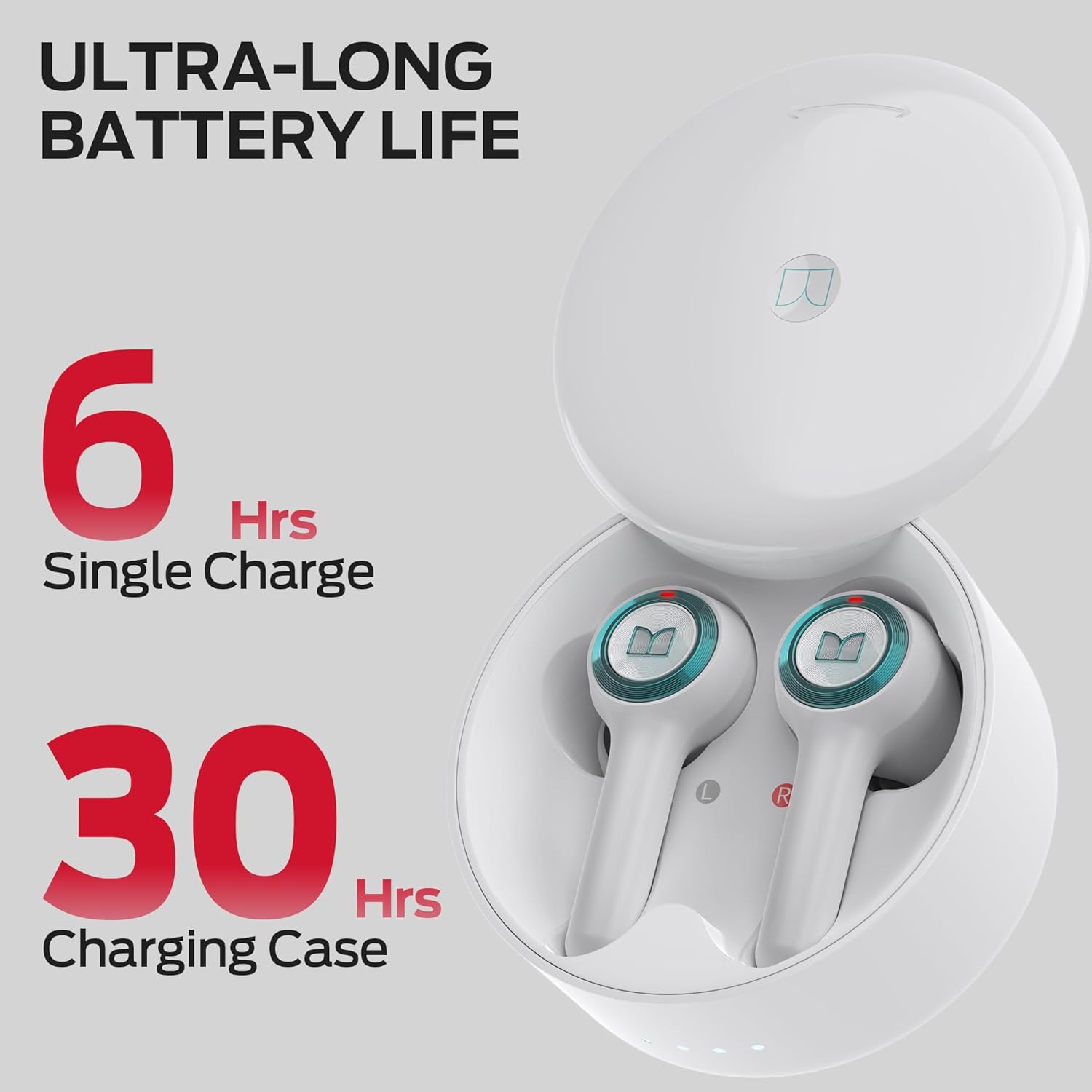
Image: Illustration of the earbuds and charging case, highlighting the 6 hours of single charge playtime and 30 hours total playtime with the charging case.
- Earbud Battery Life: Up to 6 hours on a single charge.
- Total Playtime with Case: Up to 30 hours.
- Charging Time: Approximately 2 hours for a full charge.
2. Pairing with Your Device (Bluetooth 5.4)
The Monster Clarity 102 Plus earbuds utilize Bluetooth 5.4 technology for stable and low-latency connections.
- Ensure your device's Bluetooth is turned on.
- Open the charging case. The earbuds will automatically enter pairing mode.
- On your device, search for Bluetooth devices and select "Monster Clarity 102 Plus" from the list.
- Once connected, you will hear a confirmation tone.
After the initial pairing, the earbuds will automatically connect to the last paired device when removed from the charging case.

Image: Visual representation of the Bluetooth 5.4 pairing process, showing the earbuds connecting to a smartphone and laptop.
3. Fitting the Earbuds
For optimal sound quality and comfort, select the ear tips that best fit your ears. The earbuds come with 4 pairs of soft rubber ear caps (S, M, L, XL), with the M size installed by default.
- Select the comfortable ear tips.
- Gently insert the earbuds into your ears.
- Twist the earbuds slightly to ensure a secure and comfortable fit.

Image: Diagram illustrating the four different ear tip sizes (S, M, L, XL) and a step-by-step guide on how to properly insert and twist the earbuds for a secure and comfortable fit.
Operating the Earbuds
Touch Controls
The Monster Clarity 102 Plus earbuds feature intuitive touch controls on each earbud. Refer to the table below for specific functions:
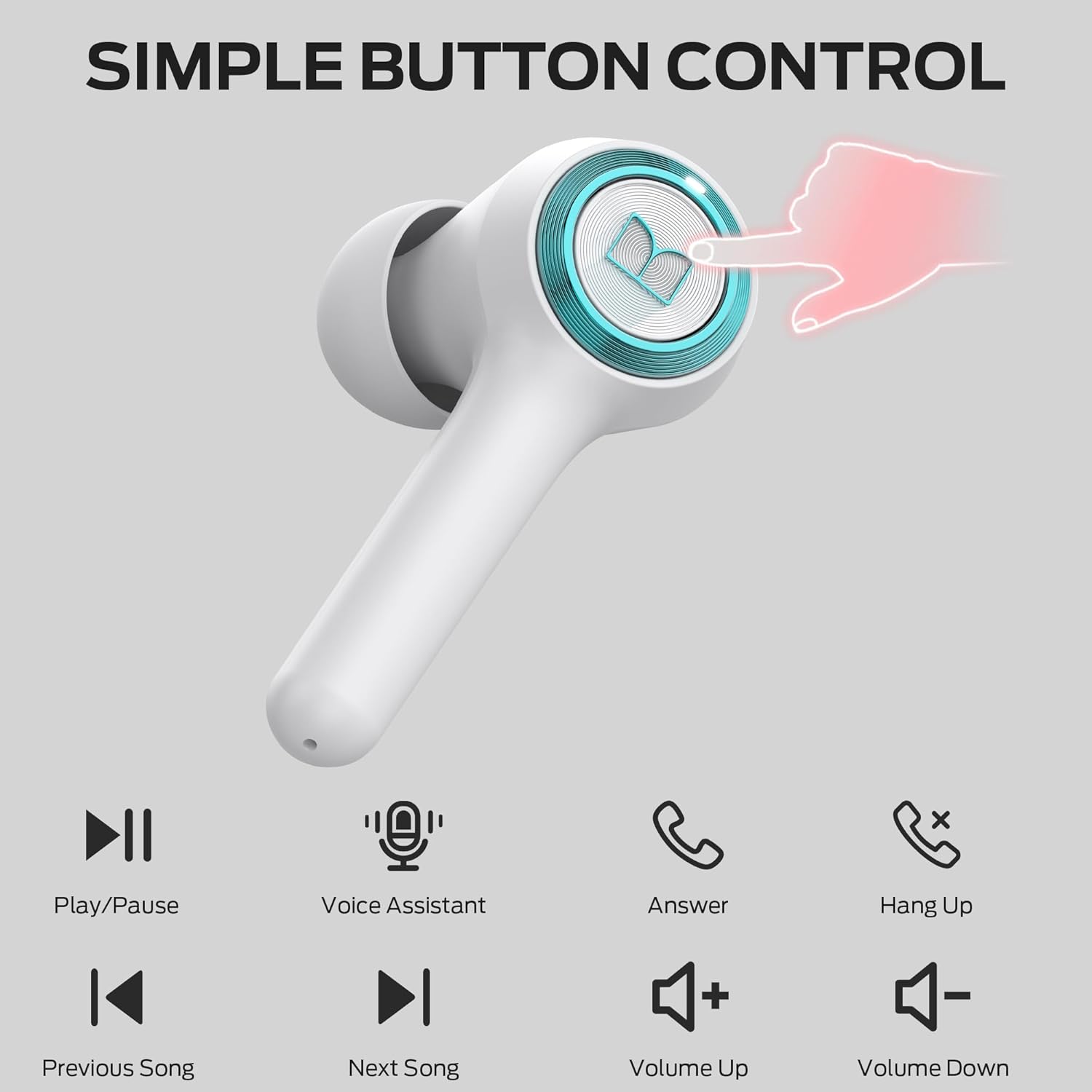
Image: Visual guide to the simple button controls on the earbuds, showing icons for Play/Pause, Voice Assistant, Answer/End Call, Reject Call, Volume Up, Volume Down, Previous Song, and Next Song.
| Action | Function |
|---|---|
| Press x 1 (Either Earbud) | Play/Pause Music, Answer/End Call |
| Press 2s (Either Earbud) | Activate Voice Assistant, Reject Call |
| Press 2s (Left Earbud) | Previous Song |
| Press 2s (Right Earbud) | Next Song |
| Press x 2 (Right Earbud) | Volume Up |
| Press x 2 (Left Earbud) | Volume Down |
Call Functions
The earbuds are equipped with 4 built-in microphones and an AI algorithm for crystal clear calls, ensuring your voice is picked up clearly even in noisy environments.

Image: A woman wearing the Monster Clarity 102 Plus earbuds, illustrating the incredible call quality provided by the built-in ENC microphones.
- Answering/Ending Calls: Single press on either earbud.
- Rejecting Calls: Press and hold either earbud for 2 seconds.
Audio Quality
Experience Pure Monster Sound with enhanced mid to high frequencies and deep bass, thanks to the unique digital audio processor and professional drivers.

Image: Graphic illustrating the "Pure Monster Sound" feature, showing sound waves emanating from the earbuds and an equalizer display, indicating enhanced audio clarity and deep bass.
Maintenance
Cleaning Your Earbuds
Regular cleaning helps maintain sound quality and hygiene. Use a soft, dry, lint-free cloth to wipe the earbuds and charging case. For ear tips, you can gently remove them and clean with a damp cloth, ensuring they are completely dry before reattaching.
Water Resistance (IPX6)
The Monster Clarity 102 Plus earbuds are IPX6 water resistant, meaning they are protected against powerful water jets. This makes them suitable for workouts and outdoor activities where they might be exposed to sweat or light rain. However, they are not designed for submersion in water.

Image: The earbuds shown with water splashes, visually representing their IPX6 water resistance against rain, sweat, and drop splashes.
- Avoid prolonged exposure to water.
- Do not use in swimming or showering.
- Ensure earbuds are dry before placing them back in the charging case.
Troubleshooting
If you encounter any issues with your Monster Clarity 102 Plus earbuds, please refer to the following common solutions:
| Problem | Possible Solution |
|---|---|
| Earbuds not pairing |
|
| No sound from one earbud |
|
| Charging case not charging |
|
| Poor call quality |
|
Specifications
Key technical specifications for the Monster Clarity 102 Plus Wireless Earbuds:
| Feature | Detail |
|---|---|
| Model Name | Clarity 102 Plus |
| Connectivity Technology | Wireless (Bluetooth) |
| Bluetooth Version | 5.4 |
| Bluetooth Range | 33 Feet (approx. 10 meters) |
| Battery Life (Earbuds) | Up to 6 Hours |
| Total Playtime (with Case) | Up to 30 Hours |
| Charging Time | 2 Hours |
| Water Resistance Level | IPX6 (Water Resistant) |
| Microphones | 4 (ENC Mic for Clear Call) |
| Control Type | Touch Control |
| Frequency Range | 20 Hz - 20,000 Hz |
| Weight | Approx. 4 grams per earbud |
| Material | Plastic |
Warranty and Support
Monster products are built with quality and reliability in mind. For information regarding warranty coverage, technical support, or service inquiries, please refer to the official Monster website or contact their customer service directly. Keep your purchase receipt as proof of purchase for warranty claims.
For further assistance, you may visit the Monster Store on Amazon.
Ask a question about this manual
Ask about setup, troubleshooting, compatibility, parts, safety, or missing instructions. Manuals+ will review the question and use this page’s manual context to help answer it.