
1. Introduction
Welcome to the user manual for your Definitive Technology Dymension DM60 Mid-Size Tower Speaker. This document provides essential information for the proper setup, operation, maintenance, and troubleshooting of your speaker system. Please read this manual thoroughly before using your speaker to ensure optimal performance and longevity.

Image: Front view of the Definitive Technology Dymension DM60 Mid-Size Tower Speaker, showcasing its sleek black design.
2. Safety Instructions
Observe the following safety precautions to prevent damage to the speaker and ensure user safety:
- Placement: Position the speaker on a stable, level surface. Avoid placing it near heat sources, direct sunlight, or in areas with excessive moisture.
- Ventilation: Ensure adequate airflow around the speaker. Do not block ventilation openings.
- Power: Connect the speaker to a power outlet with the correct voltage as specified on the product. Use only the provided power cord.
- Cleaning: Disconnect the power before cleaning. Use a soft, dry cloth. Avoid liquid cleaners.
- Servicing: Do not attempt to service the speaker yourself. Refer all servicing to qualified personnel.
3. Package Contents
Upon unpacking, verify that the following items are included:
- Definitive Technology Dymension DM60 Mid-Size Tower Speaker
- Power Cord
- Cabinet Foot Spikes/Pads (for stability and floor protection)
4. Product Overview
The Definitive Technology Dymension DM60 is a mid-size tower speaker designed for immersive audio experiences. Key features include:
- Bipolar Array: Features front and back focusing speakers for multi-directional, room-filling sound.
- BDSS Woofers: Equipped with (4) 4.5" long-throw BDSS midrange woofers and a tweeter for detailed sound.
- 3XR Architecture: Incorporates (2) 3XR-optimized passive radiators and an integrated 8" powered subwoofer with Class D 180W Amplification for powerful bass.
- Dolby Atmos Ready: Designed to integrate seamlessly into Dolby Atmos and DTS:X systems.
- Linear Response Waveguide: Patented technology extends off-axis dispersion for a wide soundstage.
- Intelligent Bass Control: Blends subwoofer output with mids and highs for optimized deep-bass performance.

Image: An internal view illustrating the fully balanced bipolar array with front and back-focusing speakers.

Image: A detailed view of the custom aluminum oxide tweeter, designed for clear high-frequency reproduction.

Image: An internal diagram highlighting the integrated 8-inch powered subwoofer and dual passive radiators for deep bass.
5. Setup
5.1 Speaker Placement
Optimal speaker placement is crucial for sound quality. As a floor-standing speaker, the DM60 should be positioned symmetrically in your listening room. Experiment with distance from walls and corners to achieve the best bass response and soundstage. The adjustable bipolar array allows for flexibility in room acoustics.
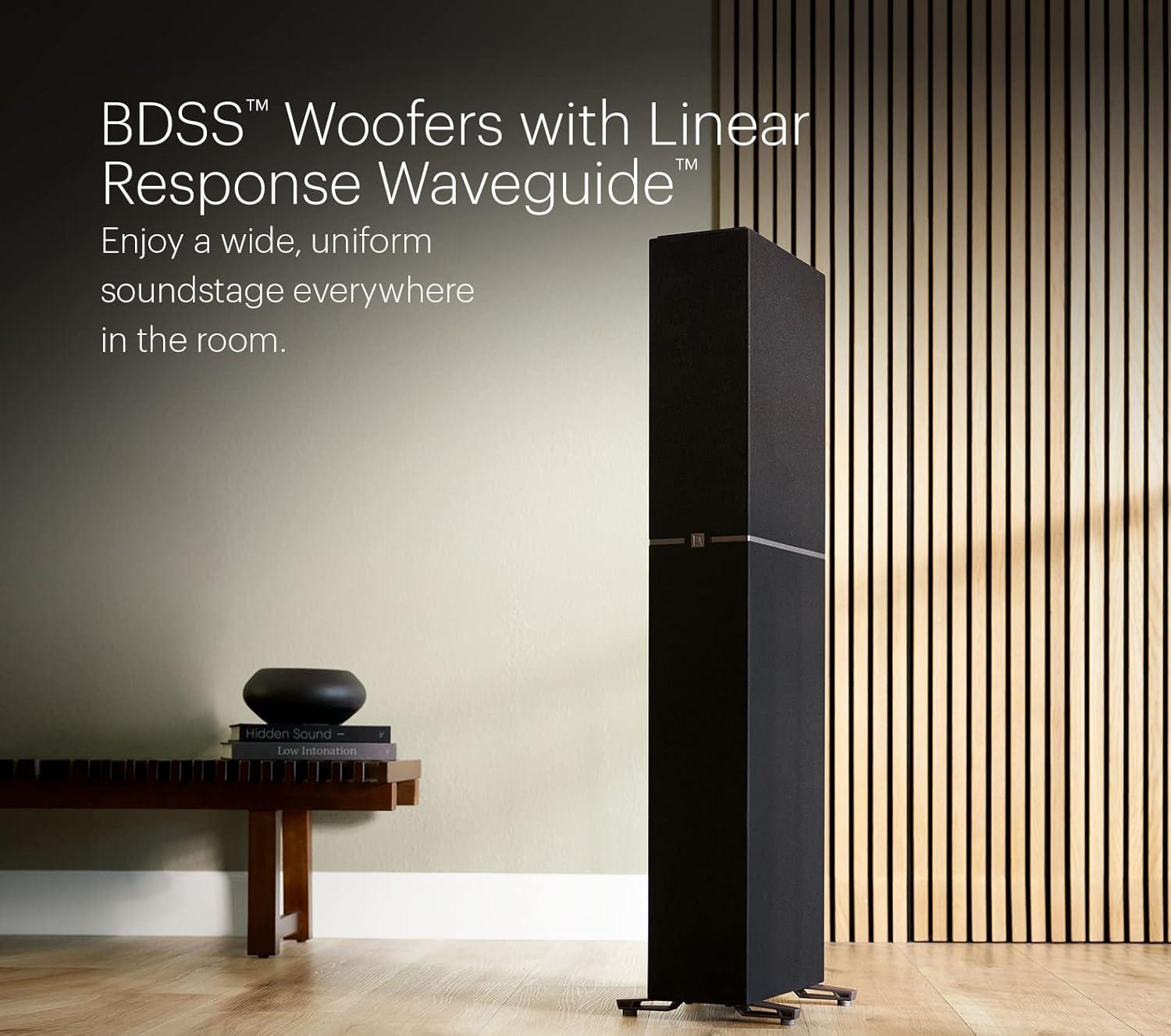
Image: The DM60 speaker positioned in a room, demonstrating its integration into a home environment and highlighting the BDSS woofers with Linear Response Waveguide.
5.2 Connecting to Your System
- Power Connection: Connect the provided power cord to the speaker's power inlet and then to a suitable wall outlet.
- Audio Connection: Use high-quality speaker cables to connect the speaker's input terminals to the corresponding output terminals on your amplifier or receiver. Ensure correct polarity (+ to + and - to -). The DM60 supports coaxial connectivity.

Image: The rear panel of the DM60, displaying the power input, speaker terminals, and controls for Intelligent Bass Control and the NEAR/FAR TWEETER switch.
5.3 Foot Spikes/Pads Installation
Attach the included cabinet foot spikes or pads to the base of the speaker. Spikes are recommended for carpeted surfaces to couple the speaker to the floor, while pads are suitable for hard floors to prevent scratches and provide isolation. Adjust them to ensure the speaker is level and stable.
5.4 Integrating with a Home Theater System
The DM60 is timbre-matched with other Dymension series speakers, allowing for a cohesive surround sound experience. For Dolby Atmos and DTS:X effects, consider adding compatible on-wall speakers like the DM95 (sold separately).

Image: A home theater setup featuring DM60 speakers, demonstrating how they integrate with a center channel and wall-mounted speakers for an immersive audio experience, ready for Dolby Atmos and DTS:X.

Image: A close-up of the speaker's design, highlighting its timbre-matched characteristics with other Definitive Technology speakers for consistent sound.
6. Operating Instructions
6.1 Powering On/Off
Once connected, ensure the speaker's power switch (located on the rear panel) is in the 'ON' position. The speaker will enter standby mode when no audio signal is detected and automatically power on when a signal is present. To fully power off, switch the power button to 'OFF'.
6.2 Adjusting Intelligent Bass Control
The DM60 features an Intelligent Bass Control knob on the rear panel. This control allows you to adjust the level of the integrated subwoofer to blend seamlessly with the midrange and high frequencies, optimizing bass performance for your room and listening preferences. Start with the control at the midpoint and adjust incrementally while listening to various audio content.
6.3 Adjusting Bipolar Array Focus (NEAR/FAR TWEETER)
The rear panel includes a 'NEAR/FAR TWEETER' switch. This switch adjusts the focus of the bipolar array, allowing you to optimize the soundstage for your listening position. Select 'NEAR' if you are seated closer to the speakers, or 'FAR' for listening positions further away, to achieve the most enveloping sound.
7. Maintenance
To maintain the appearance and performance of your DM60 speaker:
- Cleaning: Use a soft, lint-free cloth to gently wipe the cabinet. For stubborn marks, slightly dampen the cloth with water. Avoid abrasive cleaners or solvents.
- Grille Care: The speaker grille is designed to protect the drivers. If it becomes dusty, use a soft brush or a vacuum cleaner with a brush attachment on a low setting.
- Environmental Conditions: Avoid exposing the speaker to extreme temperatures, humidity, or direct sunlight for extended periods.
8. Troubleshooting
If you encounter issues with your DM60 speaker, refer to the following common problems and solutions:
| Problem | Possible Cause | Solution |
|---|---|---|
| No sound from speaker | Power not connected; Speaker cable disconnected; Amplifier/receiver issue; Speaker power switch off. | Check power cord connection; Verify speaker cable connections; Ensure amplifier/receiver is on and functioning; Turn speaker power switch to 'ON'. |
| Distorted or unclear sound | Incorrect speaker cable polarity; Overdriven amplifier; Damaged speaker cable; Poor audio source. | Check speaker cable polarity (+ to +, - to -); Reduce amplifier volume; Inspect and replace damaged cables; Test with a different audio source. |
| Weak or excessive bass | Intelligent Bass Control setting; Speaker placement; Room acoustics. | Adjust the Intelligent Bass Control knob on the rear panel; Experiment with speaker placement relative to walls and corners; Consider room acoustic treatments. |
| Speaker not powering on automatically | No audio signal detected; Power switch off. | Ensure an audio signal is being sent to the speaker; Verify the power switch is in the 'ON' position. |
If the problem persists after attempting these solutions, please contact Definitive Technology customer support or consult a qualified technician.
9. Specifications
| Feature | Specification |
|---|---|
| Model Name | DM60 |
| Brand | Definitive Technology |
| Mounting Type | Floor Standing |
| Connectivity Technology | Coaxial |
| Speaker Maximum Output Power | 180 Watts (integrated subwoofer) |
| Product Dimensions (L x W x H) | 13.7 x 11.3 x 45.4 inches |
| Item Weight | 71.2 pounds |
| Included Components | Speaker |
| Power Source | Corded Electric |
| UPC | 703670842801 |
10. Warranty and Support
The Definitive Technology Dymension DM60 Mid-Size Tower Speaker comes with a Limited Warranty. For specific warranty terms and conditions, please refer to the documentation included with your purchase or visit the official Definitive Technology website. For technical support, product registration, or service inquiries, please contact Definitive Technology customer service through their official channels.


