
1. Setup and Installation
This section guides you through the initial setup and physical installation of your HAPYTHDA ED-300P Wireless Peephole Video Doorbell Camera.
1.1 Package Contents
Verify that all components are present in your package:
- 4.3" Monitor
- Peephole Camera
- Charging Cable
- Hanging Plate
- Screws (various sizes)
- Product Manual

Image: All components included in the product package.
1.2 Physical Installation
The doorbell is designed for easy installation on doors with a thickness between 35-115mm (1.38-4.53 inches). No drilling is required; it adjusts to existing peepholes.
- Select a screw that matches the thickness of your door and insert the bolt into the camera unit.
- Feed the camera cable through the peephole from the outside of the door.
- Align the hanging plate on the inside of the door and tighten the screw through the hanging plate.
- Attach the doorbell cable to the correct port on the monitor unit.
- Install the monitor unit onto the hanging plate.

Image: Step-by-step guide for physical installation.
1.3 App Connection
To utilize smart features, connect your device to the Tuya App or Smart Life App. This product supports 2.4G Wi-Fi networks only. Ensure your device is within range of a strong 2.4G Wi-Fi signal during setup.
- Download the Tuya App or Smart Life App from your smartphone's app store.
- Register or log in to your account.
- In the app, select 'Add Device' and choose 'Smart Doorbell' from the device list.
- Follow the on-screen instructions to connect the doorbell to your 2.4G Wi-Fi network. This typically involves scanning a QR code displayed on the doorbell's screen or generated by the app.

Image: App connection steps and interface.
1.4 Installation Video Guide
For a visual guide on the installation process, please refer to the video below:
Video: A detailed guide demonstrating the installation of the HAPYTHDA Peephole Doorbell.
2. Operation
Learn how to use the various features of your HAPYTHDA ED-300P Wireless Peephole Video Doorbell Camera.
2.1 Real-time Monitoring and HD Video
The doorbell provides 1080p HD video, ensuring clear images of visitors. You can monitor your entrance in real-time through the indoor 4.3" monitor or via the connected mobile app.

Image: Examples of real-time monitoring in various environments.
2.2 Two-Way Audio Communication
Communicate with visitors using the two-way audio feature. This allows you to speak to delivery personnel or guests directly from your monitor or smartphone, even when you are not home.

Image: Two-way audio communication in action.
2.3 PIR Motion Detection and Night Vision
The integrated PIR motion detection reports any movement within its 120° range directly to your smartphone, enhancing security against unauthorized access. The night vision capability allows for 24/7 monitoring, ensuring visibility even in low-light conditions.
- PIR Sensitivity: The effective detection distance of PIR is 1-2m. PIR sensitivity can be adjusted (medium is the default setting).
- Night Vision: Advanced night vision ensures clear images during late-night arrivals or unusual activity.

Image: PIR Infrared Night Vision Function with motion detection alert.

Image: HD Night Vision capability, showing clear views in both day and night.
2.4 App Features
The mobile application provides comprehensive control and monitoring capabilities:
- Live View: Access real-time video feed from your doorbell camera.
- Two-Way Audio: Engage in conversations with visitors.
- Battery Level Display: Monitor the doorbell's battery status.
- Abnormal Condition Notification: Receive alerts for detected motion or other events.
- Photo/Video Recording: Insert a memory card to enable video recording and playback of motion-triggered events.

Image: App connection features and interface.
3. Maintenance
Proper maintenance ensures the longevity and optimal performance of your doorbell camera.
3.1 Battery Charging
The doorbell is powered by a built-in 5000mAh rechargeable battery. When the battery level is low, connect the provided charging cable to the device and a suitable USB power source.
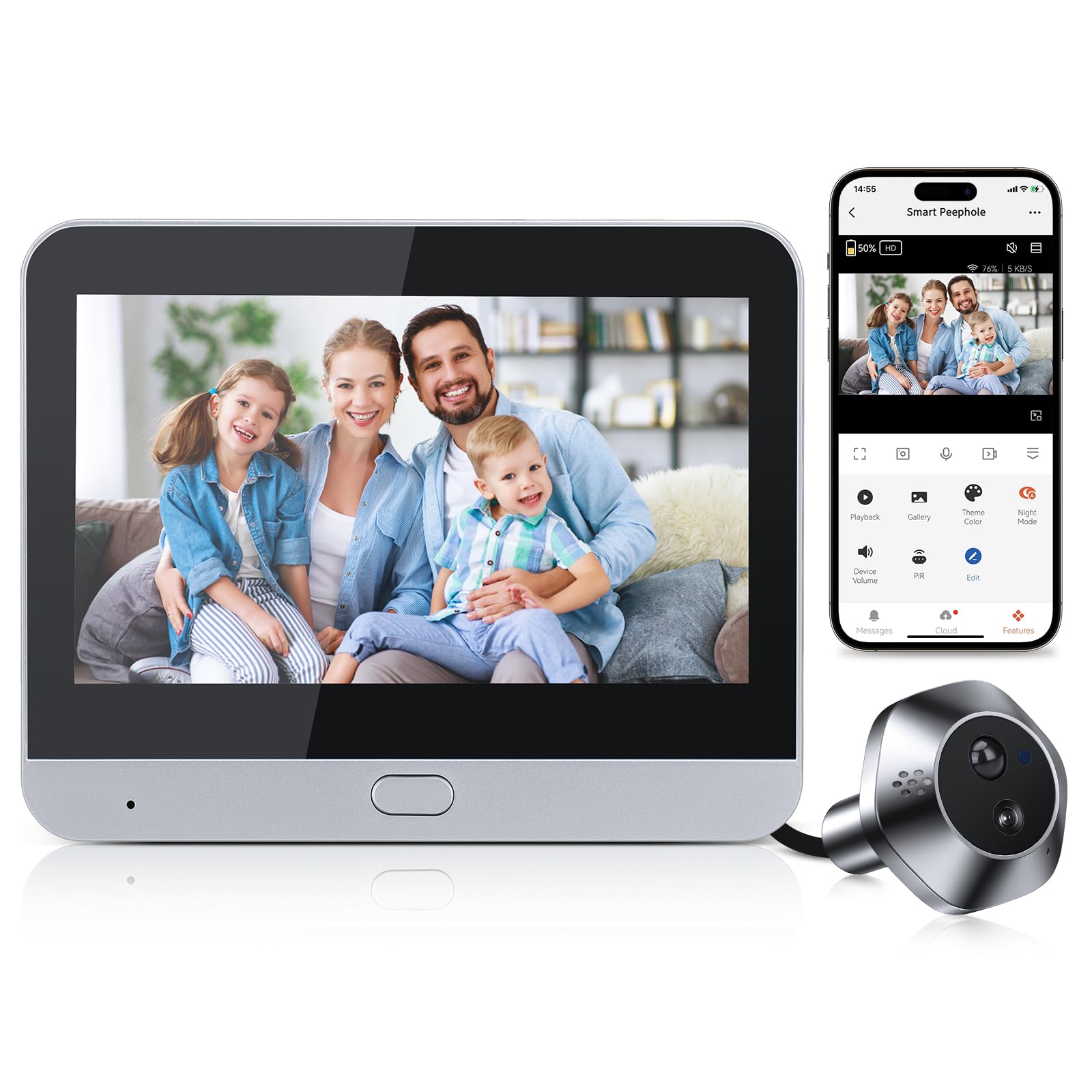
Image: Doorbell monitor being charged via USB cable.

Image: Charging cable connection.
3.2 SD Card Usage
To enable video recording, insert a Class 10 FAT32 format SD card (maximum capacity 128GB) into the designated slot. SD cards 32GB and below can be automatically formatted by the device. For cards larger than 32GB, they must be formatted to FAT32 on a computer before insertion.

Image: Micro SD card slot location.
4. Troubleshooting
This section addresses common issues you might encounter with your HAPYTHDA ED-300P Wireless Peephole Video Doorbell Camera.
4.1 Network Connection Issues
- Device not connecting to Wi-Fi: Ensure your Wi-Fi network is 2.4G. This product does not support dual-frequency or 5G networks. Verify that the device is within range of a strong 2.4G Wi-Fi signal during installation.
- Network disconnection: If the device disconnects from the network for less than 2 hours, it will automatically attempt to reconnect. If the disconnection lasts longer than 2 hours, you may need to delete the device from the app and reconnect it following the initial setup steps.
4.2 SD Card Not Recognized/Recording
- SD card not recognized: Ensure the SD card is a Class 10 FAT32 format. For cards larger than 32GB, they must be formatted to FAT32 on a computer before inserting into the device.
- No video recording: Verify that an SD card is properly inserted and recognized by the device. The video recording function is enabled only when an SD card is present.
4.3 General Operation Issues
- PIR motion detection sensitivity: If you are receiving too many or too few motion alerts, adjust the PIR sensitivity setting within the mobile application. The default setting is medium.
- Poor video quality: Ensure the camera lens is clean and free from obstructions. Check your Wi-Fi signal strength for optimal streaming quality.
5. Specifications
Detailed technical specifications for the HAPYTHDA ED-300P Wireless Peephole Video Doorbell Camera.
| Feature | Specification |
|---|---|
| Model Name | Wireless Peephole Video Doorbell (ED-300P) |
| Video Capture Resolution | 1080p |
| Monitor Size | 4.3 inches |
| Connectivity Technology | Wireless (Wi-Fi) |
| Wi-Fi Frequency | 2.4G (Does not support 5G) |
| Special Features | 2-Way Audio, Night Vision, PIR Motion Detection |
| Indoor/Outdoor Usage | Indoor (Monitor), Outdoor (Camera) |
| Power Source | Battery Powered (5000mAh Built-in Rechargeable Battery) |
| SD Card Support | Class 10 FAT32, Max 128GB |
| Door Thickness Compatibility | 35-115mm (1.38-4.53 inches) |
| Door Hole Diameter Support | 1.5-3.6cm (0.59-1.42 inches) |
| Item Dimensions (Monitor) | 4.3 x 3.5 x 0.9 inches (approx. 11cm x 8.9cm x 2.3cm) |

Image: Product dimensions and compatibility.
6. Warranty & Support
HAPYTHDA products are designed for reliability and performance. For specific warranty details, please refer to the warranty card included with your product or contact HAPYTHDA customer support.
6.1 Customer Support
If you encounter any issues or have questions regarding your HAPYTHDA ED-300P Wireless Peephole Video Doorbell Camera, please contact our customer support team. Contact information can typically be found in the product packaging or on the official HAPYTHDA website.