
Klwenas Maec TJC-2201
Klwenas Maec Twin XL Adjustable Bed Base User Manual
Model: TJC-2201
Brand: Klwenas Maec
Introduction
This manual provides essential information for the safe and efficient operation of your Klwenas Maec Twin XL Adjustable Bed Base. Please read these instructions thoroughly before assembly and use.
The Klwenas Maec Twin XL Adjustable Bed Base is designed to enhance your sleep experience with customizable comfort. It features a quiet motor for independent head and foot adjustments, preset positions, dual USB charging ports, under-bed lighting, and Bluetooth app control.

Image: Klwenas Maec Twin XL Adjustable Bed Base.
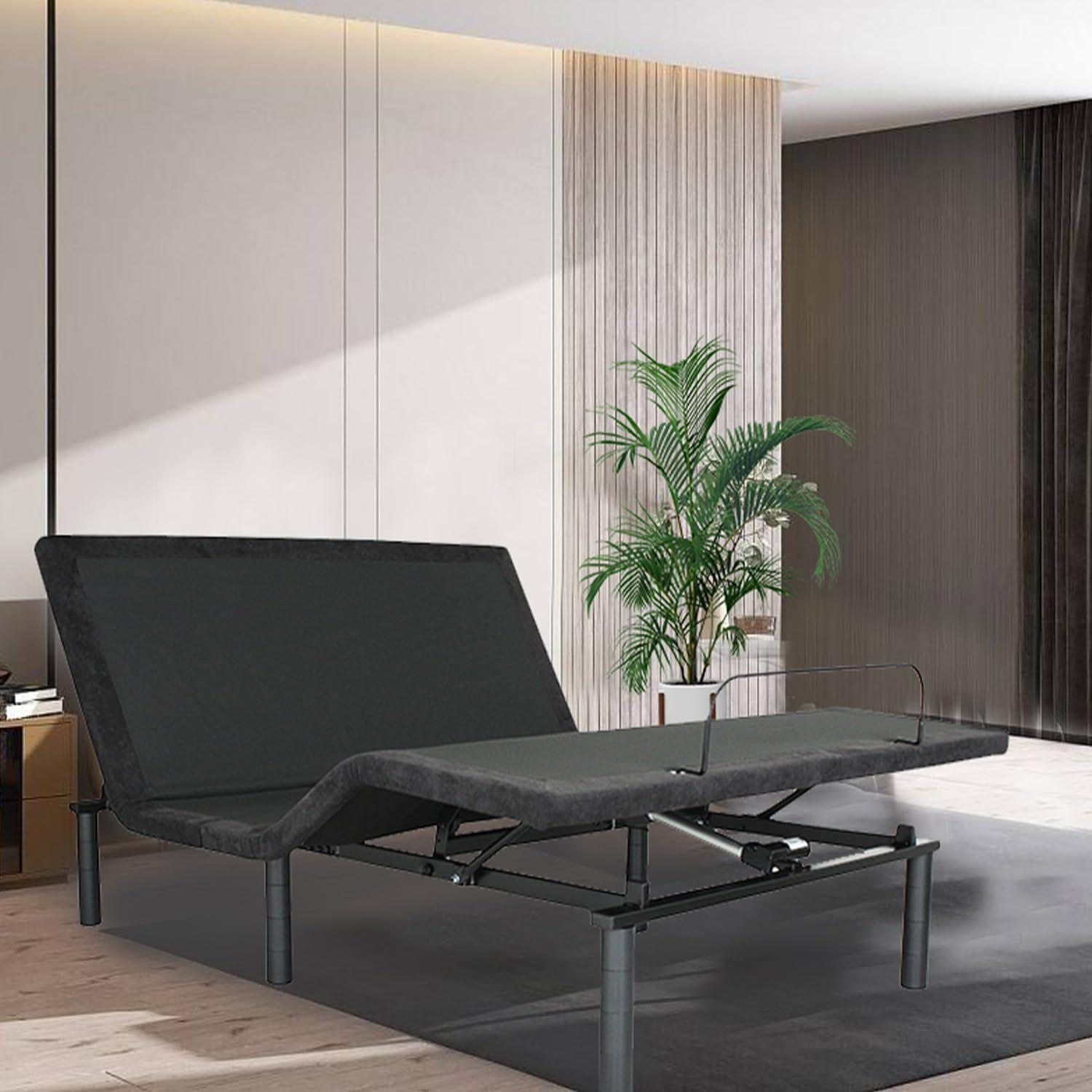
Image: Adjustable bed base in a room setting.
1. Setup Instructions
1.1 Unboxing and Preparation
Carefully unbox all components. It is recommended that two people handle the unboxing and initial setup due to the size and weight of the bed base.
Ensure all parts are present before proceeding. Refer to the included components list.
Place the bed base frame in the desired location, ensuring adequate space around it for assembly and operation.
1.2 Attaching the Legs
Locate the adjustable bed legs. These are designed for easy screw-in installation.
Screw each leg securely into the designated threaded receivers on the underside of the bed base frame. Adjust the leg height to your preference.
1.3 Power Connection
Once the legs are attached and the bed base is in position, connect the power cord to a standard electrical outlet.
Ensure the power cord is not pinched or obstructed by any moving parts of the bed base.
1.4 Mattress Retainer Bar Installation
Install the mattress retainer bar at the foot of the bed base. This bar helps keep your mattress securely in place during adjustments.
1.5 Initial Test
After assembly, perform a quick test of the bed's functions using the wireless remote control to ensure all movements are smooth and correct.
2. Operating Instructions
2.1 Wireless Remote Control
The bed base is operated using the provided wireless remote control. Ensure batteries are correctly installed in the remote.

Image: Wireless remote control with various function buttons.
Remote Functions:
- Head Up/Down: Adjusts the head section incline (0°-60°).
- Foot Up/Down: Adjusts the foot section incline (0°-40°).
- Flat: Returns the bed to a completely flat position.
- Zero Gravity (ZG): Elevates the head and feet to a position that simulates weightlessness, reducing pressure on the body.
- Anti-Snore: Slightly elevates the head to help open airways.
- Flashlight: Activates a small light on the remote for visibility in the dark.
- Under-Bed Lights: Turns the integrated under-bed lighting on or off.
2.2 Bluetooth & App Control
The bed base supports Bluetooth connectivity for control via a dedicated mobile application. Download the official Klwenas Maec app from your device's app store. Follow the in-app instructions to pair your device with the bed base. The app provides similar control functions to the wireless remote, along with potential additional features.
2.3 USB Charging Ports
Two USB charging ports are located on the side of the bed base for convenient device charging. Simply plug your USB charging cable into the port to charge your devices.

Image: Integrated USB ports, under-bed lights, and adjustable legs.
2.4 Under-Bed Lights
Activate the under-bed lights using the wireless remote or the mobile app for soft illumination in the dark.
3. Maintenance
3.1 Cleaning
Regularly dust the bed base frame with a soft, dry cloth.
For spills or stains on the fabric, use a mild fabric cleaner and a damp cloth. Test in an inconspicuous area first.
Avoid using harsh chemicals or abrasive cleaners, as these can damage the finish.
3.2 Motor and Electrical Components
The motor and electrical components are designed to be maintenance-free. Do not attempt to open or service the motor housing or control box. This should only be done by qualified service personnel.
Ensure all power cords are free from damage and properly connected.
3.3 Moving the Bed Base
If moving the bed base, ensure it is in the flat position and unplugged from the power outlet. It is recommended to have two people move the bed base to prevent injury or damage.
4. Troubleshooting
4.1 Bed Base Not Responding
Symptom: Bed base does not move when remote buttons are pressed.
Possible Causes & Solutions:
- No Power: Check if the power cord is securely plugged into a working electrical outlet. Ensure the outlet has power by testing with another device.
- Remote Batteries: Replace the batteries in the wireless remote control.
- Remote Pairing: If the remote is new or has lost pairing, refer to the remote's specific pairing instructions (usually involves holding a button on the control box and remote simultaneously).
- Overload Protection: The motor may have an overload protection feature. Unplug the bed for 30 minutes to reset, then try again.
4.2 Uneven Movement or Noise
Symptom: Bed base moves unevenly or makes unusual noises.
Possible Causes & Solutions:
- Obstruction: Check for any objects or bedding obstructing the moving parts of the bed base.
- Loose Connections: Ensure all leg connections are tight.
- Weight Distribution: Ensure weight is evenly distributed on the bed base.
4.3 USB Ports Not Charging
Symptom: Devices are not charging when plugged into the USB ports.
Possible Causes & Solutions:
- Power Connection: Ensure the bed base is plugged into a live power outlet.
- Device Compatibility: Some devices may require specific charging protocols. Try a different device or charging cable.
If problems persist after attempting these solutions, please contact customer support.
5. Product Specifications
| Feature | Detail |
|---|---|
| Model Number | TJC-2201 |
| Brand | Klwenas Maec |
| Size | Twin XL |
| Product Dimensions | 74.8"L x 53.9"W x 13.7"H |
| Color | Antique Black |
| Finish Type | Powder Coated |
| Special Features | Wireless Remote, Zero Gravity, USB Ports, Head and Foot Incline, Under-Bed Lights, Bluetooth & App Control |
| Head Incline Range | 0° - 60° |
| Foot Incline Range | 0° - 40° |
| Included Components | Installation Manual, Wireless Remote |
| Assembly Required | Yes (No tools required) |
| Form Factor | Metal Frame with Wooden Board Support |
| Item Weight | 84 pounds |
| UPC | 720130806081 |

Image: Bed base dimensions and incline capabilities.

Image: Zero clearance design and independent head/foot incline.
6. Warranty and Support
For warranty information, please refer to the documentation included with your purchase or contact Klwenas Maec customer service directly.
If you require assistance with assembly, operation, or troubleshooting that is not covered in this manual, please contact Klwenas Maec customer support.
Contact information can typically be found on the product packaging or the official Klwenas Maec website.
Ask a question about this manual
Ask about setup, troubleshooting, compatibility, parts, safety, or missing instructions. Manuals+ will review the question and use this page’s manual context to help answer it.