
DJI 6937224107922
DJI Osmo Action 4 Essential-Combo User Manual
Model: 6937224107922
Introduction
The DJI Osmo Action 4 Essential-Combo is a robust and versatile action camera designed to capture high-quality footage in various environments. Featuring a 1/1.3-inch sensor, it excels in low-light conditions and offers 4K/120fps video recording with 10-bit D-Log M color performance for professional-grade results. Its durable design, including waterproofing and extreme cold resistance, makes it suitable for adventurous users. This manual provides detailed instructions on setting up, operating, and maintaining your Osmo Action 4 camera.
What's in the Box
The Osmo Action 4 Essential-Combo includes the following components:
- Osmo Action 4 x 1
- Osmo Action Extreme Battery x 1
- Osmo Action Protective Frame x 1
- Osmo Action Quick-Release Adapter Mount x 1
- Osmo Locking Screw x 1
- USB-C to USB-C PD Cable x 1
- Osmo Action Lens Hood x 1
- Osmo Action Anti-Slip Pads x 1

Image: All components included in the DJI Osmo Action 4 Essential-Combo package.
Setup
Follow these steps to set up your DJI Osmo Action 4 for first use:
- Charge the Battery: Insert the Osmo Action Extreme Battery into the camera or a compatible charging hub. Connect the USB-C PD cable to a power source to begin charging. The battery indicator on the camera will show charging status.
- Insert microSD Card: Open the battery compartment cover and insert a compatible microSD card (not included) into the card slot with the contacts facing down. Ensure it clicks into place.
- Power On: Press and hold the Power/Shutter button to turn on the camera. Follow the on-screen prompts for initial setup, including language selection and date/time settings.
- Attach Protective Frame: For added protection and mounting versatility, place the camera inside the Osmo Action Protective Frame.
- Mounting: Use the Osmo Action Quick-Release Adapter Mount to attach the camera to various accessories. The magnetic quick-release design allows for fast and secure attachment and detachment.

Image: The DJI Osmo Action 4 camera, ready for setup and use.
Operating the Camera
Image Quality
The Osmo Action 4 is equipped with advanced imaging capabilities to ensure stunning visual quality.
1/1.3-inch Sensor and Stunning Low-Light Imaging
The larger 1/1.3-inch sensor significantly improves image quality, especially in challenging low-light conditions. This allows for clear and vibrant footage even when shooting at night or in dimly lit environments, with effective noise suppression.

Image: Visual representation of the 1/1.3-inch sensor and its capability for stunning low-light imaging.
10-Bit and D-Log M Color Performance
Capture over one billion colors with 10-bit color depth and D-Log M color performance. This provides a wider dynamic range and more flexibility for color grading and post-production, ensuring clarity and detail are preserved in your footage.

Image: Comparison illustrating the enhanced color depth and dynamic range provided by 10-bit and D-Log M color profiles.
Video Features
4K/120fps and 155° Ultra-Wide Field of View
Record high-resolution 4K video at up to 120 frames per second for smooth, detailed slow-motion footage. The 155° ultra-wide field of view captures expansive scenes, providing an immersive first-person perspective for your action shots.

Image: A scene demonstrating the wide field of view and high frame rate capabilities of the camera.
Stabilization
Ensure your footage remains smooth and stable, even during intense activities.
360° HorizonSteady
The 360° HorizonSteady feature maintains a level horizon in your videos, regardless of how much the camera rotates or moves. This powerful stabilization ensures incredibly smooth and professional-looking footage, even during dynamic movements.

Image: A visual comparison showing the effectiveness of 360° HorizonSteady in keeping the horizon level.
RockSteady 3.0
RockSteady 3.0 provides advanced electronic image stabilization, effectively eliminating camera shake across all axes. This ensures incredibly smooth footage, even in high-action scenarios, allowing you to capture stable videos up to 4K/120fps.
Durability
The Osmo Action 4 is built to withstand challenging environments.
Waterproof Design
The camera is waterproof down to 18 meters (59 feet) without requiring an additional housing, making it ideal for underwater adventures. With the waterproof case (sold separately), it can be used at depths of up to 60 meters (197 feet).

Image: The DJI Osmo Action 4 camera being used for underwater recording, demonstrating its waterproof capability.
Extreme Cold Resistance and Long Battery Life
The Osmo Action 4 can operate in temperatures as low as -20°C (-4°F), making it suitable for winter sports and cold climates. The included 1,770 mAh battery provides up to 150 minutes of recording time in cold conditions and supports fast charging, reaching 80% in just 18 minutes.
Robust Build Quality
Designed for durability, the Osmo Action 4 features a robust construction that can withstand impacts and harsh conditions. The lens is particularly resistant to drops, providing enhanced safety during active use.
Usability Features
The Osmo Action 4 offers features designed for ease of use and creative flexibility.
Magnetic Quick Release and True Vertical Videos
The magnetic quick-release design allows for rapid switching between horizontal and vertical shooting orientations in just 1.5 seconds. This makes it easy to create content optimized for social media platforms without compromising quality.

Image: A hand demonstrating the magnetic quick-release mechanism and the camera's ability to switch to vertical video.
Dual Full-Color Touchscreens
Both the front and rear screens are full-color touchscreens, allowing for easy parameter adjustments and clear playback. The front screen is particularly useful for vlogging and selfies, enabling composition without needing to turn the camera around.

Image: The DJI Osmo Action 4 displaying its dual full-color touchscreens for easy operation.
Custom Mode and Quick Switch Button
Save frequently used parameters to custom modes (C1-C5) for quick access. The dedicated Quick Switch button allows you to rapidly switch between these modes. You can also press the record button to start recording even when the camera is powered off.
Audio
DJI OsmoAudio™
The Osmo Action 4 can directly connect to a DJI Mic 2 or Mic Mini transmitter (sold separately) for high-quality audio recording. This simplifies your setup and workflow for vlogs, interviews, and live streams.

Image: A person using the DJI Osmo Action 4 with a DJI Mic for superior audio capture.
Advanced Features
Pre-recording and Highlight Mode
With pre-recording, the camera can capture footage 5/10/15/30/60 seconds before you press the record button, ensuring you never miss a moment. The highlight mode allows you to mark key moments during recording or playback for easier editing later.

Image: Visuals illustrating the pre-recording function and the ability to mark highlights in your footage.
Activity Data Overlay
Integrate performance data into your videos by using the Osmo Action GPS Bluetooth Remote Controller (sold separately). This allows you to record data like speed and distance with the built-in GPS and overlay it onto your footage.

Image: A video frame showing overlaid activity data such as speed and distance, captured with the Osmo Action 4.
AI Selfie Stick Removal
The camera's AI capabilities can remove the selfie stick from your footage in various scenarios, enhancing the visual quality of your videos and supporting slow-motion output.
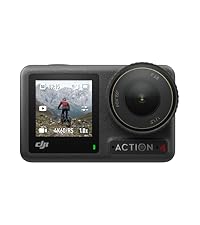
Image: A side-by-side comparison demonstrating the AI selfie stick removal feature.
Timelapse
Capture stunning time-lapse videos of starry skies or cityscapes with ease. The large CMOS sensor allows for unique effects like star trails and light painting in post-production.
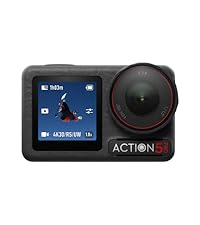
Image: A captivating time-lapse image of a night sky, showcasing the camera's capability.
Maintenance
Proper maintenance ensures the longevity and optimal performance of your Osmo Action 4 camera.
- Cleaning: After use, especially in saltwater or dusty environments, rinse the camera with fresh water and dry it thoroughly with a soft, clean cloth. Do not use harsh chemicals.
- Lens Care: Keep the lens clean and free from smudges. Use a lens cleaning cloth and solution designed for optical surfaces. Avoid touching the lens directly.
- Battery Storage: For long-term storage, charge the battery to approximately 50-60% and store it in a cool, dry place. Avoid fully discharging or overcharging the battery.
- Firmware Updates: Regularly check for and install firmware updates via the DJI Mimo app to ensure your camera has the latest features and performance improvements.
- Storage: Store the camera in a protective case when not in use to prevent scratches and damage.
Troubleshooting
If you encounter issues with your Osmo Action 4, consider the following general troubleshooting steps:
- Camera Not Responding: Try restarting the camera by holding the Power/Shutter button. If unresponsive, ensure the battery is charged.
- Poor Image/Video Quality: Check the lens for smudges or dirt. Ensure you are shooting in appropriate lighting conditions and that stabilization features are enabled if needed. Verify microSD card speed and capacity.
- Overheating: While the Osmo Action 4 is designed for efficient heat dissipation, prolonged recording in high temperatures or direct sunlight can cause it to warm up. If the camera indicates overheating, stop recording and allow it to cool down.
- Connectivity Issues: If experiencing problems with Wi-Fi or Bluetooth, ensure the camera and your device are within range and that no interference is present. Try restarting both devices.
- Firmware Update Failure: Ensure a stable internet connection and sufficient battery life during updates. If an update fails, try again or consult DJI's official support resources.
For more detailed troubleshooting or persistent issues, please refer to the official DJI support website or contact customer service.
Specifications
Key technical specifications for the DJI Osmo Action 4 Essential-Combo:
| Feature | Detail |
|---|---|
| Package Dimensions | 12.2 x 9.1 x 4.9 cm |
| Item Dimensions | 7 x 4.4 x 3.3 cm |
| Item Weight | 209 Grams |
| Brand Name | DJI |
| Color | Black |
| Image Stabilization | Yes |
| Maximum Focal Length | 24 Millimeters |
| Minimum Focal Length | 8.5 Millimeters |
| Part Number | 6937224107922 |
| Product Warranty | DJI |
| Water Resistance | Waterproof |
| Zoom Type | Optical |
| Focus Type | Autofocus |
| Style Name | Osmo Action 4 Essential-Combo |
| Effective Still Resolution | 10 MP |
| Photosensor Technology | CMOS |
| Video Capture Resolution | 4K |
| Maximum Aperture | 2.8 f |
| Flash Memory Type | Micro SD |
| Video Capture Format | MP4 |
| Supported Audio Format | AAC |
| Connectivity Technology | Bluetooth, WLAN |
| Batteries Required | 1 CR5 batteries (included) |
Warranty and Support
The DJI Osmo Action 4 Essential-Combo comes with a standard product warranty provided by DJI. For specific warranty terms, conditions, and duration, please refer to the warranty card included with your product or visit the official DJI support website. For technical assistance, product inquiries, or service requests, please contact DJI customer support through their official channels.
Official DJI Support: www.dji.com/support
Related documents6937224107922


Ask a question about this manual
Ask about setup, troubleshooting, compatibility, parts, safety, or missing instructions. Manuals+ will review the question and use this page’s manual context to help answer it.