
NEEWER LL38
NEEWER LL38 Video Camera Tripod with Fluid Head User Manual
Model: LL38
1. Safety Information
Please read and understand all safety instructions before using the NEEWER LL38 Video Camera Tripod. Retain this manual for future reference.
- Maximum Load Capacity: Do not exceed the maximum load capacity of 17.6lb (8kg) to prevent damage to the tripod or attached equipment.
- Stability: Always ensure the tripod legs are fully extended and locked, and the fluid head is securely tightened before mounting any equipment.
- Uneven Surfaces: Use the 70mm bowl base and built-in bubble level to ensure stability on uneven terrain.
- Handling: Carry the tripod securely, especially when equipment is mounted. Avoid sudden movements that could destabilize the setup.
- Environmental Conditions: Avoid exposing the tripod to extreme temperatures, moisture, or corrosive substances.
2. Package Contents
Verify that all items are present in the package:
- 1 x LL38 Video Tripod
- 1 x Quick Release Plate
- 1 x Carrying Bag
3. Product Overview
The NEEWER LL38 Video Camera Tripod is constructed from durable aluminum alloy, designed for stability and versatile camera positioning. It features a fluid head for smooth pan and tilt movements, quick-lock leg buckles for rapid height adjustment, and a quick release plate for efficient camera mounting.

Image: NEEWER LL38 Tripod Package Contents and Specifications. This image displays the tripod, quick release plate, and carrying bag, along with key specifications.
4. Setup
- Unfolding the Tripod:
Release the leg lock buckles on each leg. Extend the legs to the desired spread. The mid-level spreader helps maintain leg position. Ensure all leg sections are securely locked using the quick lock buckles.

Image: NEEWER LL38 Tripod Adjustable Height. This image illustrates the tripod at various heights: storage (35.8"/91cm), minimum (34.6"/88cm), medium (57"/145cm), and maximum (78.7"/200cm).
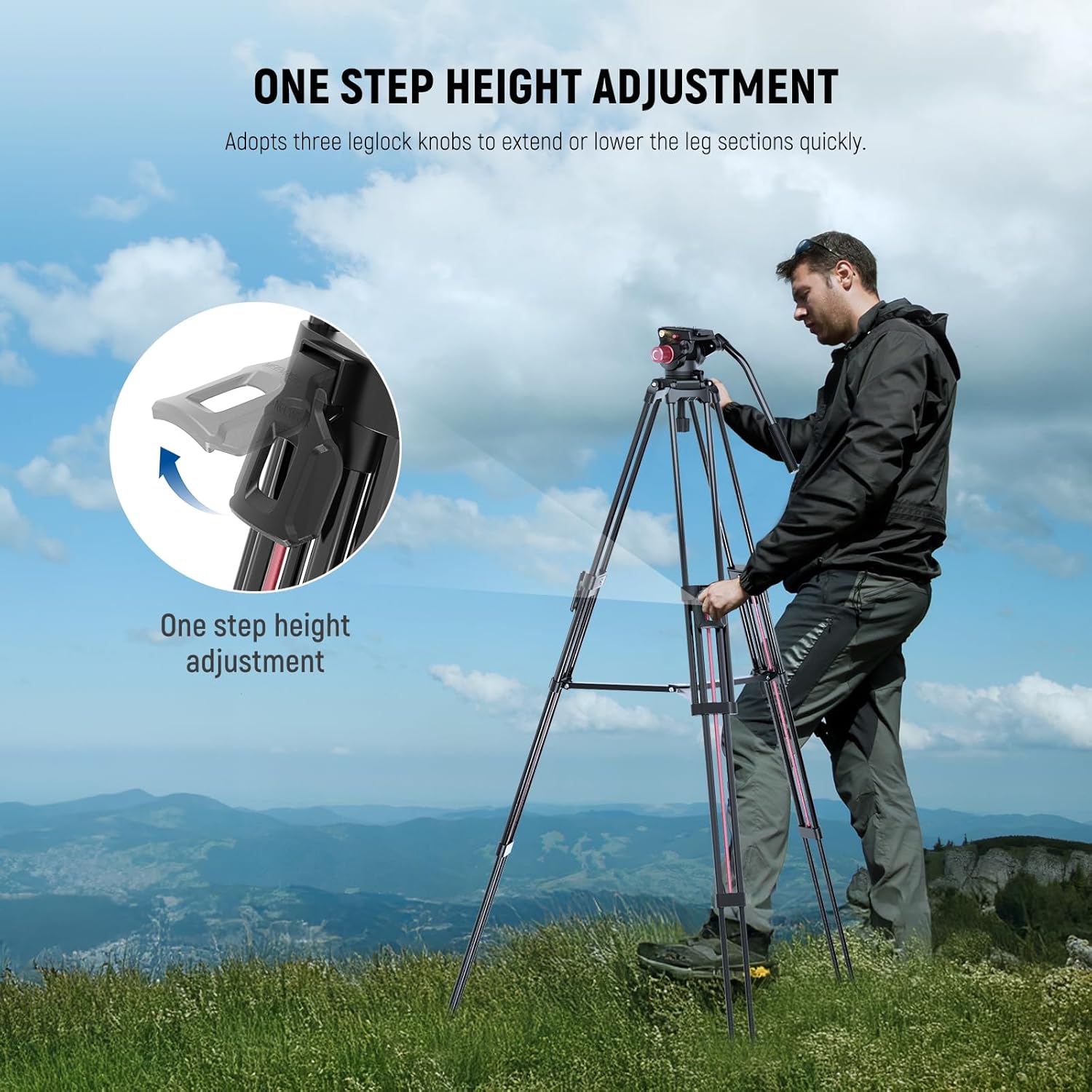
Image: NEEWER LL38 Tripod One Step Height Adjustment. This image shows a user operating the quick lock buckles to adjust the tripod leg height.
- Leveling the Tripod:
The fluid head features a 70mm bowl base that can be adjusted to compensate for uneven surfaces. Use the built-in bubble level to ensure the tripod head is perfectly horizontal before shooting.
5. Operating Instructions
- Attaching the Camera (Quick Release Plate):
The quick release plate is equipped with 1/4" and 3/8" screws for broad compatibility. Attach the plate to your camera's tripod mount. To secure the camera to the fluid head, align the plate with the receiver and push it in until it clicks into place. Use the side release button for efficient detachment.

Image: NEEWER LL38 Tripod Easy Setup & Quick Release. This image details the quick release plate, locking knob, release button, non-slip pad, and 3/8" threaded expansion hole on the fluid head.

Image: NEEWER LL38 Tripod Wide Compatibility. This image shows the 1/4" and 3/8" screws on the quick release plate and lists compatible devices such as camcorders, mirrorless cameras, DSLR cameras, telephoto lens cameras, professional video cameras, and camera sliders.
- Fluid Head Pan and Tilt:
The fluid head allows for smooth 360° horizontal panning and -70° to 90° vertical tilting. Use the pan locking knob and tilt locking knob to adjust and secure your desired angles. The removable handle can be installed on either side for right-handed or left-handed use.

Image: NEEWER LL38 Tripod Flexible and Smooth Pan and Tilt. This image illustrates the 360° pan and -70° to 90° tilt capabilities of the fluid head, highlighting the tilt and pan locking knobs.
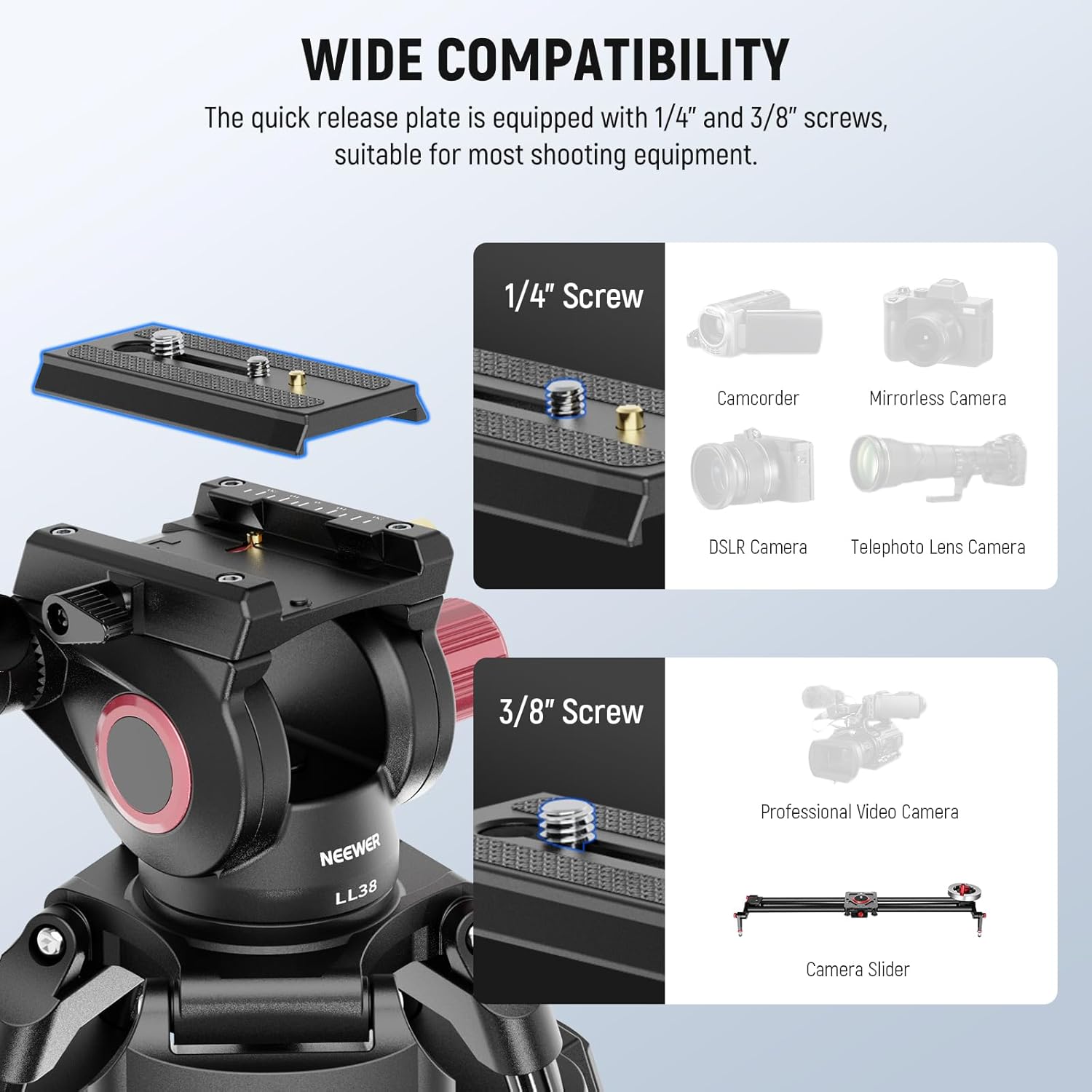
Image: NEEWER LL38 Tripod Removable Handle. This image demonstrates how the handle can be attached for both right-handed and left-handed operation.
- Accessory Mounting:
An extra 3/8" side screw hole is available for attaching accessories such as magic arms, monitors, LED video lights, or microphones.
Video: NEEWER 79"/2m Video Camera Tripod with Fluid Head. This video demonstrates the setup, height adjustment, fluid head movements, and accessory mounting options of the NEEWER LL38 tripod.
6. Maintenance
- Cleaning: Wipe the tripod with a soft, dry cloth after each use. For stubborn dirt, use a slightly damp cloth and mild soap, then dry thoroughly.
- Lubrication: The fluid head is factory-lubricated. Do not attempt to lubricate internal components unless specifically instructed by NEEWER support.
- Storage: Store the tripod in its carrying bag in a cool, dry place away from direct sunlight and extreme temperatures.
- Inspection: Periodically check all screws, knobs, and leg locks for tightness. Tighten any loose components to ensure safe operation.
7. Troubleshooting
| Problem | Possible Cause | Solution |
|---|---|---|
| Tripod is unstable or wobbles. | Leg locks not fully engaged; uneven surface; overloaded. | Ensure all leg locks are securely fastened. Adjust the bowl base and use the bubble level. Reduce equipment weight if exceeding 17.6lb (8kg). |
| Fluid head movements are not smooth. | Pan/tilt locking knobs are too tight; dirt in mechanism. | Loosen the pan/tilt locking knobs slightly. Clean the head area. If problem persists, contact support. |
| Quick release plate is difficult to attach/detach. | Plate not aligned correctly; release button/lever stuck. | Ensure the plate is correctly aligned with the receiver. Press the release button firmly. Clean any debris from the mechanism. |
8. Specifications
- Model: LL38
- Item Type: Video Tripod
- Material: Aluminum Alloy
- Maximum Height: 78.7 inches (200cm)
- Minimum Height: 34.6 inches (88cm)
- Folded Size: 35.8 inches (91cm)
- Load Capacity: 17.6lb (8kg)
- Tripod Head Type: Fluid Pan Head
- Pan Range: 360°
- Tilt Range: -70° to 90°
- Quick Release Plate Screws: 1/4" and 3/8"
- Item Weight: 9.7lb (4.4kg)
9. Warranty and Support
This NEEWER LL38 Video Camera Tripod comes with a 1-Year Manufacturer Warranty. For technical support, warranty claims, or service inquiries, please refer to the contact information provided with your purchase or visit the official NEEWER website.
Ask a question about this manual
Ask about setup, troubleshooting, compatibility, parts, safety, or missing instructions. Manuals+ will review the question and use this page’s manual context to help answer it.