Introduction
Thank you for choosing the MIDDOW Military Smart Watch. This manual provides detailed instructions to help you set up, operate, and maintain your new smartwatch. Please read this manual thoroughly before use to ensure optimal performance and longevity of your device.
Setup
1. Charging the Smart Watch
Before first use, fully charge your smartwatch. Connect the provided USB magnetic charging cable to the two contact points on the back of the watch and a compatible USB power source. A full charge typically takes approximately 2 hours. The watch features a 350mAh high-capacity battery, offering 5-7 days of daily use and up to 30 days of standby time.

Image: The MIDDOW Smart Watch being charged via its magnetic charging cable, illustrating the charging process and battery life.
2. App Installation and Pairing
Your MIDDOW Smart Watch connects to the "FitCloudPro" application. This app allows you to track sports data, monitor health metrics, change watch faces, and manage other functions.
For iOS Devices:
- Open Bluetooth settings on your iPhone and search for "Middow".
- Download the "FitCloudPro" app from the App Store.
- Open the app, navigate to the "Device" section, and click "Add Peripheral Now".
- Search for and select "Middow" from the list of available devices.
- A pop-up window will appear on the watch; click the checkmark to confirm.
- The watch will send a pairing request to your iPhone; click "Pair" to complete the connection.

Image: iOS pairing steps 1-3, showing Bluetooth search, app download, and device addition.

Image: iOS pairing steps 4-6, illustrating device selection, watch confirmation, and final pairing.
For Android Devices:
- Open Bluetooth settings on your Android phone and search for "Middow".
- Download the "FitCloudPro" app from the Google Play Store.
- Open the app, navigate to the "Device" section, and click "Bind Device".
- Search for and click to connect "Middow".
- A pop-up window will appear on the watch; click the checkmark to confirm.
- The connection will be successful.

Image: Android pairing steps 1-3, showing Bluetooth search, app download, and device binding initiation.

Image: Android pairing steps 4-6, illustrating device selection, watch confirmation, and successful connection.
Operating Instructions
1. Basic Navigation
The MIDDOW Smart Watch features a 1.32-inch high-definition touchscreen for intuitive navigation. Swipe left, right, up, or down to access different menus and functions. The side buttons provide additional control for specific features like light and mode selection.

Image: The main product view of the MIDDOW Smart Watch, showcasing its robust build and accessible buttons for navigation.
2. Flashlight Function
The watch is equipped with a super bright laser cannon and an ultra-fast zoom flashlight. This feature is useful for providing clear visibility in low-light conditions. SOS mode and warning mode can also be activated for emergency situations.
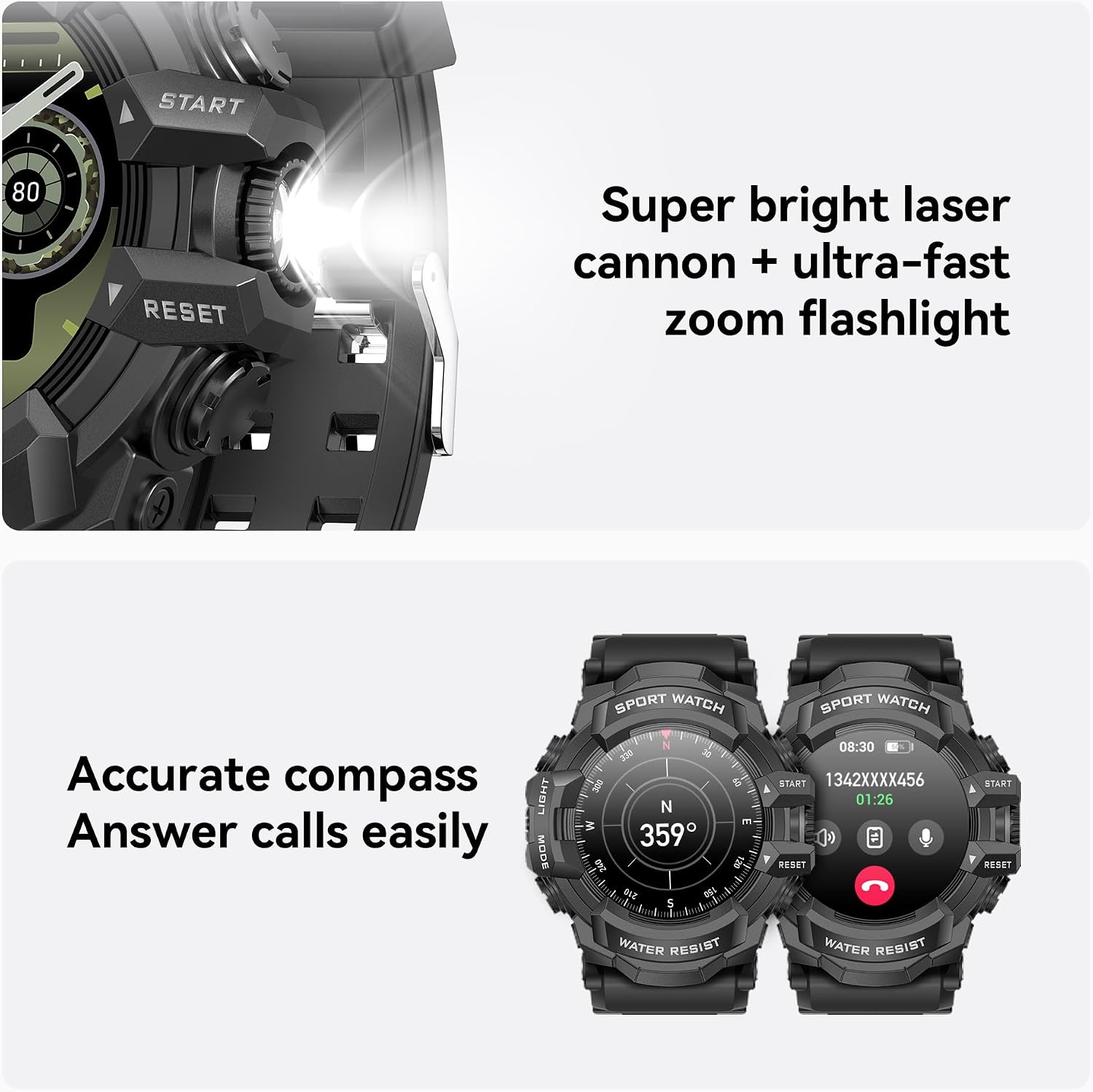
Image: The integrated flashlight feature of the MIDDOW Smart Watch in operation, demonstrating its illumination capability.
3. Compass Function
A precision compass display is integrated into the watch, helping you stay oriented during outdoor activities. The compass provides accurate directional information.

Image: The MIDDOW Smart Watch displaying its built-in compass, indicating its navigational utility.
4. Sports Modes
The watch offers over 100 sports modes to track various activities. It monitors critical data such as heart rate, distance, and calories burned in real-time, providing detailed insights to enhance your performance.

Image: The MIDDOW Smart Watch displaying its diverse range of sports tracking modes.
5. Health Monitoring
The watch provides all-round health monitoring, including real-time sleep monitoring and data analysis to improve sleep quality. It also tracks real-time heart rate data during exercise, helping you optimize intensity and ensure effective training. Breathing exercises are also available to support your health.
6. Music Control
Control your music playback directly from your watch, allowing you to manage tracks and volume without needing to access your phone.
7. Voice Control and Intelligent Interaction
With a built-in high-sensitivity microphone and AI voice assistant, you can perform multiple operations by speaking commands. This includes real-time weather queries, setting reminders, and making calls. The watch supports offline voice commands and multi-language recognition, with a 40% increased response speed, ensuring accurate command capture even in noisy environments.
8. Call Functionality
The MIDDOW Smart Watch allows you to answer and make calls directly from your wrist, enhancing convenience during various activities.
Maintenance
1. Water Resistance
The watch has an IP68 waterproof rating, offering superior protection against water. This allows for reliable performance in various weather conditions and during water-related activities like swimming.

Image: The MIDDOW Smart Watch being used during swimming, highlighting its IP68 waterproof feature.
2. Cleaning
To maintain your watch, regularly wipe the screen and strap with a soft, dry cloth. For stubborn dirt, a slightly damp cloth can be used, ensuring the watch is completely dry afterward. Avoid using harsh chemicals or abrasive materials.
3. Battery Care
To prolong battery life, avoid exposing the watch to extreme temperatures. Charge the watch regularly, even if not in frequent use, to prevent deep discharge.
Troubleshooting
- Watch not turning on: Ensure the watch is fully charged. Connect it to the magnetic charger and wait a few minutes before attempting to power it on.
- Cannot pair with phone: Ensure Bluetooth is enabled on your phone and the watch. Make sure the watch is within range. Restart both the watch and your phone, then try pairing again. Verify the "FitCloudPro" app is installed and updated.
- Inaccurate health data: Ensure the watch is worn snugly on your wrist, not too tight or too loose. Clean the sensor on the back of the watch regularly.
- Short battery life: Reduce screen brightness, disable unnecessary notifications, and limit continuous heart rate monitoring. Ensure the watch is fully charged each time.
- Screen unresponsive: Try restarting the watch. If the issue persists, ensure the screen is clean and dry.
For further assistance, refer to the "FitCloudPro" app's help section or contact MIDDOW customer support.
Specifications
| Feature | Detail |
|---|---|
| Model Number | Middow |
| Package Dimensions | 3.98 x 3.15 x 2.72 inches |
| Item Weight | 5.6 ounces |
| Batteries | 1 A batteries required (included) |
| Standing Screen Display Size | 1.32 Inches |
| Memory Storage Capacity | 128 MB |
| Operating System | Android & iOS |
| Special Feature | Flashlight |
| Battery Capacity | 350 Milliamp Hours |
| Connectivity Technology | Bluetooth |
| Wireless Communication Standard | Bluetooth |
| Battery Cell Composition | Lithium Polymer |
| GPS | GPS Via Smartphone |
| Shape | Round |
Warranty and Support
MIDDOW smart watches have undergone multiple professional certifications, including ROHS and FCC, ensuring the quality of both the watch and its battery. Customers are entitled to free repair, return, and exchange services within six months of purchasing this product.
For any inquiries or support needs, please refer to the contact information provided with your product packaging or visit the official MIDDOW store on Amazon: MIDDOW Store.