
1. Introduction
This manual provides detailed instructions for the setup, operation, and maintenance of your SANZUCO Wireless Intercom System, Model F60-6BK. This system is designed for reliable two-way communication in various environments, including homes, offices, and for assisting the elderly. Please read this manual thoroughly before using the product to ensure proper function and longevity.

Figure 1: SANZUCO F60-6BK Wireless Intercom System (6-pack).
2. Package Contents
Verify that all items are present in your package:
- Wireless Intercom System (black) x 6
- Hands-Free Intercom Charging Cables x 6
- Intercom Chargers x 6
- Intercom System User Manual x 1
3. Product Features
The SANZUCO F60-6BK Wireless Intercom System offers the following key features:
- Full Duplex Communication: Allows simultaneous two-way conversation.
- Extended Range: Up to 5300 feet (approximately 1615 meters) in open areas.
- Multiple Channels: 9 channels with two codes (A and B) for a total of 18 selectable communication paths.
- Adjustable Volume: Control call volume directly on the unit.
- Group Call Function: Communicate with all connected intercom units simultaneously.
- Automatic Answer: Units can be set to automatically answer incoming calls after two rings.
- Silent Mode: Disables the ring tone for discreet operation.
- Replay Function: Allows replaying of recent messages.
- Hands-Free Operation: Facilitates communication without needing to hold the unit.
- Flexible Placement: Designed for both wall mounting and tabletop use.

Figure 2: Key features of the SANZUCO Intercom System.
4. Setup Instructions
The SANZUCO Wireless Intercom System is designed for immediate use upon unboxing. Follow these steps for initial setup:
- Unpack: Remove all intercom units, charging cables, and chargers from the packaging.
- Power Connection: Connect each intercom unit to its respective charger using the provided USB Type C cable. Plug the chargers into standard electrical outlets. The units are powered by corded electric.
- Initial Power On: The units should power on automatically once connected to power.
- Assign Channels: Each intercom unit needs to be assigned a unique channel and code for individual communication. Refer to Section 5.1 for detailed channel selection. For example, assign Unit 1 to Channel 1 Code A, Unit 2 to Channel 2 Code A, and so on.
- Placement: Place the intercom units in desired locations. They can be placed on a tabletop or mounted on a wall. Ensure units are within the operational range for optimal performance.

Figure 3: Intercom unit overview with labeled components and dimensions.
5. Operating Instructions
5.1. Channel and Code Selection
To communicate with a specific unit, both the calling and receiving units must be set to the same channel and code.
- Press the MENU button. The channel number on the display will flash.
- Use the number pad (1-9) to select the desired channel.
- Press MENU again to toggle between Code A and Code B. The display will show 'A' or 'B'.
- Press MENU a third time to confirm your selection.
5.2. Making a Call
To initiate a call to another intercom unit:
- Ensure your unit is set to the same channel and code as the target unit.
- Press the DIAL button (green phone icon). The receiving unit will ring.
- Once the call is connected, you can speak hands-free.
- To end the call, press the HANG UP button (red phone icon).

Figure 4: Using the intercom for automatic calls and long-range communication in a business setting.
5.3. Group Call Function
To broadcast a message to all connected intercom units:
- Press the GROUP button. Your message will be transmitted to all other intercoms on the same system.
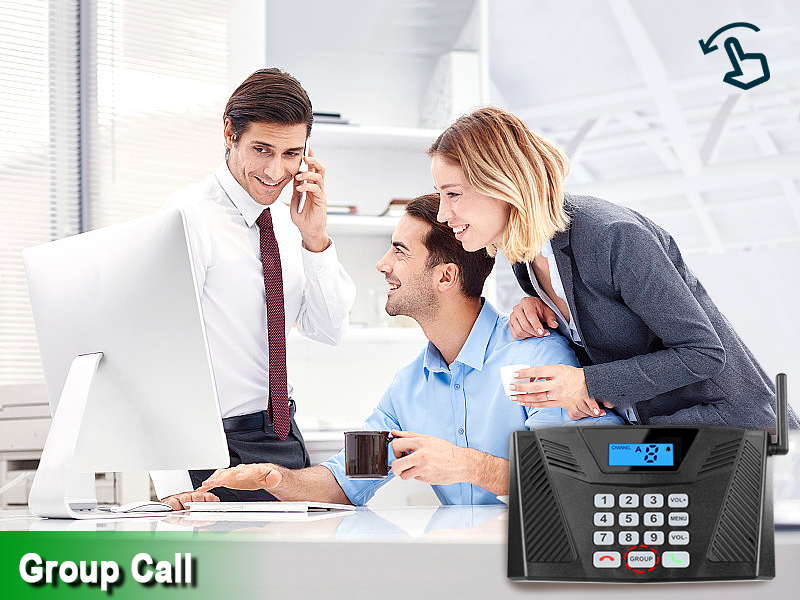
Figure 5: Demonstrating the group call function in an office environment.
5.4. Automatic Answer
When enabled, the receiving unit will automatically answer an incoming call after two rings, without requiring manual intervention. This feature is particularly useful for elderly care or in busy office environments.
- To activate Automatic Answer: Long press the VOL- button until you hear a beep. The display will show an 'Auto Answer' icon.
- To deactivate Automatic Answer: Long press the VOL- button again until the icon disappears.

Figure 6: Intercom unit with Automatic Answer feature enabled.
5.5. Silent Mode
Silent Mode disables the ring tone on the receiving unit, allowing for quiet operation. The unit will still receive calls, but without an audible alert.
- To activate Silent Mode: Long press the VOL+ button until you hear a beep. The display will show a 'Silent Mode' icon.
- To deactivate Silent Mode: Long press the VOL+ button again until the icon disappears.

Figure 7: Silent Mode activated for discreet communication.
5.6. Volume Adjustment
Use the VOL+ and VOL- buttons to adjust the speaker volume during a call or when the unit is idle.
6. Maintenance
To ensure the longevity and optimal performance of your intercom system, follow these maintenance guidelines:
- Cleaning: Wipe the units with a soft, dry cloth. Do not use abrasive cleaners or solvents.
- Power Supply: Always use the original charging cables and adapters provided with the system.
- Environment: Avoid exposing the units to extreme temperatures, direct sunlight, moisture, or dust.
- Storage: If storing the units for an extended period, disconnect them from power and store them in a cool, dry place.
7. Troubleshooting
If you encounter issues with your SANZUCO Wireless Intercom System, refer to the following common problems and solutions:
| Problem | Possible Cause | Solution |
|---|---|---|
| No communication between units. | Units are on different channels/codes. | Ensure both units are set to the same channel and code (A or B). Refer to Section 5.1. |
| Poor sound quality or static. | Units are out of range or obstructed. | Move units closer together or to locations with fewer obstructions. Avoid placing near large metal objects or other electronic devices that may cause interference. |
| Unit not powering on. | Power cable not connected or faulty. | Check if the USB Type C cable is securely connected to both the intercom and the charger. Ensure the charger is plugged into a working electrical outlet. |
| Automatic Answer not working. | Feature is not activated. | Activate Automatic Answer by long-pressing the VOL- button until the icon appears on the display. Refer to Section 5.4. |
| Unit is ringing but no sound. | Silent Mode is activated. | Deactivate Silent Mode by long-pressing the VOL+ button until the icon disappears. Refer to Section 5.5. |
8. Specifications
| Feature | Detail |
|---|---|
| Brand | SANZUCO |
| Model Number | ZNN F60-6BK |
| Color | Black |
| Power Source | Corded Electric |
| Connectivity Technology | Wireless |
| Maximum Range | 5300 Feet (approx. 1615 meters) |
| Channels | 9 Channels (Code A & B) |
| Connector Type | USB Type C |
| Product Dimensions (L x W x H) | 10.5 x 9.4 x 5.1 inches (per unit) |
| Item Weight | 5.37 pounds (total for 6 units) |
| Special Features | Hands Free, Two-way real-time call, Group Call, Automatic answering function, Mute function |
9. Warranty and Support
For warranty information or technical support, please contact SANZUCO customer service. Refer to the product packaging or the official SANZUCO website for contact details.
