
AOLON Prime 3
AOLON Prime 3 Smart Watch User Manual
Model: Prime 3
1. Product Overview
The AOLON Prime 3 Smart Watch is a versatile device designed for daily use, fitness tracking, and health monitoring. It features a high-resolution AMOLED touchscreen, durable construction, and comprehensive connectivity options for both Android and iOS devices.

Image: Front view of the AOLON Prime 3 Smart Watch with a silver stainless steel band, displaying a watch face with time, heart rate, and weather.
Key Features:
- 1.43" HD AMOLED Touchscreen: Offers a 466*466 resolution for clear, vibrant display and energy efficiency. Includes Always-On Display (AOD).
- Health Monitoring: Equipped with a high-quality biosensor for accurate heart rate, SpO2, sleep tracking, and motion recognition reminders.
- Durable Design: Crafted from zinc alloy and ABS&PC with a sturdy brushed metal texture and a stainless steel strap.
- IP68 Waterproof: Suitable for daily activities like hand washing and showering.
- Long Battery Life: 300 mAh battery provides 5-7 days of continuous use on a 2-hour charge.
- 100+ Sport Modes: Tracks various fitness activities, allowing goal setting and data synchronization.
- User-Friendly Interface: Features three physical buttons, including a rotating encoder for intuitive navigation. Includes practical tools like flashlight, calculator, and alarm.
- Call and Message Functionality: Answer/make calls directly from the watch and receive message notifications.

Image: Infographic detailing key features of the AOLON Prime 3 Smart Watch, including 1.43" AMOLED HD screen, textured metal body, 3 physical keys, 100+ sport modes, BT5.3, IP68 waterproof, SOS, built-in compass, and various watch faces.
2. Setup Guide
2.1. Unboxing and Initial Charge
Upon unboxing, ensure all components are present:
- AOLON Prime 3 Smart Watch
- Charging Cable
- User Manual
- Watch Band (if not pre-attached)
Before first use, fully charge the watch using the provided charging cable. Connect the magnetic end of the cable to the charging points on the back of the watch and the USB end to a power adapter (not included) or a computer USB port. A full charge typically takes approximately 2 hours.
2.2. App Installation and Pairing
The AOLON Prime 3 Smart Watch connects to your smartphone via the GloryFitPro application. Follow these steps to pair your watch:
- Download the App: Open your smartphone's App Store (iOS) or Google Play Store (Android). Search for "GloryFitPro" and download the application. Alternatively, scan the QR code provided in the physical user manual to quickly access the download link.
- Enable Bluetooth: On your smartphone, navigate to your Bluetooth settings and ensure Bluetooth is turned on.
- Open GloryFitPro App: Launch the GloryFitPro application on your smartphone.
- Add Device: Within the app, navigate to the "Device" or "Add Device" section. The app will begin searching for nearby devices.
- Select Your Watch: From the list of found devices, select "AOLON Prime 3" to initiate the connection.
- Confirm Pairing: Follow any on-screen prompts on both your watch and phone to confirm the pairing. Once connected, the watch will synchronize time and data with your phone.
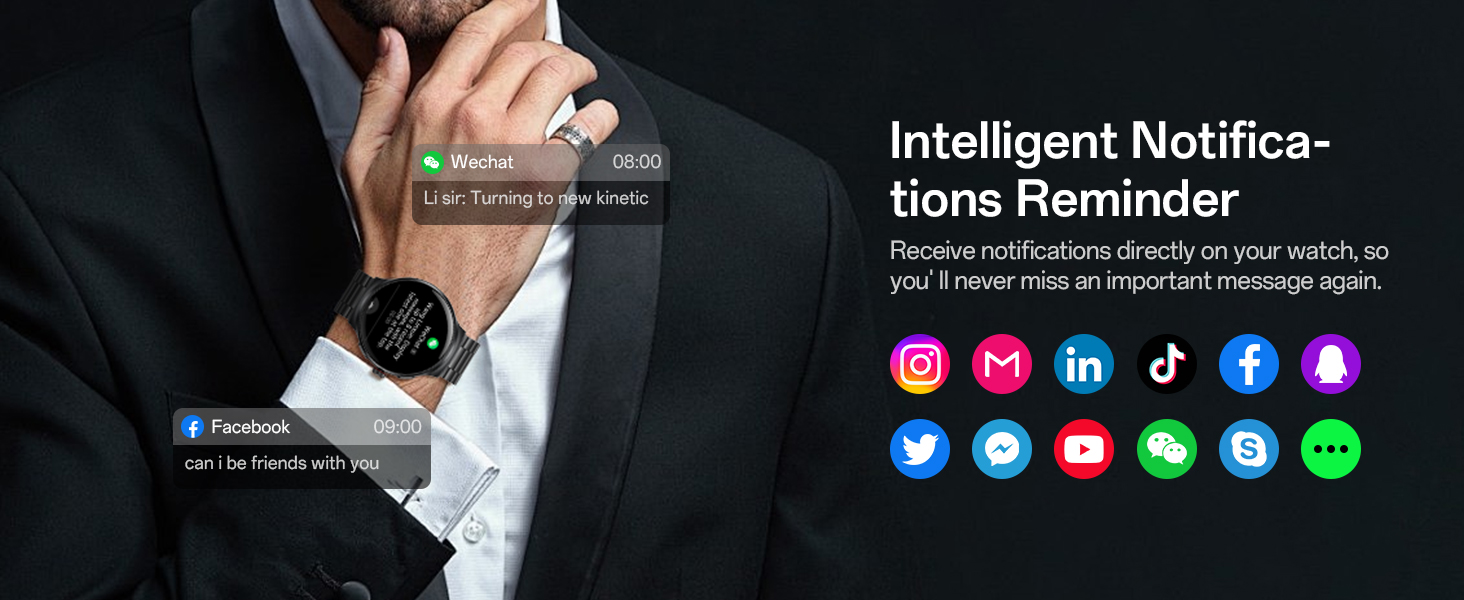
Image: Visual guide showing the steps to connect the AOLON Prime 3 Smart Watch to a smartphone using the GloryFitPro app, including downloading the app, enabling Bluetooth, adding a device, and selecting "AOLON Prime 3".
3. Operating Instructions
3.1. Basic Navigation
The AOLON Prime 3 features a responsive touchscreen and three physical buttons for navigation:
- Touchscreen: Swipe left/right, up/down to navigate through menus and notifications. Tap to select items.
- Middle Button (Rotating Encoder): Rotate to scroll through lists and options. Press to confirm selections or return to the home screen.
- Top Button (Customize Button): Configurable for quick access to a specific function via the app.
- Bottom Button (Screen Off Button): Press to turn off the screen.

Image: Close-up view of the AOLON Prime 3 Smart Watch showing the three physical buttons on the side, labeled as "Customize Buttons", "Encoder Buttons", and "Screen Off".
3.2. Call and Message Management
Once paired with your smartphone, the watch allows for direct call and message interaction:
- Answering/Making Calls: The watch is equipped with a microphone and speaker. You can answer incoming calls directly from the watch or dial numbers from your contacts/call logs.
- Message Notifications: Receive notifications from various apps (e.g., WeChat, Facebook, Instagram, LinkedIn, TikTok, Twitter, YouTube, Skype, WhatsApp) directly on your watch.
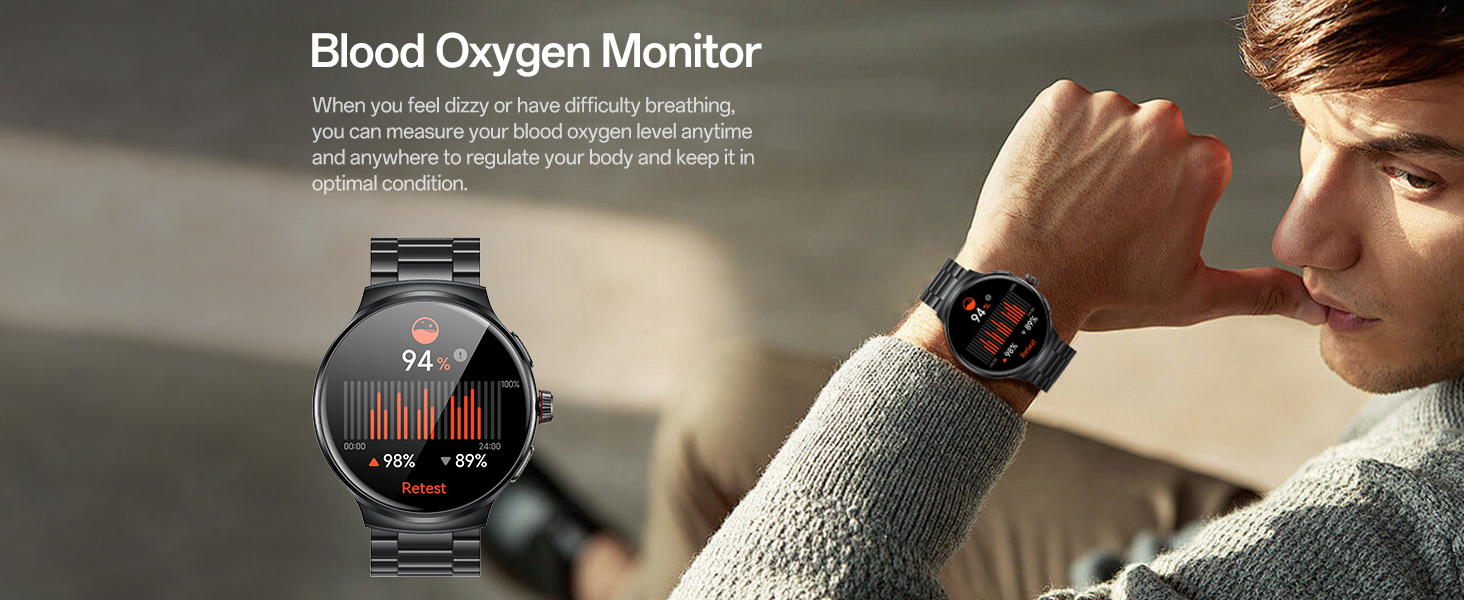
Image: Infographic demonstrating the call and message features of the AOLON Prime 3 Smart Watch, showing icons for dial/receive, contacts, call logs, and dial pad, along with examples of incoming calls and message notifications.
3.3. Health Monitoring
The watch provides comprehensive health tracking features:
- Heart Rate Monitoring: Continuously monitors your heart rate throughout the day. Access historical data in the GloryFitPro app.
- Blood Oxygen (SpO2) Monitoring: Measures your blood oxygen levels.
- Sleep Monitoring: Tracks your sleep patterns, including deep sleep, light sleep, and REM, to help assess sleep quality.
- Stress Level Monitoring: Monitors stress levels and provides insights into your mental well-being.
- Women's Health Reminder: Provides tracking and reminders for menstrual cycles.
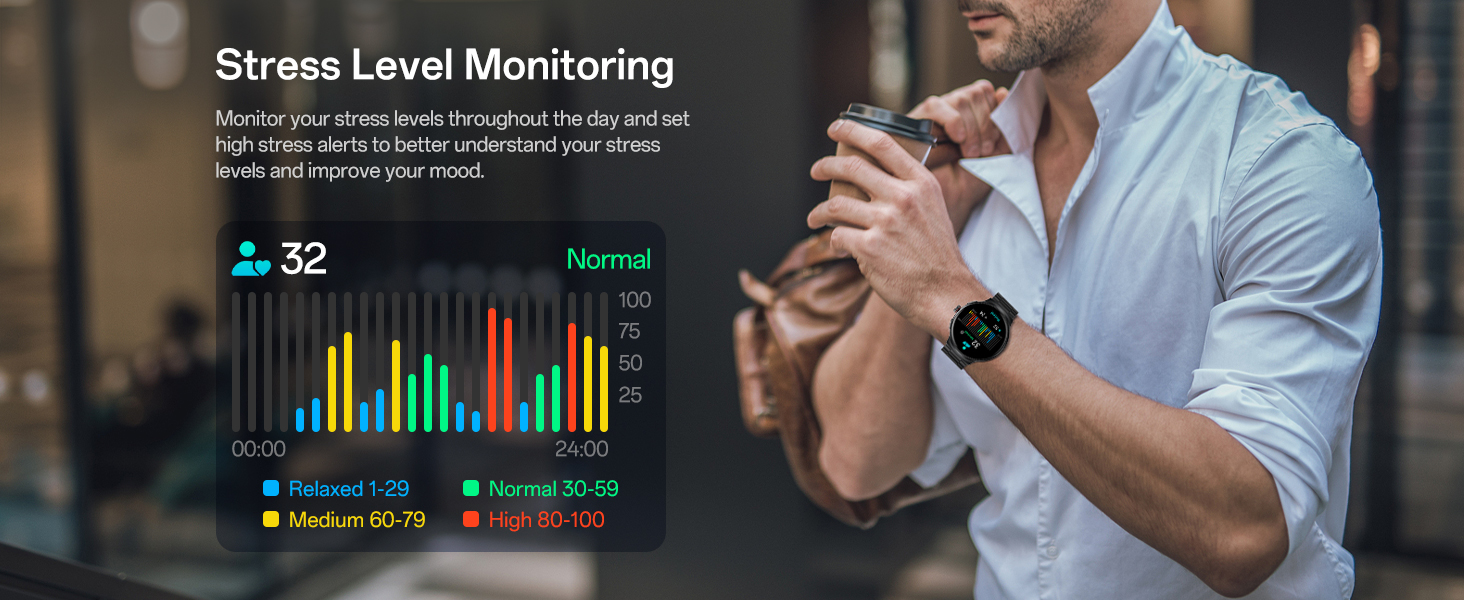
Image: Infographic illustrating the 24/7 health monitoring capabilities of the AOLON Prime 3 Smart Watch, including heart rate monitoring, sleep monitoring, and women's health reminders.
3.4. Sports Modes and Activity Tracking
The watch supports over 100 sports modes to track your fitness journey:
- 100+ Sport Modes: Select from a wide range of activities like walking, running, cycling, hiking, swimming, and more.
- Fitness Tracking: Monitors steps, distance, calories burned, and active minutes. Data can be synced to the GloryFitPro app for detailed analysis and progress tracking.
- Motion Recognition: Includes motion recognition reminders to encourage activity.
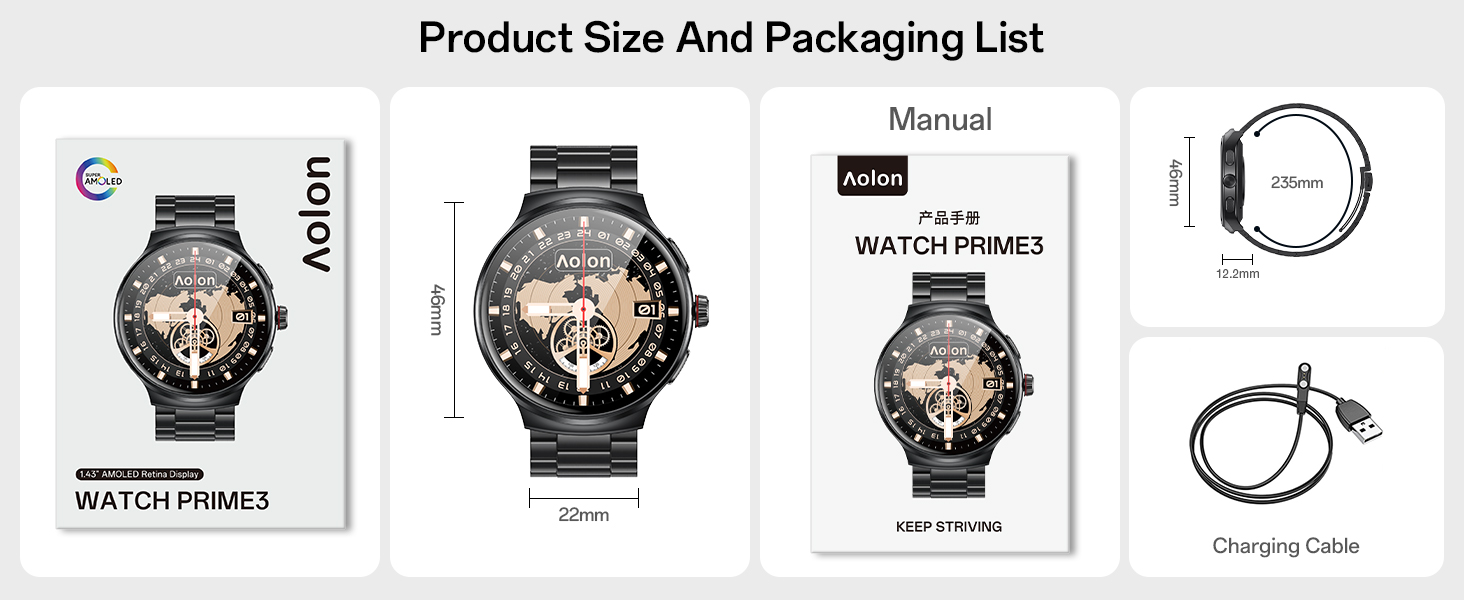
Image: Infographic showcasing the 100+ sports modes available on the AOLON Prime 3 Smart Watch, with icons representing various activities like running, cycling, swimming, and skiing.
3.5. Other Practical Functions
The AOLON Prime 3 includes several useful tools for daily convenience:
- Flashlight: Provides a quick light source.
- Calculator: Basic arithmetic functions.
- Alarm Clock: Set multiple alarms.
- Music Control: Control music playback on your connected smartphone.
- Camera Control: Remotely trigger your smartphone's camera.
- Weather Updates: Get real-time weather forecasts.
- Find Your Phone: Locate your paired smartphone by making it ring.
- Built-in Compass & AGPS: Provides directional guidance. AGPS uses your phone's GPS for assistance.
- Customizable Watch Faces: Choose from over 150 dials or use custom photos.
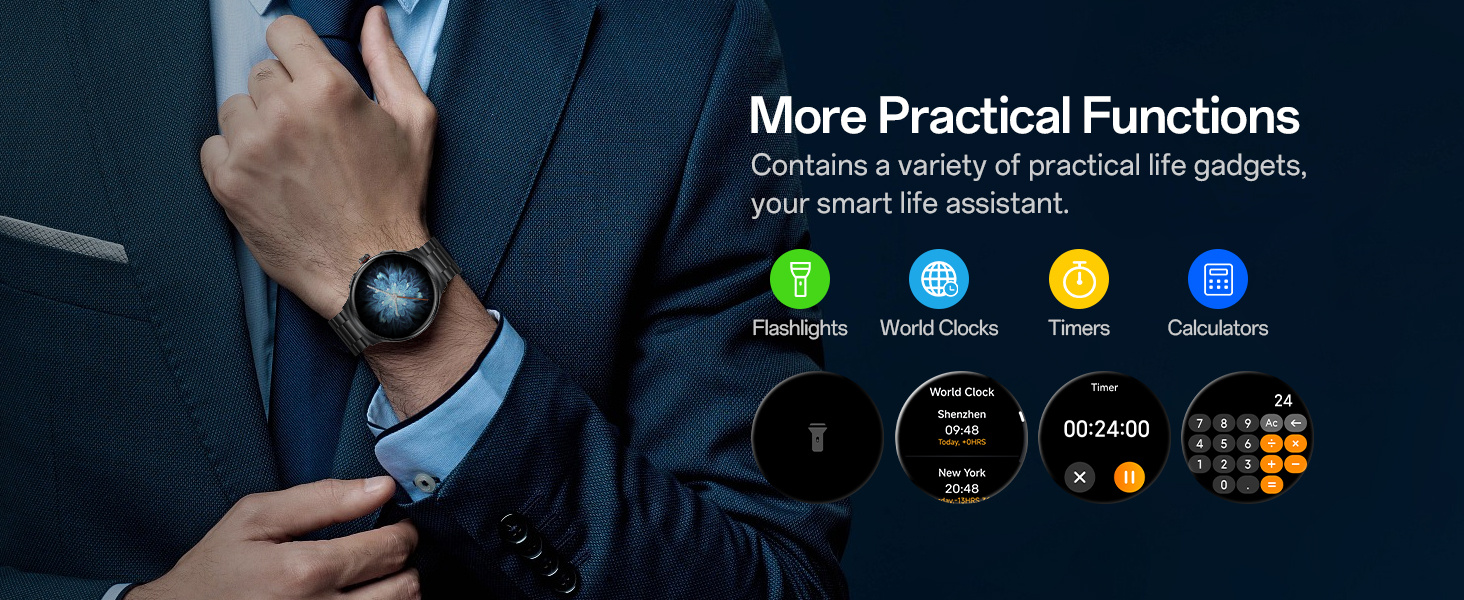
Image: Infographic displaying various practical functions of the AOLON Prime 3 Smart Watch, including camera control, weather forecast, music control, and find your phone feature.
4. Maintenance
4.1. Cleaning Your Watch
To maintain the appearance and functionality of your AOLON Prime 3 Smart Watch:
- Wipe the screen and watch body regularly with a soft, lint-free cloth.
- For stubborn smudges, slightly dampen the cloth with water. Avoid using harsh chemicals, abrasive cleaners, or solvents.
- Clean the charging contacts on the back of the watch periodically to ensure proper charging.
4.2. Water Resistance (IP68)
The watch has an IP68 waterproof rating, meaning it is resistant to dust and can withstand immersion in water up to 1.5 meters for up to 30 minutes. It is suitable for daily use such as hand washing, showering, and light rain exposure.
Important:
- Do not use the watch in hot water, saunas, or steam rooms, as steam can penetrate the seals and cause damage.
- Avoid pressing buttons underwater.
- After exposure to water, especially saltwater, rinse the watch with fresh water and dry it thoroughly.

Image: The AOLON Prime 3 Smart Watch shown with water splashing around it, illustrating its IP68 waterproof rating.
4.3. Battery Care
To prolong battery life:
- Avoid extreme temperatures.
- Do not let the battery completely drain frequently.
- Use the original charging cable.
5. Troubleshooting
If you encounter issues with your AOLON Prime 3 Smart Watch, refer to the following common solutions:
5.1. Connectivity Issues
- Watch not connecting to phone:
- Ensure Bluetooth is enabled on your phone.
- Make sure the watch is within range of your phone.
- Restart both the watch and your phone.
- Check if the GloryFitPro app is running in the background.
- If previously paired, try "forgetting" the device in your phone's Bluetooth settings and re-pairing through the app.
- Notifications not appearing:
- Verify notification permissions are enabled for the GloryFitPro app in your phone's settings.
- Ensure notification access is granted to the app.
- Check if "Do Not Disturb" mode is active on either the watch or phone.
5.2. Charging and Battery Issues
- Watch not charging:
- Ensure the charging cable is securely connected to both the watch and the power source.
- Clean the charging contacts on the watch and cable.
- Try a different USB port or power adapter.
- Poor battery life:
- Reduce screen brightness.
- Limit the use of Always-On Display (AOD) if enabled.
- Turn off unnecessary notifications.
- Frequent use of call functions and continuous health monitoring can consume more battery.
5.3. Sensor Accuracy and Tracking
- Inaccurate heart rate/SpO2 readings:
- Ensure the watch is worn snugly on your wrist, not too tight or too loose.
- Clean the sensor on the back of the watch.
- Avoid excessive movement during measurements.
- Step count discrepancies:
- Ensure your personal information (height, weight) is accurately set in the GloryFitPro app.
- Wear the watch consistently on your dominant wrist for better accuracy.
5.4. Screen and Button Issues
- Screen unresponsive:
- Restart the watch by pressing and holding the power button (if applicable, or the encoder button for a few seconds).
- Ensure the screen is clean and dry.
- Buttons not responding:
- Check for any debris or obstruction around the buttons.
- Restart the watch.
6. Specifications
| Feature | Detail |
|---|---|
| Model Number | Prime 3 |
| Screen Size | 1.43 Inches AMOLED |
| Screen Resolution | 466*466 pixels |
| Battery Capacity | 300 mAh |
| Typical Usage Battery Life | 5-7 days |
| Standby Time | Up to 15 days |
| Waterproof Rating | IP68 |
| Connectivity | Bluetooth 5.3 |
| Operating System Compatibility | iOS, Android |
| Memory Storage Capacity | 128 MB |
| Item Weight | 117 Grams (4.1 ounces) |
| Dimensions (Package) | 5.39 x 4.09 x 2.24 inches |
| Manufacturer | AOLON |
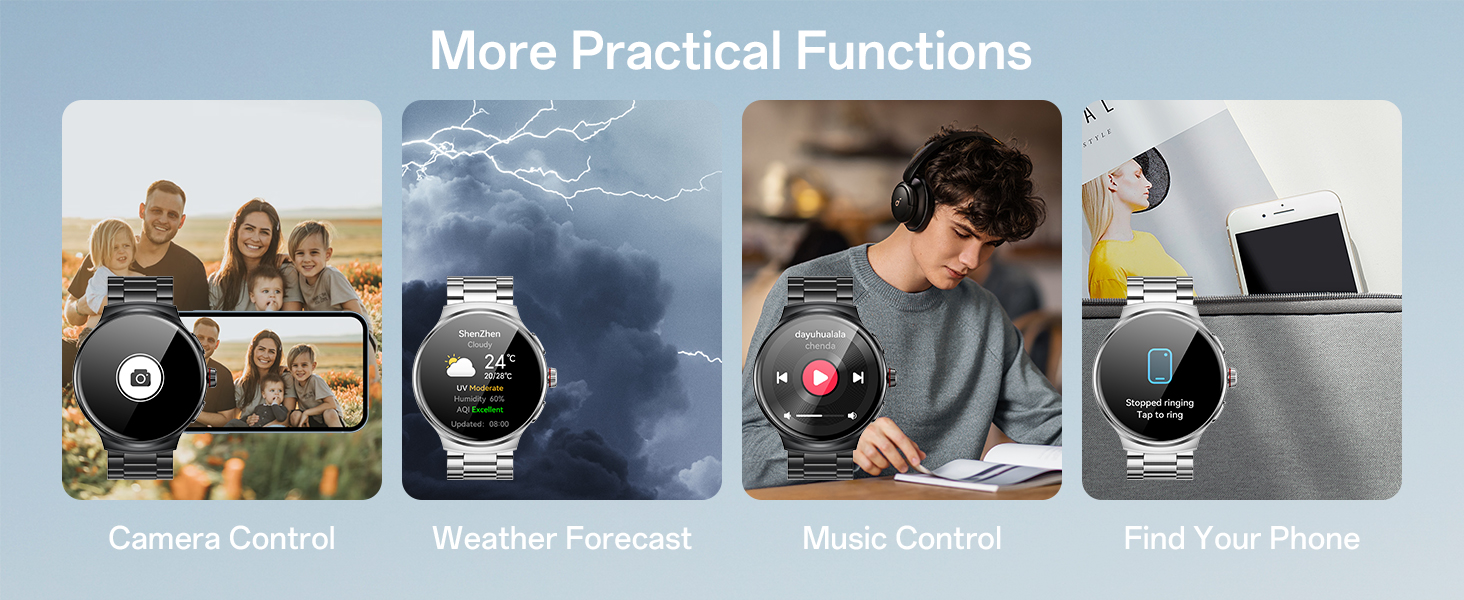
Image: Diagram showing the product dimensions and the contents of the packaging, including the watch, manual, and charging cable.
7. Warranty and Support
For warranty information and customer support, please refer to the warranty card included in your product packaging or contact AOLON customer service directly. Details regarding specific warranty periods and terms are typically provided at the time of purchase.
For technical assistance or further inquiries, please visit the official AOLON website or contact their support channels as listed in your product documentation.
Ask a question about this manual
Ask about setup, troubleshooting, compatibility, parts, safety, or missing instructions. Manuals+ will review the question and use this page’s manual context to help answer it.