
1. Introduction
The Ocypus Delta EH10 Fan Hub is designed to expand your PC case's cooling and lighting capabilities. It supports up to 10 PWM fans for synchronized speed control and 10 ARGB devices for customizable lighting effects. Featuring smart circuit protection, magnetic mounting, and SATA power input, this hub provides a reliable and organized solution for managing your PC's fans and lighting.
2. What's in the Box
- Ocypus Delta EH10 Fan Hub
- Remote Controller
3. Setup and Installation
Follow these steps to properly install and connect your Ocypus Delta EH10 Fan Hub:
- Connect PWM and ARGB Cables to Hub: Plug one end of the PWM control cable into the hub's "PWM IN" port and one end of the ARGB data cable into the hub's "ARGB IN" port.
- Connect SATA Power: Connect the SATA power cable from your power supply to the hub's "POWER" input port. This ensures stable power delivery to all connected fans and ARGB devices.
- Connect Fans to Hub: Plug your 4-pin PWM fan cables into the labeled "FAN" sockets on the hub. Ensure the fan connected to the white "FAN1" port is the one from which the motherboard will read RPM data. All other fans will synchronize their speed with FAN1.
- Connect ARGB Devices to Hub: Plug your 3-pin ARGB device cables into the labeled "ARGB" sockets on the hub.
- Connect Hub to Motherboard: Plug the other end of the PWM control cable into an available 4-pin PWM fan header on your motherboard. Plug the other end of the ARGB data cable into an available 5V 3-pin ARGB header on your motherboard.
- Mount the Hub: Utilize the magnetic design of the hub to easily attach it to any metal surface inside your PC case for convenient and secure placement without additional adhesives.

Image: Detailed wiring guide for connecting fans, ARGB devices, and power to the Ocypus Delta EH10 Fan Hub.
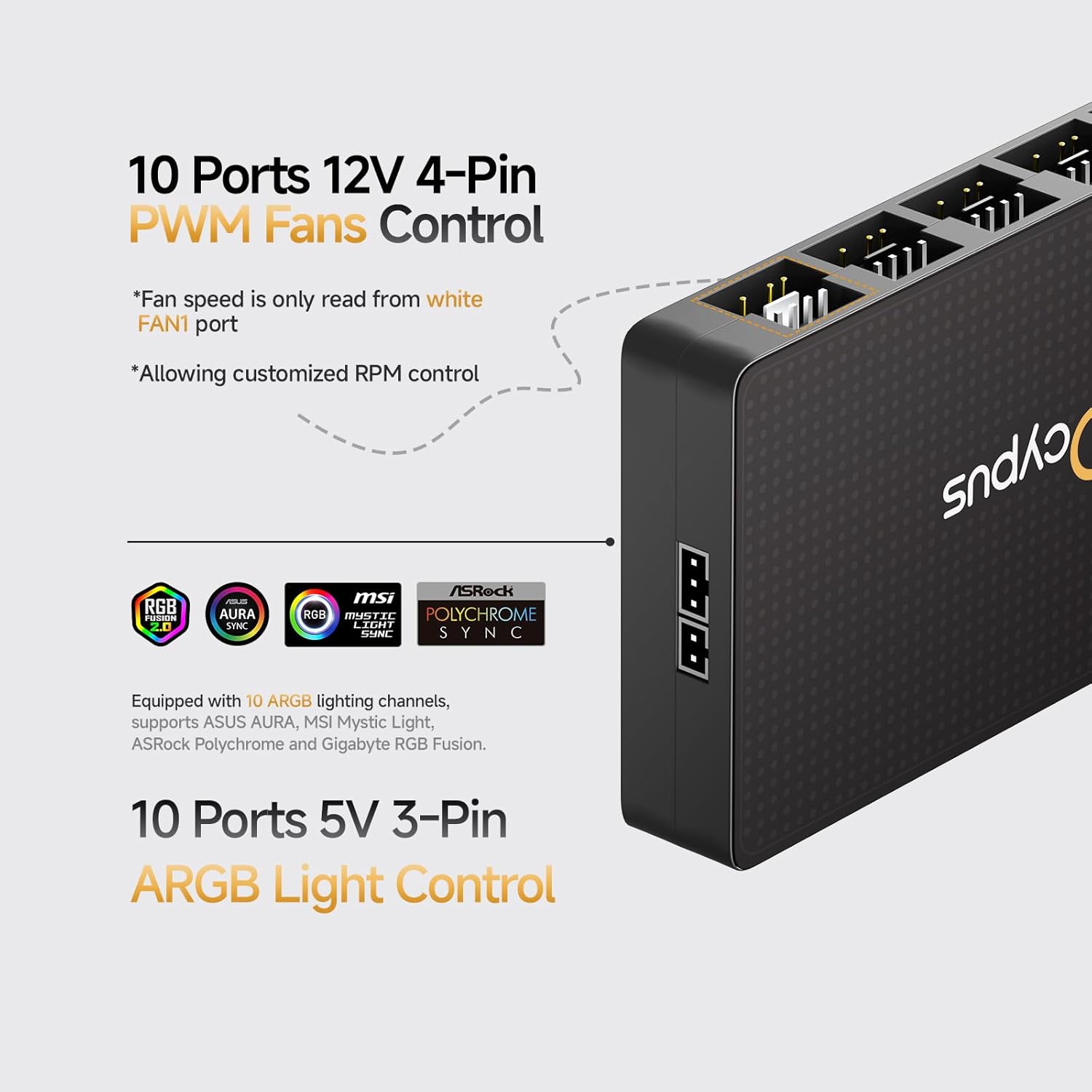
Image: Overview of the 10 12V 4-Pin PWM fan control ports and 10 5V 3-Pin ARGB light control ports on the Ocypus Delta EH10 Fan Hub.

Image: Close-up of the magnetic design on the back of the Ocypus Delta EH10 Fan Hub, allowing for easy installation inside a PC case.

Image: The Ocypus Delta EH10 Fan Hub discreetly installed within a PC case, managing cables for fans and ARGB lighting.
Installation Videos
Video: Detailed operational guide for the Ocypus Delta EH10 Fan Hub, demonstrating connection and usage.
Video: General installation tutorial for a fan hub controller series, showing how to connect PWM and ARGB cables.
Video: Installation guide for an ARGB and Fan Hub, demonstrating the connection process for fans and lighting.
Video: Demonstration of a 10-Port 4 Pin PC Fan Controller and 5V-3Pin ARGB Fan Hub, showing its features and connections.
4. Operating Instructions
Fan Speed Control (PWM)
- The fan speed for all connected PWM fans is controlled by the motherboard via the signal from the white "FAN1" port.
- Ensure your motherboard's BIOS or fan control software is configured to manage the fan speed of the connected header.
ARGB Lighting Control
The Ocypus Delta EH10 Pro controller includes a 19-key remote control for managing ARGB lighting effects:
- Light On/Off: Use the dedicated button to turn ARGB lighting on or off.
- Light Speed & Brightness: Adjust the speed of dynamic lighting modes and the overall brightness using the remote.
- ARGB Light Modes: Cycle through various pre-programmed ARGB lighting modes.
- Single Color Lighting: Select specific static colors for your ARGB devices.
- The remote allows switching between hub-controlled lighting and motherboard-synchronized lighting.

Image: Diagram illustrating the functions of the 19-key remote control for the Ocypus Delta EH10 Fan Hub, including light control, speed, and brightness adjustments.
5. Maintenance
To ensure optimal performance and longevity of your Ocypus Delta EH10 Fan Hub, consider the following maintenance tips:
- Keep the hub and its connections free from dust and debris. Use compressed air to gently clean the unit periodically.
- Ensure all cables are securely connected to prevent intermittent issues.
- Avoid exposing the hub to extreme temperatures or humidity.
6. Troubleshooting
Common Issues and Solutions:
- Fans not spinning or ARGB not lighting up:
- Verify that the SATA power cable is securely connected to both the hub and your power supply.
- Check all fan and ARGB cables for proper connection to the hub.
- Ensure the PWM control cable and ARGB data cable are correctly plugged into the motherboard headers.
- Incorrect fan speed readings:
- The motherboard reads fan speed only from the white "FAN1" port. Ensure a functional fan is connected to this port.
- ARGB lighting not synchronizing or displaying correctly:
- This ARGB hub requires a motherboard supporting 5V 3-pin ARGB functionality. It does NOT support 12V 4-pin RGB headers. Connecting a 12V 4-pin RGB device to a 5V 3-pin ARGB port can cause damage.
- Ensure the ARGB data cable is connected to the correct 5V 3-pin ARGB header on your motherboard.
- If using the remote, ensure the battery plastic tab is removed and the remote is pointed towards the hub.
- Smart Circuit Safety Protection: Each ARGB output port features individual short-circuit and overload protection. If incorrectly connected, only the affected port will be disabled, preventing damage to your entire motherboard and connected devices.
Important Note: Please distinguish between the 5V 3-pin ARGB connector and the 12V 4-pin PWM connector. Before insertion, ensure the device plug aligns with the corresponding pins on the connector. Incorrect orientation may damage your ARGB device or the hub itself.

Image: Illustration of the smart safety overcurrent protection feature for both fan and ARGB ports on the Ocypus Delta EH10 Fan Hub.
7. Specifications
| Product Dimensions | 3.82"L x 2.3"W x 0.62"H (97mm x 58.5mm x 15.8mm) |
| Brand | Ocypus |
| Power Connector Type | SATA |
| Voltage | 12 Volts (DC) |
| Wattage | 77 watts |
| Compatible Devices | Desktop PCs |
| Material | Acrylonitrile Butadiene Styrene (ABS) |
| Item Weight | 3.2 ounces |
| Fan Ports | 10 x 4-pin PWM |
| ARGB Ports | 10 x 5V 3-pin ARGB |

Image: The compact design of the Ocypus Delta EH10 Fan Hub and its remote controller, showing product dimensions.
8. Warranty and Support
Ocypus products are designed for reliability and performance. For warranty information, technical support, or any questions regarding your Delta EH10 Fan Hub, please refer to the official Ocypus website or contact our customer service team. Keep your purchase receipt for warranty claims.