
Introduction
The HiBy Digital M300 is an advanced Android MP3 player designed for high-fidelity audio playback and versatile multimedia functionality. This manual provides essential information for setting up, operating, and maintaining your device to ensure optimal performance and user experience.
What's in the Box
Upon unboxing your HiBy Digital M300, please verify that all the following items are included:
- HiBy Digital M300 Player (x1)
- USB2.0 (Type-A to Type-C) Cable (x1)
- Instruction Manual (x1)
- Protective Film (x1, factory attached)
Key Features
The HiBy M300 offers a range of features to enhance your audio experience and daily use:
- High-Fidelity Audio: Equipped with a CS43131 independent DAC chip, supporting native DSD256 and PCM 384kHz. Compatible with MP3, WAV, APE, FLAC, DSF, DFF, ISO, CUE, WMA, OGG, AAC, OPUS, and AIFF formats.
- Android 13 Operating System: Powered by a Qualcomm Snapdragon 665 chip for smooth performance, allowing installation of various apps including streaming services like Spotify, Apple Music, and YouTube Music.
- Wireless Connectivity: Features Bluetooth 5.0 and dual-band WiFi (2.4G + 5G) for seamless connection to headphones, speakers, and online streaming.
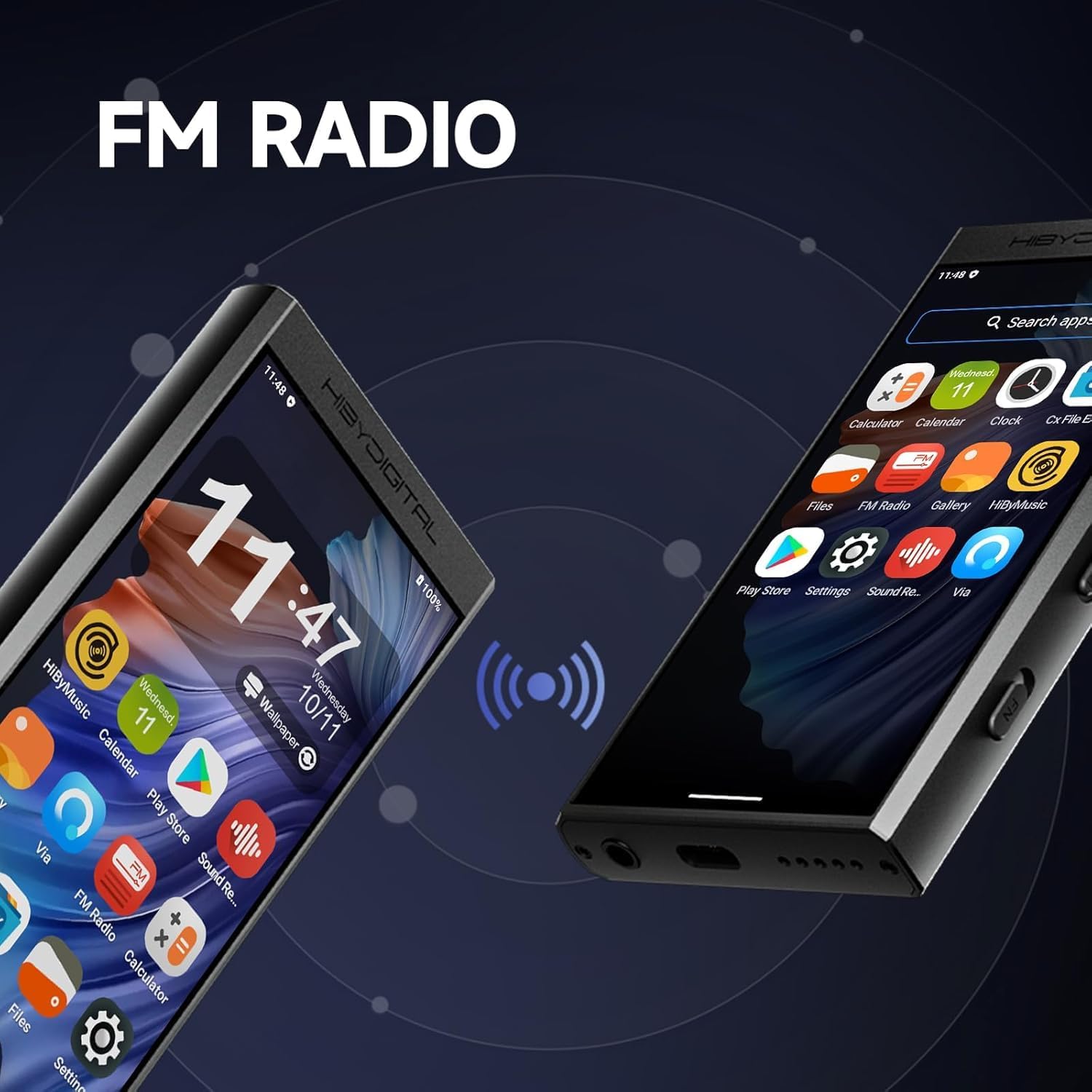
- Integrated Speaker & FM Radio: Built-in speaker for direct audio playback and FM radio functionality for listening to local stations.
- Versatile Ports: Includes a 3.5mm headphone jack and USB-C port for various connections, including USB OTG and USB DAC output. Supports microphone input for recording.
- Ample Storage: 3GB RAM and 32GB internal storage, expandable up to 2TB via a micro SD card.
Initial Setup
- Power On: Press and hold the power button located on the side of the device until the screen illuminates.
- Language Selection: Follow the on-screen prompts to select your preferred language.
- Wi-Fi Connection: Navigate to 'Settings' > 'Network & internet' > 'Wi-Fi' to connect to a wireless network. This is necessary for app downloads and streaming.
- Google Account Setup: Log in with your Google account to access the Google Play Store and download applications.
- Storage Preparation: If using a micro SD card, insert it into the designated slot. For optimal performance and app stability, it is recommended to install and update applications on the player's internal storage rather than an external SD card.

Operating Instructions
Navigation and User Interface
The M300 runs on Android 13, providing a familiar and intuitive touchscreen interface. Swipe gestures and taps are used for navigation. The device features physical buttons for power, volume control, and playback (previous, next, play/pause) for convenient operation.
App Usage
Access the Google Play Store to download and install your preferred music streaming apps, web browsers, or other utilities. The Snapdragon 665 processor ensures smooth multitasking and app performance.

Media Management
Internal and Expandable Storage
The M300 comes with 32GB of internal storage. For additional music and files, a micro SD card can be inserted, supporting up to 2TB. To transfer files, connect the device to a computer using the provided USB-C cable.
Supported Audio Formats
The player supports a wide array of high-resolution and standard audio formats, including native DSD256, PCM 384kHz, MP3, WAV, APE, FLAC, DSF, DFF, ISO, CUE, WMA, OGG, AAC, OPUS, and AIFF.
Connectivity
Bluetooth 5.0
Pair your Bluetooth headphones or speakers with the M300 for wireless audio playback. Navigate to 'Settings' > 'Connected devices' > 'Bluetooth' to manage connections.
Dual-Band Wi-Fi
Connect to 2.4G or 5G Wi-Fi networks for internet access, online streaming, and app updates. This ensures faster download speeds and reduced latency.
USB-C Port
The USB-C port serves multiple functions:
- Charging: Connect to a power adapter for charging.
- Data Transfer: Connect to a computer for transferring music and other files.
- USB DAC: Use the M300 as an external DAC for other devices.
- USB OTG: Connect external USB devices (e.g., flash drives) via an OTG adapter (sold separately).
Audio Quality
The HiBy M300 is engineered for superior audio performance:
- CS43131 DAC: The dedicated Digital-to-Analog Converter chip ensures accurate and detailed sound reproduction.
- Hi-Res Audio Support: Enjoy your music in its purest form with support for high-resolution lossless formats, delivering studio-grade sound.
- 3.5mm Headphone Jack: Connect your wired headphones for a direct, high-fidelity audio experience.

Additional Features
FM Radio
Tune into your favorite FM radio stations. The 3.5mm headphone cable acts as an antenna for improved reception.
Built-in Speaker and Dual Microphone
The integrated speaker allows for casual listening without headphones. The dual microphones enable voice recording, providing a comprehensive audio solution.

Parental Mode
The device includes a Parental Mode feature, allowing for app installation restrictions, usage time limitations, app disabling, and setting data protection. This helps manage device access for younger users.

Power and Battery
The M300 is equipped with a 2000mAh Lithium Ion battery. Battery life varies depending on usage (e.g., streaming, local playback, screen-on time). Charge the device using the provided USB-C cable connected to a compatible power source.
Maintenance
- Cleaning: Use a soft, dry cloth to clean the device. Avoid abrasive materials or harsh chemicals.
- Storage: Store the device in a cool, dry place away from direct sunlight and extreme temperatures.
- Software Updates: Periodically check for system updates in 'Settings' to ensure optimal performance and access to new features.
Troubleshooting
Device Lag with Large SD Cards
When a memory card exceeding 1TB is inserted, the player may experience temporary lag due to the large amount of content being read. If this occurs, wait patiently for a few minutes without performing any operations; the device will return to normal operation.
App Installation Issues
To ensure normal operation and updates of applications, it is recommended to prioritize the player's internal storage for downloading, installing, and updating apps. Installing apps on an external SD card may lead to issues such as app crashes, data loss, or system display abnormalities.
Specifications
| Feature | Detail |
|---|---|
| Model Name | M300 |
| Brand | HiBy |
| Operating System | Android 13 |
| Processor | Qualcomm Snapdragon 665 |
| DAC Chip | CS43131 |
| RAM | 3GB (as per feature bullets, though product title mentions 4G RAM for this variant, using the more general spec) |
| Internal Storage | 32GB (as per feature bullets, though product title mentions 128G ROM for this variant, using the more general spec) |
| Expandable Storage | Up to 2TB via Micro SD card |
| Display Technology | IPS Touchscreen |
| Display Resolution | 1280x640 (as per image, not in specs list) |
| Connectivity | Bluetooth 5.0, Dual-Band Wi-Fi (2.4G/5G), USB-C, 3.5mm Aux |
| Special Features | Hi-Res Audio, FM Radio, Built-in Speaker, Dual Microphone, Parental Mode |
| Battery | 1 Lithium Ion battery (included), 2000mAh capacity |
| Item Weight | 9.1 ounces |
| Package Dimensions | 8.62 x 5.12 x 4.72 inches |
Warranty and Support
For warranty information, please refer to the documentation included with your purchase or visit the official HiBy website. For technical support, troubleshooting assistance, or service inquiries, please contact HiBy customer support through their official channels.