1. Introduction to WiFi Explorer Pro 3
This guide provides a detailed exploration of WiFi Explorer Pro 3, a leading software tool in the Wi-Fi industry. It covers the extensive range of features and their practical application in the field. The manual also delves into the underlying mechanisms of how WiFi Explorer Pro 3 gathers data about 802.11 networks and presents diagnostic information through its user interface.
Moving beyond standard online help, this document serves as a definitive reference, detailing every product feature, along with additional insights and practical tips to maximize your investment in this powerful tool.

Image 1.1: Front cover of the WiFi Explorer Pro 3 User Guide. This image displays the title "WiFi Explorer Pro 3: The Definitive User Guide" prominently, along with the authors' names, Nigel Bowden and Adrian Granados, and a graphic representation of a Wi-Fi antenna.
2. Setup and Data Acquisition
Understanding how WiFi Explorer Pro 3 acquires network data is fundamental to its effective use. This section outlines the methods and configurations for data collection.
2.1 Wi-Fi Scanning Theory
A detailed exploration of the theoretical principles behind Wi-Fi scanning, providing context for the data presented by the software.
2.2 Data Acquisition Methods
WiFi Explorer Pro 3 supports various methods for acquiring network data:
- Local Wireless Adapters: Utilizing the wireless capabilities of the device running the software.
- Remote Sensors: Connecting to external devices for data collection from different vantage points.
- External Data Import: Importing pre-recorded data for analysis.
3. Operating WiFi Explorer Pro 3
This section details the operational aspects of WiFi Explorer Pro 3, covering its user interface, settings, and data visualization capabilities.
3.1 User Interface Options and Settings
A comprehensive guide to every user interface option and setting available within WiFi Explorer Pro 3, enabling users to customize their analysis environment.
3.2 Data Visualization
Effective interpretation of Wi-Fi data is crucial. WiFi Explorer Pro 3 offers advanced visualization tools:
- Filtering: Applying filters to narrow down and focus on specific network data.
- Profiles: Creating and managing profiles for different analysis scenarios.
- Coloring Rules: Customizing visual cues to highlight important data points.
3.3 Advanced Network Discovery
Beyond standard Wi-Fi, the software provides capabilities for:
- Spectrum Analysis: Utilizing WiFi Explorer Pro 3 for analyzing the radio frequency spectrum.
- Bluetooth and Zigbee Network Discovery: Identifying and analyzing Bluetooth and Zigbee networks in the environment.
4. Maintenance and Best Practices
To ensure optimal performance and accurate data analysis, consider the following maintenance and best practices for using WiFi Explorer Pro 3.
- Software Updates: Regularly check for and install the latest software updates to benefit from new features, bug fixes, and improved compatibility with evolving Wi-Fi standards.
- Data Management: Organize and archive your captured data files (e.g., PCAP files) for future reference and to maintain system performance.
- Adapter Compatibility: Ensure your wireless adapters are compatible and have the latest drivers for reliable data acquisition.
- System Resources: Monitor system resources (CPU, RAM) during intensive scanning operations to prevent performance degradation.
5. Troubleshooting and Reporting
WiFi Explorer Pro 3 is a powerful tool for diagnosing and resolving Wi-Fi network issues. This section outlines its application in real-world troubleshooting scenarios and reporting.
5.1 Real-World Troubleshooting
Learn how to leverage the software's diagnostic capabilities to identify common Wi-Fi problems such as interference, channel congestion, signal strength issues, and misconfigurations. The guide provides methodologies for using the collected data to pinpoint root causes.
5.2 Reporting
Understand how to generate comprehensive reports from your analysis, which can be used for documentation, client communication, or further investigation.
6. Specifications of the User Guide
This section provides details regarding the physical and publication specifications of this definitive user guide.
| Specification | Detail |
|---|---|
| Publisher | Independently published |
| Publication Date | January 1, 2025 |
| Language | English |
| Print Length | 476 pages |
| ISBN-13 | 979-8343691504 |
| Item Weight | 2.3 pounds |
| Dimensions | 7.44 x 1.08 x 9.69 inches |
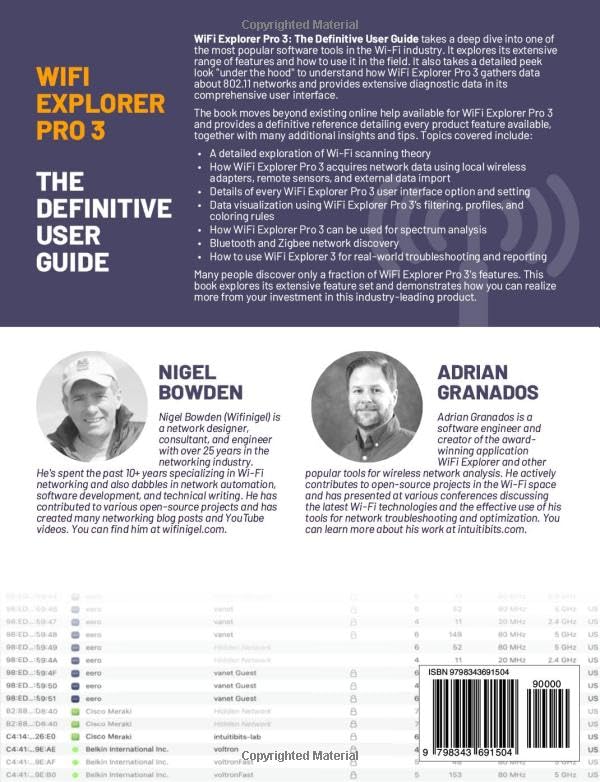
Image 6.1: Back cover of the WiFi Explorer Pro 3 User Guide. This image features author biographies for Nigel Bowden and Adrian Granados, along with a summary of the book's content and the ISBN barcode.


