
1. Important Safety Information
Please read all instructions carefully before assembly and use. Keep this manual for future reference.
- CAUTION: Use the recline function and footrest carefully. Ensure the chair is stable before sitting or extending the footrest.
- Pay attention to the maximum weight capacity of 150 kg (330 lbs). Do not overload the chair to avoid accidents.
- Keep children and pets away from the chair during assembly.
- Ensure all screws and bolts are securely tightened before use. Periodically check and retighten if necessary.
2. Product Overview
The Devoko Ergonomic Fabric Gaming Chair is designed for comfort during long gaming sessions or work. It features a breathable, scratch-resistant fabric, a reclining backrest, adjustable height, a retractable footrest, and a lumbar support with an electric massage function.
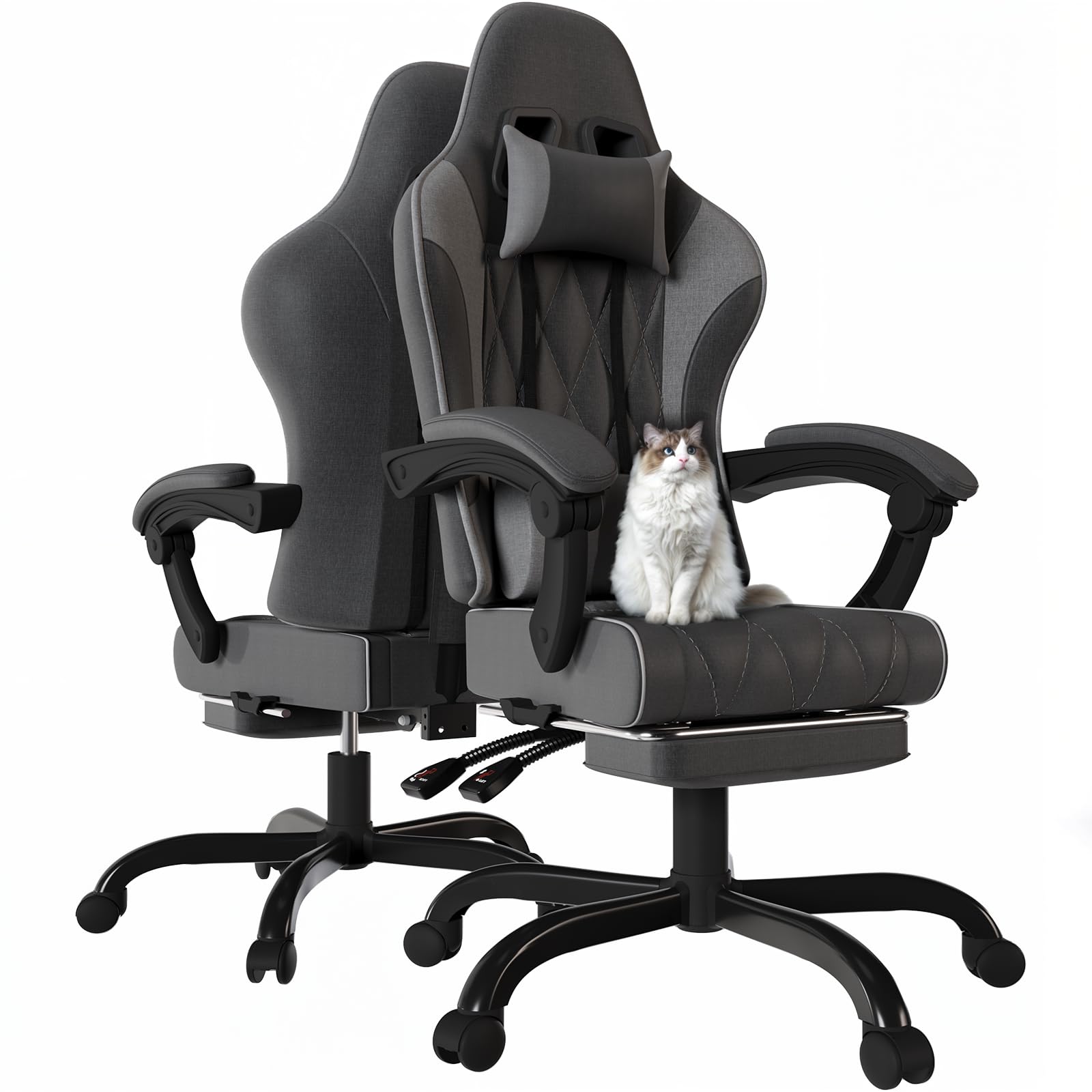
Image 2.1: The Devoko Ergonomic Fabric Gaming Chair, showcasing its design and presence in a gaming setup.
Key Features:
- Premium Seating Comfort: High-density pocket springs combined with memory foam for even body pressure distribution and support.
- Breathable & Scratch-Resistant Fabric: Covered in a soft, wear-resistant mesh fabric, ideal for pet owners.
- Built-in Lumbar Massage: Two-point electric massage function to relieve muscle tension.
- Ergonomic Adjustable Support: Reclining backrest (90° to 135°), adjustable seat height (10cm range), thickened armrests, and a retractable footrest.
- Sturdy and Reliable Structure: Class 3 gas spring and robust construction support up to 150 kg.

Image 2.2: Detailed product dimensions for the Devoko Gaming Chair, including height, width, and depth measurements.
3. Setup and Assembly
The Devoko Ergonomic Fabric Gaming Chair requires assembly. A detailed, illustrated assembly manual is included in the product packaging. Please follow the step-by-step instructions provided in that manual for proper and safe assembly.
Ensure all components are present before beginning assembly. If any parts are missing or damaged, please contact customer support.
4. Operating Instructions
4.1. Seat Height Adjustment
To adjust the seat height, locate the lever on the right side, beneath the seat. Pull the lever upwards while applying or releasing body weight to move the seat up or down. Release the lever to lock the seat at the desired height.
4.2. Backrest Recline Function
The backrest can be reclined from 90° (upright) to 135° (relaxed position). Locate the recline lever on the right side of the chair. Pull the lever up and lean back to recline. Release the lever to lock the backrest in place. Ensure the chair is stable before reclining fully.
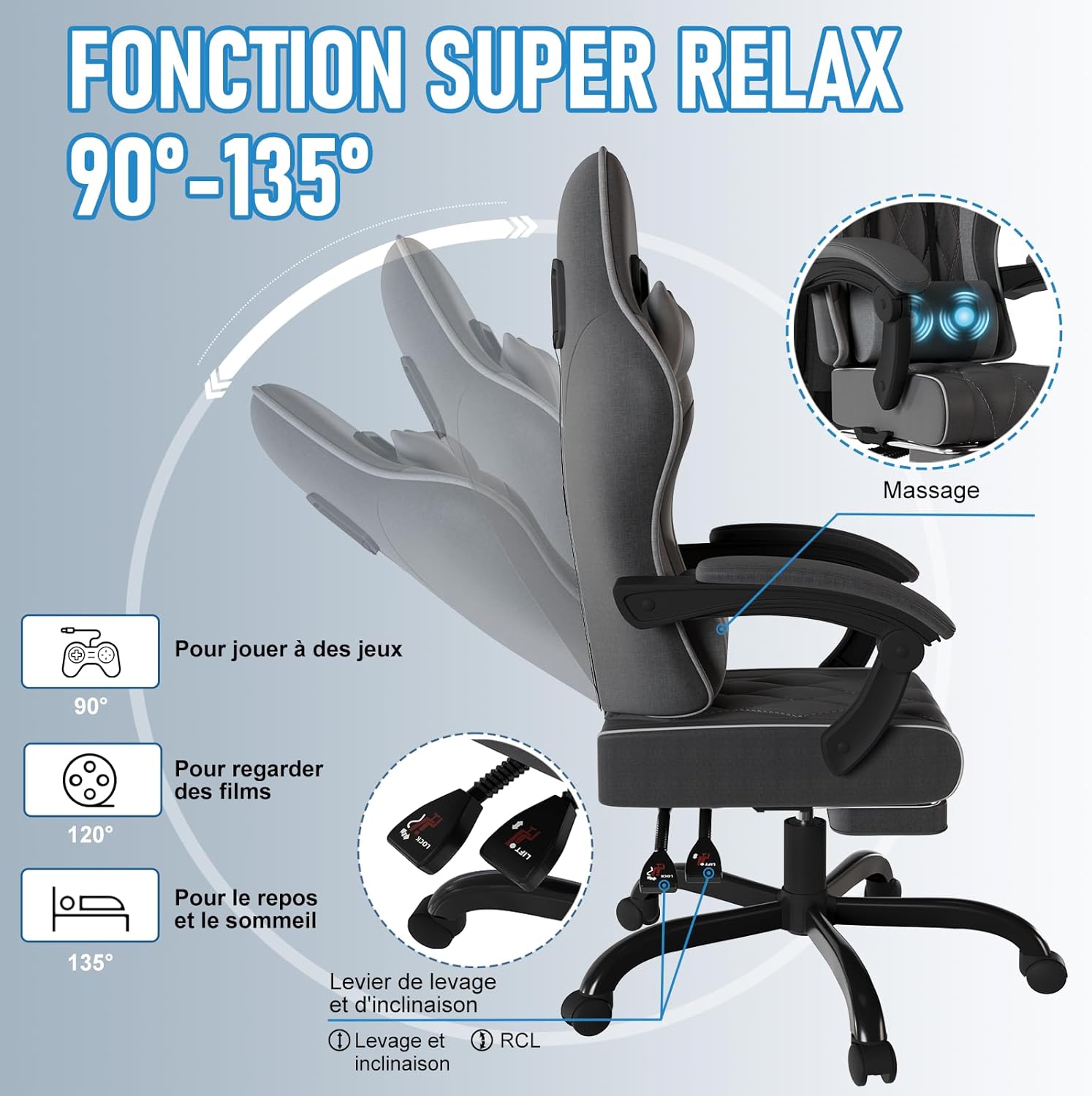
Image 4.1: Illustration of the chair's recline function, demonstrating positions for gaming (90°), watching movies (120°), and resting (135°).
4.3. Lumbar Massage Function
The chair includes a lumbar cushion with a two-point electric massage function. To activate, connect the USB cable extending from the lumbar cushion to a suitable USB power source (e.g., a computer, power bank, or USB wall adapter). The massage function provides targeted vibration to relieve lower back pain.

Image 4.2: The removable headrest and lumbar support cushion, highlighting the vibration massage feature and USB connection.
4.4. Retractable Footrest
To use the footrest, pull it out from beneath the seat. Push it back in when not in use. Ensure the footrest is fully extended and stable before placing your feet on it.
4.5. Armrest Adjustment
The thickened armrests feature synchronized movement, adjusting with the recline of the backrest to maintain ergonomic support.
5. Maintenance
5.1. Cleaning
The chair's fabric is designed to be breathable and wear-resistant. For cleaning, follow these guidelines:
- Product Care Instructions: Dry Clean only.
- For minor spills, gently blot with a clean, dry cloth. Avoid harsh chemicals or abrasive cleaners.
- Regularly vacuum the fabric to remove dust and debris.

Image 5.1: The durable, pet-friendly fabric of the chair, designed to resist scratches from pets.
5.2. General Care
- Avoid exposing the chair to direct sunlight for prolonged periods to prevent fading.
- Do not use sharp objects on the fabric to prevent damage.
- Periodically check all bolts and screws and tighten them if they become loose.
6. Troubleshooting
If you encounter any issues with your Devoko Ergonomic Fabric Gaming Chair, please refer to the following common solutions:
- Chair feels wobbly: Ensure all assembly bolts and screws are securely tightened. Check the base and casters for any damage.
- Gas lift not adjusting height: Ensure the height adjustment lever is fully engaged. If the issue persists, the gas lift may need replacement.
- Backrest not reclining/locking: Check the recline lever mechanism for obstructions. Ensure it is fully engaged to lock the backrest.
- Lumbar massage not working: Verify the USB cable is securely connected to a working power source. Try a different USB port or power adapter.
For further assistance, please contact Devoko customer support.
7. Specifications
| Feature | Specification |
|---|---|
| Brand | Devoko |
| Model Name | Massage Chaise Gaming |
| Color | Dunkelgrau (Dark Grey) |
| Material | Fabric, Metal, Foam |
| Product Dimensions (D x W x H) | 25.59"D x 25.59"W x 55.12"H (65cm D x 65cm W x 140cm H) |
| Item Weight | 19 Kilograms (41.8 lbs) |
| Maximum Weight Recommendation | 150 Kilograms (330 lbs) |
| Backrest Recline Angle | 90° to 135° |
| Seat Height Adjustment | 10 cm range |
| Lumbar Support | Two-point electric massage (USB powered) |
| Included Components | Cushion, Fabric Gaming Chair, Footrest, Headrest, Manual, USB Cable |
| Assembly Required | Yes |
| Product Care Instructions | Dry Clean |
8. Warranty and Support
For warranty information or technical support, please refer to the documentation included with your purchase or visit the official Devoko website. If you have any questions or require assistance, please contact Devoko customer service directly.
