Introduction
This manual provides comprehensive instructions for the Gabba Goods Bliss Wireless Bluetooth Earbuds. Please read this guide thoroughly before using your earbuds to ensure proper operation and to maximize your listening experience. Keep this manual for future reference.
What's in the Box
- Gabba Goods Bliss Wireless Bluetooth Earbuds (Left and Right)
- Charging Case
- USB-C Charging Cable
- User Manual

Image: The Gabba Goods Bliss Wireless Bluetooth Earbuds in their charging case, with the case displaying a battery percentage. This image shows the product as it appears when first unboxed.
Product Overview
Familiarize yourself with the components of your Gabba Goods Bliss Earbuds:
- Earbuds: Left and Right earbuds with built-in microphones and touch controls.
- Charging Case: Portable case for charging and storing earbuds, featuring a digital LED battery display and a USB-C charging port.
- LED Indicator Light: Located on each earbud, indicating status (pairing, charging, connected).

Image: A detailed diagram highlighting the different parts of the Gabba Goods Bliss earbuds and their charging case, including the left and right earbuds, charging docks, LED indicator lights, LCD battery display, and USB Type-C charging port.
Setup and Pairing
1. Initial Charging
Before first use, fully charge the earbuds and the charging case.
- Place both earbuds into the charging case.
- Connect the USB-C charging cable to the charging port on the case and to a power source.
- The LED display on the case will show the charging status. A full charge takes approximately 1 hour.

Image: An illustration showing the charging case with its digital battery display, highlighting the 6 hours of playtime, 400 mAh charging case battery, 40 mAh earphone battery, and USB Type-C fast charging.
2. Bluetooth Pairing
- Ensure the earbuds are charged and inside the charging case.
- Open the charging case. The earbuds will automatically enter pairing mode, and their LED indicator lights will flash.
- On your device (smartphone, tablet, etc.), go to Bluetooth settings and turn Bluetooth on.
- Search for "Gabba Goods Bliss" or "Truebuds Bliss" in the list of available devices and select it to connect.
- Once connected, the earbud LED indicator lights will stop flashing, and you will hear a confirmation tone.
Note: The earbuds will automatically reconnect to the last paired device when removed from the case, if Bluetooth is enabled on the device.
Operating Instructions
Touch Controls
The Gabba Goods Bliss earbuds feature intuitive touch controls for easy management of audio and calls.
| Function | Action |
|---|---|
| Play/Pause Music | Single tap on either earbud. |
| Next Track | Double tap on the right earbud. |
| Previous Track | Double tap on the left earbud. |
| Volume Up | Triple tap on the right earbud. |
| Volume Down | Triple tap on the left earbud. |
| Answer/End Call | Single tap on either earbud. |
| Reject Call | Press and hold either earbud for 2 seconds. |
| Activate Voice Assistant (Siri/Google Assistant) | Press and hold either earbud for 3 seconds. |
Wearing the Earbuds
For optimal sound quality and comfort, ensure the earbuds are properly seated in your ears. The ergonomic design is intended for a secure fit.
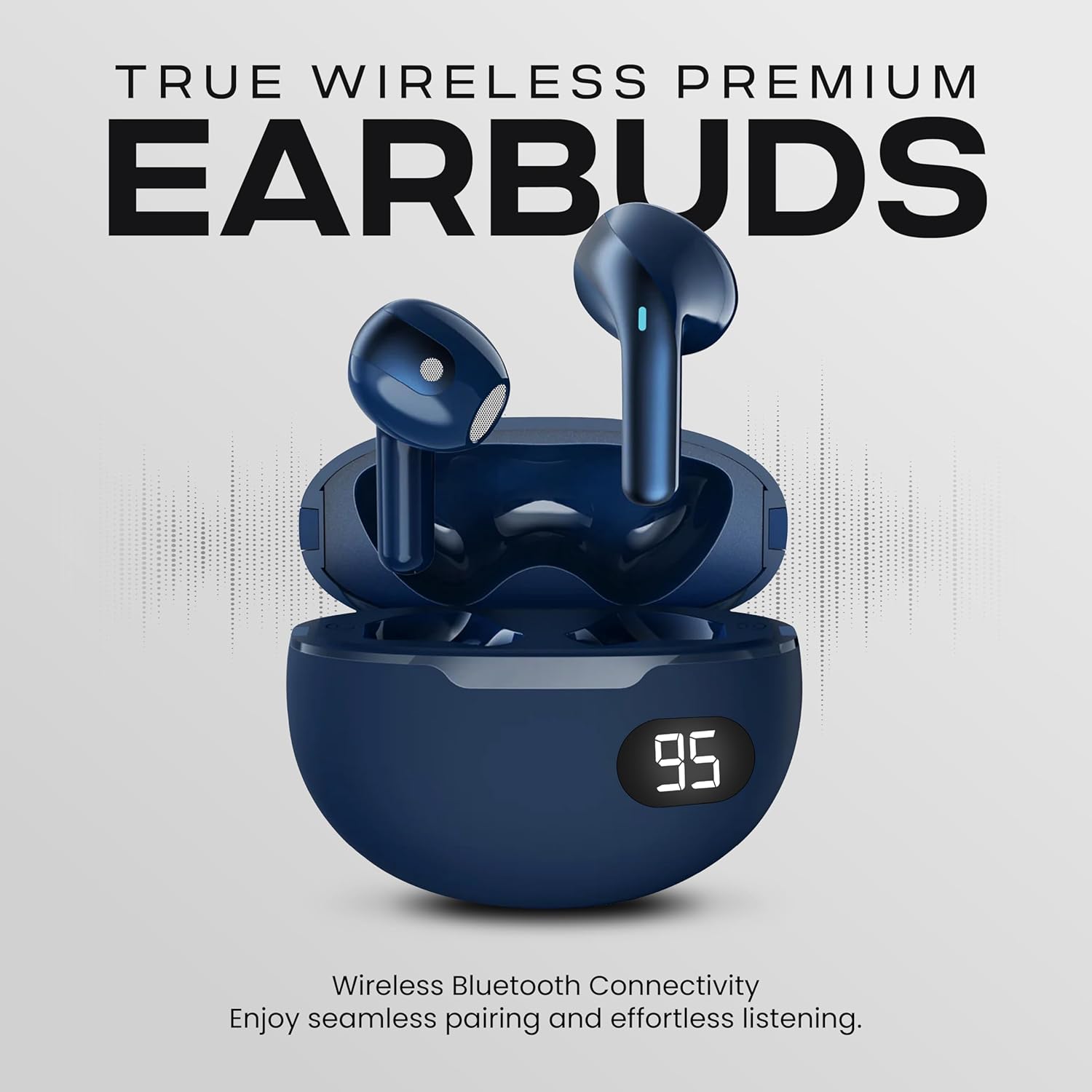
Image: A person smiling and wearing the Gabba Goods Bliss earbuds, demonstrating their in-ear fit and comfort.
Maintenance
- Cleaning: Regularly clean the earbuds and charging case with a soft, dry cloth. Avoid using harsh chemicals or abrasive materials.
- Storage: When not in use, store the earbuds in their charging case to protect them and keep them charged.
- Water Resistance: The earbuds are IPX6 water-resistant, meaning they can withstand splashes and sweat. Do not submerge them in water.
Troubleshooting
- Earbuds not pairing:
- Ensure both earbuds are charged.
- Place earbuds back in the case, close the lid, then open it again to re-enter pairing mode.
- Turn off and on your device's Bluetooth.
- Forget the device "Gabba Goods Bliss" from your device's Bluetooth list and try pairing again.
- Only one earbud working:
- Ensure both earbuds are charged.
- Place both earbuds back in the charging case, close the lid, and then open it again. This often resets the connection between the two earbuds.
- If the issue persists, try resetting the earbuds (refer to specific reset instructions if available, otherwise try forgetting and re-pairing).
- Low volume:
- Adjust the volume on both your connected device and using the earbud touch controls.
- Ensure the earbuds are clean and free from debris that might obstruct sound.
- Charging case not charging:
- Ensure the USB-C cable is securely connected to both the case and the power source.
- Try a different USB-C cable or power adapter.
Specifications
| Feature | Detail |
|---|---|
| Model Name | Truebuds Bliss |
| Bluetooth Version | 5.0 |
| Wireless Range | Up to 10 meters |
| Earbud Playtime | Up to 4 hours per charge |
| Charging Case Battery | 400 mAh |
| Earbud Battery | 40 mAh each |
| Charging Time | Approximately 1 hour (case and earbuds) |
| Driver Size | 6mm |
| Impedance | 16 Ohms |
| Frequency Response | 20Hz-20KHz |
| Control Method | Touch |
| Noise Control | Sound Isolation (Passive Noise Control) |
| Connectivity | Wireless (Bluetooth) |
| Compatible Devices | Smartphones, Tablets, Laptops, Desktops, Smart Speakers, Telephones |
Note: Some promotional images may display slightly different specifications (e.g., Bluetooth 5.4, 13mm drivers, 32 Ohms impedance). The specifications listed above are based on the primary product details and feature bullets.
Official Product Video
Video: An official product video from Gabba Goods showcasing the TrueBuds Bliss Premium BT 5.0 Wireless Earbuds, highlighting features like ergonomic design, long battery life, and stereo sound. This video provides a visual overview of the product's key attributes and usage scenarios.
Warranty and Support
Gabba Goods products are designed for quality and reliability. For warranty information, technical support, or customer service inquiries, please refer to the contact information provided on the product packaging or visit the official Gabba Goods website.
For additional assistance, you may also contact the seller directly through the platform where the product was purchased.


