
1. Introduction
Thank you for choosing the iJoy Wireless Running Headphones. This manual provides essential information for setting up, operating, and maintaining your new headphones. Please read it carefully before use to ensure optimal performance and longevity of your device.
2. Package Contents
Verify that all items listed below are included in your package:
- iJoy Wireless Running Headphones (Left & Right Earbuds)
- Charging Case
- Removable Earhooks
- USB-C Charging Cable
- Multiple Sizes of Ear Gels (Small, Medium, Large)
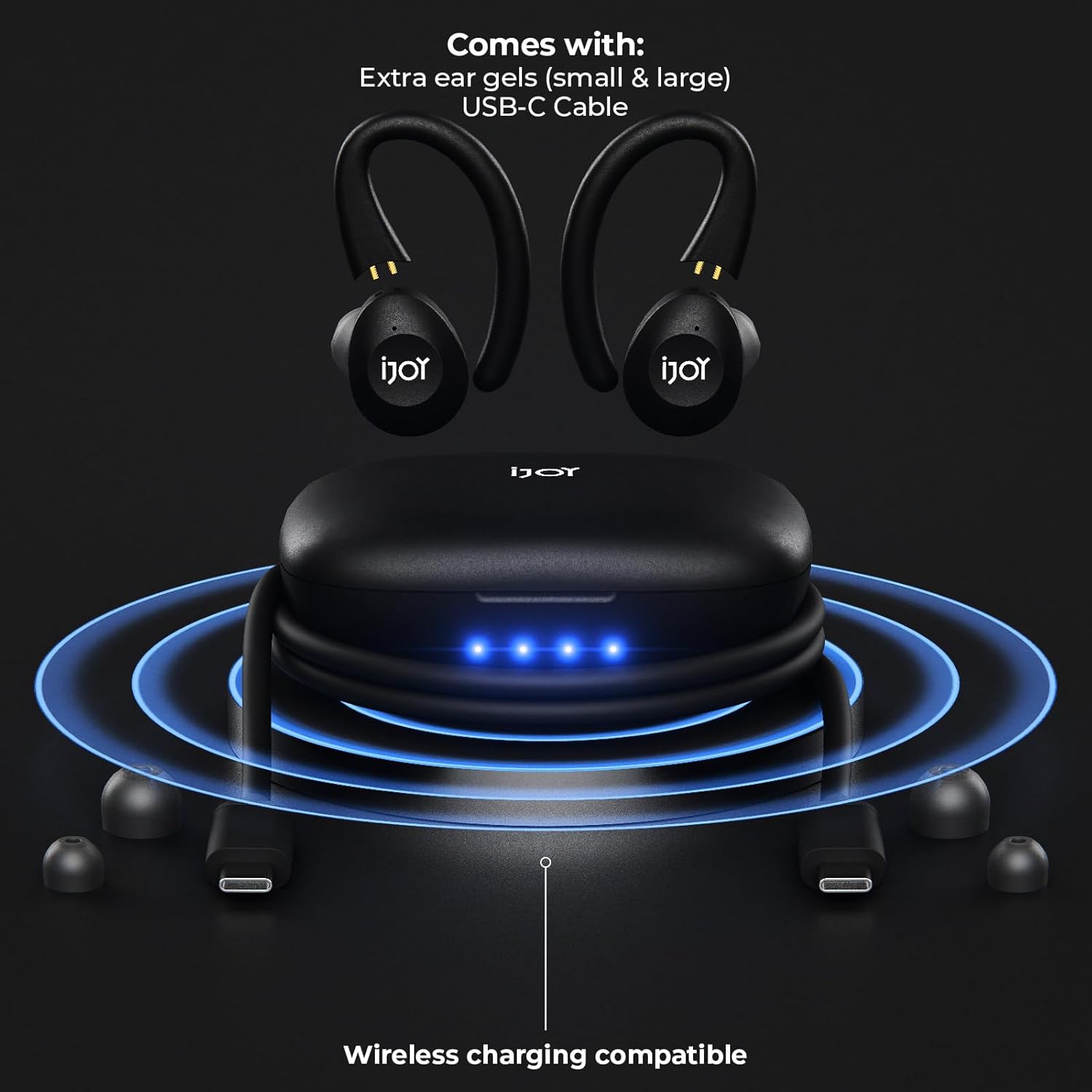
Image: Contents of the iJoy Wireless Running Headphones package, including earbuds, charging case, USB-C cable, and different sized ear gels.
3. Product Overview
Familiarize yourself with the components of your iJoy Wireless Running Headphones.
3.1 Earbuds and Charging Case
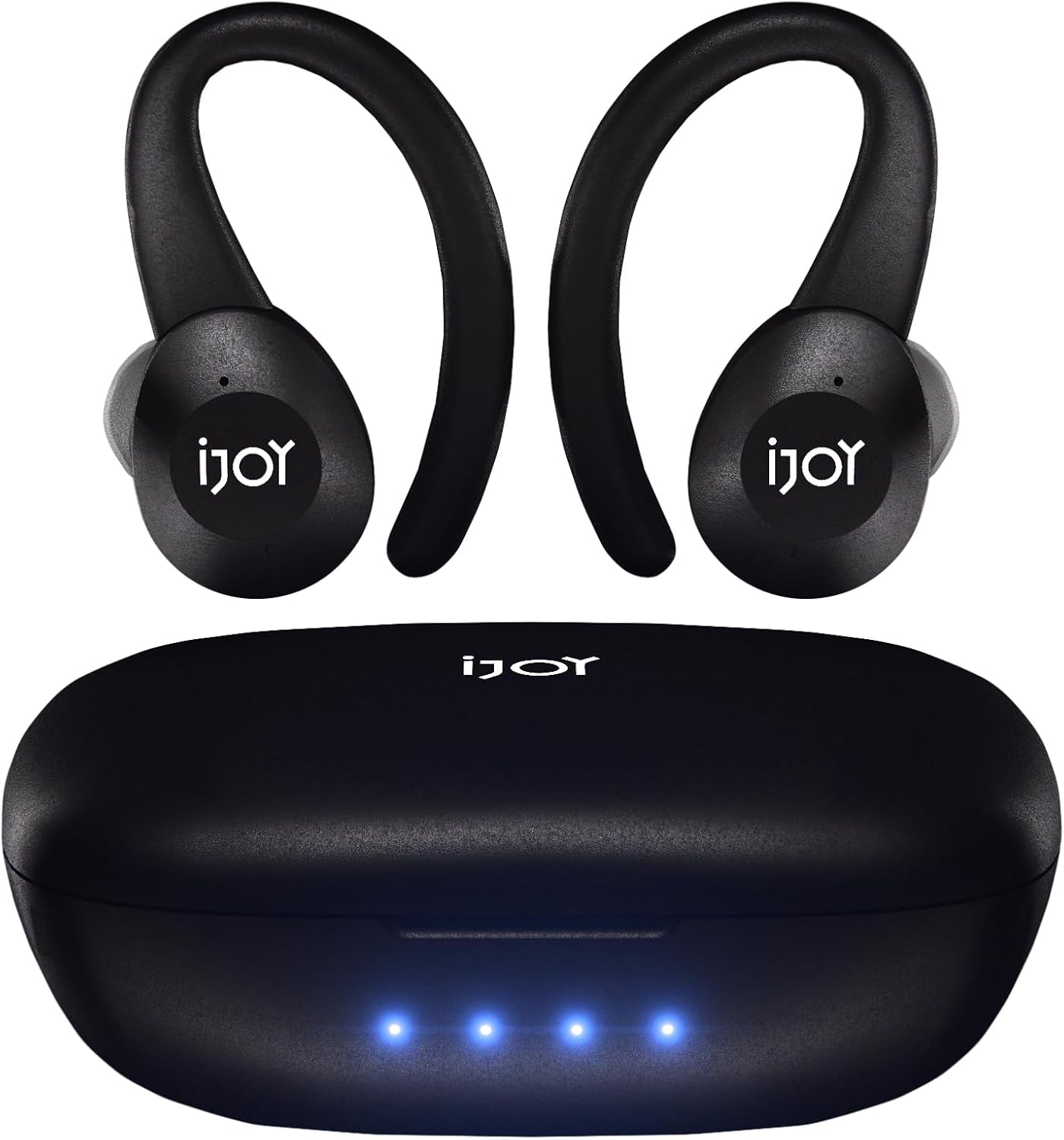
Image: The iJoy Wireless Running Headphones (earbuds) and their charging case. The case displays four blue LED indicator lights.
- Earbuds: Each earbud features a touch control area, an LED indicator, and charging contacts.
- Charging Case: Houses the earbuds for charging and storage. It has LED indicators for battery status and a USB-C charging port. The case also supports wireless charging.
3.2 Detachable Earhooks

Image: Close-up of the iJoy Wireless Running Headphones, highlighting the detachable ear hooks and indicating Bluetooth 5.0 and IPX7 protection.
The earhooks provide a secure fit, especially during physical activities. They can be easily attached or removed based on your preference.
4. Setup
4.1 Initial Charging
Before first use, fully charge the headphones and charging case.
- Place both earbuds into the charging case. Ensure the charging contacts align.
- Connect the USB-C cable to the charging port on the case and a power source (e.g., USB wall adapter, computer USB port).
- The LED indicators on the case will illuminate to show charging status. A full charge is indicated when all LEDs are solid.
- Alternatively, place the charging case on a compatible wireless charging pad for wireless charging.
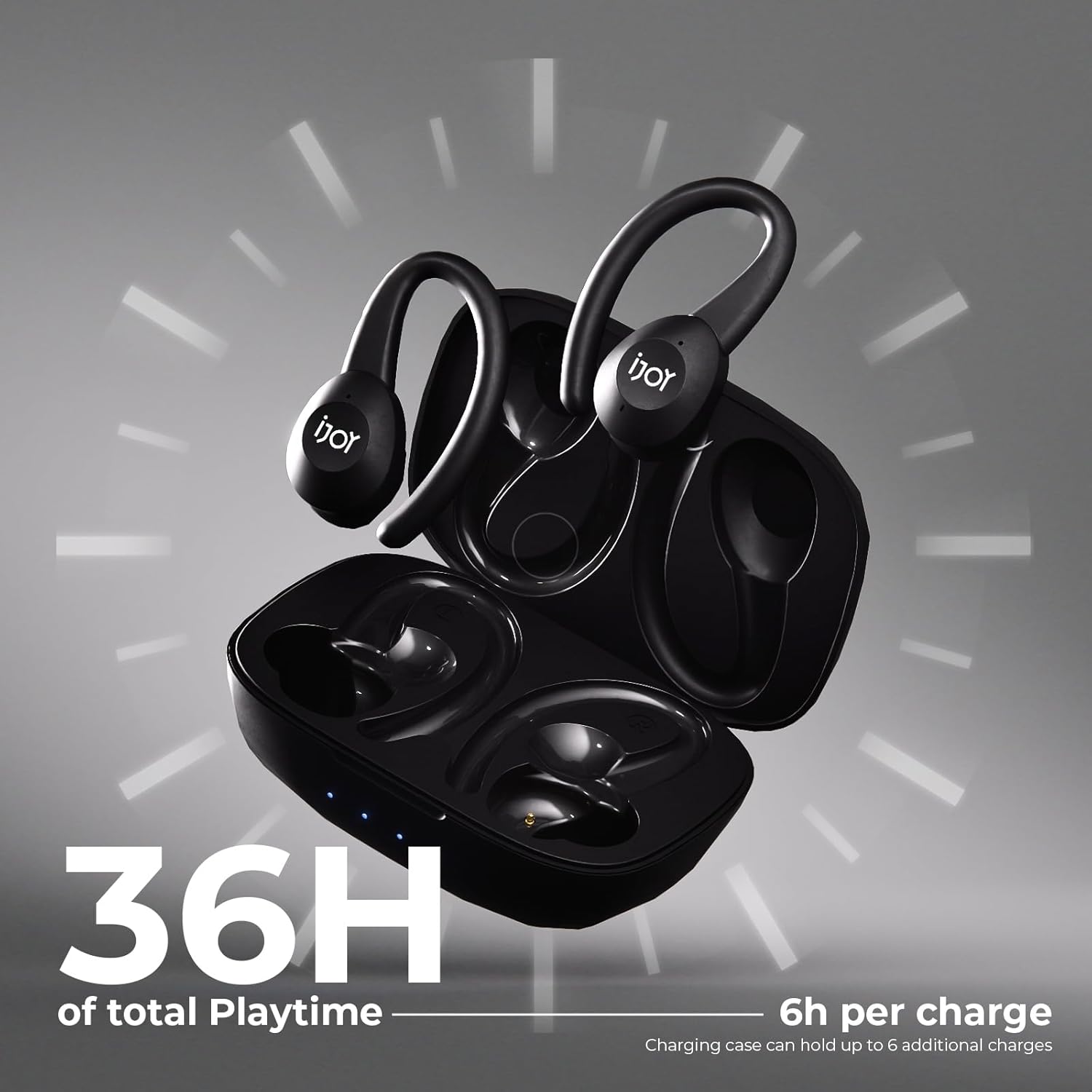
Image: The iJoy charging case open with earbuds inside, illustrating the 36 hours of total playtime provided by the case.
4.2 Powering On/Off
- Power On: Open the charging case, and the earbuds will automatically power on. Alternatively, press and hold the touch control area on both earbuds for 3 seconds.
- Power Off: Place the earbuds back into the charging case and close the lid. Alternatively, press and hold the touch control area on both earbuds for 5 seconds.
4.3 Bluetooth Pairing
- Ensure the earbuds are charged and powered on.
- Open the charging case. The earbuds will enter pairing mode, indicated by flashing LED lights.
- On your device (smartphone, tablet, etc.), enable Bluetooth and search for available devices.
- Select "iJoy RM" (or similar name) from the list of devices.
- Once connected, the earbud LEDs will stop flashing, and you will hear a confirmation tone.
4.4 Wearing the Earbuds
Choose the ear gels that provide the best seal and comfort. Attach the earhooks if you desire extra stability.

Image: A person wearing the iJoy Wireless Running Headphones, illustrating how they can be used with or without the removable ear hooks for different preferences.
5. Operating Instructions
The iJoy Wireless Running Headphones feature touch controls for various functions.
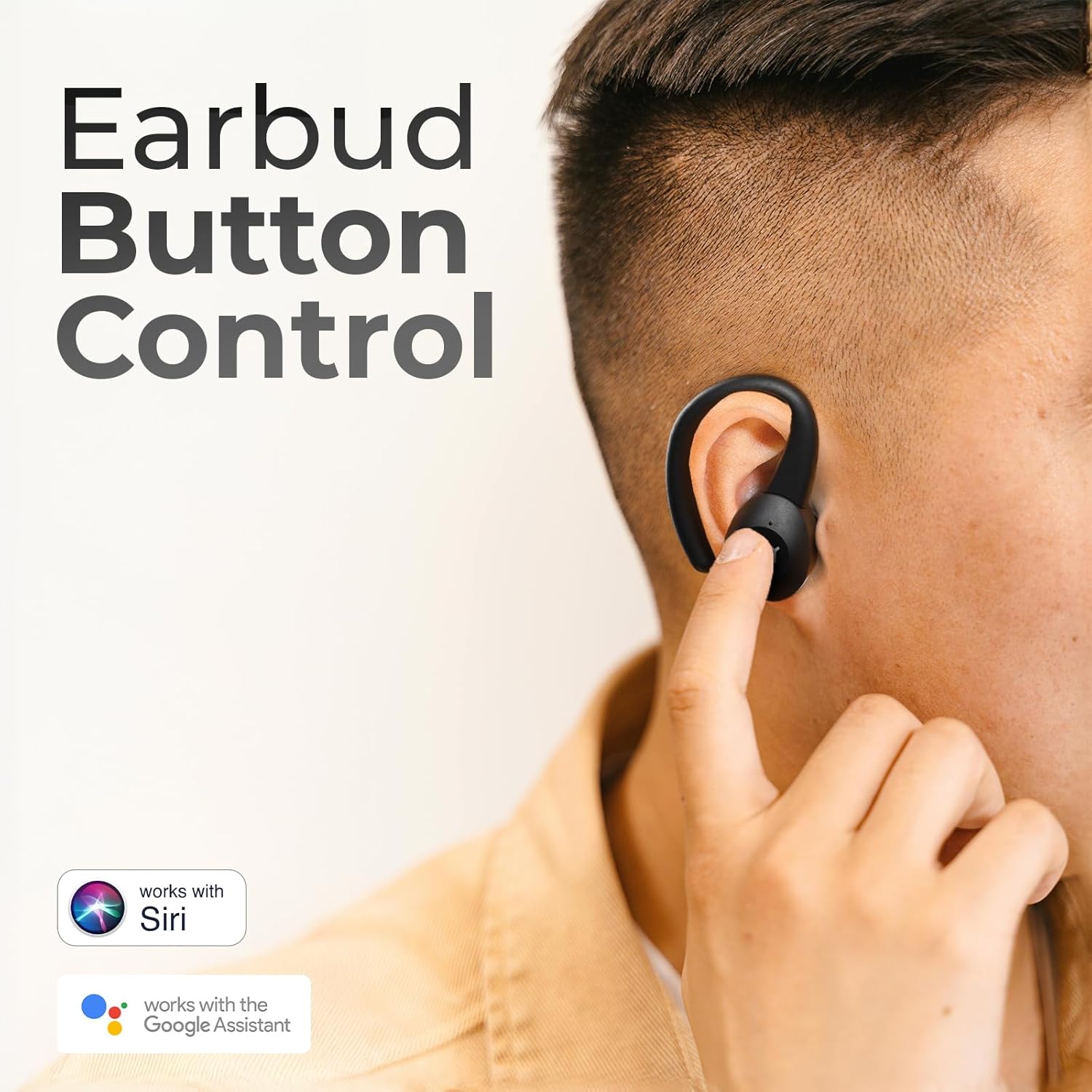
Image: A hand demonstrating the touch control on an iJoy earbud, with icons indicating compatibility with Siri and Google Assistant.
5.1 Music Playback
- Play/Pause: Single tap on either earbud.
- Next Track: Double tap the right earbud.
- Previous Track: Double tap the left earbud.
- Volume Up: Triple tap the right earbud.
- Volume Down: Triple tap the left earbud.
5.2 Call Management
- Answer/End Call: Single tap on either earbud.
- Reject Call: Press and hold either earbud for 2 seconds.
5.3 Voice Assistant
- Activate Voice Assistant (Siri/Google Assistant): Press and hold either earbud for 2 seconds (when not on a call).
5.4 Gaming Mode

Image: An exploded view diagram of an iJoy earbud, illustrating features like Gaming Mode with 60ms input latency and Deep Bass Balanced mode.
The headphones feature a low-latency gaming mode for an optimized audio experience during gaming.
- Activate/Deactivate Gaming Mode: Refer to the specific instructions provided with your product packaging or the iJoy website for the exact touch control sequence.
6. Charging
6.1 Charging the Earbuds
Place the earbuds into the charging case. They will automatically begin charging. The case can provide up to 6 additional charges, extending total playtime to 36 hours.
6.2 Charging the Case
- Wired Charging: Connect the provided USB-C cable to the charging port on the case and a 5V/1A power adapter.
- Wireless Charging: Place the charging case on a Qi-compatible wireless charging pad. Ensure the case is centered on the pad for efficient charging.
6.3 Battery Indicators
The LED lights on the charging case indicate the remaining battery level of the case. Refer to the product packaging for specific LED patterns and their corresponding battery levels.
7. Maintenance
7.1 Cleaning
Regularly clean your earbuds and charging case to ensure optimal performance and hygiene.
- Use a soft, dry, lint-free cloth to wipe the earbuds and charging case.
- Gently clean the charging contacts on both the earbuds and the case with a dry cotton swab.
- Remove ear gels and clean them with mild soap and water, then dry thoroughly before reattaching.
- Avoid using abrasive materials, alcohol, or chemical cleaners.
7.2 Water Resistance (IPX7)
The iJoy Wireless Running Headphones are IPX7 water-resistant, meaning they can withstand immersion in up to 1 meter of water for 30 minutes. This makes them suitable for workouts and light rain. However, they are not designed for swimming or prolonged submersion. Ensure the earbuds are completely dry before placing them back in the charging case to prevent damage.
7.3 Storage
When not in use, store the earbuds in their charging case to protect them from dust, damage, and to keep them charged.
8. Troubleshooting
If you encounter any issues, refer to the following common solutions:
- Earbuds not turning on: Ensure they are charged. Place them in the charging case and close the lid, then open it again.
- Earbuds not pairing: Make sure Bluetooth is enabled on your device. Forget the device from your Bluetooth list and try pairing again. Ensure earbuds are close to your device.
- No sound from one earbud: Try resetting the earbuds (refer to product packaging for specific reset instructions). Ensure both earbuds are charged.
- Poor sound quality: Ensure the ear gels provide a good seal. Try different sized ear gels. Clean the earbuds. Move closer to your connected device to avoid interference.
- Charging issues: Check the USB-C cable and power adapter. Ensure charging contacts on earbuds and case are clean and dry. For wireless charging, ensure the case is correctly positioned on the charging pad.
9. Specifications
| Feature | Specification |
|---|---|
| Model Name | IJEBSE01 |
| Item Model Number | RM |
| Connectivity Technology | Wireless (Bluetooth) |
| Bluetooth Version | 5.0 |
| Battery Life | Up to 36 Hours (with charging case) |
| Water Resistance Level | IPX7 |
| Earpiece Shape | Earhook |
| Control Method | Touch |
| Audio Driver Type | Dynamic Driver |
| Frequency Range | 20 Hz - 20,000 Hz |
| Item Weight | 4 Ounces |
| Product Dimensions | 3 x 2 x 1 inches |
| UPC | 842700182217 |
10. Warranty and Support
iJoy products are designed with quality and performance in mind. For warranty information, technical support, or any inquiries regarding your iJoy Wireless Running Headphones, please refer to the warranty card included in your package or visit the official iJoy website. Keep your proof of purchase for warranty claims.


