
Introduction
Thank you for choosing the 1MORE ComfoBuds Mini Wireless Earbuds. These earbuds are designed to provide a high-quality audio experience with advanced features such as Active Noise Cancellation, clear call technology, and a compact, comfortable design. This manual provides essential information for setting up, operating, and maintaining your earbuds to ensure optimal performance.
Package Contents
Upon opening your 1MORE ComfoBuds Mini package, please verify that all components are present:
- 1MORE ComfoBuds Mini Earbuds (Left and Right)
- Charging Case
- USB Charging Cable (Type-C)
- Silicone Ear Tips (various sizes for optimal fit)
- User Manual (this document)
Note: The product specifications mention "Blu-ray" as an included component, which is an error. Please disregard this entry.
Setup
1. Charging the Earbuds and Case
Before first use, fully charge the earbuds and charging case. The case supports both wired (USB-C) and Qi-compatible wireless charging.
- Wired Charging: Connect the USB-C cable to the charging port on the case and to a power source.
- Wireless Charging: Place the charging case on a Qi-compatible wireless charging pad.
The indicator light on the charging case will show the charging status. A full charge provides up to 24 hours of total playback with ANC off (6 hours per earbud + 18 hours from case) or 18 hours with ANC on (5 hours per earbud + 13 hours from case).

Image: The 1MORE ComfoBuds Mini charging case being charged wirelessly on a white charging pad.

Image: An illustration detailing the battery life of the 1MORE ComfoBuds Mini with ANC on and off, showing total playback hours with the charging case.
2. Pairing with Your Device
- Open the charging case. The earbuds will automatically enter pairing mode.
- On your device (smartphone, tablet, laptop), enable Bluetooth.
- Search for "1MORE ComfoBuds Mini" in the list of available Bluetooth devices and select it to connect.
- Once connected, you will hear an audible confirmation.
The earbuds utilize Bluetooth 5.0 for a stable and efficient connection.

Image: A close-up illustration of a Bluetooth 5.2 chip, representing the advanced connectivity technology within the earbuds. (Note: Product specifications state Bluetooth 5.0).
3. Optimal Fit
For the best audio quality and noise cancellation, select the silicone ear tips that provide a snug and comfortable seal in your ear canal. The ComfoBuds Mini are designed to be small and lightweight (3.7g per bud) for an "invisible" fit.

Image: A woman wearing the 1MORE ComfoBuds Mini earbuds, demonstrating their compact and discreet fit.
Operating Instructions
1. Touch Controls
The earbuds feature touch controls for managing playback, calls, and noise cancellation modes. Refer to the quick start guide for specific tap functions.
2. Active Noise Cancellation (ANC) Modes
The ComfoBuds Mini offer multiple noise cancellation modes to adapt to your environment, powered by QuietMax active noise cancellation technology, providing up to 40dB noise reduction.
- ANC Strong Mode: Provides maximum noise cancellation (up to 40dB) for very noisy environments.
- ANC Mild Mode: Suitable for moderately noisy environments.
- Wind Noise Resistant Mode: Reduces wind noise interference during outdoor activities.
- Transparency Mode: Allows you to hear your surroundings clearly without removing the earbuds.

Image: A visual representation of the different noise cancelling modes available on the 1MORE ComfoBuds Mini, including ANC Strong, ANC Mild, Wind Noise Resistant, and Transparency Mode.

Image: A diagram illustrating the active noise cancellation capability of the earbuds, showing sound waves being reduced by up to 40dB.
3. Sound Quality and Customization
Equipped with a 7mm dynamic driver, the earbuds deliver authentic and balanced sound. Utilize the 1MORE MUSIC app to access SoundID technology, allowing you to customize the sound profile to your personal preferences.

Image: A smartphone displaying the SoundID app interface, demonstrating how users can customize their audio experience with the 1MORE ComfoBuds Mini.
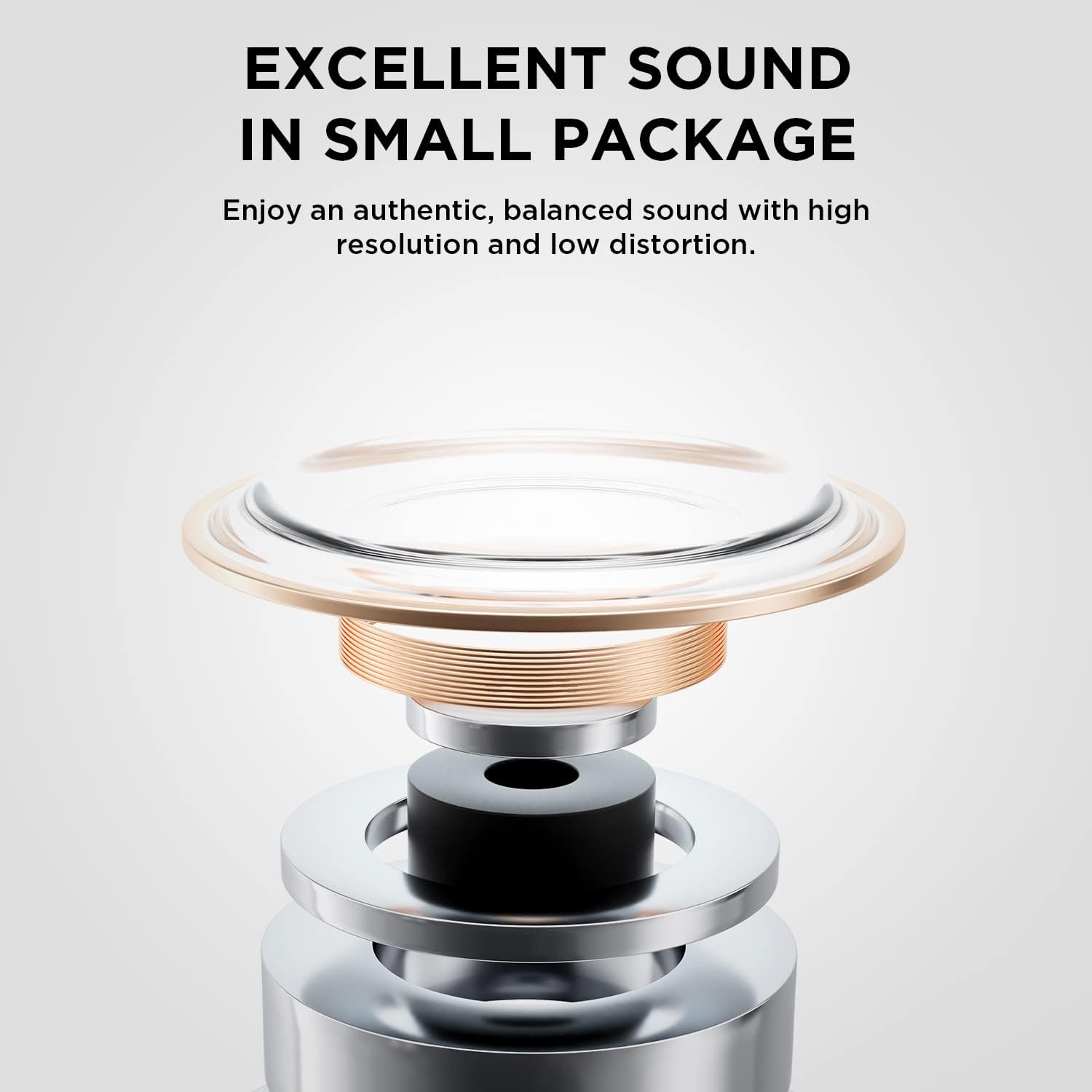
Image: A detailed internal view of an earbud's dynamic driver, highlighting its components for excellent sound reproduction.
4. Clear Calls
The earbuds are equipped with dual microphones and Deep Neural Network (DNN) technology to filter out background noise and amplify your voice, ensuring clear communication even in noisy environments.

Image: A woman using the earbuds while on a call, with a graphic illustrating how background noise is filtered out for clearer voice transmission.
5. Water Resistance
The earbuds are designed with IPX5 water and sweat resistance, making them suitable for workouts and light rain. Avoid submerging the earbuds in water.

Image: The 1MORE ComfoBuds Mini earbuds being splashed with water, illustrating their IPX5 water and sweat resistance.
Maintenance
Proper maintenance ensures the longevity and performance of your earbuds.
- Cleaning: Regularly clean the earbuds, ear tips, and charging contacts with a soft, dry, lint-free cloth. Do not use harsh chemicals or abrasive materials.
- Storage: When not in use, store the earbuds in their charging case to protect them and keep them charged.
- Avoid Extreme Conditions: Do not expose the earbuds to extreme temperatures, humidity, or direct sunlight for extended periods.
- Water Exposure: While water-resistant, avoid prolonged exposure to water or submersion. Ensure earbuds are dry before placing them back in the charging case.
Troubleshooting
If you encounter issues with your 1MORE ComfoBuds Mini, refer to the following common solutions:
- No Sound/Connection Issues:
- Ensure earbuds are charged.
- Verify Bluetooth is enabled on your device and the earbuds are paired.
- Try unpairing and re-pairing the earbuds.
- Restart your device.
- If one earbud has no sound, try placing both earbuds back in the case, closing it, and then reopening to reset the connection.
- Low Volume:
- Check the volume levels on both your device and the earbuds.
- Ensure ear tips are clean and free of debris that might obstruct sound.
- Try different sized ear tips to ensure a proper seal.
- ANC Not Working Effectively:
- Ensure ear tips provide a tight seal.
- Verify ANC mode is activated via touch controls or the 1MORE MUSIC app.
- Charging Issues:
- Ensure the charging cable is securely connected or the wireless charging pad is properly aligned.
- Clean the charging contacts on both the earbuds and the case.
For persistent issues, please contact 1MORE customer support.
Specifications
| Feature | Detail |
|---|---|
| Model Name | ES603-White (Model Number: TWSES603) |
| Connectivity Technology | Wireless (Bluetooth 5.0) |
| Noise Control | Active Noise Cancellation (up to 40dB) |
| Audio Driver Type | Dynamic Driver (7mm) |
| Control Method | Touch |
| Water Resistance Level | Waterproof (IPX5) |
| Earbud Weight | 3.7g per bud |
| Battery Life (ANC Off) | 6 hours (earbuds) + 18 hours (case) = 24 hours total |
| Battery Life (ANC On) | 5 hours (earbuds) + 13 hours (case) = 18 hours total |
| Charging | USB-C, Qi Wireless Charging |
| Compatible Devices | Smartphones, Laptops, Tablets, Smart Speakers |
| Material | Silicone |
| Item Weight (Total) | 6.3 ounces (0.18 Kilograms) |
| UPC | 190280002181 |
Warranty Information
1MORE products are covered by a limited warranty from the date of purchase. The specific terms and duration of the warranty may vary by region and product. Please retain your proof of purchase for warranty claims. For detailed warranty information, please visit the official 1MORE website or contact customer support.
Note: This warranty typically covers manufacturing defects and does not cover damage caused by misuse, accidents, unauthorized modifications, or normal wear and tear.
Customer Support
For further assistance, technical support, or inquiries regarding your 1MORE ComfoBuds Mini, please contact 1MORE customer service through their official website or the contact information provided in your product packaging.
You can also visit the official 1MORE store on Amazon for product information and updates: 1MORE Amazon Store


