
GODIYMODULES BTL-100WFYY-002
TPA3116D2 Digital Power Amplifier Board User Manual
Model: BTL-100WFYY-002
Introduction
This manual provides detailed instructions for the GODIYMODULES TPA3116D2 Digital Power Amplifier Board. Designed for ease of use and high performance, this compact mono amplifier board features a TPA3116 digital power amplifier chip and an integrated volume potentiometer, making it suitable for a wide range of audio applications. Please read this manual thoroughly before operation to ensure proper setup and optimal performance.
Features
- Utilizes the TPA3116 digital power amplifier chip for efficient audio amplification.
- Compact design, ideal for space-constrained projects.
- Integrated volume potentiometer for convenient audio level adjustment.
- Supports a wide working voltage range of DC 5V to 24V.
- Delivers a maximum output power of 100W in mono configuration.
Specifications
| Parameter | Value |
|---|---|
| Working Voltage | DC 5V-24V |
| Board Dimensions (L x W) | 45mm x 33mm (1.77 x 1.30 inches) |
| Overall Height (approx.) | 22mm (0.87 inches) |
| Maximum Output Power | 100W (Mono) |
| Chipset | TPA3116D2 |
| Mounting Type | Surface Mount |
| Item Model Number | BTL-100WFYY-002 |
Setup
Follow these steps to set up your TPA3116D2 Digital Power Amplifier Board:
- Power Connection: Connect a DC power supply within the 5V-24V range to the VCC and GND terminals. Ensure correct polarity to prevent damage.
- Audio Input: Connect your audio source (e.g., smartphone, MP3 player) to the IN+ and IN- terminals.
- Speaker Output: Connect your mono speaker to the OUT+ and OUT- terminals. Ensure the speaker impedance is compatible with the amplifier.

Image: Top view of the amplifier board, highlighting the input (IN), output (OUT), and power (VCC) connection points.

Image: A pair of TPA3116D2 amplifier boards, showcasing their compact size and integrated volume control.
Operating Instructions
Once the board is correctly wired and powered on, you can begin operation:
- Volume Adjustment: Use the integrated potentiometer knob to adjust the output volume. Rotate clockwise to increase volume and counter-clockwise to decrease it.
- Audio Playback: Start playing audio from your connected source. The amplifier will output the sound through the connected speaker.
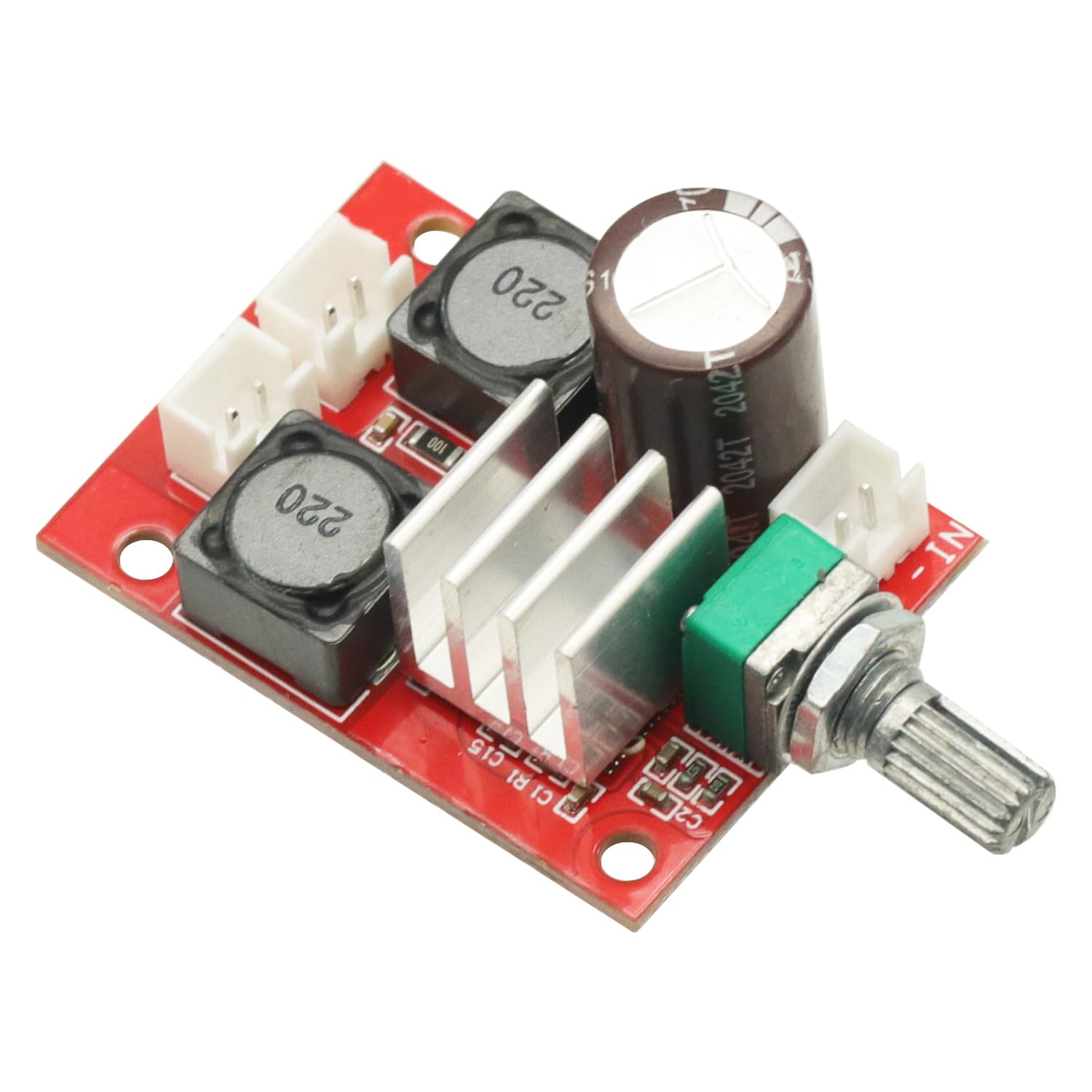
Image: Angled view of the amplifier board, clearly showing the volume adjustment potentiometer.
Maintenance
To ensure the longevity and optimal performance of your amplifier board, follow these maintenance guidelines:
- Keep Dry: Avoid exposing the board to moisture or liquids, which can cause short circuits and damage.
- Clean Gently: If cleaning is necessary, use a soft, dry cloth. Do not use harsh chemicals or abrasive materials.
- Handle with Care: Avoid dropping or subjecting the board to strong impacts. When handling, minimize contact with electronic components to prevent static discharge.
- Ventilation: Ensure adequate airflow around the board, especially during extended operation, to prevent overheating.
Troubleshooting
If you encounter issues with your amplifier board, refer to the following common problems and solutions:
- No Power:
- Check if the DC power supply is connected correctly and providing voltage within the 5V-24V range.
- Verify power supply polarity.
- No Sound Output:
- Ensure the audio input source is active and connected properly to IN+ and IN-.
- Check speaker connections to OUT+ and OUT-.
- Confirm the volume potentiometer is not set to minimum.
- Distorted Sound:
- Verify that the input audio signal is not too strong, causing clipping.
- Check the power supply for stability; insufficient current can cause distortion.
- Ensure speaker impedance matches the amplifier's requirements.
Warranty and Support
This product is covered by a standard return policy. If you are not satisfied with your purchase, you may be eligible for a return or replacement within 30 days of receipt, subject to the seller's terms and conditions.
For technical support, troubleshooting assistance beyond this manual, or warranty inquiries, please contact the seller directly through the platform where the product was purchased. Provide your order details and a clear description of the issue for prompt assistance.
Related documentsBTL-100WFYY-002


Ask a question about this manual
Ask about setup, troubleshooting, compatibility, parts, safety, or missing instructions. Manuals+ will review the question and use this page’s manual context to help answer it.