
1. Product Overview
The GlocalMe Numen Air 5G Hotspot is a portable WiFi device designed to provide high-speed internet connectivity on the go. It features CloudSIM technology, eliminating the need for a physical SIM card in many regions, and supports both 5G and 4G networks globally. This device allows up to 16 devices to connect simultaneously and can also function as a power bank.

Image: The GlocalMe Numen Air 5G Hotspot device shown alongside a card indicating 50GB of included data.
Key Features:
- Preloaded Data: Comes with 50GB US/CA/MX data, valid for 90 days.
- Lightning-fast 5G Speeds: Up to 2.5 Gbps download speed.
- Global Coverage: Supports 5G in 80+ countries and 4G in 200+ countries.
- CloudSIM Technology: No physical SIM card required, intelligent network selection.
- Multi-Device Connectivity: Connects up to 16 devices simultaneously.
- Power Bank Functionality: Doubles as a portable charger for other devices.
- User-friendly Interface: 2.4" LCD touch screen for easy management.
2. Setup Guide
Follow these steps to set up your GlocalMe Numen Air 5G Hotspot and activate your data plan.
- Unpack and Power On: Carefully remove the device from its packaging. Press and hold the power button to turn on the Numen Air hotspot.
- Download GlocalMe App: Scan the QR code provided in the quick start guide or search for "GlocalMe" in your mobile app store (Google Play or Apple App Store) and download the application.
- Create Account & Activate Data: Open the GlocalMe app, register for a new account, and follow the prompts to activate your preloaded data or purchase additional data plans that suit your needs.
- Link Device: In the GlocalMe app, navigate to "My Device" and scan the QR code displayed on your Numen Air hotspot's screen to link it to your account.
- Connect to WiFi: Once linked, find the WiFi network name (SSID) and password displayed on the Numen Air device's screen. Connect your phone, laptop, or other devices to this WiFi network.
- Enjoy Connectivity: Your GlocalMe Numen Air 5G Hotspot is now ready to provide internet access.

Image: Visual representation of the quick start guide, illustrating steps from getting the device to connecting to WiFi.
Quick Start Video Guide:
Video: A short preview demonstrating the quick start guide steps for setting up the GlocalMe Numen Air hotspot.
3. Operating Instructions
The Numen Air 5G Hotspot is designed for intuitive operation via its touch screen and the GlocalMe app.
Device Interface:
The 2.4-inch LCD touch screen provides real-time information and access to various settings:
- Data Usage: Monitor your current data consumption.
- Signal Strength: View the current network signal quality.
- Connected Devices: See how many devices are currently connected to your hotspot.
- Network Settings: Adjust WiFi band (2.4GHz/5GHz), security, and other network preferences.
- Battery Level: Check the remaining battery life.
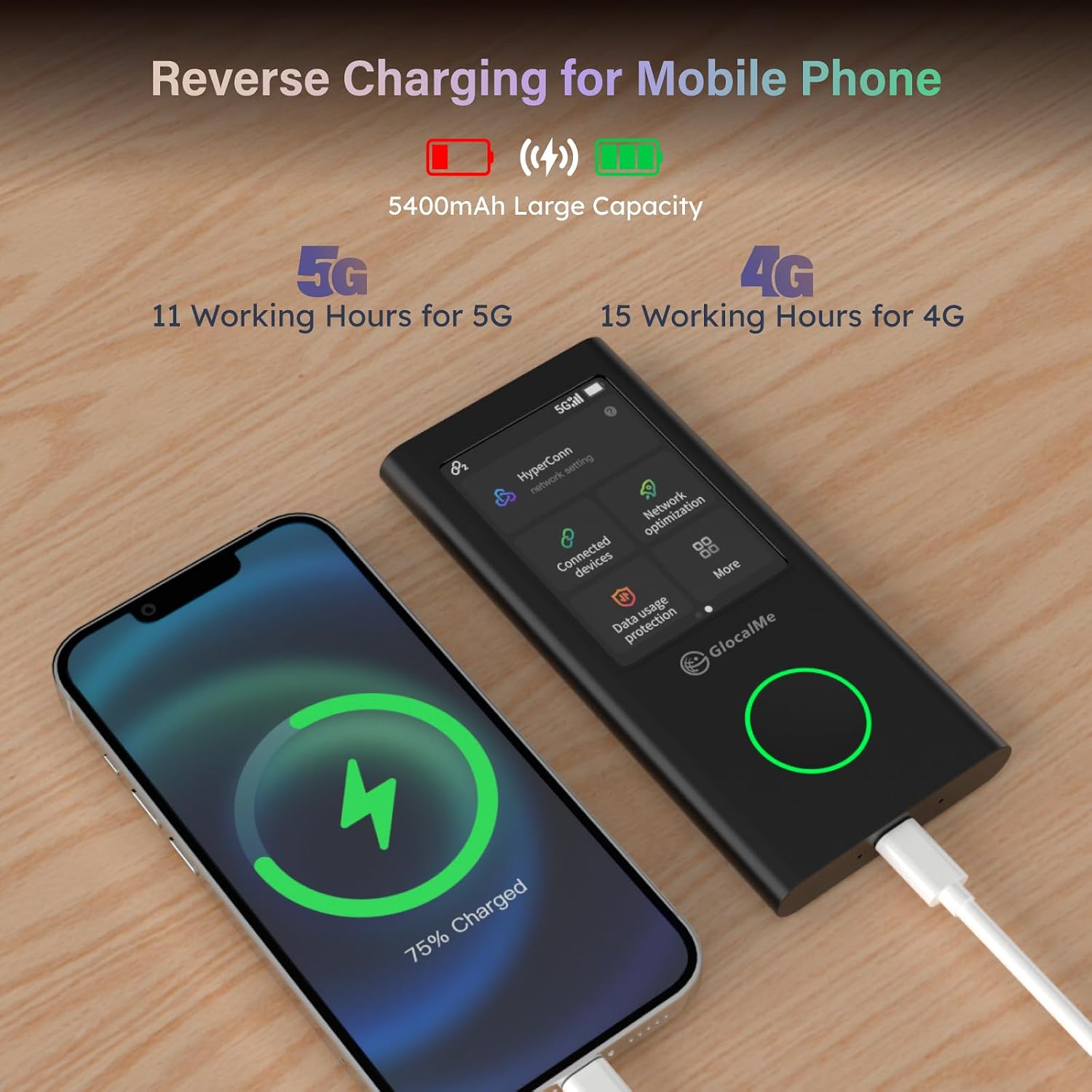
Image: The Numen Air hotspot's touch screen displaying menu options like "Connected devices" and "Data usage protection," with a smartphone connected via USB-C for reverse charging.
Connectivity and Performance:
The Numen Air automatically selects the best available network using CloudSIM technology, ensuring optimal performance. It supports both 2.4GHz and 5GHz WiFi bands for flexible connectivity.

Image: A diagram illustrating how the Numen Air intelligently switches between different mobile network operators to maintain the strongest signal and avoid congestion, ensuring continuous connectivity.

Image: A laptop screen showing a high-speed internet test result, highlighting the Numen Air's capability for fast 5G connectivity compared to 4G.
Usage Scenarios:
The GlocalMe Numen Air is versatile for various applications:

Image: A collage depicting diverse usage scenarios for the Numen Air, including business travel, remote work, mobile gaming, and outdoor activities.
Video: A short preview showcasing the Numen Air's utility for activities like gaming and live streaming, emphasizing its high-speed capabilities.
4. Maintenance
To ensure the longevity and optimal performance of your GlocalMe Numen Air 5G Hotspot, follow these maintenance guidelines:
- Keep Clean: Gently wipe the device with a soft, dry cloth. Avoid using liquid cleaners or abrasive materials.
- Protect from Elements: Keep the device away from water, extreme temperatures, direct sunlight, and high humidity.
- Handle with Care: Avoid dropping the device or subjecting it to strong impacts.
- Battery Care: For optimal battery health, avoid fully discharging the device frequently. If storing for extended periods, charge the battery to around 50-70%.
- Software Updates: Periodically check for and install firmware updates via the GlocalMe app to ensure the device has the latest features and security enhancements.
5. Troubleshooting
If you encounter issues with your GlocalMe Numen Air 5G Hotspot, refer to the following common troubleshooting steps:
| Problem | Possible Cause | Solution |
|---|---|---|
| No Internet Connection | No active data plan; poor signal; device error. | Check data plan status in GlocalMe app. Move to an area with better signal. Restart the device. |
| Slow Internet Speed | Network congestion; weak signal; too many connected devices. | Reduce number of connected devices. Move to an area with stronger signal. Try switching between 2.4GHz and 5GHz bands if available. |
| Device Not Powering On | Low battery; faulty charger/cable. | Charge the device using the original charger and cable. Ensure the charging indicator lights up. |
| Cannot Connect to WiFi | Incorrect password; device too far from hotspot. | Verify WiFi password. Ensure devices are within range. Restart both the hotspot and the connecting device. |
| Touch Screen Unresponsive | Temporary software glitch. | Perform a soft reset by holding the power button until the device restarts. |
If the issue persists after trying these steps, please contact GlocalMe customer support for further assistance.
6. Specifications
Detailed technical specifications for the GlocalMe Numen Air 5G Hotspot:
| Feature | Detail |
|---|---|
| Model Name | GlocalMe Numen Air 5G Hotspot (Numen Air With 50GB) |
| Dimensions | 6.89 x 3.82 x 2.05 inches |
| Item Weight | 12.6 ounces (approx. 357g) |
| Connectivity Technology | 5G, Wi-Fi |
| Wireless Standard | 802.11ac, 802.11b, 802.11g, 802.11n |
| Frequency Band Class | Dual-Band (2.4GHz & 5GHz) |
| Max Download Speed | Up to 2.5 Gbps (5G) |
| Max Upload Speed | Up to 50 Mbps (5G) |
| Battery Capacity | 5400mAh (estimated from video) |
| Display | 2.4" LCD Touch Screen |
| Max Connected Devices | 16 |
| SIM Card Slot | Yes (unlocked for any SIM card) |

Image: A comparative table detailing the specifications of the Numen Air against a typical mobile hotspot device.

Image: The Numen Air's compact size and light weight are illustrated by showing it held in a hand and comparing its weight to a tennis ball.
Video: A short preview demonstrating the compact size and lightweight nature of the Numen Air hotspot.
Video: A short preview illustrating the dual-band (2.4GHz and 5GHz) WiFi capabilities of the Numen Air.
Video: A short preview showcasing the 5400mAh battery capacity and its estimated usage hours for 5G and 4G connectivity.
7. Global Coverage and Data Plans
The GlocalMe Numen Air offers extensive global coverage and flexible data plans to suit various travel and usage needs.
Network Coverage:
The device supports 5G networks in over 80 countries and 4G networks in over 200 countries and regions, ensuring connectivity almost anywhere in the world.

Image: A world map visually representing the extensive 5G and 4G network coverage provided by GlocalMe.
Video: A short preview demonstrating the global reach of GlocalMe's 5G and 4G network coverage.
Flexible Data Plans:
GlocalMe offers various data packages, including daily, monthly, or GB-based plans, with no contract or roaming fees. These can be managed directly through the GlocalMe app.

Image: A table outlining the flexible and affordable data plans available for the GlocalMe Numen Air.
8. Warranty and Support
Warranty Information:
Specific warranty details for the GlocalMe Numen Air 5G Hotspot are typically provided with your purchase documentation. Please refer to the warranty card or the official GlocalMe website for the most accurate and up-to-date information regarding warranty coverage and terms.
Customer Support:
For any questions, technical assistance, or support, you can reach GlocalMe customer service through the following channels:
- GlocalMe App: Access support features directly within the GlocalMe mobile application.
- Official Website: Visit the GlocalMe official website for FAQs, support articles, and contact options.
- Email/Phone: Check the GlocalMe website or your product packaging for specific email addresses or phone numbers for customer support in your region.
The GlocalMe team is available to assist you with any inquiries regarding your Numen Air 5G Hotspot.