
Mova S1 Detect
Contents
MOVA S1 Detect Cordless Vacuum Cleaner User Manual
Model: S1 Detect | Brand: Mova
Introduction
The MOVA S1 Detect is a versatile 3-in-1 cordless stick vacuum cleaner designed for efficient cleaning of various surfaces. It features a powerful motor, advanced filtration, and specialized attachments to address diverse cleaning needs, from pet hair to fine dust on hard floors and carpets.
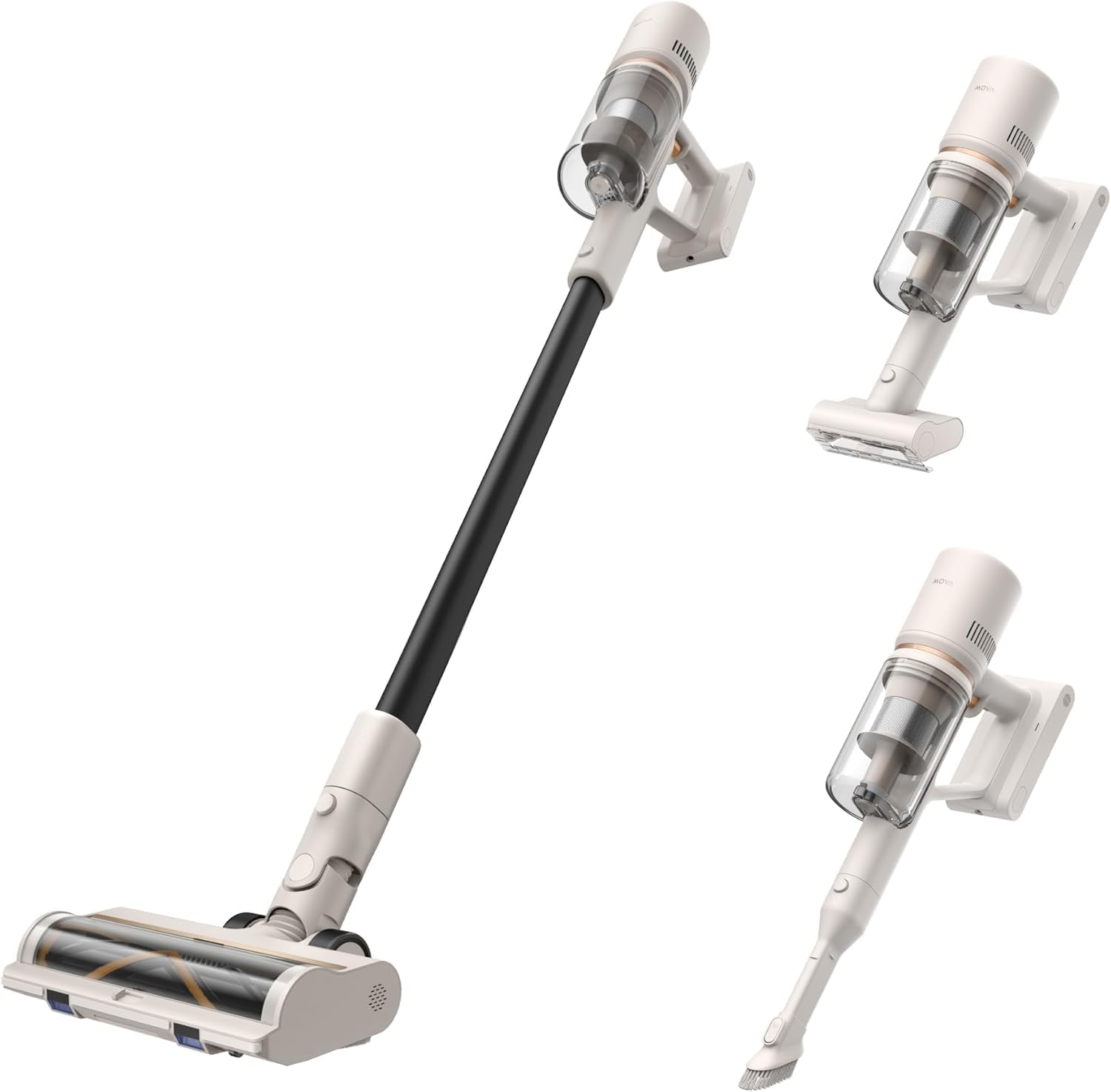
Image: The MOVA S1 Detect vacuum cleaner shown in its full stick configuration and as a handheld unit with different attachments, highlighting its versatility.
What's in the Box
Upon unboxing your MOVA S1 Detect, please verify that all the following components are present:
- Principle Machine (Main Unit) x1
- Multi-Surface Brush x1
- Extension Rod x1
- Battery Pack x1
- Wall Mount x1
- Combination Tool x1
- Motorized Mini-Brush x1

Image: A visual representation of all the parts included with the MOVA S1 Detect vacuum cleaner, such as the main unit, various brushes, and accessories.
Setup
Assembly
To assemble your MOVA S1 Detect, connect the extension rod to the main unit and then attach the multi-surface brush head. For handheld use, attach desired accessories directly to the main unit. Ensure all connections click securely into place.
Initial Charging
Before first use, fully charge the battery pack. The charging time is approximately 4.5 hours. You can charge the battery while it is attached to the main unit or separately using the wall mount.

Animation: The vacuum can be stored and charged on the wall mount, or its detachable battery pack can be charged independently.
Operating Instructions
Power and Suction Modes
The MOVA S1 Detect features a powerful 100,000RPM motor with 310W suction power. It offers multiple suction modes to suit different cleaning tasks. Press the power button once to turn on the vacuum. Cycle through the suction levels (low, medium, high) by pressing the mode selection button. The LED display indicates the current mode and battery level.
OptiInsight Technology
The multi-surface brush head is equipped with OptiInsight technology, which illuminates hidden dirt and dust on your floors, ensuring thorough cleaning even in dimly lit areas or under furniture.
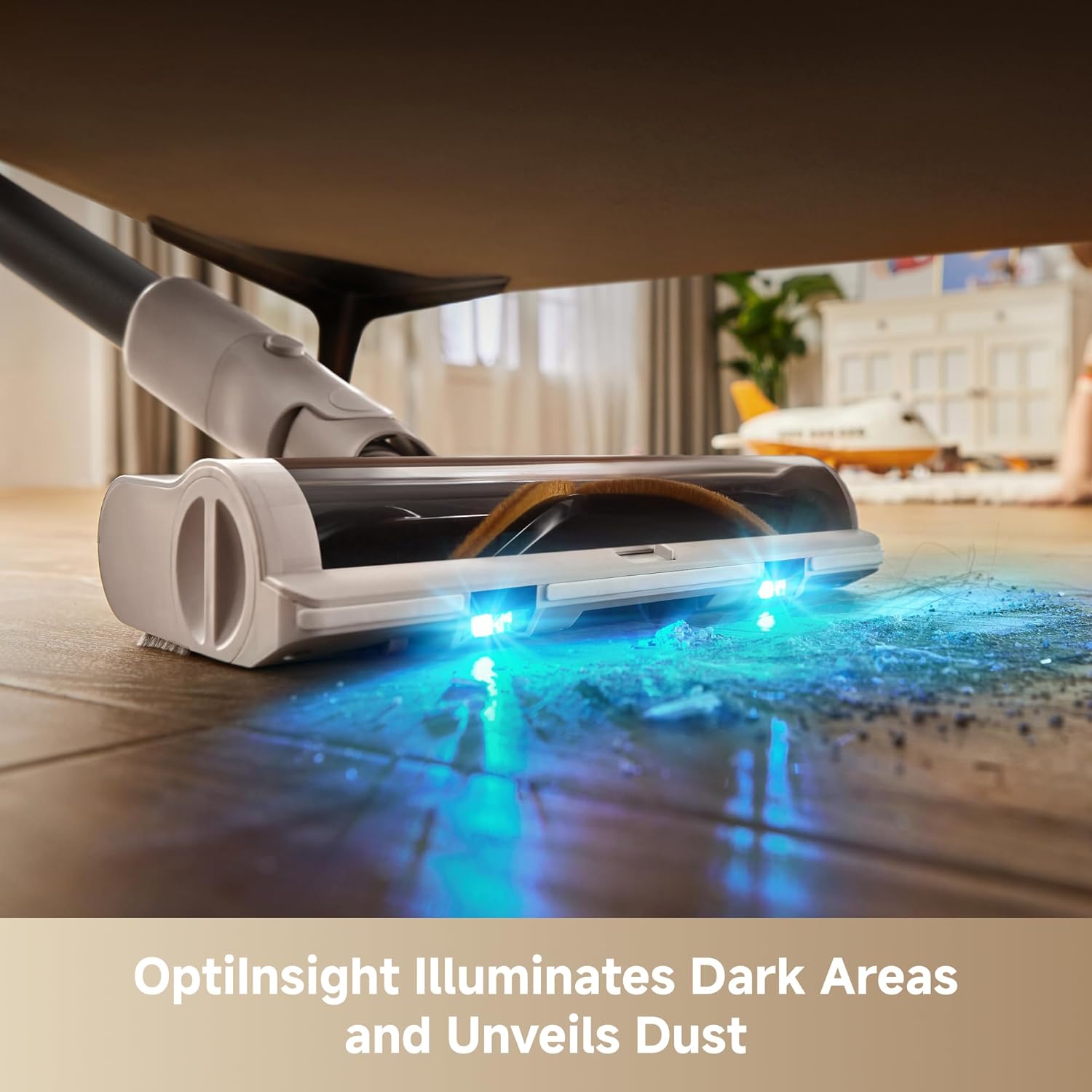
Image: The OptiInsight feature uses blue LED lights on the brush head to highlight dust and debris on the floor, making it easier to see and clean.
Multi-Surface Cleaning
The V-shaped multi-surface brush is designed to work effectively on both hard floors and carpets, seamlessly transitioning between surfaces without needing to change brush heads. This ensures consistent and efficient cleaning performance.
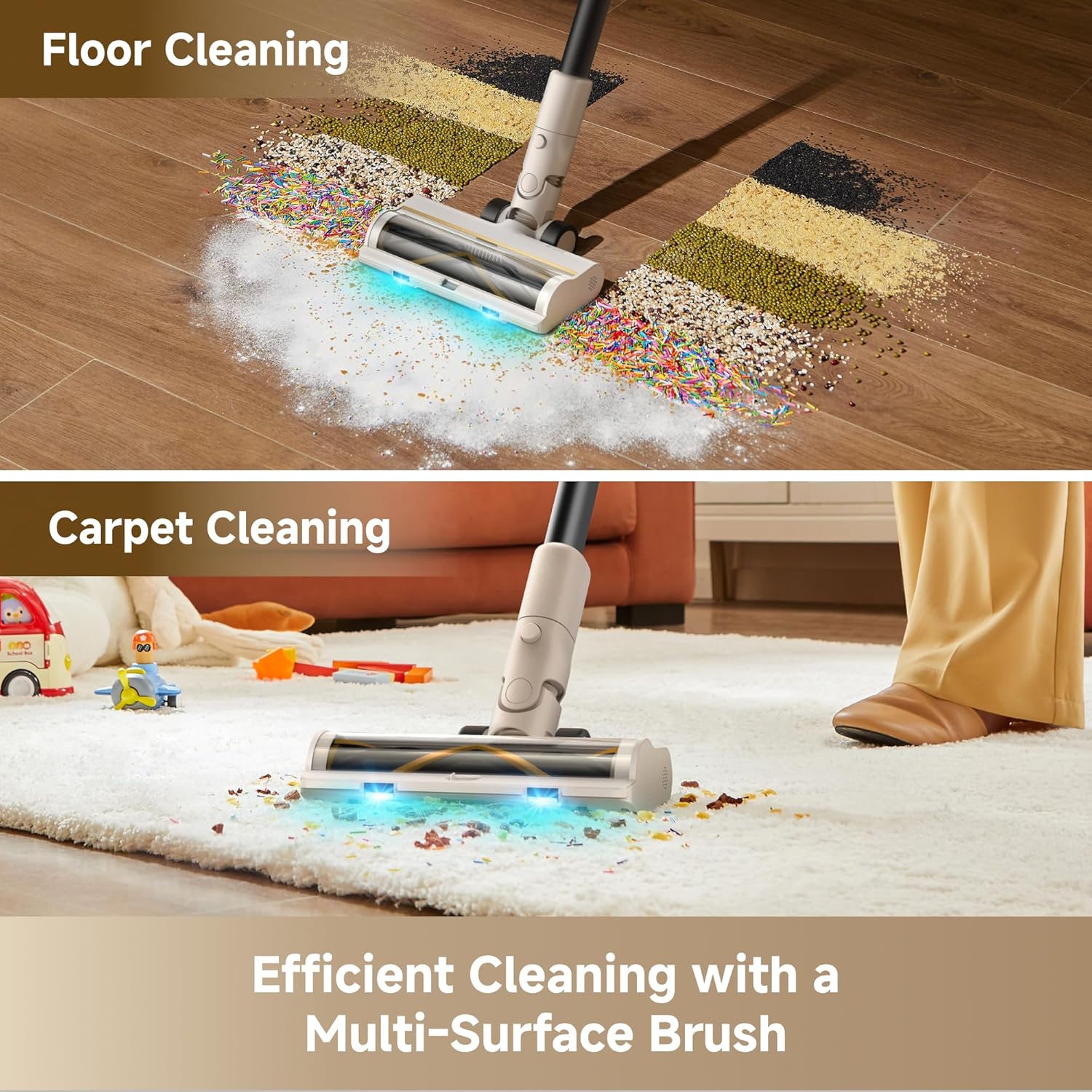
Image: Demonstrates the vacuum's effectiveness on different floor types, showing it cleaning scattered particles on a hard floor and debris on a carpet.
Using Versatile Attachments
The MOVA S1 Detect comes with several attachments to extend its cleaning capabilities:
- Combination Tool: Ideal for tight spaces, corners, and delicate surfaces.
- Motorized Mini-Brush: Designed for deep cleaning fabrics, upholstery, and pet hair from furniture.
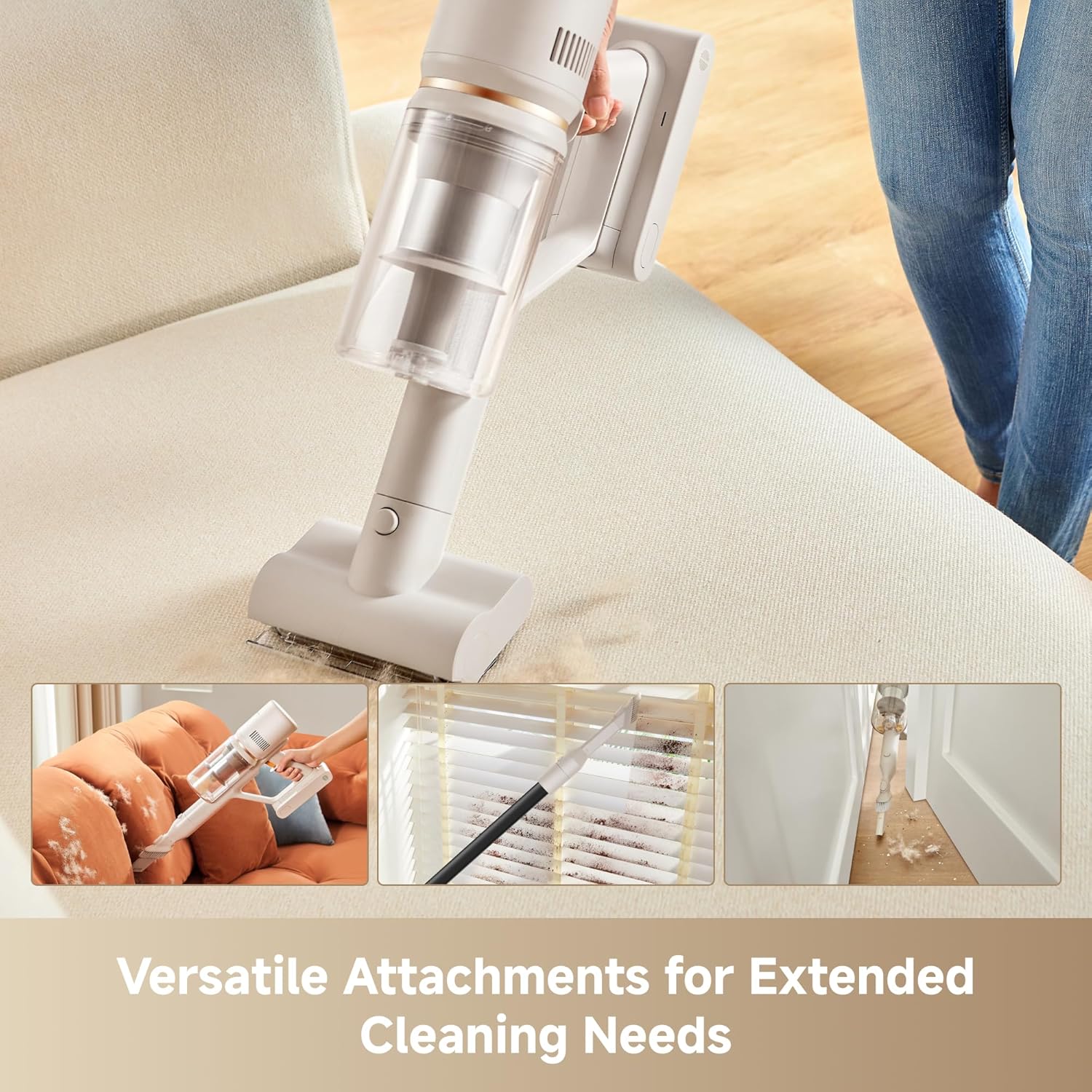
Image: Illustrates the use of the motorized mini-brush for cleaning upholstery and the combination tool for reaching tight spaces and baseboards.
Maintenance
Emptying the Dustbin
For optimal performance, empty the dustbin regularly, especially after each significant cleaning session. To empty, detach the dustbin from the main unit and press the release button to open the bottom flap, allowing debris to fall out.

Animation: Shows the process of detaching and emptying the vacuum's dustbin for easy disposal of collected debris.
Cleaning the Filtration System
The MOVA S1 Detect features an advanced 5-layer filtration system, including a HEPA filter, designed to capture 99.9% of dust and tiny particles. Regular cleaning of the filters is crucial for maintaining suction power and air quality. The filters are washable; rinse them under running water and ensure they are completely dry before reassembling.

Image: An exploded view diagram detailing the five layers of the vacuum's filtration system, including the cyclone, metal mesh, multi-cone, sponge, and cartridge filters.

Animation: Demonstrates the process of washing the vacuum's filter components under a faucet to remove accumulated dust and debris.
Troubleshooting
If you encounter issues with your MOVA S1 Detect, please refer to the following common problems and solutions:
| Problem | Possible Cause | Solution |
|---|---|---|
| No Power / Does Not Turn On | Battery is not charged or not properly installed. | Ensure the battery pack is fully charged and securely inserted into the main unit. Check the charging indicator light. |
| Low Suction Power | Dustbin is full, filters are clogged, or brush head is obstructed. | Empty the dustbin. Clean all filters thoroughly and ensure they are dry before reinstallation. Check the brush head and extension rod for blockages. |
| Short Battery Runtime | Vacuum is consistently used on high suction mode; battery not fully charged. | Ensure the battery is fully charged before use. Use lower suction modes for lighter cleaning tasks to extend runtime. Battery performance may decrease over time with heavy use. |
| Unusual Noise | Obstruction in the brush head, extension rod, or main unit. | Turn off the vacuum and check for any foreign objects or blockages in the brush head, extension rod, and dustbin area. Remove any obstructions carefully. |
Specifications
Key technical specifications for the MOVA S1 Detect Cordless Vacuum Cleaner:
- Brand: Mova
- Model Name: S1 Detect
- Special Feature: 310W Powerful Suction, LED display, Lightweight, V-shaped Anti-tangle Soft and Hard Brush
- Filter Type: HEPA Filter (5-layer filtration system)
- Is Cordless?: Yes
- Capacity: 0.5 Liters (Dustbin)
- Wattage: 450 watts
- Runtime: Up to 40 minutes (depending on mode and usage)
- Charging Time: 4.5 Hours
- Form Factor: Stick
- Color: White
- Product Dimensions: 44.8"L x 9.44"W x 8.46"H
- Battery Description: Lithium-Ion
- Noise Level: 60 dB
- Item Weight: 3.64 pounds
- Manufacturer: MOVA
- UPC: 850070941266
- Specific instructions for use: Floor and Carpet Cleaning
Warranty and Support
MOVA is committed to providing quality products and excellent customer service. Your MOVA S1 Detect comes with a manufacturer's warranty.
- Warranty Period: Up to 36-Month Warranty (Please refer to the official MOVA website or your purchase documentation for specific terms and conditions).
- Money Back Service: 30-Day Money Back Service.
- Customer Support: 24/7 Rapid Responding Service Team.
For technical assistance, warranty claims, or any product-related inquiries, please contact MOVA customer support through the official channels provided with your purchase or on the MOVA brand website.

Image: Summary of MOVA's service policy, including warranty duration and customer support availability.
For additional information and product registration, visit the official Mova Store on Amazon.
Ask a question about this manual
Ask about setup, troubleshooting, compatibility, parts, safety, or missing instructions. Manuals+ will review the question and use this page’s manual context to help answer it.