
Introduction
This manual provides comprehensive instructions for the installation, operation, and maintenance of your LUDOMIDE 52 Inch Low Profile Ceiling Fan. Please read all instructions carefully before beginning installation and retain this manual for future reference.
Safety Information
Always disconnect power at the circuit breaker before installing, cleaning, or servicing the fan. Ensure all electrical connections comply with local codes and ordinances. If you are unfamiliar with electrical wiring, consult a qualified electrician. The fan must be mounted to a ceiling joist or a fan-rated outlet box capable of supporting the fan's weight. Do not bend the blade holders during installation or cleaning. Ensure all screws are tightened securely.
Package Contents
Verify that all components are present before beginning installation. If any parts are missing or damaged, contact LUDOMIDE customer service.
- Fan Motor Assembly
- Fan Blades (3)
- Mounting Bracket
- Canopy
- LED Light Kit
- Remote Control
- Wall Control
- Hardware Pack (screws, wire nuts, etc.)
- Instruction Manual

Image: All components of the LUDOMIDE 52 Inch Ceiling Fan laid out for inspection.
Installation Guide
Follow these steps carefully for proper installation. It is recommended to have a second person assist during certain stages.
1. Mounting Bracket Installation
- Turn off power at the circuit breaker.
- Secure the mounting bracket to the ceiling outlet box using the provided screws. Ensure the bracket is firmly attached to a structural support.
Video: Installation steps for the CJOY Black Flush Mount Ceiling Fan, demonstrating mounting bracket attachment.
2. Wiring Connections
- Connect the fan's ground wire (green) to the household ground wire.
- Connect the fan's neutral wire (white) to the household neutral wire.
- Connect the fan's live wire (black) to the household live wire.
- Ensure all connections are secure with wire nuts and tucked neatly into the outlet box.
Video: Smart Ceiling Fan with Light installation, showing wiring connections.
3. Blade Assembly
- Attach each fan blade to the motor assembly using the provided screws. Ensure they are securely fastened.
- The blades are reversible, offering a choice between a black finish or a wood grain finish. Select your preferred side before attaching.
4. Light Assembly
- Connect the LED light kit wires to the corresponding wires from the fan motor assembly.
- Secure the LED light kit to the fan motor assembly.
5. Final Assembly
- Carefully lift the fan assembly and attach it to the mounting bracket, ensuring all wires are safely tucked away.
- Secure the canopy to the mounting bracket with the remaining screws.
- Restore power at the circuit breaker.
Operating Instructions
Your LUDOMIDE ceiling fan offers multiple control options for convenience and comfort.
1. Remote Control Functions
The remote control allows comprehensive management of your fan and light settings.
- Fan ON/OFF: Power the fan on or off.
- Fan Speed (1-6): Adjust fan speed from gentle breeze (1) to powerful airflow (6).
- Forward/Reverse: Change blade direction for summer (downdraft) or winter (updraft) modes.
- Light ON/OFF: Turn the LED light on or off.
- Light Dimmer (+/-): Adjust light brightness from 10% to 100%.
- Color Temperature (CCT): Cycle through 3000K (warm), 4500K (neutral), and 6500K (cool) light.
- Night Light: Activates a subtle night light mode.
- Natural Wind: Simulates natural breeze by cycling through various fan speeds.
- Timer (1H/2H/4H/8H): Set the fan to automatically turn off after the selected duration.
- Anti-theft Function: (Home icon) Turns the light on every 2 hours for 5 minutes.
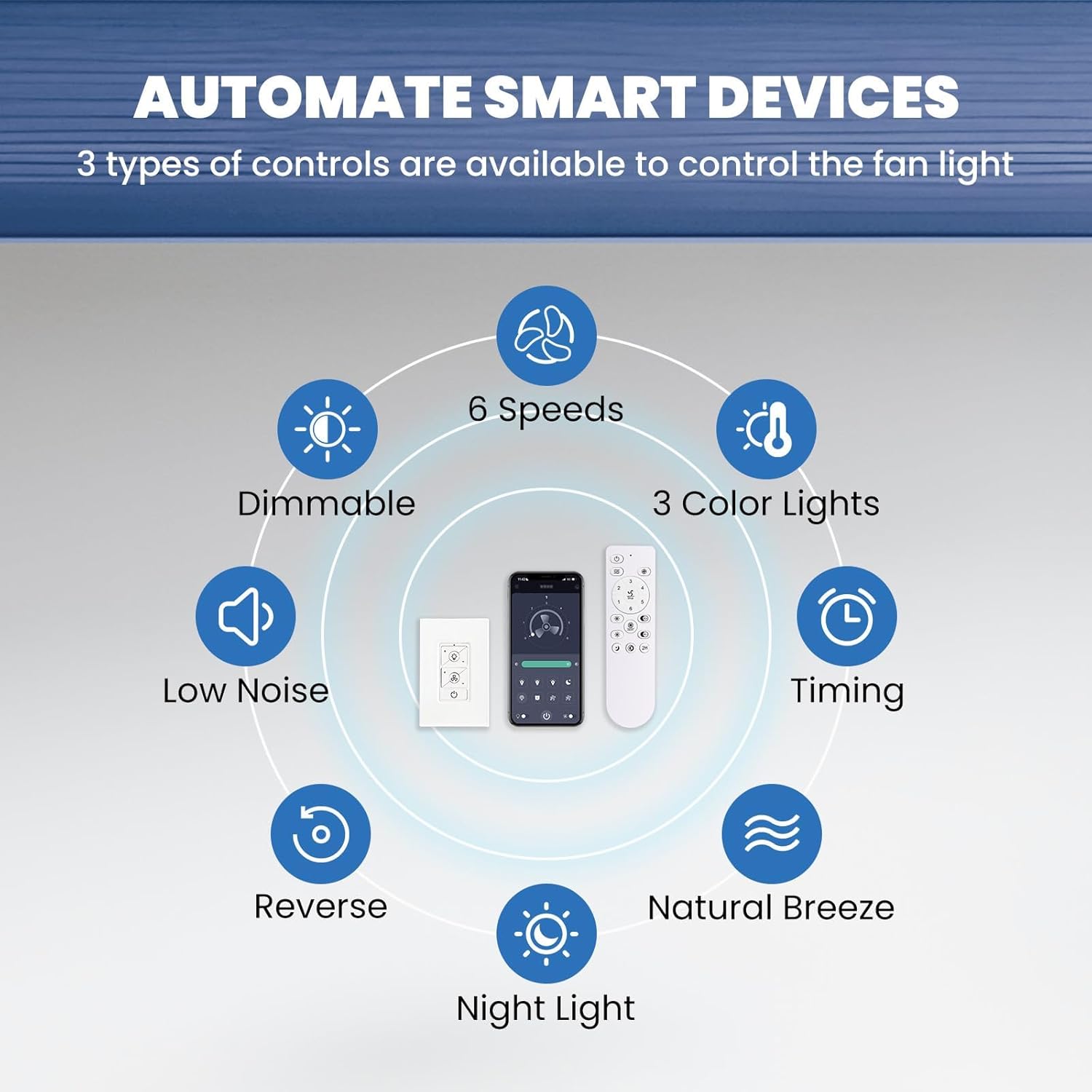
Image: The remote control and a smartphone app interface for controlling the LUDOMIDE ceiling fan.
2. App Control Functions
Download the companion app to control your fan via smartphone. The app offers similar functions to the remote, including scheduling and advanced timer options.
3. Wall Control Functions
The included wall control provides basic ON/OFF functionality for the fan and light. For full control, use the remote or app.
4. Fan Speed & Direction
The fan features 6 adjustable speeds (up to 250 RPM, 2860 CFM) and a reversible DC motor. Use the remote or app to switch between summer (downdraft) and winter (updraft) modes for optimal air circulation.

Image: Illustration of the LUDOMIDE ceiling fan's 6 adjustable speeds, categorized as Soft Wind, Comfortable Wind, and Cool Wind.

Image: The LUDOMIDE ceiling fan demonstrating its reversible motor, with arrows indicating downdraft (summer mode) and updraft (winter mode).
5. Light Settings
The integrated LED light is dimmable (10%-100% brightness, up to 1600 LM) and offers 3 color temperatures (3000K warm, 4500K neutral, 6500K cool). The smart fan remembers your last light settings.
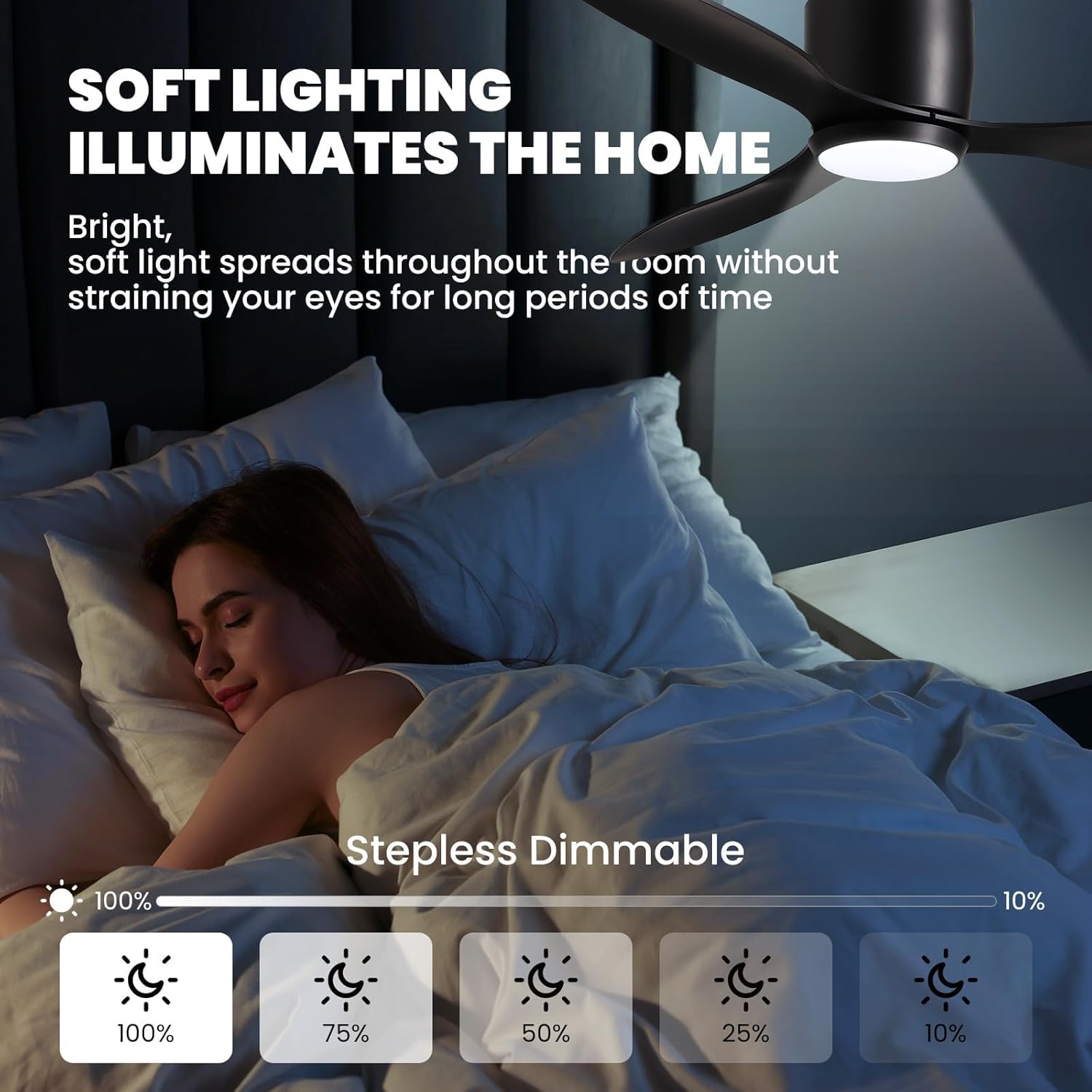
Image: The LUDOMIDE ceiling fan's soft, stepless dimmable lighting feature, adjustable from 10% to 100% brightness.
Maintenance
To ensure optimal performance and longevity of your LUDOMIDE ceiling fan, follow these maintenance guidelines:
- Cleaning: Periodically wipe the fan blades and motor housing with a soft, damp cloth. Do not use abrasive cleaners or solvents.
- Blade Balance: If the fan wobbles, check that all blade screws are tightened. A balancing kit (not included) may be used if wobbling persists.
- Light Source: The LED light source is integrated and not user-replaceable. If the light fails, contact customer service.
Troubleshooting
If you encounter issues with your fan, refer to the following common problems and solutions:
- Fan does not start: Check power supply at the circuit breaker. Ensure all wiring connections are secure. Verify remote control battery.
- Fan wobbles: Ensure mounting bracket is securely fastened to the ceiling. Check that all blade screws are tight. Verify blades are not bent or damaged.
- Light does not work: Check power supply. Ensure light kit wires are properly connected. If LED is integrated, contact customer service.
- Remote control not responding: Replace remote control battery. Ensure fan is receiving power.
Specifications
| Feature | Detail |
|---|---|
| Brand | LUDOMIDE |
| Model Name | CFL-1212-03 |
| Size | 52 inches |
| Color | Black |
| Material | Acrylonitrile Butadiene Styrene, Iron, Plastic |
| Motor Type | Noiseless DC Reversible Motor |
| Fan Speeds | 6 |
| Max RPM | 250 RPM |
| Max CFM | 2860 CFM |
| Noise Level | Max 35 dB |
| Light Type | Dimmable LED |
| Brightness | 10%-100% (up to 1600 LM) |
| Color Temperatures | 3000K Warm / 4500K Neutral / 6500K Cool |
| Control Methods | Remote Control, Wall Control, APP Control |
| Timer Functions | 2H (Remote); 1/2/4/8H (APP) |
| Item Weight | 12 Pounds |
| Product Dimensions | 15 x 13 x 8 inches |
Warranty & Support
LUDOMIDE stands behind its product with a 24-month worry-free warranty. If you encounter any issues during installation or use, our customer service team is available 24/7 to assist you. Please feel free to contact our brand service through Amazon for support.


