
1. Introduction
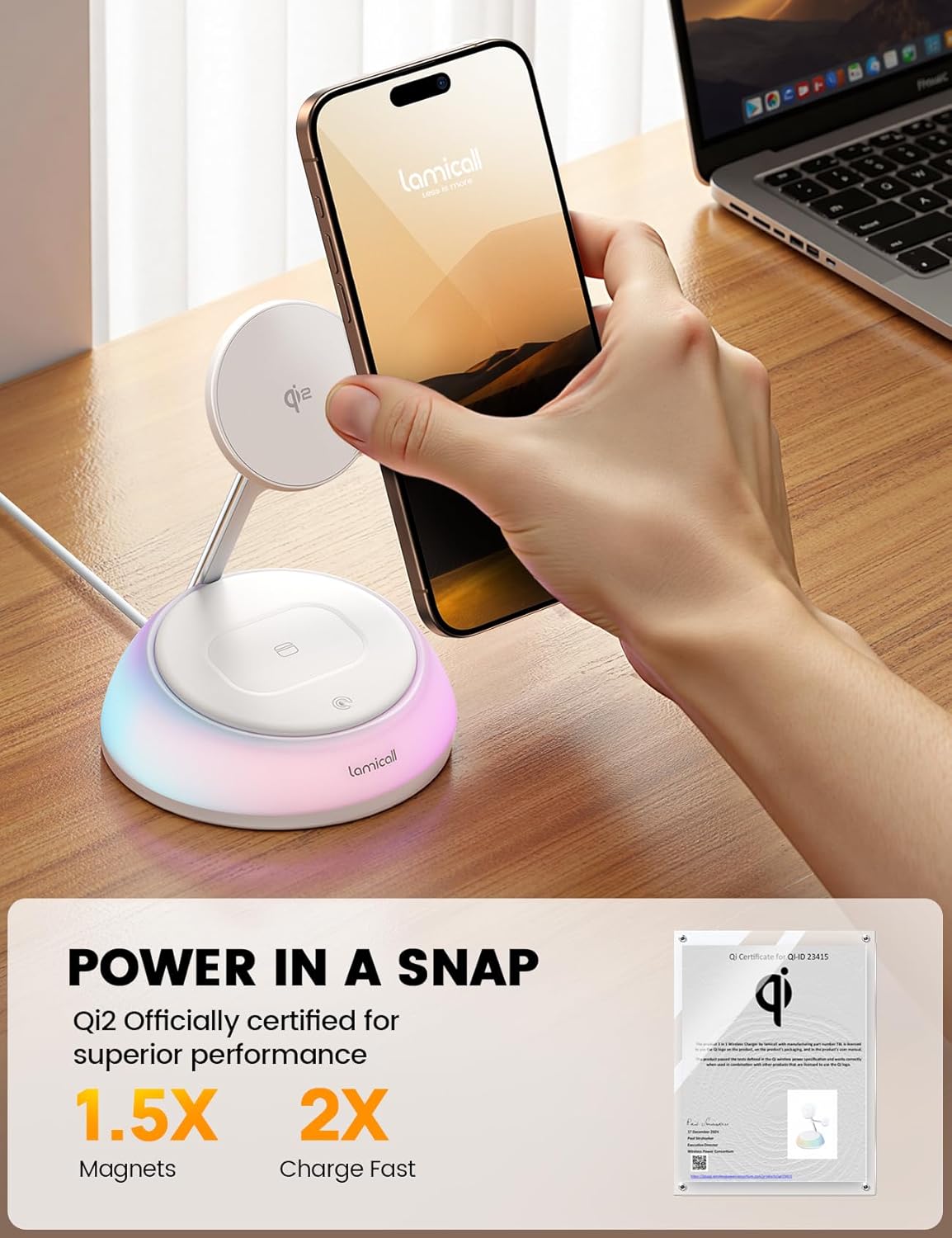
Thank you for choosing the Lamicall 4-in-1 Qi2 Wireless Charging Station. This device is designed to provide efficient and safe wireless charging for your iPhone, Apple Watch, and AirPods, along with an integrated multi-color night light. Please read this manual carefully before use to ensure proper operation and to maximize the lifespan of your product.
2. Package Contents
- 1x Lamicall 4-in-1 Wireless Charging Station
- 1x 30W USB-C Power Adapter
- 1x 5 ft (1.5 m) Type-C to Type-C Cable
- 1x User Manual (this document)
3. Setup Instructions
- Unpack the Device: Carefully remove all components from the packaging.
- Connect Power: Insert the provided Type-C to Type-C cable into the USB-C port on the back of the charging station and connect the other end to the 30W USB-C power adapter. Plug the adapter into a wall outlet.
- Placement: Place the charging station on a stable, flat surface away from direct sunlight or heat sources. Ensure adequate ventilation around the device.

Video 1: This video demonstrates the initial setup and basic usage of the Lamicall Qi2 Wireless Charging Station, including connecting the power cable and placing devices for charging.
4. Operating Instructions
4.1 Charging Your Devices
The Lamicall 4-in-1 Charging Station supports simultaneous wireless charging for compatible devices.
- iPhone (15W): Place your MagSafe-compatible iPhone (iPhone 12 series and newer) onto the magnetic charging pad. Ensure the phone is centered for optimal charging. For iPhone 8-11 series or iPhone 16e, a MagSafe-compatible case is required.
- Apple Watch (3W): Place your Apple Watch onto the dedicated watch charging module.
- AirPods (5W): Place your AirPods (with a wireless charging case) onto the charging pad located at the base of the station.

4.2 Night Light Function
The base of the charging station features an integrated multi-color ambient night light.
- Turn On/Off: Single-tap the touch panel on the base to turn the night light on or off.
- Change Colors: Double-tap the touch panel to cycle through the 5 available LED colors.
- Memory Function: The light will remember your last selected color setting when turned off and on again.

Video 2: This video demonstrates how to operate the night light feature, including turning it on/off and cycling through the different color options.
5. Safety Information
This charging station is equipped with an intelligent chip to ensure safe and efficient charging. It includes:
- FOD Alerts: Foreign Object Detection alerts.
- Over-Current Protection: Prevents damage from excessive current.
- Over-Voltage Protection: Safeguards against voltage spikes.
- Over-Temperature Protection: Maintains safe operating temperatures.
A non-slip silicone base ensures your devices remain securely in place during charging.
6. Maintenance
- Cleaning: Use a soft, dry cloth to clean the surface of the charging station. Do not use abrasive cleaners or solvents.
- Avoid Liquids: Keep the device away from water and other liquids.
- Storage: When not in use for extended periods, disconnect the power and store the device in a cool, dry place.
7. Troubleshooting
- Device Not Charging:
- Ensure the power adapter is securely connected and plugged into a working outlet.
- Verify you are using the provided 30W USB-C adapter and cable. Lower wattage adapters (below 9V) may cause inefficient charging or trigger a red warning light.
- Remove any non-MagSafe cases or cases thicker than 5mm (0.2 inches) from your iPhone.
- Ensure your iPhone 8-11 series or iPhone 16e uses a MagSafe-compatible case.
- Confirm your AirPods case supports wireless charging.
- Check for any foreign objects between the device and the charging pad.
- Red Warning Light Illuminates: This indicates an obstruction on a charging pad or the use of a low-power adapter (below 9V). Remove any foreign objects or switch to the recommended 30W adapter.
- Night Light Unresponsive: If the light does not cycle colors when double-tapping, try tapping at a steady rhythm. Tapping too quickly may cause it to become unresponsive.
- Optimal Compatibility: Ensure your devices' operating systems are updated to the latest version for optimal charging protocol compatibility.
8. Specifications
| Product Dimensions | 6.5 x 5 x 5 inches |
| Item Weight | 1.17 pounds |
| Model Number | MX |
| Brand | Lamicall |
| Connector Type | USB Type C |
| Wattage | 30 watts (Adapter) |
| Output Current | 6 Amps |
| Special Features | 15W Wireless Fast Charging, Night Light, Qi2 Certified |
| Compatible Devices | iPhone 12-17 Series (MagSafe required for 8-11, 16e), Apple Watch Ultra/Series 1-10/SE Ultra 3, AirPods 2/3/4/Pro 2/3 (with wireless charging case), all Qi-enabled devices. |
9. Warranty and Support
Lamicall products are designed and manufactured to the highest quality standards. For warranty information, technical support, or customer service inquiries, please refer to the official Lamicall website or contact their customer support directly. Please retain your proof of purchase for warranty claims.


