
Infinity DM 56
infiniity DM56 Sport Smartwatch User Manual
Model: DM 56
Introduction
The infiniity DM56 Sport Smartwatch is designed to enhance your active lifestyle by providing comprehensive fitness and health tracking capabilities. Featuring a vibrant 1.43-inch AMOLED HD display, built-in GPS, and extensive health monitoring, this smartwatch is a reliable companion for both daily wear and rigorous activities. This manual provides essential information for setting up, operating, and maintaining your DM56 smartwatch.
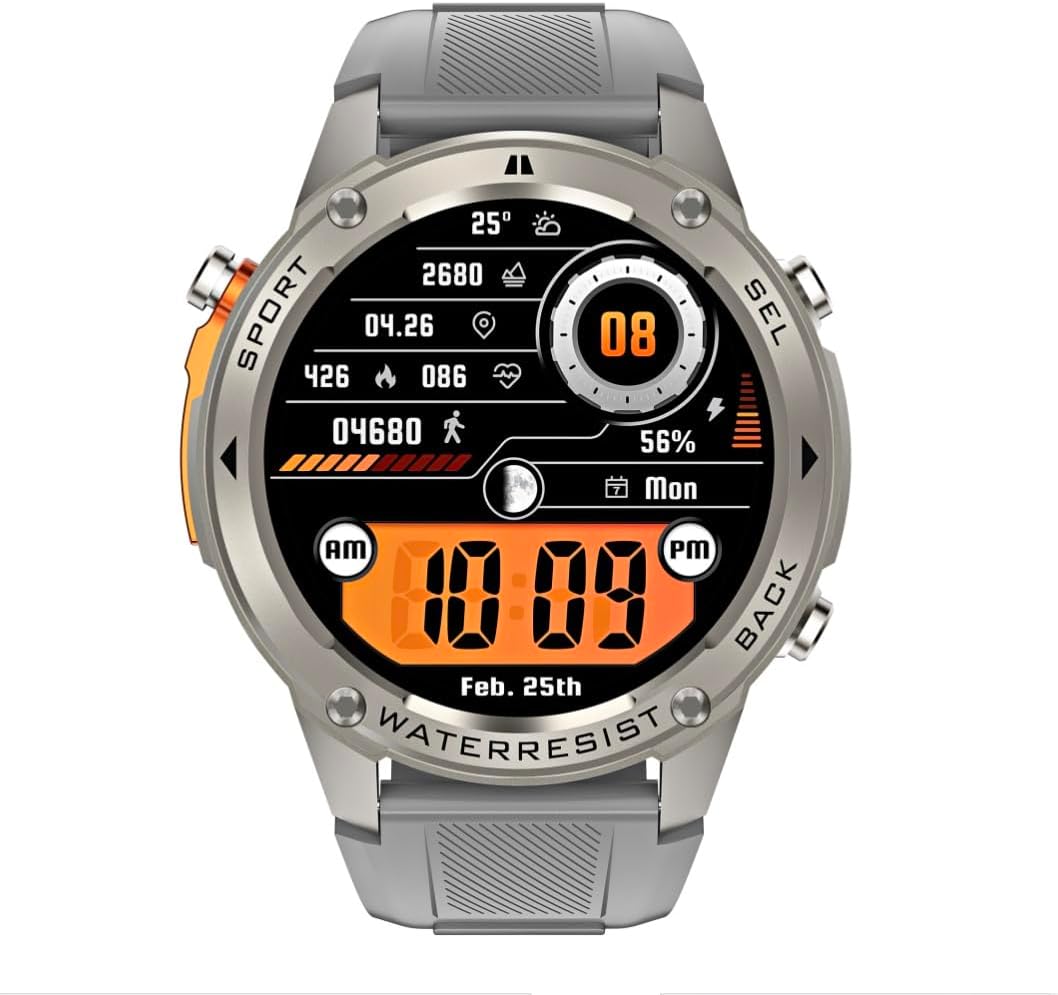
Image: Front view of the infiniity DM56 Sport Smartwatch, displaying a digital watch face with time, date, activity data, and battery level. The watch features a silver bezel and a light grey silicone strap.
Safety Information
- Do not attempt to disassemble or modify the device. This may void the warranty and cause damage.
- Keep the device away from extreme temperatures, direct sunlight, and corrosive liquids.
- Avoid exposing the device to strong impacts or drops.
- Consult a medical professional before starting any new exercise regimen, especially if you have pre-existing health conditions.
- The device is 5ATM waterproof, suitable for swimming and showering, but not for diving or high-pressure water activities.
- Use only the provided charging cable and a compatible power adapter (5V, 0.5A) to prevent damage.
What's in the Box
- infiniity DM56 Sport Smartwatch
- Charging Cable
- User Manual (this document)
Setup
1. Charging the Smartwatch
Before first use, fully charge your DM56 smartwatch. Connect the magnetic charging cable to the charging contacts on the back of the watch and plug the USB end into a power source (e.g., computer USB port or a 5V/0.5A USB power adapter).

Image: Rear view of the DM56 smartwatch, highlighting the optical heart rate sensor and magnetic charging contacts. The watch features a light grey silicone strap.
The watch display will show the charging status. A full charge typically takes approximately 2 hours.
2. App Installation and Pairing
To unlock the full functionality of your DM56 smartwatch, you need to download and install the companion application on your smartphone.
- Download the App: Search for the "infiniity Fit" app (or similar, check packaging for exact name) in the Apple App Store (for iOS 11 and above) or Google Play Store (for Android 5.0 and above).
- Create Account: Open the app and follow the on-screen instructions to create a new user account or log in if you already have one.
- Enable Bluetooth: Ensure Bluetooth is enabled on your smartphone.
- Pair Device: In the app, navigate to the "Device" or "Add Device" section. The app will scan for available smartwatches. Select "DM56" from the list of discovered devices.
- Confirm Pairing: A pairing request may appear on both your phone and the smartwatch. Confirm the pairing on both devices.
- Complete Setup: Once paired, the app will guide you through initial settings such as personal profile, notification preferences, and health monitoring permissions.
Operating Instructions
1. Basic Navigation
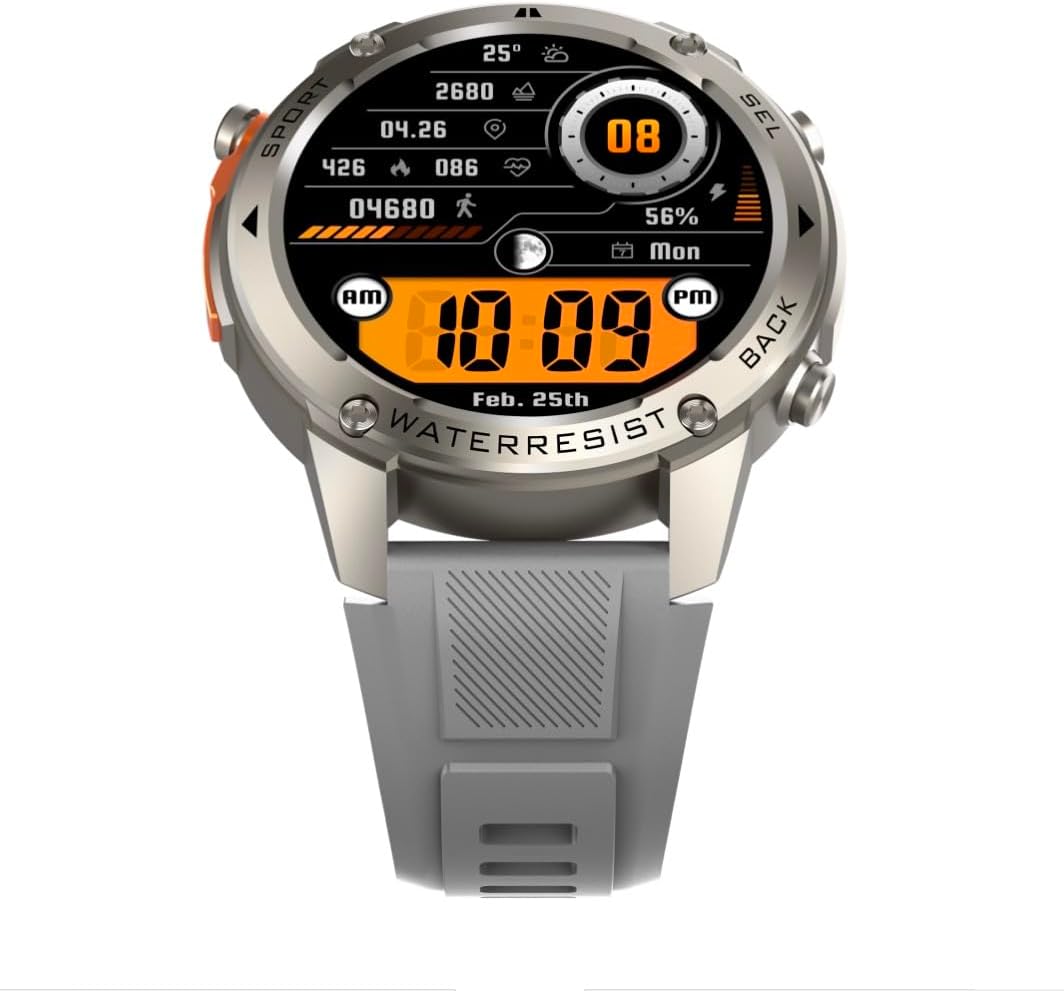
Image: Front view of the DM56 smartwatch, showcasing its 1.43-inch AMOLED display with a digital watch face showing time, date, steps, heart rate, and battery level. The watch has a silver bezel and light grey strap.
- Touchscreen: Swipe left/right to navigate between main screens (e.g., activity, heart rate, weather). Swipe up to access notifications. Swipe down to access quick settings. Tap to select an item or enter a menu.
- Side Buttons: The DM56 features multiple physical buttons.
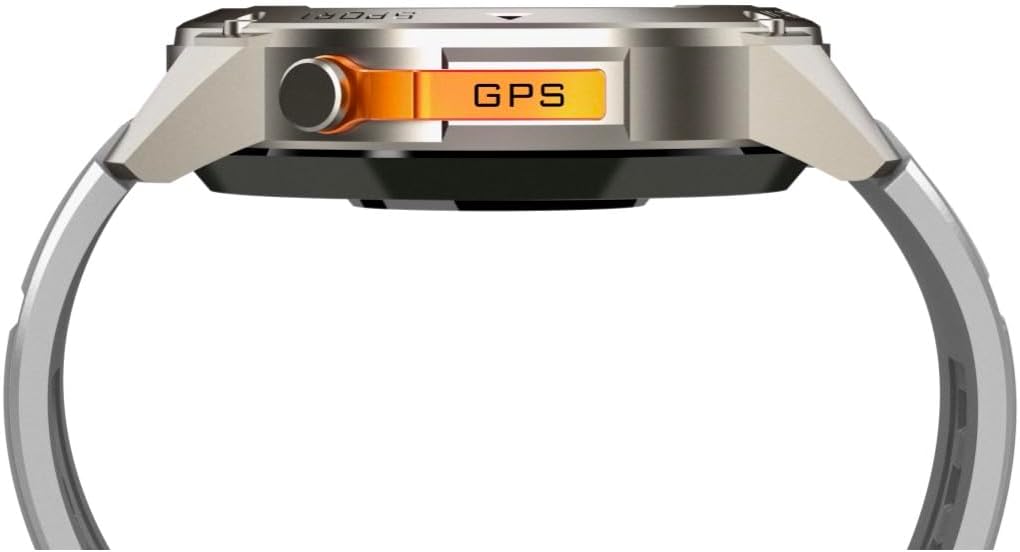
Image: Side view of the DM56 smartwatch, highlighting the orange "GPS" button on the right side of the watch case. This button is used for quick access to GPS functions or sport modes.
- Power/Home Button: Typically located on the top right. Press to wake/sleep the screen, or long-press to power on/off. From any screen, press to return to the watch face.
- Sport/GPS Button: Often highlighted (e.g., orange). Press to quickly launch sport modes or activate GPS.
- Select/Back Buttons: Used for navigating menus, confirming selections, or going back to the previous screen. Refer to the on-screen prompts for specific button functions.
2. Display Features
The 1.43-inch AMOLED display offers vibrant colors and deep blacks. It supports an Always-On Display (AOD) mode, allowing you to see the time and essential information without raising your wrist or tapping the screen. AOD settings can be configured in the companion app.
3. Health Monitoring
The DM56 smartwatch is equipped with the VC30F sensor for comprehensive health tracking:
- Heart Rate Monitoring: Continuous heart rate tracking provides insights into your cardiovascular health. View real-time data on the watch or detailed trends in the app.
- Blood Oxygen (SpO2) Monitoring: Measures the oxygen saturation level in your blood.
- Sleep Monitoring: Automatically tracks your sleep stages (deep, light, REM) and provides a sleep quality score.
- Stress Tracking: Monitors your stress levels throughout the day.
- Pedometer: Counts your daily steps, distance, and calories burned.
Note: Health monitoring data is for reference only and should not be used for medical diagnosis or treatment.
4. Sports Modes and GPS
The DM56 supports over 170 sports modes, with 14 built-in modes and the ability to add more via the app. It features L1+L5 dual-frequency GPS and multi-system positioning (GPS, GLONASS, BDS, Galileo, NAVIC, QZSS) for accurate outdoor activity tracking.
- Starting a Workout: Press the Sport/GPS button or navigate to the "Workout" menu on the watch. Select your desired activity (e.g., Outdoor Running, Cycling).
- GPS Acquisition: For outdoor activities, ensure you are in an open area for faster GPS signal acquisition. The watch will indicate when GPS is ready.
- During Workout: The watch will display real-time metrics such as duration, distance, pace, heart rate, and calories burned.
- Ending a Workout: Press the appropriate button or swipe on the screen to pause or end the workout. Confirm to save the data. Detailed workout summaries are available in the app.
5. Smart Notifications and Calls
Once paired with your smartphone, the DM56 can receive notifications for calls, SMS messages, and various apps. You can answer or reject calls directly from the watch.
- Enabling Notifications: Configure which app notifications you wish to receive in the companion app settings.
- Viewing Notifications: Swipe up on the watch face to view recent notifications.
- Answering/Rejecting Calls: When an incoming call arrives, tap the green icon to answer or the red icon to reject. The watch uses its built-in microphone and speaker for calls.
6. Water Resistance (5ATM)
The DM56 has a 5ATM waterproof rating, meaning it can withstand water pressures equivalent to a depth of 50 meters. It is suitable for swimming in pools or shallow water, showering, and daily use. It is not recommended for diving, snorkeling, or high-speed water sports.
- Do not operate buttons underwater.
- After exposure to saltwater, rinse the watch with fresh water and dry it thoroughly.
Maintenance
- Cleaning: Regularly clean the watch case and strap with a soft, damp cloth. For the charging contacts and sensors on the back, use a dry cotton swab to remove any dust or debris.
- Strap Replacement: The silicone straps are replaceable. Refer to the quick-release pins on the underside of the strap for removal and attachment.
- Software Updates: Periodically check the companion app for firmware updates. Updates often include performance improvements, bug fixes, and new features. Ensure your watch is sufficiently charged before starting an update.
- Storage: If storing the watch for an extended period, charge it to about 50% and store it in a cool, dry place.
Troubleshooting
| Problem | Possible Solution |
|---|---|
| Watch won't turn on. | Ensure the watch is fully charged. Connect it to the charging cable and a power source for at least 30 minutes. |
| Cannot pair with smartphone. |
|
| Notifications not received. |
|
| Inaccurate health data. |
|
| GPS signal acquisition is slow. |
|
Specifications
| Feature | Detail |
|---|---|
| Model Name | DM 56 |
| Brand | Infinity |
| Display | 1.43 Inches AMOLED, 466x466 pixels |
| Sensors | Heart Rate (VC30F), Accelerometer (STK8321), Magnetometer (Compass), Barometer+Altitude (SPL07-03) |
| Connectivity | Bluetooth 5.3 |
| Battery Capacity | 500 mAh (Lithium Ion) |
| Waterproof Level | 5ATM (up to 50 meters) |
| GPS | Built-in GPS (L1+L5 dual-frequency), Multi-System Positioning (GPS, GLONASS, BDS, Galileo, NAVIC, QZSS) |
| Compatibility | Android 5.0+ and iOS 11 and above |
| Special Feature | AMOLED Always-On Display |
| Item Weight | 0.65 Ounces |
| Package Dimensions | 4.25 x 4.25 x 2.8 inches |
Warranty and Support
For warranty information and technical support, please refer to the official Infinity website or contact their customer service directly. Keep your purchase receipt as proof of purchase for warranty claims.
Manufacturer: Infiniity
Related documentsDM 56


Ask a question about this manual
Ask about setup, troubleshooting, compatibility, parts, safety, or missing instructions. Manuals+ will review the question and use this page’s manual context to help answer it.