
zodvboz HT28
zodvboz HT28 Smart Watch User Manual
Model: HT28
Introduction
The zodvboz HT28 Smart Watch is a robust and versatile wearable designed to enhance your daily life and outdoor activities. Featuring a high-definition display, advanced health monitoring, multiple sports modes, and practical tools, it serves as a reliable companion for an active lifestyle. This manual provides essential information to help you set up, operate, maintain, and troubleshoot your HT28 Smart Watch.
Setup
1. Charging the Device
Before first use, fully charge your HT28 Smart Watch. Connect the magnetic charging cable to the charging contacts on the back of the watch and plug the USB end into a standard USB power adapter (not included). A full charge typically takes approximately 2 hours. The watch features a 500mAh battery, providing 5-7 days of typical use.
2. App Installation
To unlock the full functionality of your HT28 Smart Watch, download and install the FitCloudPro APP on your smartphone. The app is compatible with both Android and iOS devices. Scan the QR code provided in the watch's packaging or search for "FitCloudPro" in your device's app store.
3. Device Pairing
- Ensure Bluetooth is enabled on your smartphone.
- Open the FitCloudPro APP and follow the on-screen instructions to add a new device.
- Select "HT28" from the list of available devices.
- Confirm the pairing request on both your watch and smartphone.
- For call functionality, you may need to pair the watch separately for Bluetooth audio in your phone's Bluetooth settings. Look for a device named "HT28_Call" or similar.
Operating Instructions
1. Display and Navigation
The HT28 Smart Watch features a 1.85-inch high-definition IPS display with a resolution of 360x360 pixels. Navigate the watch interface by swiping left, right, up, or down. Use the physical buttons on the side for power on/off, screen wake, and quick access to certain functions.

Image: The HT28 Smart Watch displaying its vibrant 1.85-inch high-definition screen, highlighting its clear visual experience.
2. Bluetooth Call and Message Reminders
Once paired, the HT28 Smart Watch allows you to make and answer calls directly from your wrist. It also provides real-time notifications for incoming calls, text messages, and social media updates from your connected smartphone.

Image: A visual representation of the HT28 Smart Watch's Bluetooth call and message reminder features, showing call interface and notification icons.
3. Health Monitoring
The watch continuously monitors your steps, distance traveled, and calorie consumption throughout the day. This data is synchronized with the FitCloudPro APP, allowing you to track your progress and maintain a healthy lifestyle.
4. Sports Modes
The HT28 Smart Watch supports 9 diverse sports modes, accurately tracking your exercise data for activities such as running, cycling, and gym workouts. You can select and switch between sports modes via the watch or the FitCloudPro APP to optimize your training.

Image: The HT28 Smart Watch displaying various sports tracking metrics, with icons representing different activities, emphasizing its multi-sport capabilities.
5. LED Flashlight
The HT28 Smart Watch is equipped with a side-mounted LED flashlight. To activate, locate the dedicated button or option on the watch interface. This feature provides convenient illumination for outdoor activities at night or in low-light conditions.

Image: The HT28 Smart Watch with its LED flashlight activated, casting a beam of light, illustrating its utility in dark environments.
6. Other Practical Functions
The HT28 Smart Watch integrates several practical tools for daily convenience:
- Music Control: Control music playback on your smartphone directly from the watch.
- Weather Forecasts: Get real-time weather updates.
- AI Voice Assistant: Interact with your smartphone's voice assistant.
- Remote Camera Control: Use the watch as a remote shutter for your phone's camera.
- Compass: An accurate compass function to help with navigation.
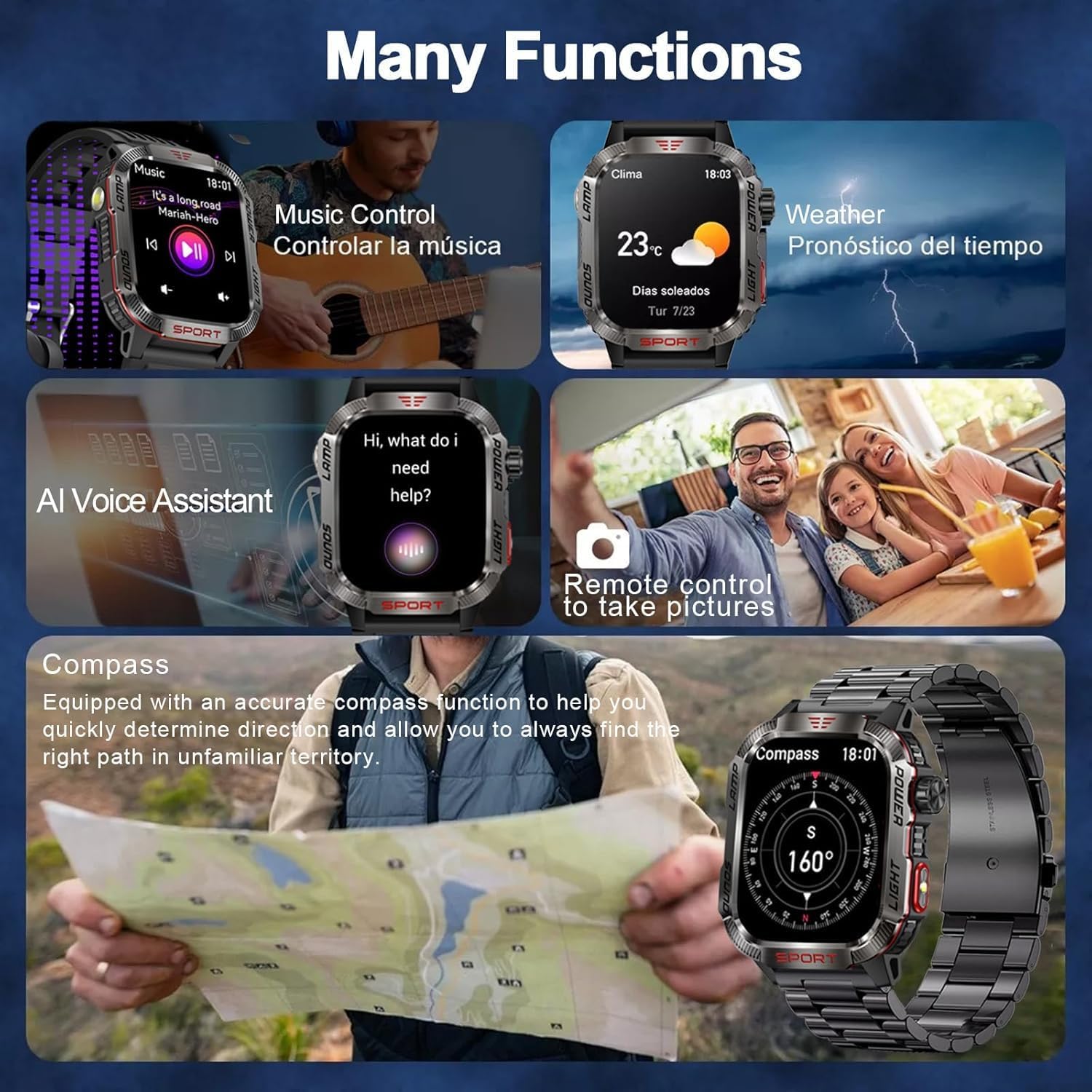
Image: A collage showcasing various functions of the HT28 Smart Watch, including music control, weather display, AI voice assistant, remote camera, and compass.
Maintenance
1. Cleaning and Care
Regularly clean your HT28 Smart Watch with a soft, dry cloth. Avoid using harsh chemicals or abrasive materials. If the watch comes into contact with sweat or dirt, wipe it clean promptly.
2. Water Resistance
The HT28 Smart Watch features 3ATM water resistance, meaning it can withstand depths of up to 30 meters. This makes it suitable for various water activities such as swimming or showering. However, it is not recommended for diving or high-pressure water activities. Avoid exposing the watch to hot water or steam.

Image: An illustration of the HT28 Smart Watch's rugged features, including resistance to sweat, corrosion, extreme temperatures, dust, scratches, heat, and impact, highlighting its military-grade protection.
Troubleshooting
Common Issues and Solutions
- Watch not turning on: Ensure the watch is fully charged. Connect it to the charger and wait a few minutes before attempting to power it on again.
- Unable to pair with smartphone:
- Ensure Bluetooth is enabled on your phone and the watch is within range.
- Restart both the watch and your smartphone.
- Clear the Bluetooth cache on your phone or forget the device and try pairing again.
- Make sure the FitCloudPro APP is updated to the latest version.
- Inaccurate health data: Ensure the watch is worn snugly on your wrist, about one finger's width above the wrist bone. Clean the sensor on the back of the watch.
- Short battery life:
- Reduce screen brightness.
- Disable unnecessary notifications.
- Limit continuous heart rate monitoring if not needed.
- Ensure the watch is fully charged each time.
- Notifications not appearing:
- Check notification permissions for the FitCloudPro APP in your phone's settings.
- Ensure the watch is connected via Bluetooth.
- Verify that notifications are enabled within the FitCloudPro APP.
Specifications
| Feature | Specification |
|---|---|
| Model | HT28 |
| Display Size | 1.85 Inches |
| Display Type | LED (IPS) |
| Resolution | 360x360 pixels |
| Battery Capacity | 500 mAh (Lithium Polymer) |
| Charging Time | Approx. 2 Hours |
| Battery Life (Typical Use) | 5-7 Days |
| Connectivity | Bluetooth |
| Water Resistance | 3ATM (up to 30 meters) |
| Memory Storage Capacity | 256 MB |
| Compatible Devices | Smartphone (Android, iOS) |
| Special Features | Multisport Tracker, Sedentary Reminder, Alarm Clock, Activity Tracker, Shockproof, LED Flashlight, Compass |
| Strap Material | Zinc Alloy Casing, Detachable Silicone Strap |
| Item Weight | 128 Grams |

Image: A diagram illustrating the dimensions of the HT28 Smart Watch and showing both the black stainless steel strap and the black silicone strap included with the product.
Ask a question about this manual
Ask about setup, troubleshooting, compatibility, parts, safety, or missing instructions. Manuals+ will review the question and use this page’s manual context to help answer it.