
bokilino X21
Contents
bokilino MagSafe Car Mount Charger (Model X21)
Instruction Manual
Introduction
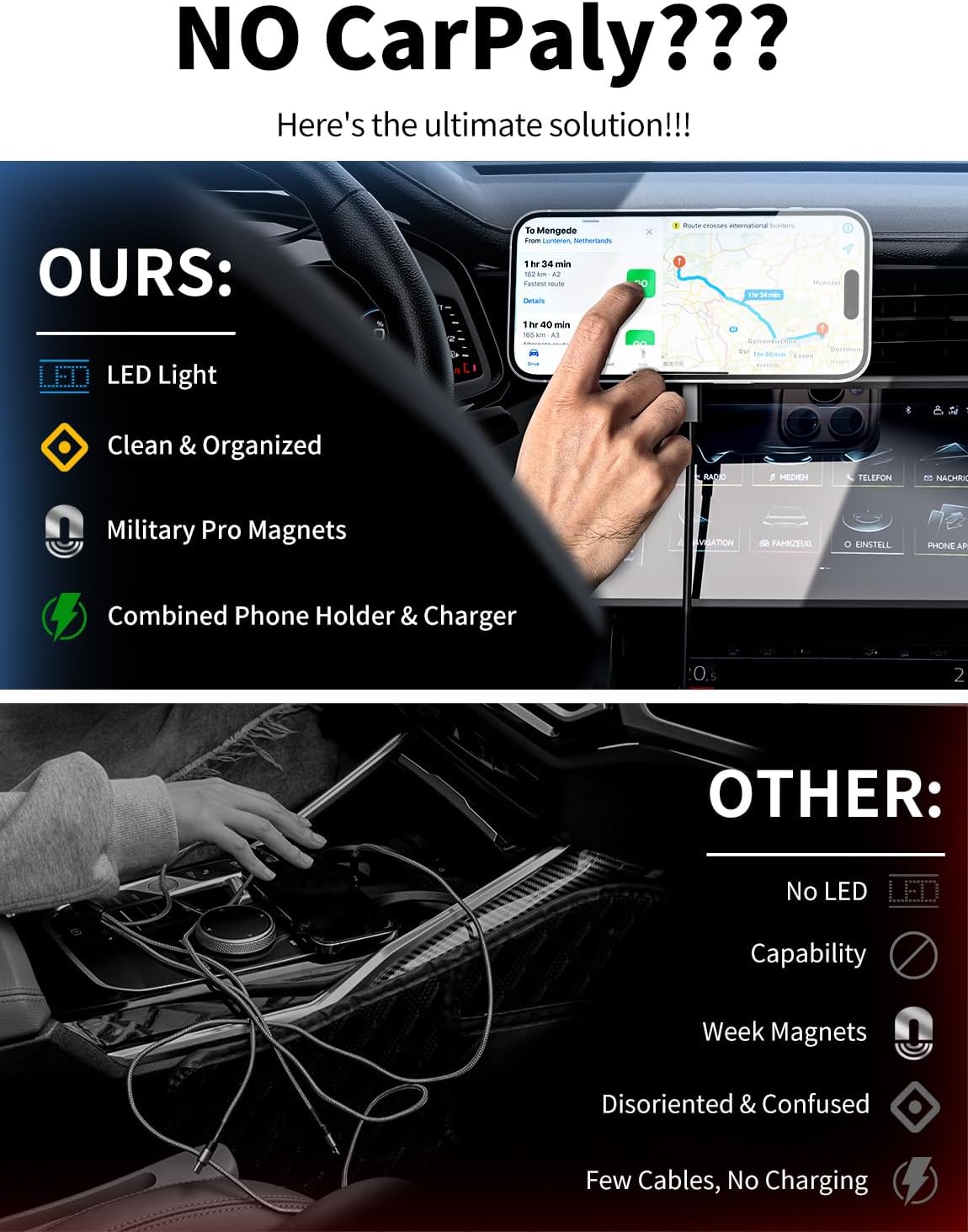
The bokilino MagSafe Car Mount Charger is a versatile 3-in-1 device designed to securely hold and wirelessly charge your compatible iPhone while driving. It features a strong magnetic connection, 15W fast charging capability, and ambient LED lighting. This manual provides detailed instructions for installation, operation, maintenance, and troubleshooting to ensure optimal performance and safety.
Key Features
- 3-in-1 Functionality: Combines a car mount, wireless charger, and phone holder.
- 15W Fast Wireless Charging: Provides rapid charging for compatible devices.
- Strong Magnetic Hold: Securely attaches your iPhone, preventing slips even on bumpy roads.
- Ambient LED Lighting: Soft blue LED light for enhanced aesthetics and visibility.
- 360° Adjustable Mount: Allows for flexible positioning in both vertical and horizontal orientations.
- One-Hand Operation: Designed for easy phone placement and removal.
- Vent Compatibility: Suitable for horizontal and vertical air vents (not compatible with round vents).
What's in the Box
Upon opening the package, please ensure all components are present and in good condition:
- MagSafe Car Mount Charger Unit
- Air Vent Clip Attachment
- USB-C to USB-C Cable

Setup and Installation
Follow these steps to properly install your MagSafe Car Mount Charger:
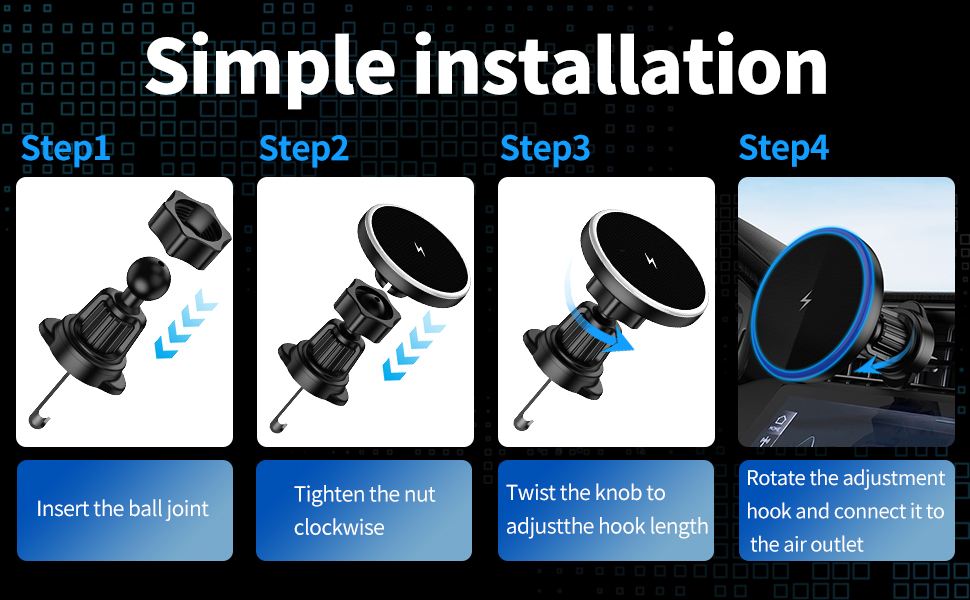
- Attach the Air Vent Clip: Insert the ball joint of the air vent clip into the socket on the back of the charger unit. Tighten the nut clockwise until secure.
- Mount to Air Vent: Identify a suitable horizontal or vertical air vent in your vehicle. Note: Not compatible with round air vents.
- Adjust Hook Length: Rotate and adjust the hook length of the vent clip to fit snugly onto the vent blade. Ensure it is stable and non-slip.
- Connect Power: Plug the provided USB-C cable into the charger unit and connect the other end to a QC18W or higher cigarette charging adapter (not included) in your car.

Video: A demonstration of the MagSafe Car Mount Charger installation and usage.
Operating Instructions
- Attaching Your Phone: Simply bring your MagSafe-compatible iPhone (iPhone 12-17 series) close to the charger unit. The strong magnets will automatically align and secure your phone in place.
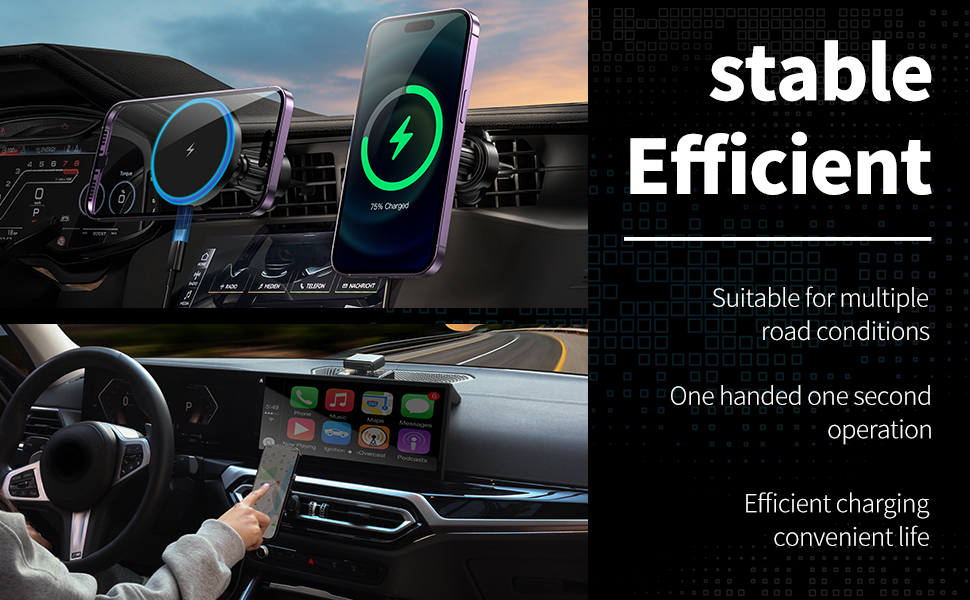
- Wireless Charging: Once attached, your phone will begin fast wireless charging. The ambient LED light on the charger will illuminate to indicate active charging.
- Adjusting Viewing Angle: The charger unit features a 360° rotatable ball joint, allowing you to adjust your phone to the desired vertical or horizontal viewing angle for navigation or hands-free calls.
- Removing Your Phone: Gently pull your phone away from the charger unit. The one-click MagSafe design allows for easy detachment.
Video: A user demonstrating the magnetic attachment and charging function of the car mount.
Maintenance
- Cleaning: Wipe the charger unit and mount with a soft, dry cloth to remove dust and debris. Avoid using harsh chemicals or abrasive cleaners.
- Secure Fit: It is recommended to re-tighten the air vent clip every two weeks to ensure it remains stable and secure.
- Cable Care: Avoid bending or crimping the USB-C cable excessively to prevent damage.
Troubleshooting
- Phone not charging:
- Ensure the USB-C cable is securely connected to both the charger unit and a power source (QC18W+ adapter recommended).
- Verify your phone is MagSafe compatible (iPhone 12 series or newer).
- If using a phone case, ensure it is a MagSafe-compatible case. Non-magnetic cases or thick cases may interfere with charging.
- Check for any debris between the phone and the charger unit.
- Phone not holding securely:
- Ensure the air vent clip is properly tightened and securely attached to the vent blade.
- Confirm your phone or phone case has MagSafe functionality. For non-MagSafe phones/cases, a magnetic ring (not included) may be required.
- Avoid using overly thick or non-magnetic phone cases.
- Charger unit feels warm:
- It is normal for wireless chargers to generate some heat during operation. If it becomes excessively hot, disconnect the power and allow it to cool down.
- Ensure there is adequate airflow around the charger unit.
Specifications
| Product Dimensions | 6.3 x 6.3 x 0.9 inches |
| Item Weight | 1.76 ounces (0.05 Kilograms) |
| Model Number | X21 |
| Brand | bokilino |
| Connector Type | USB Type C |
| Compatible Devices | iPhone 17, 17 Air, 17 Pro, 17 Pro Max, iPhone 16, 16 Plus, 16 Pro, 16 Pro Max, iPhone 15, 15 Plus, 15 Pro, 15 Pro Max, iPhone 14 series, iPhone 13 series, iPhone 12 series (MagSafe compatible phones) |
| Special Features | Adjustable, Hands-Free, Lightweight Design, One-Hand Operation, Wireless Charging |
| Material | Metal |
Warranty and Support
For warranty information or technical support, please refer to the product packaging or contact bokilino customer service directly through their official channels. Keep your purchase receipt for any warranty claims.
Documents and downloads
Ask a question about this manual
Ask about setup, troubleshooting, compatibility, parts, safety, or missing instructions. Manuals+ will review the question and use this page’s manual context to help answer it.