
Picun H9
Picun Open Ear Headphones User Manual
Model: H9
Brand: Picun
1. Introduction
The Picun H9 Open Ear Headphones are designed to provide a comfortable and immersive audio experience while maintaining situational awareness. Featuring advanced Bluetooth 5.4 technology, multipoint connection, and a lightweight, open-ear design, these headphones are ideal for various activities including sports, business, and daily use. The IP54 waterproof rating ensures durability against sweat and splashes, making them a reliable companion for active lifestyles.

Image: Picun H9 Open Ear Headphones in their charging case.
2. What's in the Box
- Open Ear Headphones (2)
- Charging Case (1)
- Type-C Charging Cable (1)
- User's Manual (1)
3. Product Features
- Pure Acoustic Bliss: Equipped with 16.2mm high-performance speakers and bass enhancement technology for clear vocals, deep bass, and balanced frequencies. Directional sound transmission reduces sound leakage by 90%.
- Open-Ear Comfort & Safety: Skin-friendly silicone ear hooks and a lightweight 0.3oz body ensure comfort during extended use. Air conduction technology delivers natural sound, reducing in-ear pressure and supporting ear health.
- Multi-point Connection and Enhanced Bluetooth: Dual connection function allows simultaneous connection to two audio sources (e.g., two phones) for seamless switching. Bluetooth 5.4 ensures faster, more stable transmission with ultra-low latency.
- Seamless Control & Superior Performance: Intuitive touch controls for easy operation, including voice assistant activation. Dual microphones with AI noise reduction provide clear HD calls in noisy environments.
- Durable and Waterproof: Made of IP54 waterproof material, making them sweat-proof and durable for exercise, running, and outdoor adventures.
- Extended Playtime & LED Power Display: Up to 10 hours of continuous playback on a single charge, and up to 40 hours total with the charging case. A quick 5-minute charge provides 1 hour of music. The charging case features an LED display for battery level and charging status.

Image: Detailed view of the 16.2mm dynamic driver for enhanced sound quality.

Image: User demonstrating the comfortable and secure fit of the open-ear design.
4. How to Wear
- Take out the earbuds from the charging case.
- Place the earbud above your ear.
- Pivot the earbud backward until it fits snugly around your ear.
- Ensure the earbud is fully inserted and comfortable.

Image: Visual guide for correctly wearing the Picun H9 headphones.
5. Setup (Pairing)
The Picun H9 headphones utilize Bluetooth 5.4 for a stable and efficient wireless connection. They also support multipoint connection, allowing you to connect to two devices simultaneously.
Initial Pairing:
- Ensure the headphones are charged.
- Open the charging case. The earbuds will automatically enter pairing mode.
- On your device (smartphone, tablet, laptop), enable Bluetooth.
- Search for available devices and select "picun H9" from the list.
- Once connected, a voice prompt will confirm successful pairing.
Multipoint Connection:
To connect to a second device:
- Connect the headphones to your first device as described above.
- Disable Bluetooth on the first device. The headphones will re-enter pairing mode.
- Connect the headphones to your second device.
- Re-enable Bluetooth on your first device. The headphones should automatically connect to both devices.
- You can now seamlessly switch audio playback between the two connected devices.

Image: The Picun H9 headphones demonstrating simultaneous connection to a tablet and a smartphone.
6. Operating Instructions (Touch Controls)
The Picun H9 headphones feature intuitive touch controls on each earbud for convenient management of audio playback and calls.

Image: Visual representation of the touch control functions on the earbuds.
| Action | Function |
|---|---|
| Touch and Hold 3s | Power On/Off |
| Double Click (Left/Right) | Play/Pause, Answer/End Call |
| Click Right | Next Track |
| Click Left | Previous Track |
| Click 3 times | Activate Voice Assistant |
7. Charging
The Picun H9 headphones offer impressive battery endurance, providing up to 10 hours of playback on a single charge and a total of 40 hours with the charging case. The case features a clear LED display to indicate battery levels.
- Earbud Playtime: Up to 10 hours per charge.
- Total Playtime (with charging case): Up to 40 hours.
- Quick Charge: A 5-minute charge provides approximately 1 hour of music playback.
- Full Charge Time: Approximately 1.5 hours for earbuds, 2 hours for the charging case.
- LED Display: The charging case's LED display shows the remaining battery level of the case and the charging status of the earbuds.
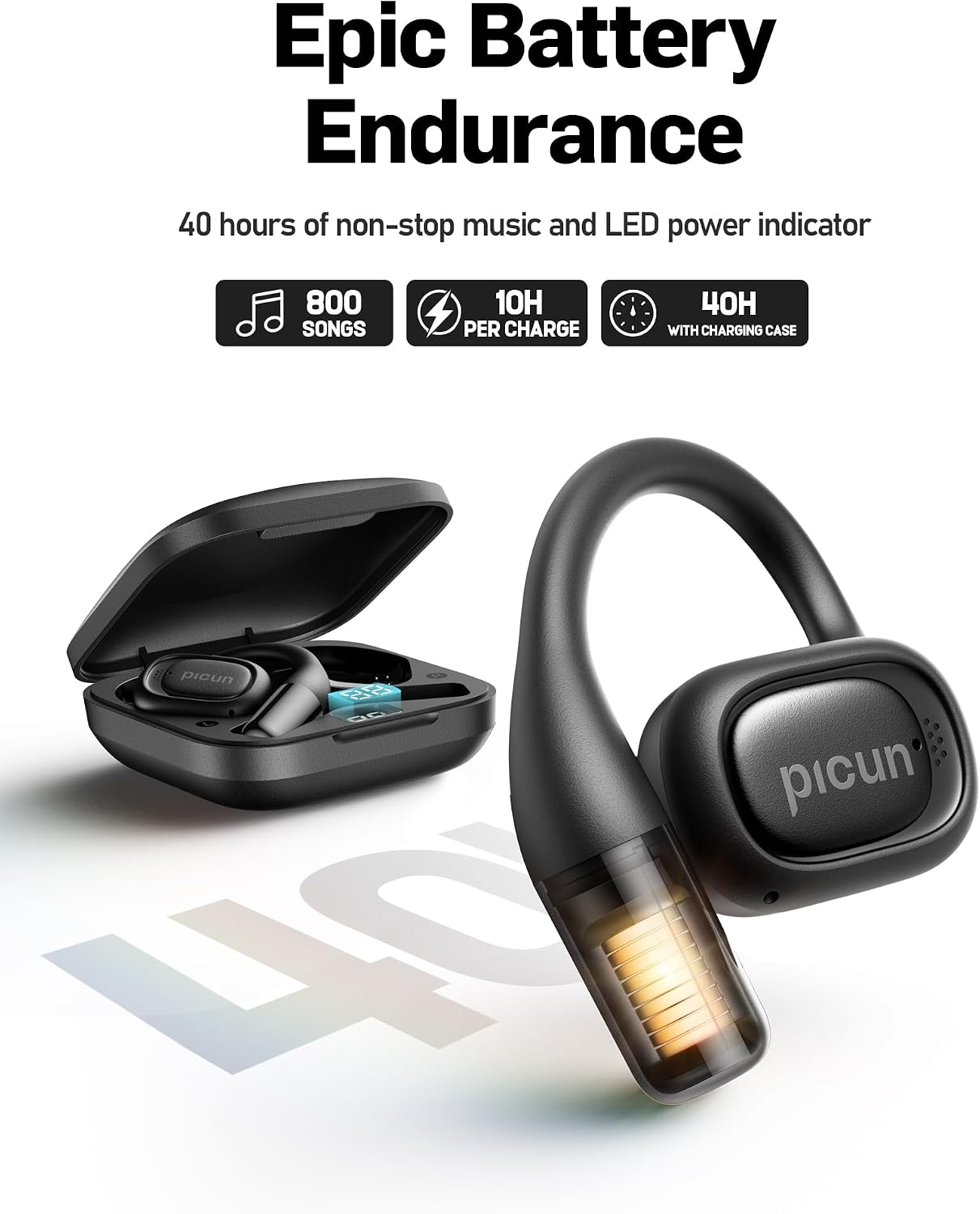
Image: The charging case with earbuds, displaying the current battery percentage.

Image: An earbud illustrating its extended battery endurance.
8. Maintenance
To ensure the longevity and optimal performance of your Picun H9 Open Ear Headphones, follow these maintenance guidelines:
- Cleaning: Regularly wipe the earbuds and charging case with a soft, dry cloth. Avoid using abrasive materials or harsh chemicals.
- Water Resistance: The headphones are IP54 waterproof, meaning they are protected against dust and splashing water from any direction. They are suitable for workouts and light rain, but should not be submerged in water. Dry them thoroughly before placing them back in the charging case.
- Storage: Store the headphones in their charging case when not in use to protect them from dust and damage. Store in a cool, dry place away from extreme temperatures.
- Charging: Charge the headphones regularly, even if not used frequently, to maintain battery health.
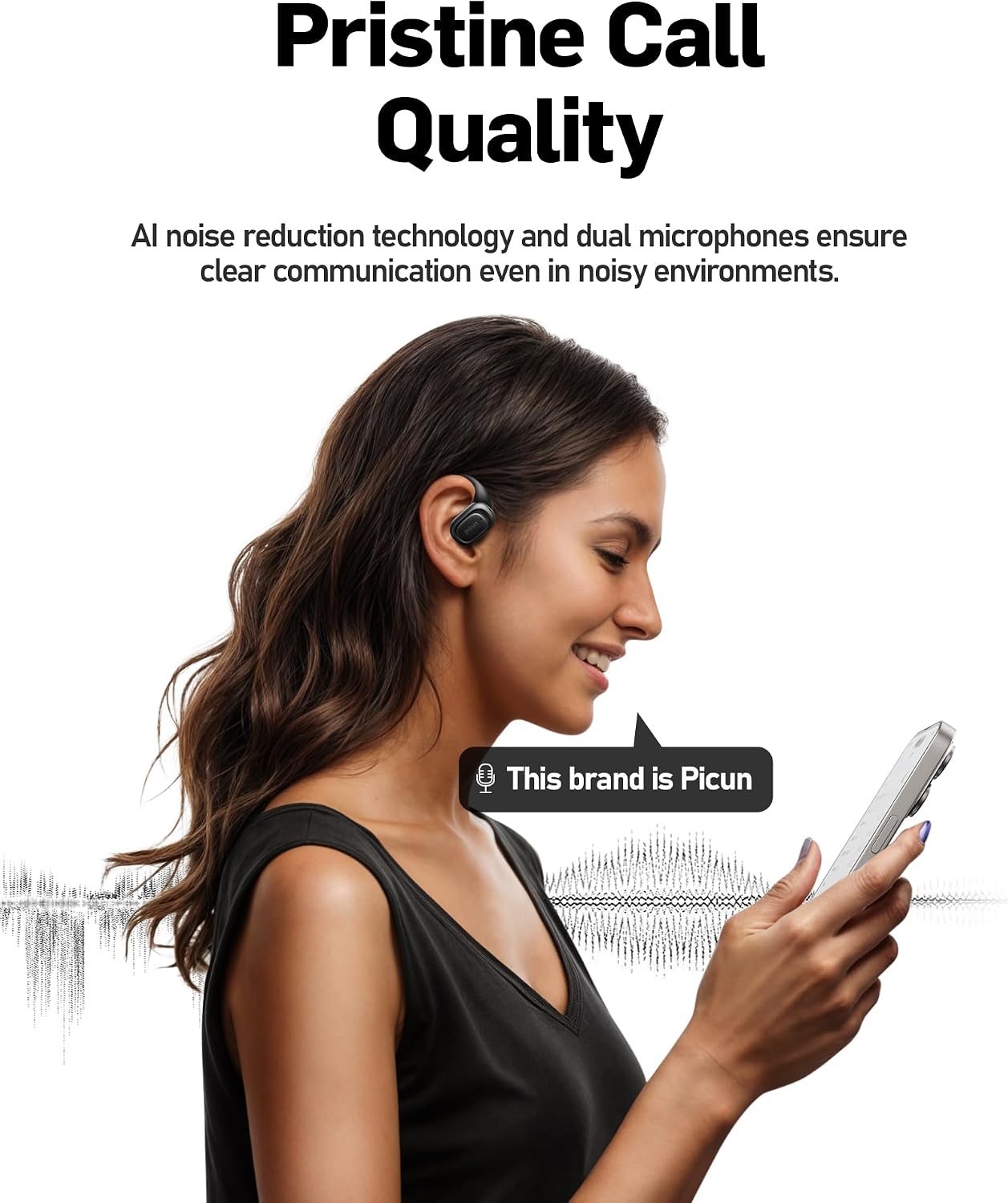
Image: The headphones in use during physical activity, showcasing their sweat and splash-proof design.
9. Troubleshooting
If you encounter any issues with your Picun H9 headphones, please refer to the following common troubleshooting steps. For more detailed solutions, consult the official User Manual or Troubleshooting Guide available in PDF format.
- No Sound/Low Volume:
- Ensure headphones are properly paired and connected to your device.
- Check the volume levels on both the headphones and your connected device.
- Ensure the earbuds are clean and free from debris.
- Pairing Issues:
- Make sure Bluetooth is enabled on your device and the headphones are in pairing mode.
- Forget the device from your Bluetooth list and try pairing again.
- Ensure the headphones are sufficiently charged.
- Charging Issues:
- Verify the charging cable is securely connected to both the case and a power source.
- Check if the charging contacts on the earbuds and inside the case are clean.
- Try a different charging cable or power adapter.
- Call Quality Issues:
- Ensure the microphones are not obstructed.
- Move closer to your connected device to improve signal strength.
- Check for environmental noise that might be affecting call clarity.
For further assistance, please refer to the official documentation:
10. Specifications
| Feature | Detail |
|---|---|
| Model Name | H9 |
| Brand | Picun |
| Connectivity Technology | Bluetooth 5.4, Wireless |
| Wireless Communication Technology | Bluetooth |
| Bluetooth Range | 15 Meters |
| Ear Placement | Open Ear |
| Form Factor | Open Ear |
| Earpiece Shape | Ear Hooks |
| Audio Driver Size | 16 Millimeters |
| Audio Driver Type | Dynamic Driver |
| Noise Control | Sound Isolation |
| Sensitivity | 132 dB |
| Impedance | 22 Ohm |
| Control Type | Touch Control |
| Water Resistance Level | IP54 Waterproof |
| Battery Life (Earbuds) | 7 Hours (up to 10 hours in feature bullets) |
| Carrying Case Battery Average Life | 40 Hours |
| Carrying Case Battery Capacity | 500 Milliamp Hours |
| Charging Time | 2 Hours (for case) |
| Material | Plastic, Silicone |
| Item Weight | 0.12 Kilograms (4.2 ounces) |
| Package Dimensions | 4.13 x 4.09 x 1.46 inches |
| Compatible Devices | Cellphones, Desktops, Gaming Consoles, Laptops, Tablets |
11. Warranty and Support
Picun products are designed for reliability and performance. For any warranty-related inquiries or technical support, please refer to the contact information provided in the included User Manual or visit the official Picun website. Keep your proof of purchase for warranty claims.
For additional support and product information, you may visit the Picun Store on Amazon.
Related documentsH9


Ask a question about this manual
Ask about setup, troubleshooting, compatibility, parts, safety, or missing instructions. Manuals+ will review the question and use this page’s manual context to help answer it.