Introduction
This manual provides detailed instructions for the havit ANC Headphoens Bundle, which includes both Open Ear Headphones and ANC Over-Ear Headphones. These products are designed to enhance your audio experience while providing comfort and functionality for various activities.
The havit Light Open Ear Headphones feature LED beacon string air conduction technology, offering wireless audio with a 16.2mm powerful bass driver, 16 hours of playtime, IPX5 water resistance, Bluetooth 5.3 connectivity, and a lightweight design at just 24 grams. They allow you to enjoy music while maintaining environmental awareness.
The havit ANC Over-Ear Headphones provide Hybrid Active Noise Cancellation, blocking up to 90% of environmental noise, and deliver High-Resolution Audio for a rich and detailed sound experience. They offer an extended playtime of up to 76 hours.

Image: The havit ANC Headphoens Bundle, showcasing both the open-ear headphones with an orange band and the black over-ear headphones.
What's in the Box
Upon opening the package, please ensure all the following items are present:
- havit Open Ear Headphones
- havit ANC Over-Ear Headphones
- Charging Cable (USB-C)
- User Manual (this document)
- Necklace
Setup Guide
1. Initial Charging
Before first use, fully charge both headphones. Connect the provided USB-C cable to the charging port on each headphone and plug the other end into a USB power source (e.g., computer, wall adapter). The charging indicator light will show the charging status and turn off when fully charged.
- Open Ear Headphones: A 10-minute charge provides approximately 2 hours of playtime. A full charge offers up to 16 hours of playtime.
- ANC Over-Ear Headphones: A full charge provides up to 76 hours of playtime.

Image: Illustration showing the 12-hour battery life and quick charge feature of the open-ear headphones.
2. Powering On/Off
- To Power On: Press and hold the Power button on the headphone until the indicator light illuminates.
- To Power Off: Press and hold the Power button again until the indicator light turns off.
Operating Instructions
Bluetooth Pairing
Both headphone models utilize Bluetooth 5.3 for stable and low-latency connections.
- Ensure the headphones are powered off.
- Press and hold the Power button for approximately 5-7 seconds until the indicator light flashes rapidly (usually blue and red), indicating pairing mode.
- On your device (smartphone, tablet, computer), enable Bluetooth and search for new devices.
- Select "havit [Model Name]" from the list of available devices.
- Once connected, the indicator light will typically turn solid blue or flash slowly.

Image: Visual representation of the Bluetooth 5.3 + FPC chip, highlighting stable connections and lower latency.
Music Playback & Call Management (Remote Control)
The headphones feature remote control functionality. Specific button functions may vary slightly between the open-ear and over-ear models, but generally include:
- Play/Pause: Single press the Multi-function button.
- Next Track: Double press the Multi-function button.
- Previous Track: Triple press the Multi-function button.
- Volume Up/Down: Use the dedicated Volume buttons (+/-).
- Answer/End Call: Single press the Multi-function button during an incoming call.
- Reject Call: Press and hold the Multi-function button during an incoming call.
- Activate Voice Assistant: Press and hold the Multi-function button (check specific model for duration).
LED Light Modes (Open Ear Headphones Only)
The open-ear headphones feature an LED light strip for enhanced visibility, especially during nighttime activities. To cycle through the modes:
- Press the dedicated LED button (if available) or a combination of control buttons (refer to quick start guide for exact button).
- Available modes typically include: Breathing Light, Flashing Light, and Steady Light.

Image: A person wearing the open-ear headphones, highlighting the LED light for visibility and awareness during outdoor activities.
Active Noise Cancellation (ANC Over-Ear Headphones Only)
The ANC Over-Ear Headphones feature Hybrid Active Noise Cancellation to reduce ambient noise. To activate or deactivate ANC:
- Locate the ANC button on the left earcup.
- Press the ANC button once to toggle ANC On/Off. An audible prompt or indicator light will confirm the status.

Image: Close-up of the havit ANC Over-Ear Headphone, illustrating the -35dB Hybrid Active Noise Cancellation feature.
Maintenance and Care
- Cleaning: Use a soft, dry, lint-free cloth to clean the headphones. Do not use abrasive cleaners, alcohol, or chemical solvents.
- Storage: When not in use, store the headphones in a cool, dry place, away from direct sunlight and extreme temperatures.
- Water Resistance (Open Ear): The open-ear headphones are IPX5 water-resistant, meaning they can withstand splashes and sweat. Do not submerge them in water.
- Charging: Only use the provided charging cable or a certified USB-C cable. Avoid overcharging for extended periods.
- Avoid Impact: Do not drop or expose the headphones to strong impacts, as this may damage internal components.
Troubleshooting
| Problem | Possible Cause | Solution |
|---|---|---|
| Headphones do not power on. | Low battery. | Charge the headphones fully. |
| Cannot pair with device. | Headphones not in pairing mode; Bluetooth off on device; device too far. | Ensure headphones are in pairing mode (flashing indicator). Turn Bluetooth on your device. Move device closer to headphones. Forget previous connections and re-pair. |
| No sound or low volume. | Volume too low; incorrect audio output selected; headphones not connected. | Increase volume on both headphones and connected device. Check if headphones are properly connected. Restart both devices. |
| Sound cutting in/out. | Interference; device too far; low battery. | Move closer to the connected device. Avoid strong Wi-Fi or other wireless interference. Charge headphones. |
| ANC not working effectively. | ANC not activated; improper fit. | Ensure ANC is toggled on. Adjust the fit of the over-ear headphones to ensure a good seal around your ears. |
Product Specifications
General
- Brand: havit
- Model Name: ANC Headphoens (Bundle includes Open Ear and ANC Over-Ear models)
- ASIN: B0DRVLBTKY
- Color: Black
- Material: Silicone (Open Ear)
- Date First Available: December 30, 2024
Open Ear Headphones
- Ear Placement: Open Ear
- Earpiece Shape: Open/Hook
- Weight: 24 grams
- Playtime: Up to 16 Hours
- Quick Charge: 10 min charge = 2 hours play
- Water Resistance: IPX5
- Special Features: LED Beacon String
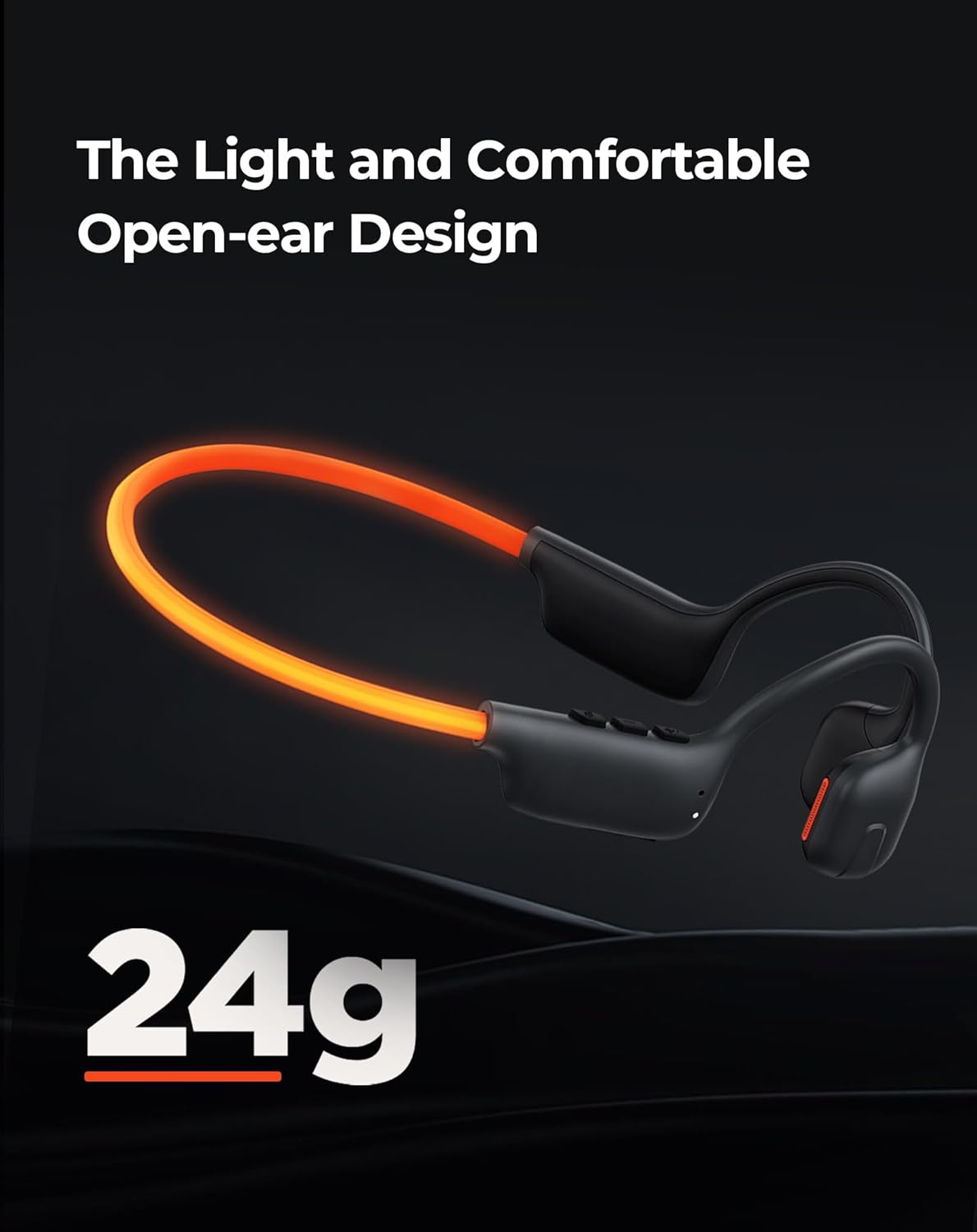
Image: The havit open-ear headphones, emphasizing their light weight of 24 grams and comfortable design.
ANC Over-Ear Headphones
- Noise Control: Hybrid Active Noise Cancellation (-35dB)
- Playtime: Up to 76 Hours
- Audio Quality: Hi-Res Audio

Image: The havit ANC Over-Ear Headphone, highlighting its Hi-Res Audio capability for superior sound quality.

Image: The havit ANC Over-Ear Headphone, illustrating its impressive 76-hour playtime, equivalent to 1520 songs, 40 movies, or 5 long-haul flights.
Connectivity
- Connectivity Technology: Wireless
- Wireless Communication Technology: Bluetooth
- Bluetooth Version: 5.3
- Frequency Range: 20-16200 Hz
- Compatible Devices: Cellphones, Desktops, Laptops, Smart Speaker, Tablets, Telephones, Television
- Control Method: Remote
Warranty and Support
For warranty information and technical support, please refer to the official havit website or contact their customer service. Keep your purchase receipt as proof of purchase for any warranty claims.
Online Support: www.havit.com
Email Support: Refer to the havit website for contact email.


