1. Introduction
Thank you for choosing the DUMOS Cordless Vacuum Cleaner. This powerful and versatile appliance is designed to make your cleaning tasks easier and more efficient. With its lightweight design, strong suction, and multi-functional attachments, it's perfect for various surfaces and cleaning needs around your home. Please read this manual carefully before use to ensure proper operation and maintenance.
2. Product Components
Familiarize yourself with the parts included in your DUMOS Cordless Vacuum Cleaner package:
- Main Unit: Contains the motor, dust cup, and battery.
- Extension Wand: Connects the main unit to the floor brush for stick vacuum mode.
- Motorized Floor Brush: Equipped with LED headlights for enhanced visibility.
- Crevice Tool: Ideal for narrow spaces and corners.
- Dusting Brush: Suitable for delicate surfaces and upholstery.
- Wall Mount with Screws: For convenient storage and charging.
- Power Adapter: For charging the battery.
- Extra HEPA Filter: For extended filter life and continuous use.
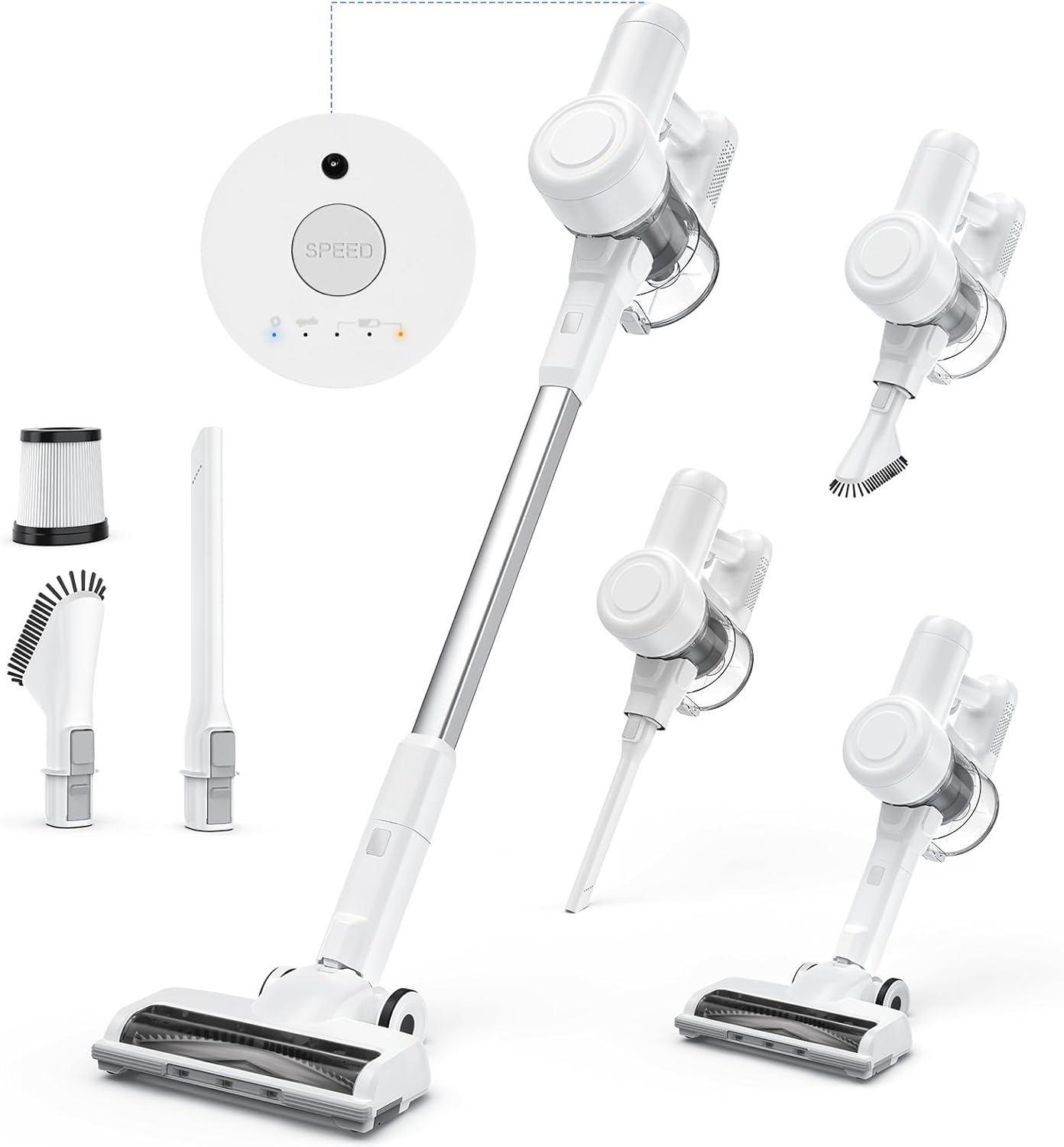
Figure 2.1: Overview of DUMOS Cordless Vacuum Cleaner components.
3. Setup
3.1 Assembly
- Insert the extension wand into the main unit until it clicks securely.
- Attach the motorized floor brush to the other end of the extension wand, ensuring it clicks into place.
- For handheld use, detach the extension wand and directly attach the crevice tool or dusting brush to the main unit.
3.2 Initial Charging
Before first use, fully charge the vacuum cleaner's battery. The 2500mAh lithium-ion battery takes approximately 4 hours to fully charge.
- Option 1 (Direct Charging): Plug the power adapter directly into the charging port on the main unit.
- Option 2 (Removable Battery Charging): Remove the battery from the main unit and charge it separately using the power adapter.
- Option 3 (Wall Mount Charging): Install the wall mount in a convenient location and hang the vacuum. Connect the power adapter to the wall mount's charging port.

Figure 3.1: Multiple charging options for flexibility.
4. Operating Instructions
4.1 Powering On/Off and Suction Modes
Press the power button on the main unit to turn the vacuum on. Use the mode selection button to cycle through the three available suction modes:
- Eco Mode: Provides up to 45 minutes of runtime for light cleaning.
- Normal Mode: Offers approximately 25 minutes of runtime for everyday messes.
- High Suction Mode: Delivers powerful 24,000 Pa suction for tough dirt, with about 13 minutes of runtime.

Figure 4.1: One-click adjustment of suction power.
4.2 Versatile Cleaning
The DUMOS Cordless Vacuum Cleaner's 3-in-1 design allows for versatile cleaning across various scenarios:
- Stick Vacuum: Use with the extension wand and motorized floor brush for carpets, hard floors, and tiles. The LED headlights illuminate dust and debris.
- Handheld Vacuum: Detach the extension wand and use the main unit with the crevice tool or dusting brush for cleaning furniture, car interiors, stairs, and tight spaces.
- Extended Reach: Combine the main unit with the extension wand and a smaller attachment to reach high areas like curtains, ceilings, or lamps.

Figure 4.2: Demonstrating the versatile 3-in-1 design.
4.3 Suction Power and Motorized Brush
The 250W motor provides powerful suction, effectively capturing fine dust, hair, and debris. The motorized brush head ensures deep cleaning on various floor surfaces.

Figure 4.3: Powerful suction for effective cleaning.
4.4 Official Product Video: Stick Cordless Vacuum Cleaner
Video 4.1: An official product video demonstrating the DUMOS Stick Cordless Vacuum Cleaner's features and usage, including its powerful suction, LED headlights, and various attachments for different cleaning tasks.
5. Maintenance
5.1 Emptying the Dust Cup
The 0.7-liter dust cup features a one-click disposal design for easy and hygienic emptying. Simply press the release button to open the dust cup and discard collected debris.

Figure 5.1: One-click dust disposal for easy emptying.
5.2 Cleaning the HEPA Filter System
The vacuum features a sealed cyclone filtration system and a HEPA filter to capture fine dust and allergens. Regular cleaning of the filter and sponge is crucial to maintain optimal suction power and ensure a healthy air environment.
- Remove the HEPA filter and mesh filter from the dust cup.
- Tap off loose dust. For thorough cleaning, rinse the filters under running water.
- Allow filters to air dry completely for at least 24 hours before reinserting them into the vacuum. Using a damp filter can damage the motor.
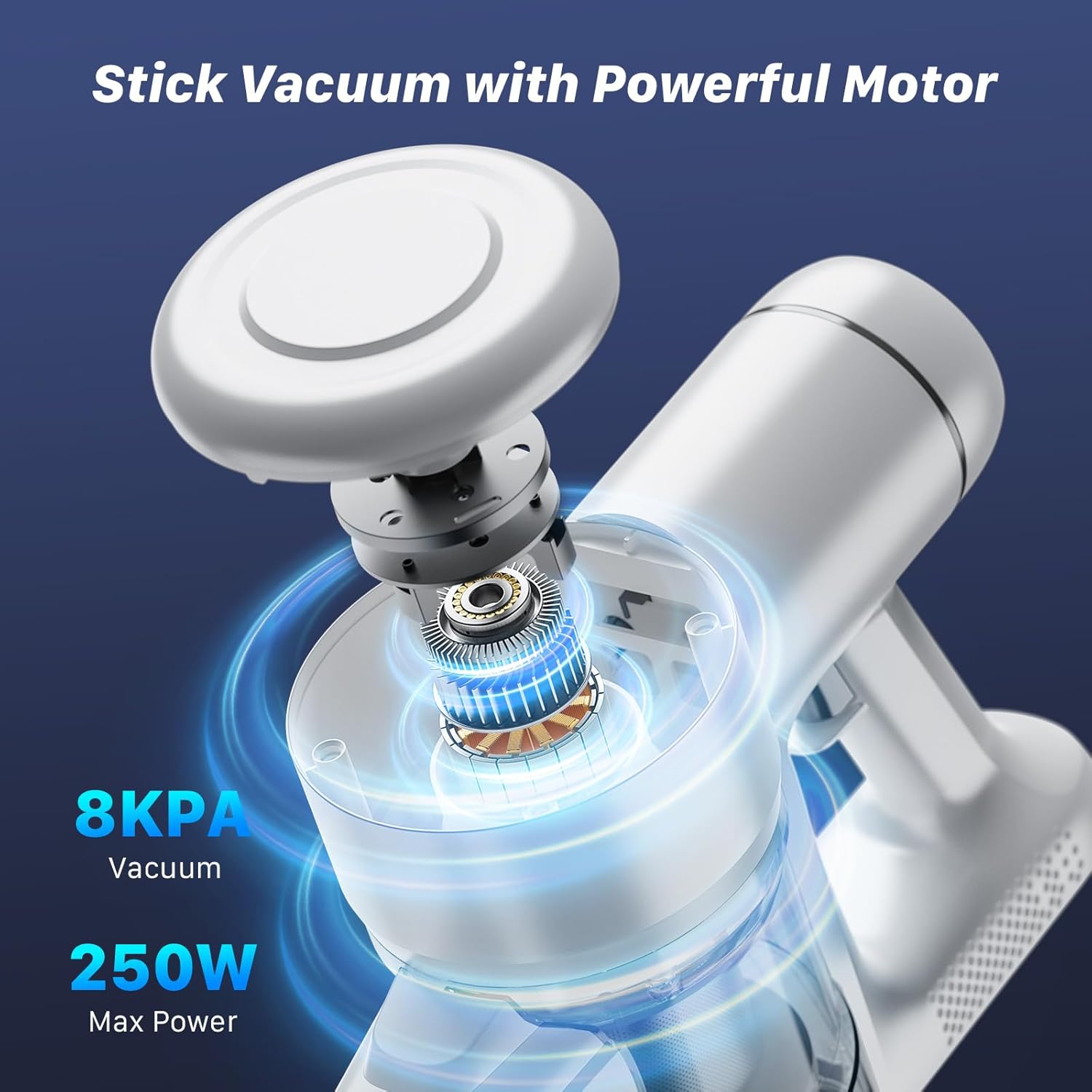
Figure 5.2: Understanding the 5-stage filtration system.
5.3 Cleaning the Motorized Brush Head
Periodically check the motorized brush head for tangled hair or debris. Remove any obstructions to ensure smooth operation and effective cleaning.
6. Troubleshooting
- No Power: Ensure the battery is fully charged. Check if the power adapter is properly connected during charging.
- Weak Suction: Empty the dust cup. Clean or replace the HEPA filter. Check for blockages in the extension wand or floor brush.
- Brush Roll Not Spinning: Check for tangled hair or debris in the brush roll. Ensure the brush head is securely attached.
- Short Runtime: Ensure the battery is fully charged. Runtime varies by suction mode (High mode uses more battery).
7. Specifications
| Feature | Specification |
|---|---|
| Brand | DUMOS |
| Model Name | Stick Cordless Vacuum Cleaner (XCQ-WTV) |
| Special Feature | Portable, Lightweight, Cordless, HEPA Filter, LED Headlights |
| Motor Wattage | 250W |
| Suction Power | Up to 24,000 Pa |
| Battery Type | 2500mAh Lithium-ion |
| Runtime | Up to 45 minutes (Eco Mode) |
| Charging Time | Approx. 4 hours |
| Dust Cup Capacity | 0.7 Liters |
| Item Weight | 5.3 pounds |
| Product Dimensions | 9.05"L x 8.66"W x 42.91"H |
8. Warranty and Support
For warranty information and customer support, please refer to the documentation included with your product packaging or visit the official DUMOS website. You can also visit the DUMOS Store on Amazon for more details and assistance.


