
1. Product Overview
The CAIYUN 16-Drawer Dresser is a versatile storage solution designed for bedrooms and living spaces. It features a robust metal frame and engineered wood top, complemented by 16 fabric drawers of varying sizes. This unit also functions as a TV stand, capable of supporting up to a 55-inch television, and includes an integrated power outlet with USB and Type-C ports for convenient device charging.
Key Features:
- Spacious Storage: 16 fabric drawers in three different sizes for organized storage of clothing, toys, and other items.
- Integrated Charging Station: Equipped with 3 AC outlets, 1 USB port, and 1 Type-C port on the top surface.
- TV Stand Functionality: Wide top surface supports TVs up to 55 inches.
- Stable Construction: Made from high-quality chipboard with a metal frame and X-shaped reinforcement for stability.
- Compact Design: Suitable for small bedrooms and living rooms.

Image 1.1: The CAIYUN 16-Drawer Dresser in a black wood vein finish, shown with a television placed on its top surface and a charging cable connected to the integrated power outlet.
2. Safety Information
Please read and understand all safety instructions before assembly and use. Failure to follow these instructions may result in injury or damage to the product.
- Anti-Tip Device: It is highly recommended to secure the dresser to the wall using the provided anti-tip kit to prevent accidental tipping, especially in households with children or pets.
- Weight Capacity: Do not exceed the maximum weight capacity for the top surface (approximately 150 lbs / 68 kg) or individual drawers (approximately 10 lbs / 4.5 kg). Overloading can cause instability or damage.
- Placement: Place the dresser on a flat, level surface. Uneven surfaces can compromise stability.
- Electrical Safety:
- Ensure the power outlet is connected to a grounded electrical source.
- Do not overload the power outlets. Refer to the specifications for maximum electrical load.
- Keep liquids away from the power outlets and charging ports.
- Do not use the charging station if the cord or plug is damaged.
- Assembly: Assemble the unit in a clear, open area. Keep small parts away from children during assembly.
3. Package Contents
Before beginning assembly, verify that all components listed below are present and undamaged. If any parts are missing or damaged, please contact customer support.
- Metal Frame Components
- Engineered Wood Top Panel
- Fabric Drawers (16 total, various sizes)
- Power Outlet Unit (with 3 AC outlets, 1 USB, 1 Type-C port)
- Hardware Kit (screws, bolts, Allen wrench, etc.)
- Anti-Tip Kit
- Assembly Instructions Manual
4. Assembly Instructions
Assembly typically requires two people and can take approximately 2-5 hours. Follow the numbered steps in the included assembly instructions carefully. Each piece is clearly numbered to assist with identification.
- Unpack and Identify Parts: Lay out all components on a clean, soft surface (e.g., carpet or blanket) to prevent scratches. Identify each part using the provided labels and the parts list in the manual.
- Assemble the Metal Frame: Connect the metal frame components according to the diagrams. Ensure all screws are finger-tightened initially.
- Attach X-shaped Reinforcement: Secure the X-shaped reinforcement structure to the back of the metal frame for enhanced stability.
- Install the Top Panel: Place the engineered wood top panel onto the assembled metal frame and secure it with the designated hardware.
- Install the Power Outlet Unit: Integrate the power outlet unit into the designated slot on the top panel, ensuring it is securely fastened.
- Insert Fabric Drawers: Unfold each fabric drawer and insert the bottom panel. Place the assembled drawers into their respective slots within the frame.
- Final Tightening: Once all components are in place, carefully tighten all screws and bolts using the provided tools. Do not overtighten.
- Attach Anti-Tip Kit: Secure the dresser to the wall using the anti-tip kit as per the instructions to prevent tipping.

Image 4.1: A diagram illustrating the overall dimensions of the dresser and the various sizes of the fabric drawers, including their weight capacities.

Image 4.2: A detailed view of the charging station, highlighting the 3 AC outlets, 1 USB port, and 1 Type-C port for electronic devices.
5. Operating Instructions
This dresser is designed for multi-functional use, serving as both a storage unit and a media console.
- Using the Drawers:
- Organize items by size and type into the different fabric drawers. The varied drawer sizes are suitable for clothes, accessories, and small household items.
- Avoid placing excessively heavy items in the drawers to prevent damage to the fabric or frame. Each drawer has a weight limit of approximately 10 lbs (4.5 kg).
- Using as a TV Stand:
- The top surface can accommodate televisions up to 55 inches. Ensure the TV's base fits securely on the dresser top.
- Do not exceed the maximum weight capacity of the top surface (approximately 150 lbs / 68 kg).
- Using the Charging Station:
- Plug the dresser's power cord into a wall outlet.
- Use the 3 AC outlets for standard electronic devices.
- Use the 1 USB port and 1 Type-C port for charging compatible smartphones, tablets, and other USB-powered devices.
- Always ensure devices are compatible with the charging station's voltage and current specifications.

Image 5.1: The dresser shown with a 55-inch television, demonstrating its capacity to function as a TV stand.
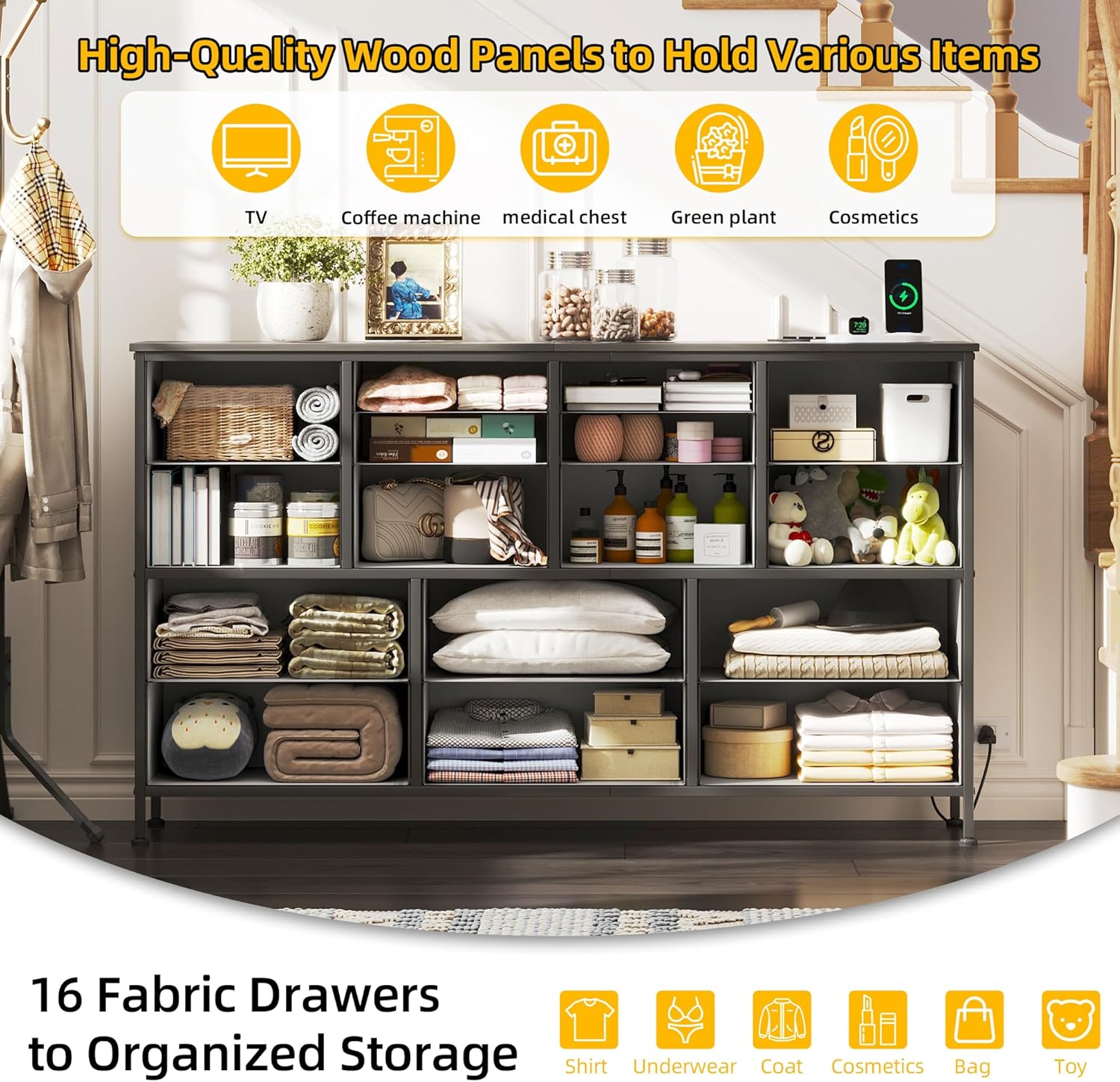
Image 5.2: An illustration of the dresser's interior, showcasing how the 16 fabric drawers can be used to organize various items such as clothing, books, and personal accessories.
6. Maintenance
- Cleaning the Frame and Top: Wipe the metal frame and engineered wood top with a soft, damp cloth. Avoid harsh chemicals or abrasive cleaners.
- Cleaning Fabric Drawers: Spot clean fabric drawers with a mild detergent and a damp cloth. Allow to air dry completely before returning to the dresser. Do not machine wash.
- Regular Checks: Periodically check all screws and bolts to ensure they remain tight. Retighten if necessary.
- Power Outlet Care: Keep the power outlet area clean and free of dust. Do not attempt to disassemble the power outlet unit.
7. Troubleshooting
| Problem | Possible Cause | Solution |
|---|---|---|
| Dresser is wobbly or unstable. | Loose screws; uneven floor; X-shaped reinforcement not properly installed. | Ensure all screws are tightened. Adjust the leveling feet on the bottom of the dresser. Verify the X-shaped reinforcement is correctly attached. |
| Drawers do not slide smoothly. | Drawer overloaded; fabric drawer not fully unfolded or bottom panel not inserted correctly. | Reduce the weight in the drawer. Ensure the fabric drawer is fully expanded and the bottom panel is flat. |
| Power outlets or USB/Type-C ports are not working. | Dresser not plugged in; wall outlet not functioning; circuit breaker tripped; device incompatibility. | Check if the dresser's power cord is securely plugged into a working wall outlet. Test the wall outlet with another device. Check your home's circuit breaker. Ensure your device is compatible with the charging station's output. |
| Difficulty during assembly. | Instructions unclear; missing parts; incorrect part orientation. | Review the assembly instructions carefully, paying close attention to diagrams. Ensure parts are oriented correctly. If parts are missing or instructions are genuinely unclear, contact customer support. |
8. Specifications
- Model Number: CY-HS1601-DK-CA
- Dimensions (Overall): 49.2" L x 11.8" W x 35.4" H (125 cm L x 30 cm W x 90 cm H)
- Material: Engineered Wood (top panel), Metal (frame), Fabric (drawers)
- Color: Black Wood Veins
- Number of Drawers: 16
- Weight Capacity (Top Surface): Approximately 150 lbs (68 kg)
- Weight Capacity (Each Drawer): Approximately 10 lbs (4.5 kg)
- Item Weight: 17.5 kg (38.5 lbs)
- Charging Station:
- 3 AC Outlets (125V/12A)
- 1 USB Port (5V/3A)
- 1 Type-C Port (5V/3A)
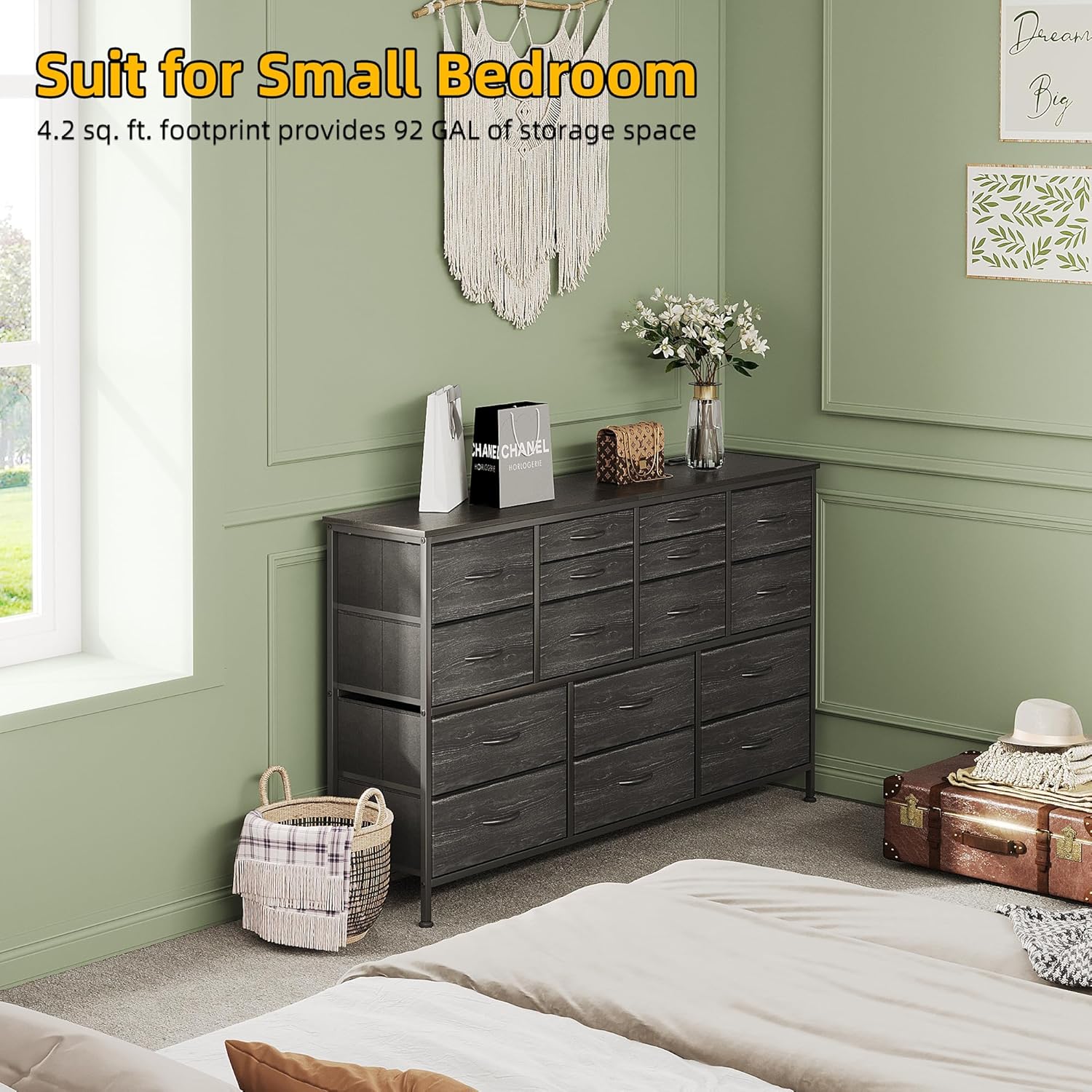
Image 8.1: The CAIYUN dresser positioned in a bedroom, illustrating its suitability for smaller spaces and its overall aesthetic.
9. Warranty and Support
For any questions, missing parts, or issues encountered during assembly or use, please contact CAIYUN customer support. Refer to your purchase documentation for specific warranty details. The manufacturer is committed to assisting with product-related concerns.
Contact Information: Please refer to the contact details provided with your purchase or on the official CAIYUN website.