1. Introduction
Thank you for choosing the Nuynix Solar Charger Power Bank. This portable power bank is designed to provide reliable power for your electronic devices, especially in outdoor and emergency situations. With its high capacity, multiple charging ports, and durable design, it is an essential tool for camping, hiking, and daily use.
Key features include:
- High Capacity: 49800mAh battery for multiple device charges.
- Fast Charging: Upgraded 15W output for quick device charging.
- Multiple Ports: Two USB-A output ports and one Type-C input/output port for charging up to three devices simultaneously.
- Solar Charging Capability: Integrated solar panel for emergency power replenishment.
- Durable Design: IP67 waterproof, drop-proof, and dust-proof construction for outdoor resilience.
- Integrated Flashlight: Dual LED flashlights with Steady, SOS, and Strobe modes.
2. Product Overview
Familiarize yourself with the components of your Nuynix Solar Charger Power Bank.

Figure 2.1: Product Diagram showing Power Button, Carabiner, Battery Level Indicator, Protection Cover, USB Output, Solar Panel, Solar Charging Indicator, and Type-C Input/Output.

Figure 2.2: Front view of the Nuynix Solar Charger Power Bank, highlighting its compact design and solar panel.
Components:
- Solar Panel: Located on the front surface, used for emergency solar charging.
- USB Output Ports (x2): Standard USB-A ports for charging external devices.
- Type-C Port (x1): Used for both input (charging the power bank) and output (charging devices).
- LED Flashlights (x2): Located on one end, providing illumination.
- Power Button: Activates the power bank and controls flashlight modes.
- Battery Level Indicators: LED lights indicating the remaining battery capacity.
- Solar Charging Indicator: A specific LED light that flashes when solar charging is active.
- Carabiner Loop: For easy attachment to backpacks or gear.
3. Setup and Initial Charging
3.1 Initial Charging
Before first use, it is recommended to fully charge the power bank using a wall charger. This ensures the internal battery is calibrated and ready for optimal performance.
- Connect a USB-C cable (not included) to the Type-C input/output port on the power bank.
- Connect the other end of the cable to a wall adapter with a power output of 5V/2A or higher.
- The battery level indicators will illuminate and flash during charging. Once all indicators are solid, the power bank is fully charged.
Note: For daily charging, always use a wall charger (5V/2A or above) for faster and more efficient charging. Solar charging is primarily for emergency situations due to its slower speed, which is dependent on sunlight intensity and duration.

Figure 3.1: Illustrates the difference between solar charging (slower, weather-dependent) and USB wall charging (faster, recommended for daily use).
4. Operating Instructions
4.1 Charging External Devices
The power bank can charge up to three devices simultaneously using its USB-A and Type-C output ports.
- Connect your device's charging cable to one of the USB-A output ports or the Type-C output port on the power bank.
- Connect the other end of the cable to your device.
- The power bank will automatically begin charging your device. The battery level indicators will show the remaining power.
The power bank is compatible with a wide range of devices, including iPhones, Samsung phones, iPads, laptops, tablets, headphones, Nintendo Switch, cameras, and more.

Figure 4.1: Demonstrates the power bank's ability to charge multiple devices at once using its USB-A and Type-C ports.

Figure 4.2: Shows various devices compatible with the power bank, including phones, tablets, gaming consoles, and cameras.
4.2 Solar Charging
The integrated solar panel can be used to trickle charge the power bank when exposed to direct sunlight. This feature is ideal for emergency situations or for maintaining a charge during outdoor activities.
- Place the power bank with the solar panel facing direct sunlight.
- The solar charging indicator light will flash, indicating that the power bank is receiving solar energy.
- For optimal solar charging, ensure no obstructions block the solar panel.
Important: Solar charging is significantly slower than wall charging and should not be relied upon as the primary charging method due to variations in sunlight intensity and duration.
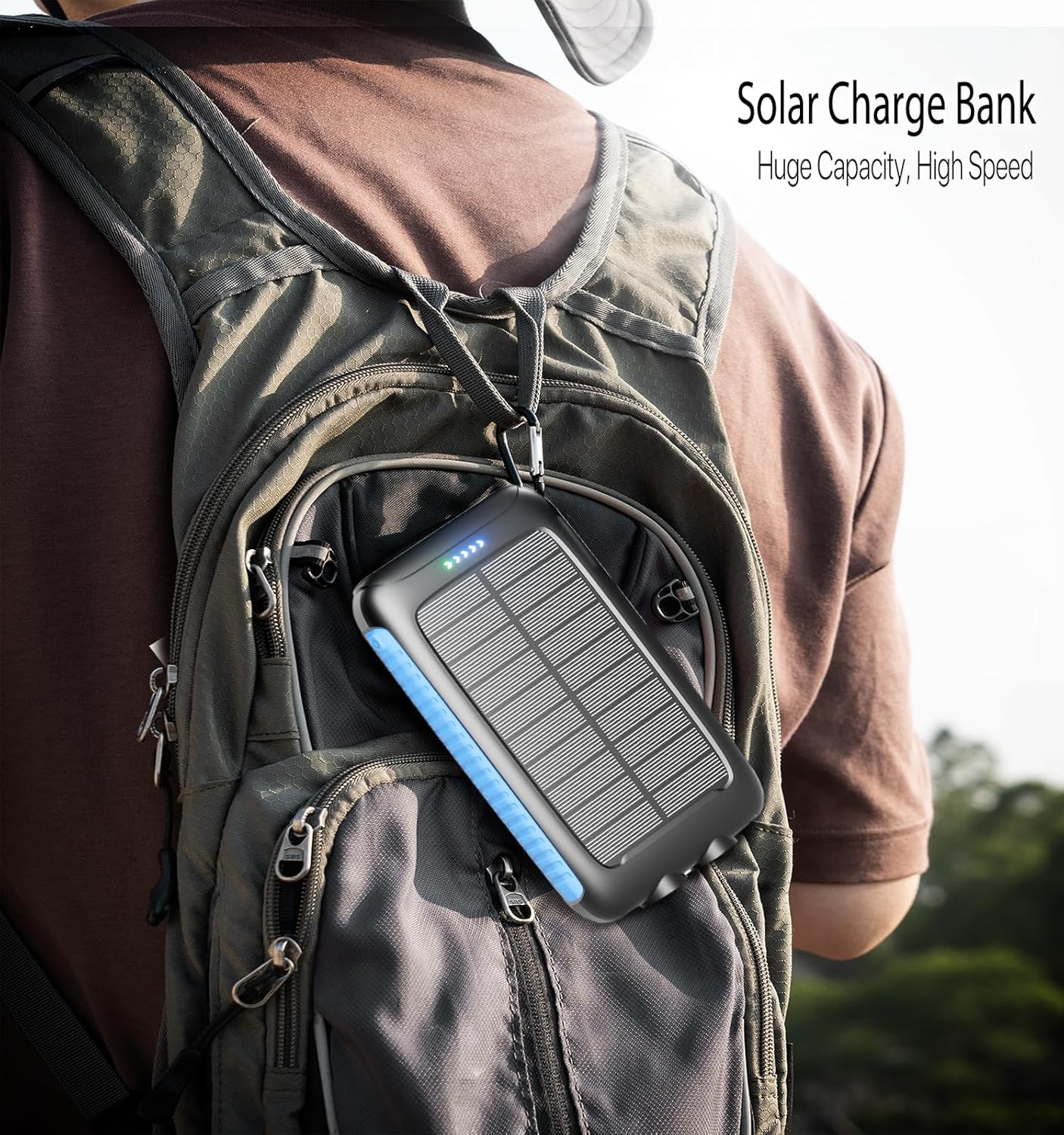
Figure 4.3: The power bank can be conveniently attached to a backpack for solar charging while on the go.
4.3 LED Flashlight Operation
The power bank features dual LED flashlights with multiple lighting modes.
- To turn on/off: Press and hold the power button for approximately 3 seconds.
- To cycle modes: Once the flashlight is on, short press the power button to switch between modes:
- Steady Mode (constant light)
- SOS Mode (Morse code for distress)
- Strobe Mode (rapid flashing)

Figure 4.4: Depicts the power bank's flashlight functionality, useful for various outdoor and emergency scenarios.
5. Maintenance
5.1 Cleaning
- Ensure the power bank is turned off and disconnected from all devices and power sources before cleaning.
- Wipe the surface with a soft, dry cloth. For stubborn dirt, a slightly damp cloth can be used, but ensure no moisture enters the ports.
- Do not use harsh chemicals, abrasive cleaners, or solvents, as these can damage the device's finish or internal components.
- Keep the solar panel clean and free of dust or debris to ensure efficient solar charging.
5.2 Storage
- Store the power bank in a cool, dry place away from direct sunlight and extreme temperatures.
- For long-term storage, charge the power bank to approximately 50-75% capacity every 3-6 months to preserve battery health.
- Avoid storing in environments with high humidity or corrosive substances.
5.3 Durability Features
The Nuynix Solar Charger Power Bank is built for rugged outdoor use, featuring:
- IP67 Waterproof Rating: Provides protection against water immersion up to 1 meter for 30 minutes. Ensure port covers are securely closed.
- Drop-Proof: Designed to withstand accidental drops.
- Dust-Proof: Prevents ingress of dust and fine particles.
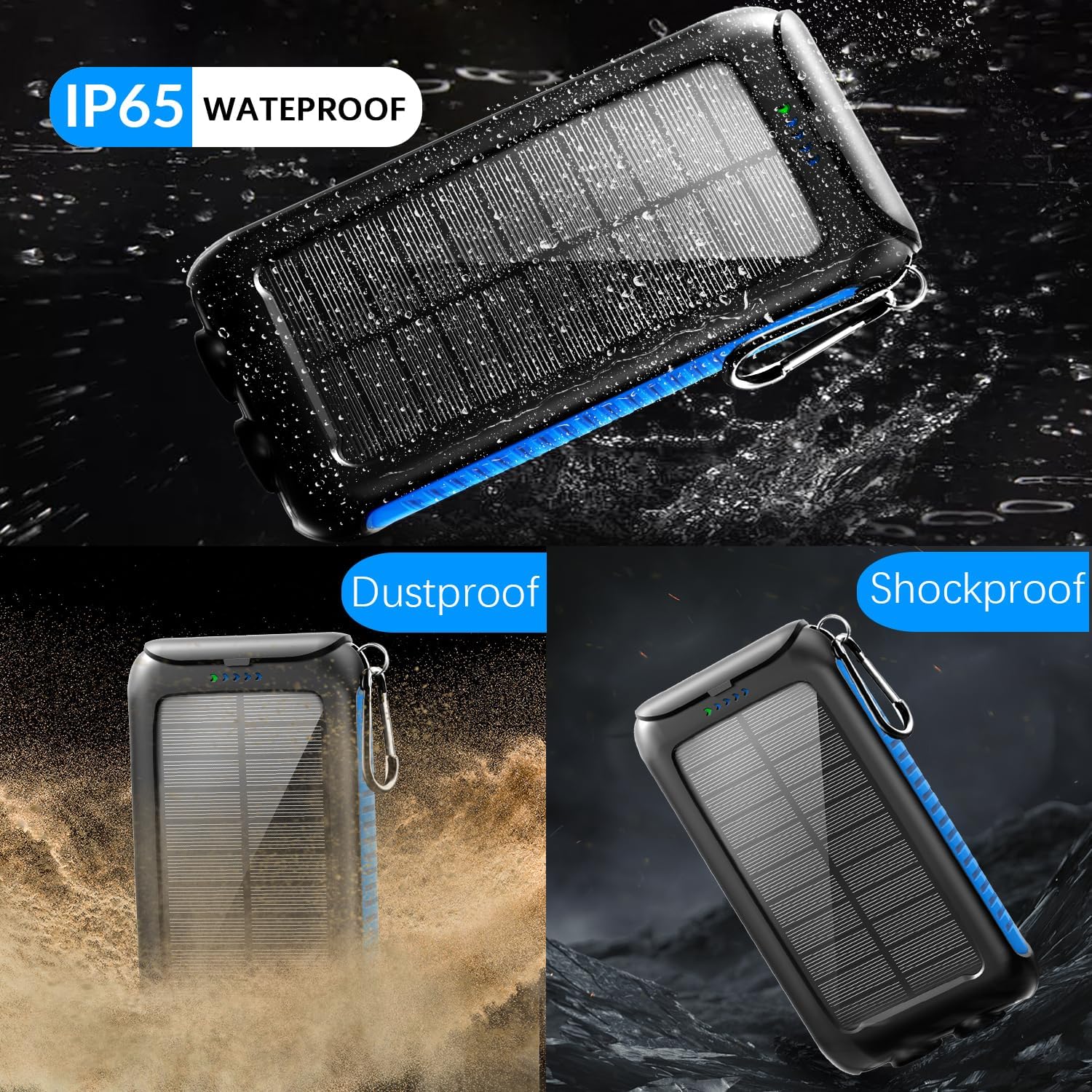
Figure 5.1: Visual representation of the power bank's robust design, highlighting its resistance to water, dust, and impacts.
6. Troubleshooting
If you encounter issues with your Nuynix Solar Charger Power Bank, refer to the following common problems and solutions:
| Problem | Possible Cause | Solution |
|---|---|---|
| Power bank not charging | Cable issue, adapter issue, power bank fully charged, or internal fault. | Try a different charging cable and wall adapter. Ensure the adapter is 5V/2A or higher. Check if the power bank is already full. |
| Device not charging from power bank | Power bank low on battery, cable issue, device compatibility, or power bank not activated. | Ensure the power bank is sufficiently charged. Try a different charging cable. Press the power button to activate output. Verify device compatibility. |
| Solar charging is very slow or not working | Insufficient direct sunlight, solar panel obstructed, or solar charging is inherently slow. | Place the power bank in direct, unobstructed sunlight. Clean the solar panel. Remember that solar charging is an emergency feature and is not designed for fast charging. |
| Flashlight not turning on | Power bank low on battery, or incorrect operation. | Charge the power bank. Press and hold the power button for 3 seconds to activate the flashlight. |
If the problem persists after trying these solutions, please contact customer support.
7. Specifications
| Feature | Detail |
|---|---|
| Model Number | PS21K |
| Battery Capacity | 49800 Milliamp Hours (mAh) |
| Output Ports | 2 x USB-A, 1 x Type-C |
| Input Port | 1 x Type-C |
| Output Power | 15W (Max) |
| Recommended Input | 5V/2A or higher wall adapter |
| Dimensions (L x W x H) | 6.77 x 1.34 x 0.35 inches |
| Item Weight | 1.06 pounds |
| Waterproof Rating | IP67 |
| Special Features | Fast Charge, Portable Charger, Waterproof, Drop-proof, Dust-proof, Dual LED Flashlight (Steady, SOS, Strobe) |
| Color | Blue |
| Manufacturer | ShenZhen Fashiontec Technology Co.,Ltd. |
8. Warranty and Support
Nuynix is committed to providing high-quality products. For any questions, technical support, or warranty inquiries regarding your Solar Charger Power Bank, please contact our customer service team.
Please have your product model number (PS21K) and purchase details ready when contacting support.
Manufacturer: ShenZhen Fashiontec Technology Co.,Ltd.
For the most up-to-date contact information, please refer to the official Nuynix website or your purchase platform.