
Introduction
This manual provides detailed instructions for the installation, operation, and maintenance of the Aramox FG6020 IP68 Temperature and Humidity Sensor. This sensor is designed for accurate measurement of temperature and humidity in various industrial and environmental applications, providing a stable 4-20mA current signal output.
Please read this manual thoroughly before using the product to ensure correct operation and to prevent damage.
Safety Information
- Ensure the power supply voltage is within the specified range (15-30V DC) to prevent damage to the sensor.
- Do not expose the sensor to corrosive gases or liquids that are not compatible with its IP68 rating.
- Handle the sensor probe with care to avoid physical damage.
- All wiring should be performed by qualified personnel following local electrical codes.
- Disconnect power before performing any installation or maintenance.
Package Contents
Verify that all items are present in the package:
- 1 x FG6020 Temperature and Humidity Sensor
- 2 x Mounting Screws
- 2 x Wall Plugs
- 1 x Pin Ejector (for wiring terminal access, if applicable)
- 2 x Accessories (specific type not detailed, typically mounting brackets or seals)
Specifications
| Parameter | Value |
|---|---|
| Model | FG6020 |
| Power Supply | 15-30 V DC |
| Output Signal | 4-20 mA Current Signal |
| Temperature Range | -40 ~ 120 ℃ (Default: 0 ~ 50 ℃, Configurable: -20 ~ 80 ℃, -40 ~ 60 ℃) |
| Temperature Accuracy | ±0.5 ℃ |
| Humidity Range | 0-99.9 % RH |
| Humidity Accuracy | ±3 % RH |
| Protection Rating | IP68 Multilayer Waterproof |
| Dimensions (Approx.) | 200mm (Length) x 15.7mm (Diameter) |
| Weight (Approx.) | 113 grams |
Setup and Installation
1. Physical Installation
The FG6020 sensor is designed for easy installation. Use the provided screws and wall plugs to securely mount the sensor in the desired location. Ensure the probe tip is exposed to the environment where temperature and humidity measurements are required.

Image: FG6020 Temperature and Humidity Sensor with Dimensions. This image shows the overall length of the sensor (200mm / 7.87in) and the diameter of the probe (15.7mm / 0.62in), along with the mounting bracket.

Image: FG6020 Sensor Installation Example. This image illustrates the sensor mounted in an environment, demonstrating a typical installation scenario.
2. Electrical Wiring
The sensor uses a 4-wire connection for power and signal output. Refer to the wiring diagram below for correct connections. Ensure power is disconnected before wiring.
- Red Wire: Power Supply (15-30 V DC)
- Yellow Wire: Humidity Current Signal Output (4-20 mA)
- White Wire: Temperature Current Signal Output (4-20 mA)
- Black Wire: Negative / Ground

Image: Wiring Diagram for FG6020 Sensor. This diagram clearly shows the color-coded wires and their corresponding functions for power and signal output.
Operating Instructions
Once the sensor is correctly installed and wired, apply the specified 15-30V DC power. The sensor will immediately begin measuring temperature and humidity. The measured values are converted into a stable 4-20mA current signal for both temperature and humidity, which can be read by a compatible data acquisition system, PLC, or display unit.
The 4-20mA output provides a robust signal for long-distance transmission and is less susceptible to electrical noise.
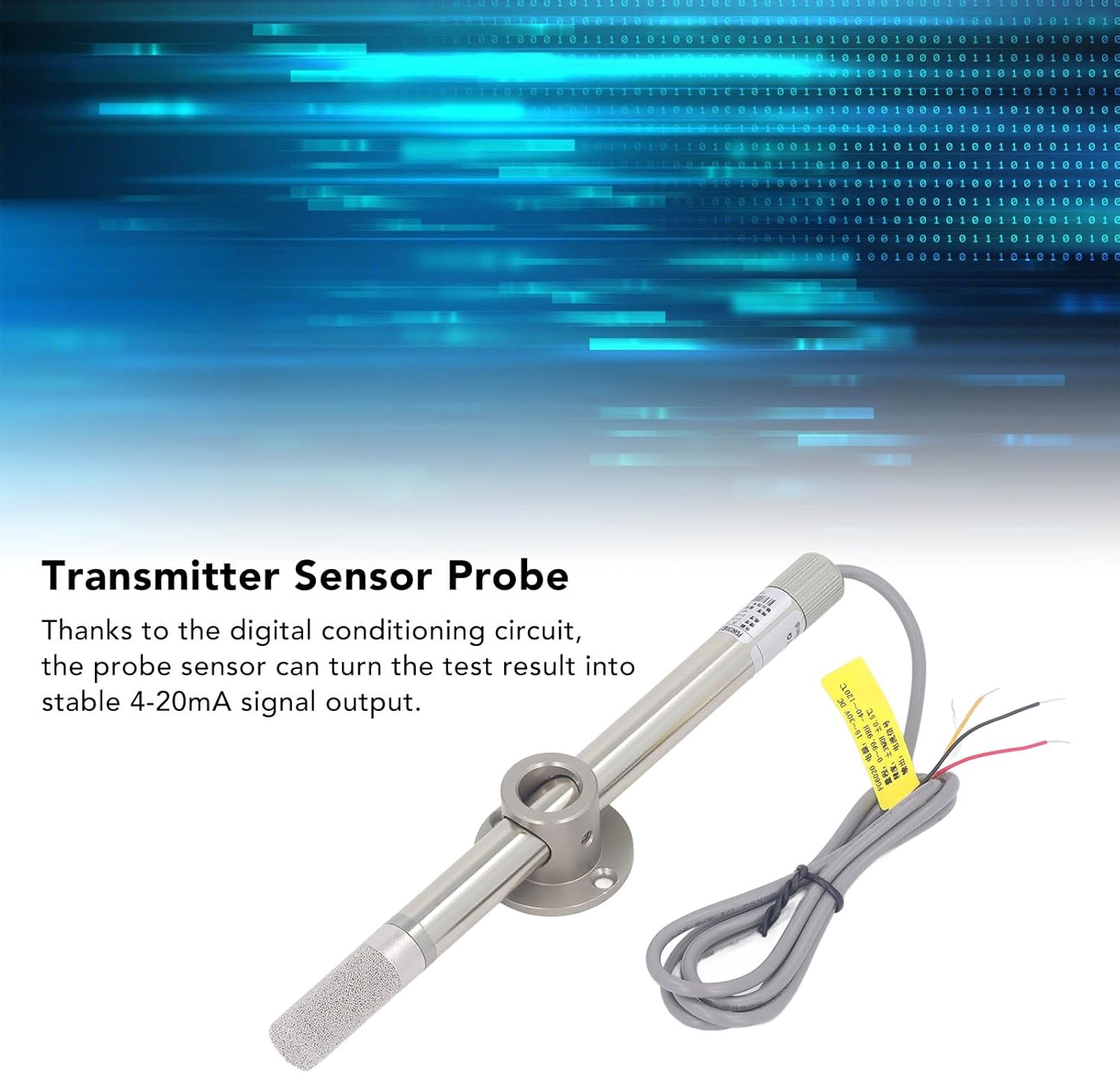
Image: FG6020 Transmitter Sensor Probe. This image highlights the sensor probe, emphasizing its role in converting environmental data into a stable 4-20mA signal.

Image: Typical Applications for FG6020 Sensor. This image displays various environments where the sensor can be used, such as weather stations, data centers, outdoor greenhouses, and warehouses.
Maintenance
- Cleaning: Periodically inspect the sensor probe for dust or debris accumulation. Gently clean the probe tip with a soft, damp cloth if necessary. Avoid using harsh chemicals or abrasive materials.
- Inspection: Regularly check the wiring connections for any signs of corrosion or damage. Ensure all connections are secure.
- Environmental Protection: While the sensor has an IP68 rating, prolonged exposure to extreme conditions outside its specified operating range may affect its lifespan.
- Calibration: The sensor is factory calibrated. If recalibration is suspected to be necessary, contact technical support.

Image: Close-up of FG6020 Sensor Probe Tip. This image provides a detailed view of the sensor's porous probe tip, which is crucial for accurate humidity and temperature measurement.
Troubleshooting
| Problem | Possible Cause | Solution |
|---|---|---|
| No signal output | Incorrect wiring; No power supply; Damaged sensor. | Check wiring against diagram; Verify power supply (15-30V DC); Inspect sensor for physical damage. |
| Inaccurate readings | Sensor probe dirty; Sensor not properly calibrated; Environmental interference. | Clean sensor probe; Contact technical support for calibration assistance; Ensure sensor is not near heat sources or strong air currents. |
| Intermittent signal | Loose wiring connections; Electrical noise. | Secure all wiring connections; Use shielded cables if electrical noise is suspected. |
Warranty and Support
Aramox products are manufactured to high-quality standards. For warranty information or technical support, please refer to the product packaging or contact your retailer. Please have your product model (FG6020) and purchase date available when contacting support.

Image: FG6020 Sensor Product Label. This image shows a close-up of the product label, which contains model information and specifications.