
Introduction
Thank you for choosing the Schenley Steam Mop SLFCSM054. This powerful and versatile steam mop is designed to provide an effortless, chemical-free cleaning experience for various floor types and surfaces. With its rapid heat-up time, lightweight design, and multiple steam modes, maintaining a clean and hygienic home has never been easier. Please read this manual thoroughly before initial use to ensure safe and optimal operation.
Safety Information
WARNING: Always follow basic safety precautions when using electrical appliances to reduce the risk of fire, electric shock, or injury.
- Read all instructions before using the appliance.
- Use the appliance only for its intended household use as described in this manual.
- Do not use the steam mop on unsealed hardwood floors, as steam can cause damage.
- Always unplug the appliance from the electrical outlet when not in use and before servicing.
- Do not immerse the appliance in water or any other liquid.
- Keep the appliance away from children and pets.
- Use only distilled or demineralized water in the water tank to prevent mineral buildup.
- Never direct steam at people, animals, or electrical outlets.
- Do not use the appliance if the cord or plug is damaged.
- Ensure the microfiber pad is properly attached before operating.
Package Contents
Verify that all items listed below are included in your package:
- Steamer Main Body
- Handle
- Rod
- Water Tank
- Carpet Glider
- Microfiber Pad x 2
- Measuring Cup
- Screw For Tank x 2
- Screwdriver

Image: All included accessories for the Schenley Steam Mop, including the main body, handle, rod, water tank, carpet glider, two microfiber pads, measuring cup, screws, and screwdriver.
Setup
- Assemble the Mop: Connect the handle to the rod, and then connect the rod to the main steamer body. Ensure all connections click securely into place.
- Attach Microfiber Pad: Place one microfiber pad onto the bottom of the steamer head, ensuring it is centered and securely attached.
- Fill Water Tank: Open the water tank cap. Use the provided measuring cup to fill the water tank with distilled or demineralized water. Do not overfill. Close the cap securely.
- Plug In: Plug the power cord into a grounded electrical outlet. The power indicator light will illuminate.

Image: Visual guide for connecting attachments, filling the water tank, selecting power modes, and starting the cleaning process.
Operating Instructions
- Power On and Heat Up: Press and hold the power button for 2 seconds to turn on the steam mop. The mop will heat up in approximately 15 seconds, indicated by the steam ready light.
- Select Steam Mode: Short press the power button to cycle through the 3 available steam modes (low, medium, high) to suit your cleaning needs and floor type.
- Cleaning Hard Floors: Glide the steam mop slowly and steadily over sealed hardwood, tile, laminate, or marble floors. The 180° swivel head allows for easy maneuverability around furniture and into tight spaces.
- Cleaning Carpets: For refreshing carpets, attach the carpet glider over the microfiber pad. Move the mop back and forth over the carpeted area. Use a lower steam setting for delicate carpets.
- Continuous Cleaning: The steam mop provides up to 37 minutes of continuous steam, allowing you to clean large areas without interruption.
- Self-Standing Feature: The mop is designed to stand upright on its own, providing convenience when you need to pause during cleaning.
- Power Off: Press and hold the power button for 2 seconds to turn off the steam mop. Unplug the appliance from the outlet.
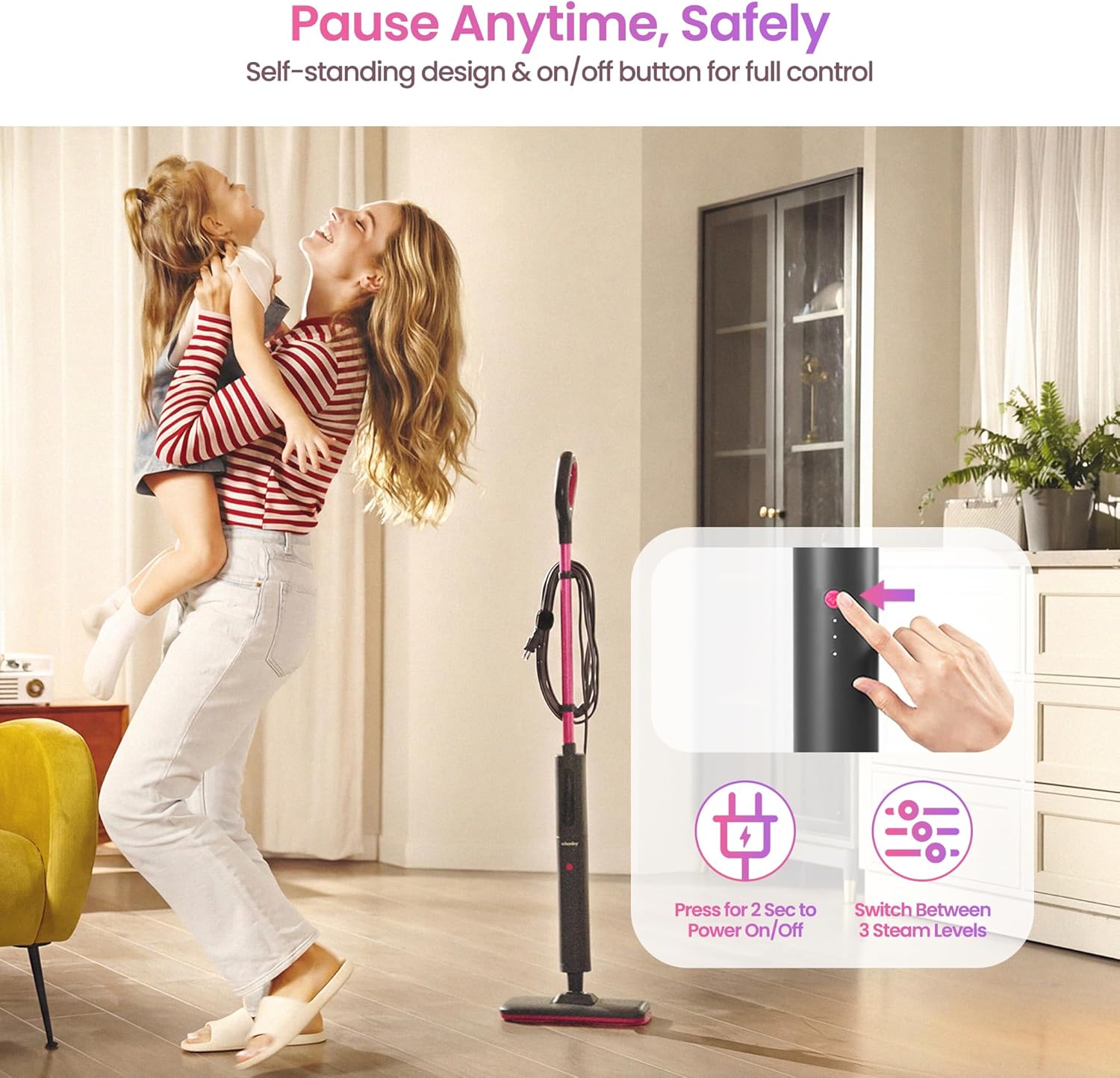
Image: The Schenley Steam Mop standing upright, with an inset showing the power button and three steam level indicators.

Image: The Schenley Steam Mop demonstrating its 2-in-1 floor and carpet cleaning capability, showing different floor types it can be used on.
Video: Official SchenleyTech video demonstrating the steam mop's features, including quick heat-up, chemical-free cleaning, 180° swivel, floor and carpet use, and long run time.
Maintenance
- Empty Water Tank: After each use, unplug the mop and allow it to cool. Empty any remaining water from the tank.
- Clean Microfiber Pads: The microfiber pads are washable. Remove them from the mop head and machine wash with similar colors. Do not use bleach or fabric softener. Air dry or tumble dry on low.
- Store Mop: Wrap the 16 ft power cord around the integrated cord wrapper for neat storage. Store the mop in an upright position in a dry, safe place.
- Descaling (Periodically): If you notice reduced steam output, descaling may be necessary. Consult the full user manual for detailed descaling instructions.

Image: The Schenley Steam Mop with its cord neatly wrapped around the built-in cord management system.
Troubleshooting
| Problem | Possible Cause | Solution |
|---|---|---|
| No steam or low steam output | Water tank empty; Mineral buildup; Mop not heated up. | Refill water tank; Perform descaling; Allow 15 seconds for heat-up. |
| Mop not turning on | Not plugged in; Power button not pressed correctly. | Ensure plug is fully inserted; Press and hold power button for 2 seconds. |
| Streaks on floor | Microfiber pad dirty; Too much steam. | Replace or wash microfiber pad; Use a lower steam setting. |
| Mop difficult to push | Microfiber pad worn out or too wet. | Replace microfiber pad; Ensure pad is not oversaturated. |
Specifications
| Feature | Detail |
|---|---|
| Model Name | Schenley Steam Mop |
| Item Model Number | SLFCSM054 |
| Wattage | 1200 watts |
| Item Weight | 3 Pounds |
| Tank Volume | 15.2 Fluid Ounces |
| Heat Time | 15 Seconds |
| Maximum Temperature | 248 Degrees Fahrenheit |
| Product Dimensions | 5.5"D x 11.8"W x 46.5"H |
| Power Source | AC |
| Voltage | 120 Volts |
| Special Features | Lightweight, Overheat Protection, Rapid Heat Up, Steam Control, Multi-Surface Cleaning, Extended Steam Time, Self-Standing, Power Light Indicator, Cord Wrap, Swivel Head |
| Surface Recommendation | Hardwood Floor, Laminate Floor, Carpet, Tabletop, Window, Walls, Tile |
Warranty and Support
Schenley products are manufactured to high-quality standards. For warranty information, technical support, or to purchase replacement parts and accessories, please refer to the contact information provided on your product packaging or visit the official Schenley website. Keep your purchase receipt as proof of purchase for any warranty claims.


