
Kuulaa KL-YD71
Kuulaa Magsafe Battery Pack 5000mAh Instruction Manual
Model: KL-YD71 | Brand: Kuulaa
1. Product Overview
The Kuulaa Magsafe Battery Pack is a compact and lightweight portable charger designed to provide convenient power on the go for your compatible devices. Featuring both wireless and wired charging capabilities, it ensures your devices stay powered throughout the day.

Figure 1.1: Front, back, and side view of the Kuulaa Magsafe Battery Pack, highlighting its sleek design.

Figure 1.2: The battery pack's ultra-slim design (6.9mm) and lightweight nature (110g) for easy portability.

Figure 1.3: The compact size of the battery pack, making it easily pocketable.
2. What's Included
Your Kuulaa Magsafe Battery Pack package includes the following items:
- 1 x 5000mAh Magnetic Power Bank
- 1 x Leather Organizer Pouch (85x125mm)
- 1 x USB A to C Cable
- 1 x User Manual
3. Setup and Initial Charging
3.1 Charging the Power Bank
Before first use, fully charge your Kuulaa Magsafe Battery Pack. Use the provided USB A to C cable to connect the power bank to a compatible USB power adapter (not included). The LED indicators on the power bank will show the charging status.

Figure 3.1: The power bank supports both wireless and wired (USB-C) charging.
3.2 LED Indicator Status
The power bank features LED lights to indicate its charge level:
- 1 LED lit: 0-25% charged
- 2 LEDs lit: 26-50% charged
- 3 LEDs lit: 51-75% charged
- 4 LEDs lit: 76-100% charged
4. Operating Instructions
4.1 Wireless Charging (MagSafe)
- Ensure your iPhone (12/13/14/15/16 series) has MagSafe capability or is equipped with a MagSafe-compatible case.
- Align the Kuulaa Magsafe Battery Pack with the back of your iPhone. The strong 10N magnets will automatically snap it into place, ensuring proper alignment for optimal 7.5W wireless charging.
- The charging animation will appear on your iPhone screen, indicating that charging has begun.
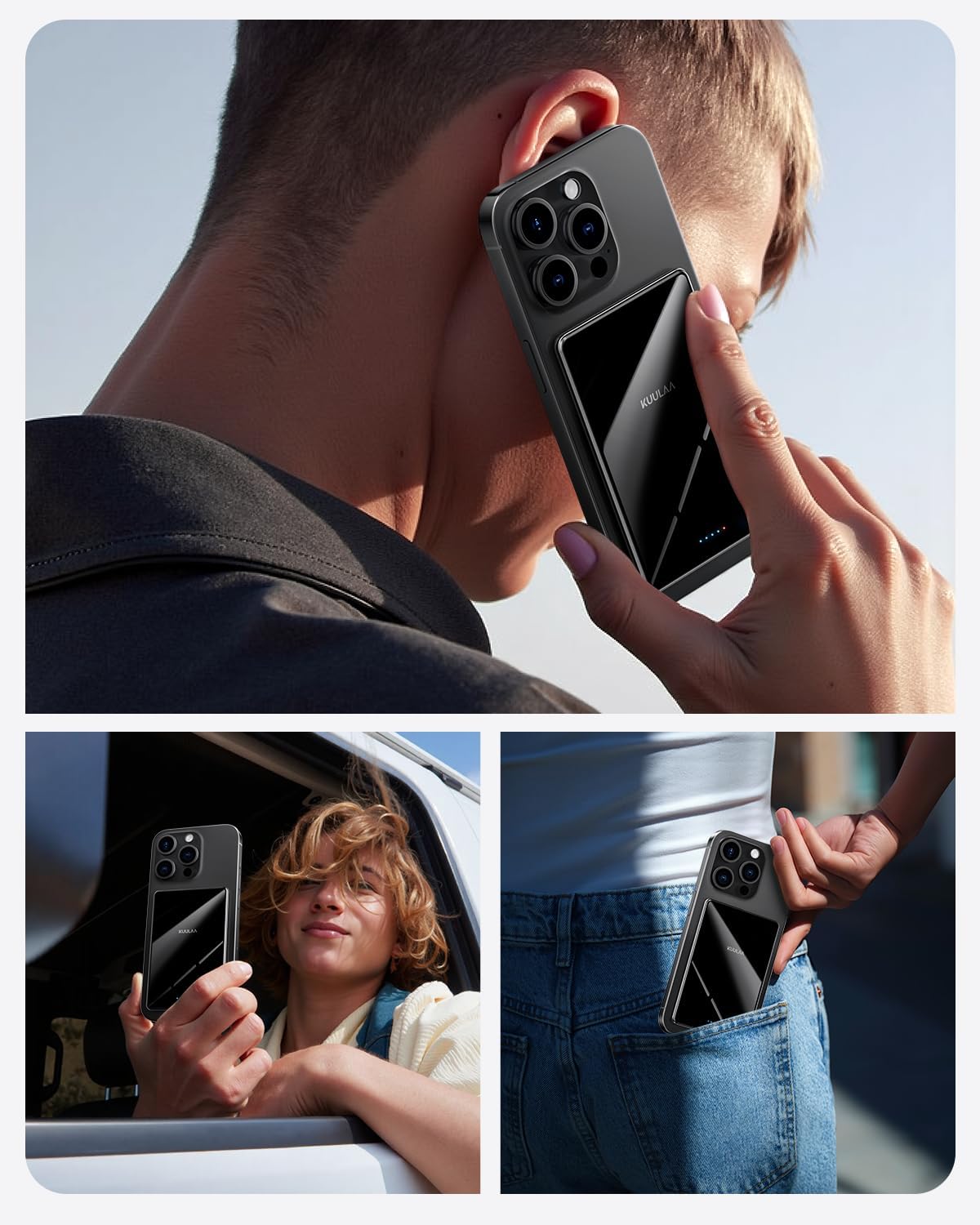
Figure 4.1: The battery pack seamlessly attaches to your iPhone for convenient wireless charging.
4.2 Wired Charging (USB-C)
- For devices that do not support MagSafe or for faster charging, use the USB-C port.
- Connect one end of the USB A to C cable (or a compatible USB-C to USB-C cable) to the power bank's USB-C port.
- Connect the other end to your device's charging port. The power bank supports 20W Power Delivery (PD) fast charging via USB-C.
5. Compatibility
The Kuulaa Magsafe Battery Pack is primarily designed for:
- iPhone 12, 13, 14, 15, and 16 series.
- Other devices that support wireless charging and have a magnetic case for secure attachment.
Important Note: For optimal magnetic attachment and wireless charging, use the power bank with iPhones that have built-in MagSafe or with official/MagSafe-compatible phone cases. Non-magnetic phone cases are not supported for magnetic attachment.

Figure 5.1: Compatibility guidelines for the Kuulaa Magsafe Battery Pack.
6. Safety Information
Your safety is paramount. The Kuulaa Magsafe Battery Pack is equipped with multiple protection mechanisms to ensure safe and reliable use:
- Overcurrent Protection: Prevents excessive current flow.
- Overvoltage Protection: Safeguards against voltage surges.
- Overheating Protection: Monitors and regulates internal temperature.
- Short Circuit Protection: Protects against short circuits.
- Overcharge Protection: Prevents battery damage from overcharging.
- Over-Discharge Protection: Protects the battery from deep discharge.
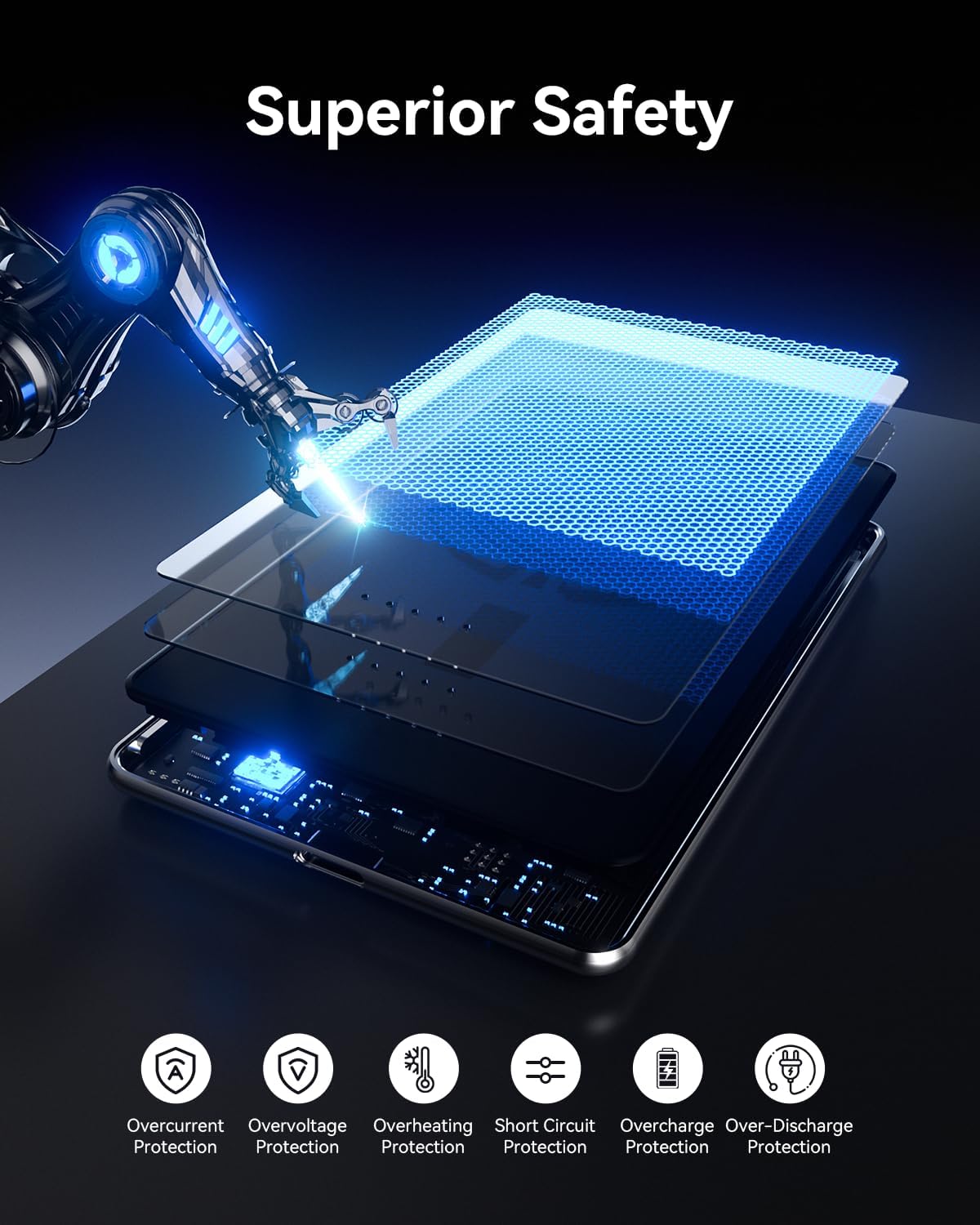
Figure 6.1: The power bank's superior safety features.
Always ensure proper ventilation when charging and avoid covering the device. If the power bank becomes excessively hot, discontinue use and allow it to cool down.
7. Specifications
| Feature | Detail |
|---|---|
| Model Number | KL-YD71 |
| Battery Capacity | 5000mAh |
| Wireless Charging Output | 7.5W Max |
| Wired Charging Output | 20W Power Delivery (PD) Max |
| Product Dimensions | 4.05 x 2.67 x 0.27 inches |
| Item Weight | 4.8 ounces (110 grams) |
| Magnetic Strength | 10N |
| Connector Type | USB Type C |
8. Troubleshooting
8.1 Device Not Charging
- Ensure the power bank is sufficiently charged (check LED indicators).
- For wireless charging, verify your phone is MagSafe compatible or has a MagSafe case, and ensure proper alignment.
- For wired charging, check that the USB cable is securely connected to both the power bank and your device. Try a different cable if necessary.
- Ensure your device supports the charging method (wireless/wired) and power output.
8.2 Power Bank Overheating
- It is normal for the power bank to become slightly warm during charging.
- If it becomes excessively hot, disconnect it from your device and power source immediately.
- Ensure the power bank is not covered or in an enclosed space during use.
- Avoid charging in direct sunlight or high-temperature environments.
- If overheating persists, contact customer support.
9. Warranty and Support
Kuulaa products come with a standard manufacturer's warranty. For detailed warranty information, product support, or to address any issues not covered in this manual, please contact Kuulaa customer service through the retailer's platform or the official Kuulaa website. Please have your model number (KL-YD71) and purchase details ready.
Ask a question about this manual
Ask about setup, troubleshooting, compatibility, parts, safety, or missing instructions. Manuals+ will review the question and use this page’s manual context to help answer it.