
Product Overview
The Bobtot Portable Karaoke Machine is a versatile audio system designed for both indoor and outdoor use, featuring a wireless microphone, IPX6 water resistance, and dynamic RGB lighting. It delivers powerful stereo sound with deep bass and offers multiple echo levels for an enhanced karaoke experience. Connectivity options include Bluetooth 5.3, AUX, TF card, and USB.
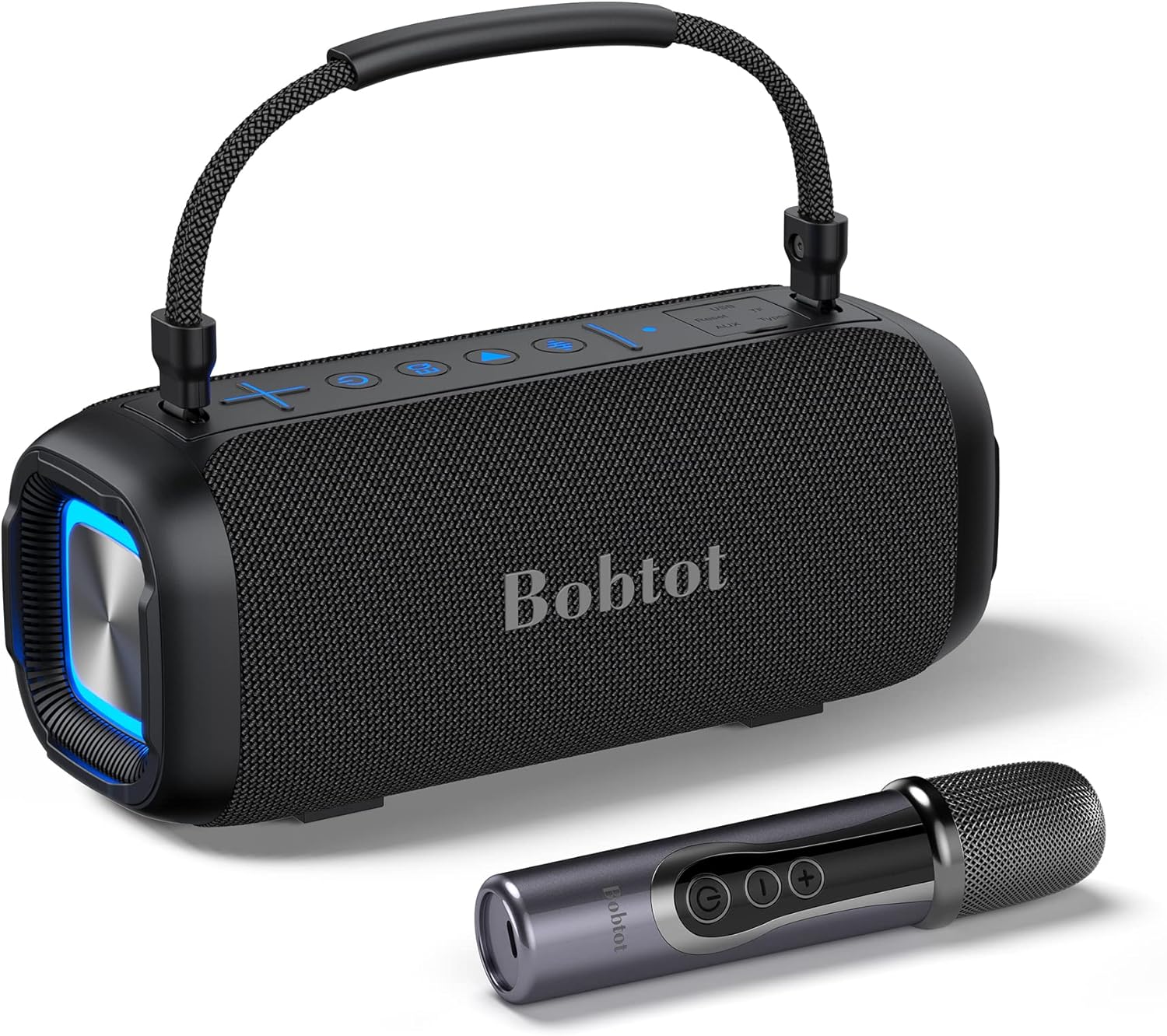
Image: The Bobtot portable karaoke machine, a black rectangular speaker with a handle, shown alongside its wireless microphone.
What's in the Box
- Karaoke machine
- Charging cord (USB-C)
- Wireless Microphone
- AUX cable
- User Manual
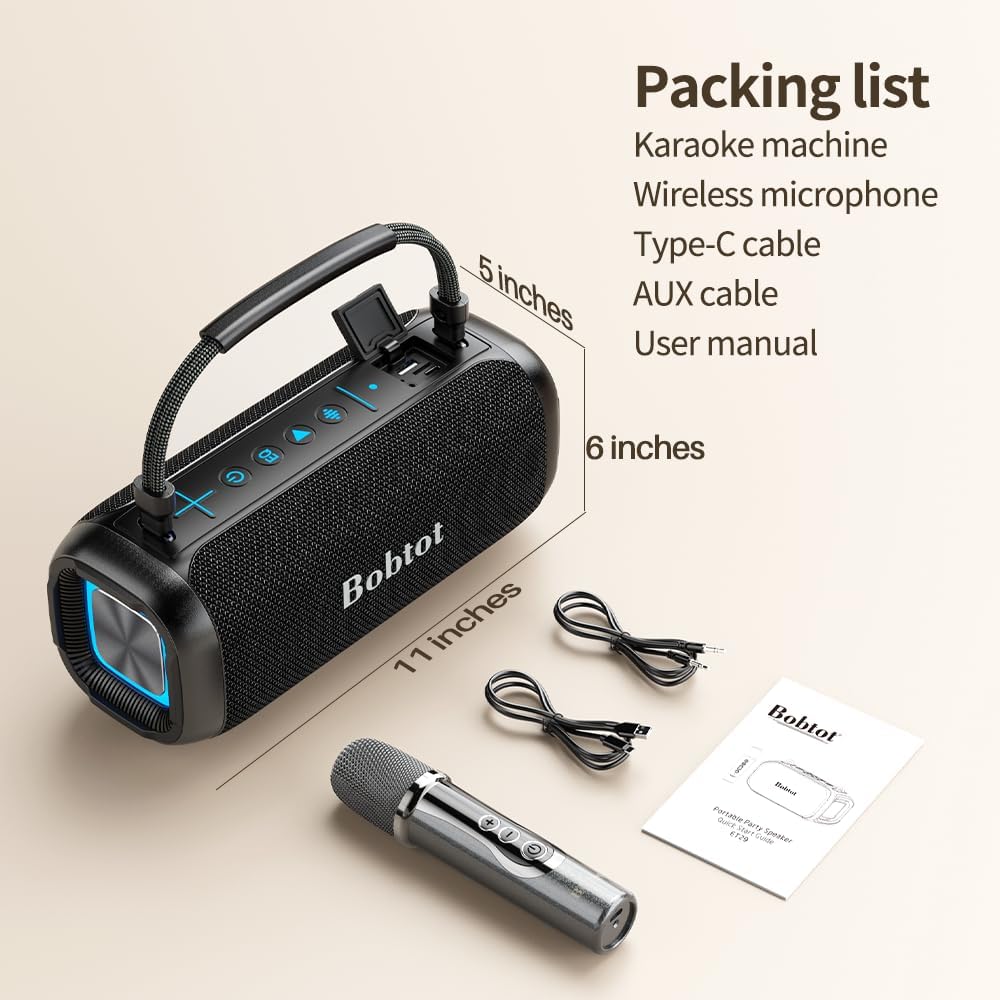
Image: A flat lay showing the Bobtot karaoke machine, wireless microphone, charging cable, AUX cable, and user manual, indicating the included accessories.
Key Features
- Three Echo Levels: Adjust echo for karaoke (much, medium, no echo) via a dedicated button. Features indoor and outdoor EQ modes for varied sound output.
- Loud Sound & Deep Bass: Equipped with dual passive radiators and 40W power for dynamic, distortion-free sound. Two 3.5-inch full-range speakers ensure clear and balanced audio.
- RGB and IPX6 Waterproof: Ideal for outdoor use, including pool parties and beach trips, with IPX6 water resistance. Customizable RGB ambient lights synchronize with music and can be turned on/off.
- Fast and Stable Connections: Bluetooth 5.3 for quick and reliable wireless pairing. Supports AUX, TF card, and USB inputs.
- Easy to Carry & Long Battery Life: Features an 8800 mAh battery providing up to 20 hours of playtime (varies with volume/music type). Includes a comfortable rubberized strap for portability.

Image: An exploded view of the speaker's internal components, highlighting the two passive radiators responsible for deep bass and the 80W peak sound capability.

Image: The top panel of the Bobtot speaker showing the EQ button, which allows users to cycle through three echo levels: Karaoke Mode (much echo), KTV Mode (medium echo), and Vocal Mode (no echo).

Image: The Bobtot karaoke machine placed near a swimming pool, illustrating its IPX6 waterproof feature for outdoor activities.

Image: The Bobtot speaker and wireless microphone, with an overlay indicating up to 25 hours of playtime, emphasizing its long battery life.
Setup
1. Charging the Device
Before first use, fully charge the karaoke machine and the wireless microphone.
- Connect the provided USB-C charging cable to the Type-C port on the karaoke machine.
- Connect the other end of the cable to a compatible USB power adapter (not included).
- The charging indicator light will illuminate. Once fully charged, the light may change or turn off.
- For the microphone, connect its charging port to a USB power source. A green light indicates charging, and it will turn off when fully charged.
- Note: Avoid using fast chargers for the speaker to prevent potential damage.

Image: A detailed view of the speaker's connectivity panel, showing the USB, AUX, and Type-C charging ports.
2. Microphone Setup
- Ensure the wireless microphone is charged.
- Press and hold the power button on the microphone to turn it on. A green indicator light will appear.
- The microphone will automatically pair with the karaoke machine when both are powered on and within range.

Image: A close-up of the wireless microphone, highlighting its controls for voice pickup, volume adjustment, and the power button.
3. Initial Power On
- Press and hold the power button on the karaoke machine until the indicator lights illuminate.
- The machine will enter Bluetooth pairing mode automatically.
Operating Instructions
1. Bluetooth Connection
- Ensure the karaoke machine is powered on and in Bluetooth pairing mode (indicated by a flashing blue light).
- On your smartphone, tablet, or other Bluetooth-enabled device, go to Bluetooth settings.
- Select "Bobtot ET29-HSK" (or similar name) from the list of available devices.
- Once connected, the blue light on the speaker will become solid, and you will hear an audible confirmation.
2. Echo Level Adjustment
- Short press the "EQ" button (often represented by a waveform icon) on the karaoke machine to cycle through the three echo levels:
- Karaoke Mode: Much echo for a full vocal effect.
- KTV Mode: Medium echo for a balanced vocal effect.
- Vocal Mode: No echo, suitable for clear speech or singing without effects.

Image: A close-up of the Bobtot speaker's control panel, illustrating the EQ button for echo adjustment and the method to turn RGB lights on/off.
3. EQ Modes (Indoor/Outdoor)
- To switch between indoor and outdoor sound modes, press the EQ button. The outdoor mode provides louder voice output, optimized for open environments.

Image: A split image showing the Bobtot karaoke machine being used indoors (left) and outdoors (right), demonstrating its adaptability to different environments and the function of its EQ modes.
4. RGB Light Control
- The RGB ambient lights on both sides of the speaker can be turned on or off by double-pressing the dedicated light button (often integrated with the EQ button or a separate light icon).
- The lights will synchronize with the music when active.
5. Supported Playback Modes
In addition to Bluetooth, the speaker supports playback from various sources:
- AUX Input: Connect external audio devices using the provided 3.5mm AUX cable.
- TF Card: Insert a TF (microSD) card loaded with audio files into the designated slot.
- USB Playback: Insert a USB flash drive with audio files into the USB port.
Maintenance
- Cleaning: Wipe the device with a soft, dry cloth. For stubborn dirt, use a slightly damp cloth and then dry thoroughly. Do not use harsh chemicals or abrasive cleaners.
- Storage: Store the device in a cool, dry place away from direct sunlight and extreme temperatures.
- Battery Care: To prolong battery life, avoid fully discharging the battery frequently. Charge the device regularly, even if not in use for extended periods (e.g., once every 3 months).
- Water Resistance: While IPX6 water-resistant, avoid submerging the device in water. Ensure all port covers are securely closed before exposure to water.
Troubleshooting
| Problem | Possible Cause | Solution |
|---|---|---|
| No sound from speaker. | Volume too low; device not connected; incorrect input mode. | Increase volume on both speaker and connected device. Re-establish Bluetooth connection or check AUX/TF/USB connection. Ensure correct input mode is selected. |
| Microphone not working. | Microphone off; low battery; not paired with speaker. | Ensure microphone is powered on. Charge the microphone. Power cycle both speaker and microphone to re-establish pairing. |
| Bluetooth connection unstable. | Device too far from speaker; interference; low battery. | Move devices closer. Avoid obstacles. Charge the speaker. |
| RGB lights not working. | Lights turned off. | Double-press the light control button to turn them on. |
Specifications
| Feature | Detail |
|---|---|
| Model Number | ET29-HSK |
| Output Wattage | 40 Watts |
| Connectivity Technology | Bluetooth 5.3, AUX, USB, TF card |
| Waterproof Rating | IPX6 |
| Battery Capacity | 8800 mAh |
| Item Weight | 3.2 Pounds (approx. 1.45 kg) |
| Product Dimensions (L x W x H) | 11.2 x 5.7 x 6.7 inches (approx. 28.4 x 14.5 x 17 cm) |
| Material | Acrylonitrile Butadiene Styrene (ABS) |
| Audio Input | Wireless Microphone, AUX |
Warranty and Support
For warranty information, technical support, or any inquiries regarding your Bobtot Portable Karaoke Machine, please refer to the official Bobtot website or contact their customer service directly. You can also visit the Bobtot Store on Amazon for additional product information and support resources.

