
Introduction
The Baofeng UV-25 is a robust 10W dual-band handheld radio designed for reliable communication across various environments. Featuring high power output, extensive frequency coverage, and a durable build, it is suitable for both amateur radio enthusiasts and professionals requiring dependable two-way communication. This manual provides essential information for setup, operation, maintenance, and troubleshooting to ensure optimal performance of your UV-25 radio.

Figure 1: Baofeng UV-25 Handheld Radio with included antennas.
Setup
1. Battery Installation and Charging
The UV-25 is powered by a high-capacity 5200mAh battery. Ensure the battery is fully charged before first use.
- Align the battery pack with the grooves on the back of the radio.
- Slide the battery upwards until it clicks securely into place.
- To charge, connect the provided USB-C charging cable to the battery's Type-C port.
- Connect the other end of the USB-C cable to a wall adapter, laptop USB port, or power bank.
- The charging indicator on the radio or battery will show charging status.

Figure 2: Charging the 5200mAh battery via USB-C.
2. Antenna Attachment
The UV-25 comes with two high-gain tactical antennas: a Tactical Gooseneck ANT and a Foldable Whip ANT. Choose the appropriate antenna for your communication needs.
- Screw the desired antenna clockwise onto the antenna connector at the top of the radio until it is finger-tight. Do not overtighten.
- Ensure a secure connection for optimal signal performance.

Figure 3: Included accessories, showing both the Tactical Gooseneck and Foldable Whip antennas.
3. Initial Power-On
After battery and antenna installation, turn on the radio by rotating the volume knob clockwise. The display will illuminate, indicating the radio is ready for operation.
Operating Instructions
1. Power Settings
The UV-25 offers three adjustable power settings to optimize battery life and transmission range:
- High Power: True 10W (measured up to 11W) for maximum range and obstacle penetration.
- Medium Power: 8W for balanced performance.
- Low Power: 5W for shorter range communication and extended battery life.
Refer to the radio's menu or specific function keys to adjust the power output.

Figure 4: Display showing High (11W), Medium (8W), and Low (5W) power settings.
2. Frequency Range and Channel Storage
The UV-25 supports a broad range of frequencies and can store up to 999 channels.
- Transmission (TX): 136-174MHz (VHF), 400-520MHz (UHF)
- Reception (RX):
- VHF: 136-174MHz, 200-260MHz
- UHF: 350-390MHz, 400-520MHz
- FM Broadcast: 76-108MHz
- Airband (AM): 108-136MHz
- NOAA Weather Channels
Consult the radio's programming guide for detailed instructions on manual frequency entry and channel storage. Software like CHIRP (using "RM" radio identifier) can also be used for advanced programming.

Figure 5: Visual representation of the multi-band receiver capabilities.
3. One-Key Frequency Copy
The UV-25 features a convenient one-key frequency copy function, allowing for quick cloning of frequencies between compatible devices.
- Ensure both radios are powered on and in close proximity.
- On the source radio, tune to the desired frequency.
- On the UV-25, press and hold the [SK1] key (or refer to your specific model's button layout for the frequency copy function) to initiate the cloning process.
- Follow any on-screen prompts to complete the frequency transfer.
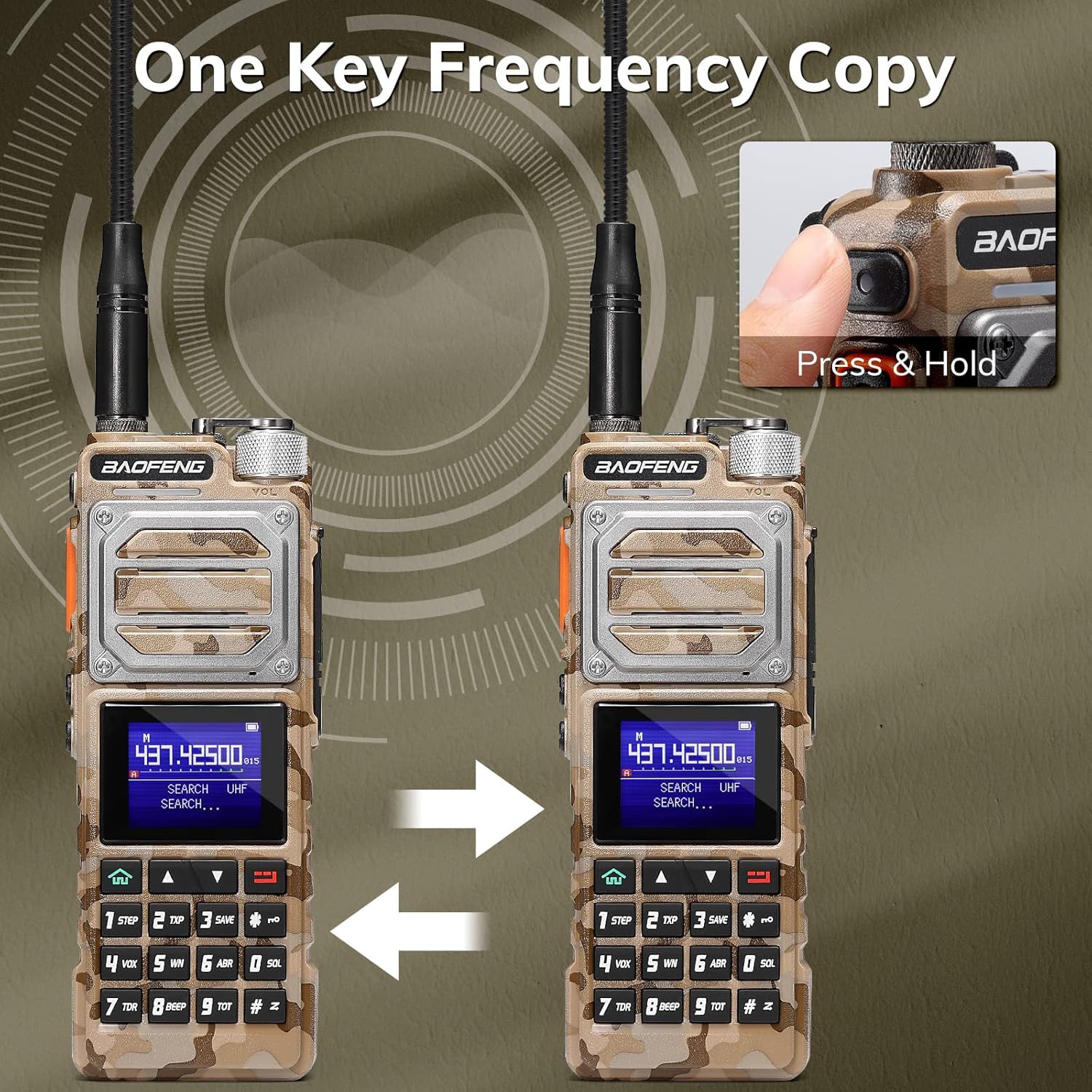
Figure 6: Illustrating the one-key frequency copy feature between two radios.
4. DTMF Manual Dial
The radio supports DTMF (Dual-Tone Multi-Frequency) manual dialing, useful for accessing repeaters or other DTMF-controlled systems.
- Enter the desired DTMF sequence using the keypad.
- Press the PTT (Push-To-Talk) button to transmit the DTMF tones.

Figure 7: Demonstrating DTMF manual dialing on the radio's keypad.
5. Voice Operated Transmission (VOX)
The VOX function allows for hands-free transmission. When enabled, the radio will automatically transmit when it detects your voice.
- Access the VOX setting through the radio's menu.
- Adjust the VOX sensitivity level to prevent accidental transmissions or missed voice activation.
6. Flashlight and SOS Function
The top-mounted flashlight can be activated for illumination. In emergencies, it can also function as an SOS signal.
- Refer to your radio's specific button assignments for flashlight activation (often a short press of a dedicated button).
- For SOS, typically a long press or specific sequence will activate the flashing SOS pattern.
Maintenance
1. Battery Care
- To prolong battery life, avoid fully discharging the battery frequently.
- Store the radio and battery in a cool, dry place when not in use.
- If storing for extended periods, charge the battery to approximately 50% capacity.
2. Cleaning
- Use a soft, damp cloth to clean the radio's exterior.
- Do not use harsh chemicals or abrasive cleaners.
- Ensure the USB-C port cover is securely closed to prevent dust and moisture ingress.
3. Durability and Handling
The UV-25 features a durable metal construction designed to withstand falls and impacts. While robust, proper handling will extend its lifespan.
- Avoid unnecessary drops or impacts.
- Though durable, the radio is not water resistant. Avoid exposure to water or excessive moisture.

Figure 8: The durable metal design of the Baofeng UV-25, built for rugged use.
Troubleshooting
| Problem | Possible Cause | Solution |
|---|---|---|
| Radio does not power on. | Battery not installed correctly or discharged. | Ensure battery is securely attached and fully charged. |
| Poor signal reception/transmission. | Antenna loose or incorrect frequency/power setting. | Check antenna connection. Verify frequency and power settings. Ensure line of sight if possible. |
| Cannot program channels via software. | Incorrect software version or radio identifier. | Use CHIRP software. Ensure "RM" is selected as the radio identifier. Verify programming cable connection. |
| Audio is distorted or too low. | Volume too low or speaker obstruction. | Adjust volume knob. Check for debris blocking the speaker. |
Specifications
| Feature | Detail |
|---|---|
| Model Number | UV-25 |
| Item Weight | 2.2 pounds |
| Package Dimensions | 9.25 x 8.07 x 2.83 inches |
| Number of Channels | 999 |
| Frequency Range (TX) | UHF, VHF |
| Frequency Range (RX) | UHF, VHF, 1.25M, FM, AM (Airband), NOAA |
| Battery Capacity | 5200mAh |
| Charging Port | USB-C |
| Special Features | Long Range, Digital Display, Voice Operated Transmission, Rechargeable, Dual Band |
| Water Resistance Level | Not Water Resistant |
| Compatible Devices | Baofeng RM (for programming) |
What's in the Box
- Baofeng UV-25 Handheld Radio x 1
- 5200mAh Battery x 1
- USB Charging Cable x 1
- USB Adapter x 1
- Tactical Gooseneck Antenna x 1
- Foldable Whip Antenna x 1
- Headset x 1
Warranty and Support
Your Baofeng UV-25 radio comes with an 18 Months Warranty and Lifetime Support from the manufacturer.
For technical assistance, warranty claims, or further inquiries, please contact BAOFENG customer support through their official channels or visit their brand store on Amazon: BAOFENG Store.