1. Introduction
Thank you for choosing the COWAY Airmega 350 Air Purifier. This manual provides essential information for the safe and efficient operation, maintenance, and troubleshooting of your device. Please read it thoroughly before use and retain it for future reference.
The Airmega 350 is designed to improve indoor air quality by filtering various airborne particles and odors, covering areas up to 2,640 sq ft in 60 minutes.
2. Important Safety Information
To reduce the risk of electric shock, fire, and injury, always follow basic safety precautions:
- Read all instructions before operating the appliance.
- Do not operate any appliance with a damaged cord or plug.
- Do not use the appliance outdoors or on wet surfaces.
- Keep the cord away from heated surfaces.
- Do not immerse the appliance, cord, or plug in water or other liquids.
- Unplug from outlet when not in use and before cleaning or servicing.
- Do not block air openings or place on a soft surface where openings may be blocked.
- This appliance is not intended for use by persons (including children) with reduced physical, sensory or mental capabilities, or lack of experience and knowledge, unless they have been given supervision or instruction concerning use of the appliance by a person responsible for their safety.
3. Product Overview
The COWAY Airmega 350 features a HyperVortex system for efficient air purification, a 3-in-1 filtration system, and smart modes for optimized performance.

Figure 3.1: Front view of the COWAY Airmega 350 Air Purifier, showing its sleek white design and top control panel.
3.1 Key Features
- HyperVortex Air Technology: Efficiently cleans air in large spaces.
- 3-in-1 Filtration System: Includes a vacuumable pre-filter, activated carbon filter, and True HEPA filter.
- Real-Time Air Quality Monitor: Detects particles as small as PM 10 and adjusts fan speed automatically in Auto Mode.
- Smart Modes: Auto, Sleep, Turbo, and Eco modes for various purification needs.
- Low Noise Operation: Operates as low as 21.6 dB.
- Energy Star Certified: Energy-efficient operation.
- Filter Life Indicator: Notifies when filter replacement is needed.
3.2 Components
- Main Unit (Air Purifier)
- Filter Set (Pre-filter, Activated Carbon Filter, True HEPA Filter)
- Power Cord
- User Manual (this document)
4. Setup
4.1 Unpacking
- Carefully remove the air purifier from its packaging.
- Remove all packing materials, including any protective films or tapes.
- Verify that all components listed in Section 3.2 are present.
4.2 Filter Installation
The filters are typically pre-installed but may be wrapped in plastic for shipping. Ensure all plastic packaging is removed from the filters before use.
- Locate the filter cover on the air purifier.
- Open the filter cover. This usually involves pulling from the bottom or sides.
- Remove the existing filter set. If new, remove any plastic wrapping from the filters.
- Insert the filter set back into the unit, ensuring it is seated correctly. The 3-in-1 filter typically includes a vacuumable pre-filter, an activated carbon filter, and a True HEPA filter combined into one unit.
- Close the filter cover securely.
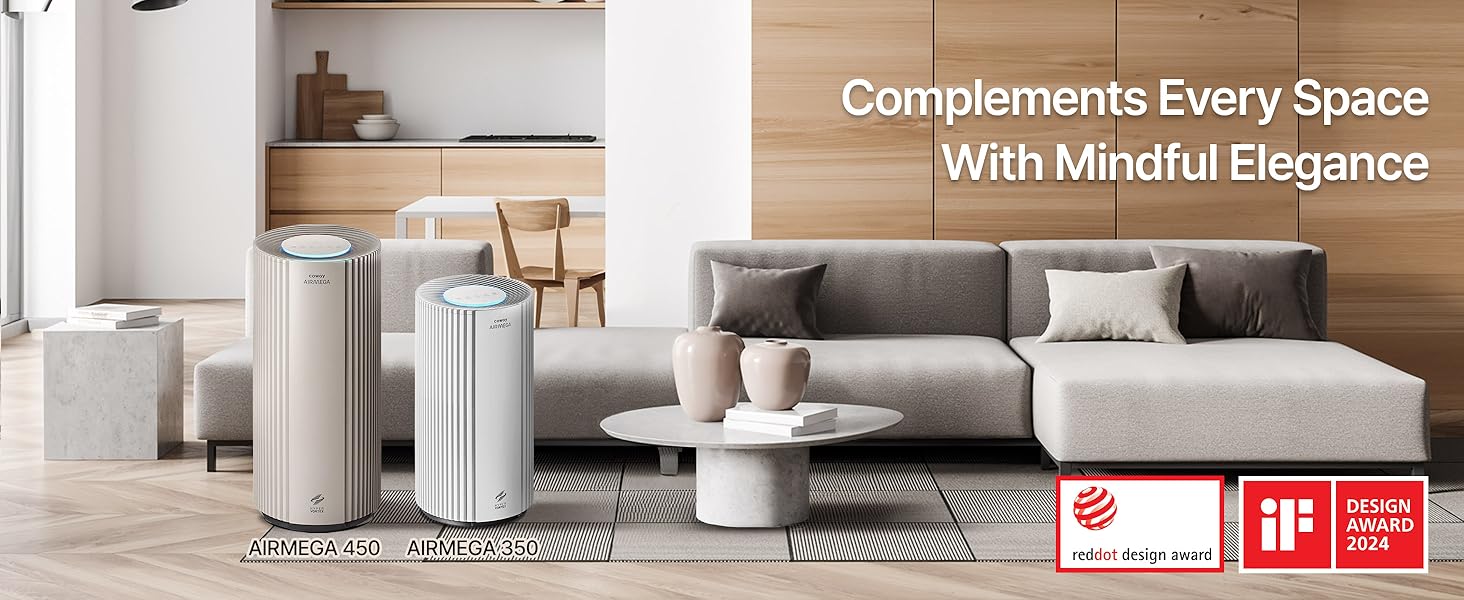
Figure 4.1: Illustration of the 3-in-1 filter system, detailing the layers for pre-filtration, HEPA filtration, and activated carbon filtration.
4.3 Placement
- Place the air purifier on a firm, level surface.
- Ensure there is adequate space around the unit (at least 12 inches) for proper airflow.
- Avoid placing the unit near heat sources, direct sunlight, or in areas with high humidity.
- Plug the power cord into a standard electrical outlet.
5. Operation
The control panel is located on the top of the unit. It features various buttons and indicators for controlling the air purifier's functions.

Figure 5.1: Detailed view of the intuitive control panel on the COWAY Airmega 350.
5.1 Power On/Off
- Press the Power button to turn the unit on or off.
5.2 Operating Modes
Press the Mode button to cycle through the available operating modes:
- Auto Mode: The fan speed automatically adjusts based on the detected air quality. The unit's light sensor will also detect ambient light and turn off the display light during low-light conditions (e.g., bedtime).
- Sleep Mode: Operates at the lowest fan speed for quiet operation, ideal for sleeping environments.
- Turbo Mode: Runs at the highest fan speed for rapid air purification.
- Eco Mode: Optimizes power consumption based on air quality, saving energy.
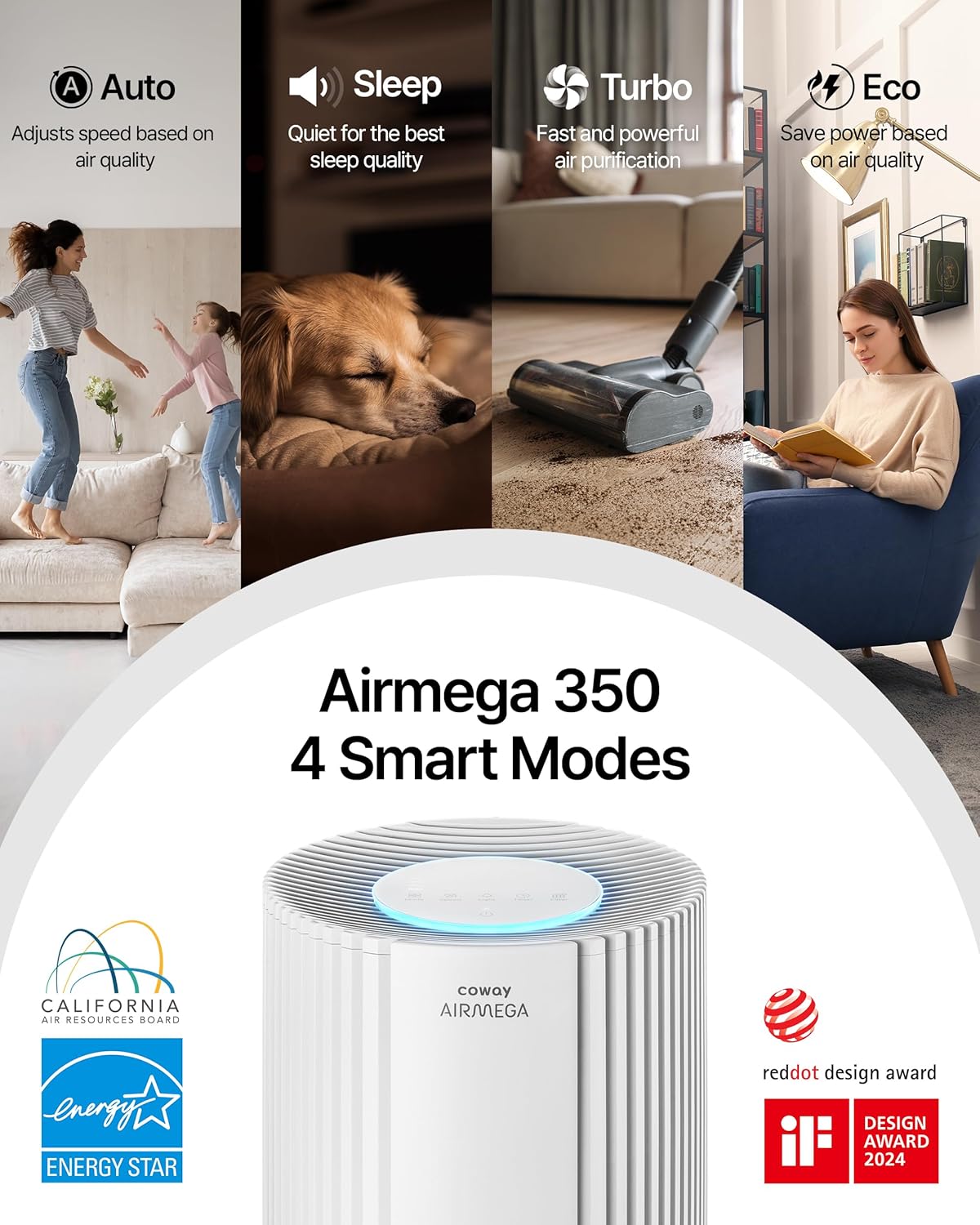
Figure 5.2: Overview of the Airmega 350's four smart operating modes.
5.3 Fan Speed Adjustment
- In manual mode, press the Speed button to adjust the fan speed (levels 1-3).
5.4 Timer Function
- Press the Timer button to set the operating duration (e.g., 1 hour, 2 hours, 4 hours, 8 hours). The unit will automatically turn off after the set time.
5.5 Light Control
- Press the Light button to turn the display lights on or off.
5.6 Control Panel Lock
- To prevent accidental changes, press and hold the Control Panel Lock button (often indicated by a lock icon) for 3 seconds to activate or deactivate the lock.

Figure 5.3: Convenience features including Timer, Night Light, Button Mute, and Control Panel Lock.
6. Maintenance
Regular maintenance ensures optimal performance and extends the lifespan of your air purifier.
6.1 Pre-Filter Cleaning
The vacuumable pre-filter should be cleaned regularly, approximately once a month, or when the indicator light illuminates.
- Turn off and unplug the air purifier.
- Open the filter cover.
- Carefully remove the pre-filter.
- Use a vacuum cleaner with a brush attachment to remove dust and debris from the pre-filter. Do not wash the pre-filter with water.
- Reinstall the clean pre-filter and close the cover.
6.2 True HEPA and Activated Carbon Filter Replacement
The True HEPA and Activated Carbon filters are typically combined into one unit and should be replaced when the filter life indicator illuminates, usually once a year, depending on usage and air quality.
- Turn off and unplug the air purifier.
- Open the filter cover.
- Remove the old 3-in-1 filter set.
- Unpack the new genuine COWAY Airmega filter set.
- Insert the new filter set into the unit, ensuring a proper fit.
- Close the filter cover securely.
- Plug in the unit and press and hold the Filter button for 3 seconds to reset the filter life indicator.
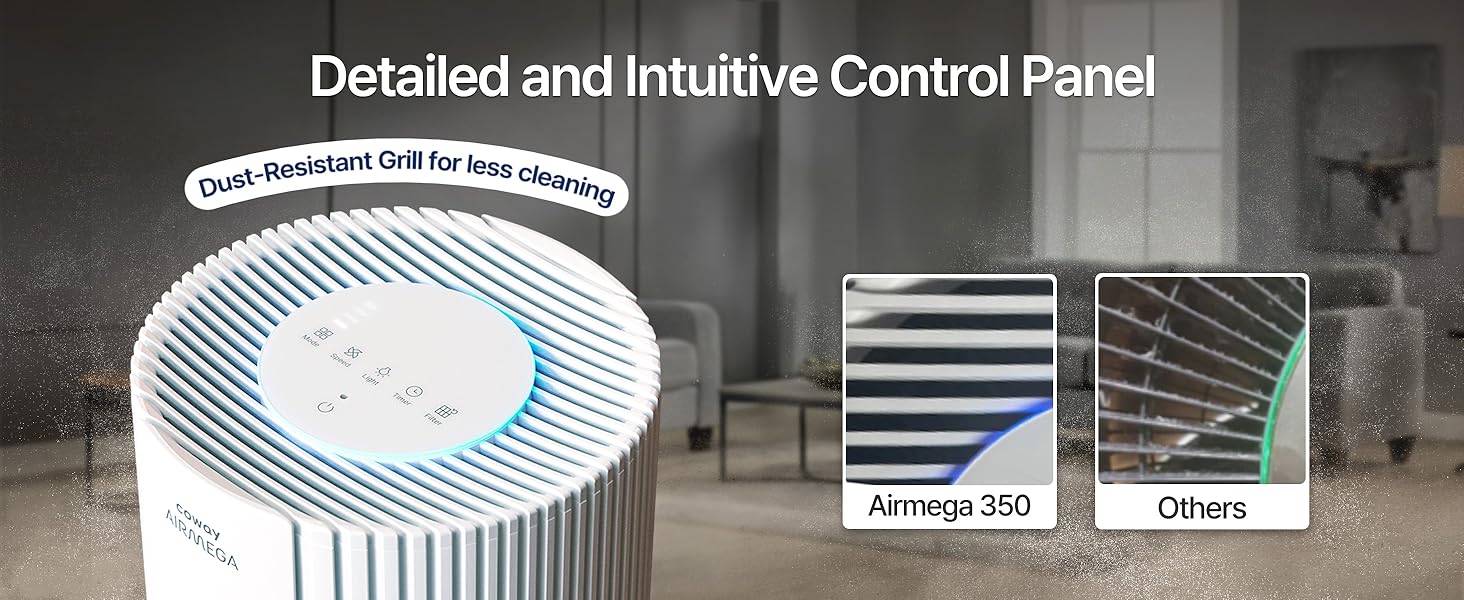
Figure 6.1: Step-by-step guide for filter replacement and resetting the filter indicator.
6.3 Exterior Cleaning
- Wipe the exterior of the unit with a soft, damp cloth.
- Do not use abrasive cleaners or solvents.
7. Troubleshooting
Refer to the following table for common issues and their solutions.
| Problem | Possible Cause | Solution |
|---|---|---|
| Unit does not turn on. | Power cord not securely plugged in. No power at outlet. | Ensure power cord is firmly plugged into a working outlet. Check circuit breaker. |
| Airflow is weak or no air comes out. | Filters are clogged. Filter packaging not removed. Air inlets/outlets blocked. | Clean the pre-filter. Replace the 3-in-1 filter. Ensure all filter packaging is removed. Clear any obstructions around the unit. |
| Unusual noise. | Foreign object inside. Unit not on a level surface. | Turn off and unplug the unit, check for foreign objects. Place the unit on a stable, level surface. |
| Air quality indicator always shows poor air. | Sensor is dirty. High level of pollutants in the room. | Clean the air quality sensor (refer to maintenance section for sensor cleaning, if applicable). Ensure filters are clean/new. |
| Filter replacement indicator remains on after changing filter. | Filter reset button not pressed. | Press and hold the Filter button for 3 seconds to reset the indicator. |
8. Specifications
| Feature | Detail |
|---|---|
| Model Number | AP-1924A(W) |
| Brand | Coway |
| Color | White |
| Product Dimensions (D x W x H) | 12"D x 12"W x 26.3"H |
| Item Weight | 17.19 pounds |
| Floor Area Coverage | Up to 2640 sq ft (in 60 minutes) |
| Noise Level | As low as 21.6 dB |
| Particle Retention Size | 0.01 Micrometer |
| Wattage | 62 watts |
| Controller Type | Touch |
| Certifications | CARB Certified, ETL Certified, Energy Star Certified |
| Special Features | Filter Life Indicator, Real Time Air Quality Indicator, Smart Mode |
| UPC | 826439000851 |
9. Warranty Information
The COWAY Airmega 350 Air Purifier comes with a 3-year Manufacturer’s Limited Warranty. This warranty covers defects in materials and workmanship under normal use. Please retain your proof of purchase for warranty claims.
For detailed warranty terms and conditions, please refer to the official COWAY website or contact customer support.
10. Customer Support
If you have any questions, require assistance, or need to report an issue, please contact COWAY customer support:
- Website: Visit the official Coway website for FAQs, product registration, and support resources.
- Phone: Refer to your product packaging or the official website for regional customer service contact numbers.
- Online Resources: Check for updated manuals or troubleshooting guides on the Coway support page.


