1. Introduction
Thank you for choosing the SIXIN Smart Curtains System. This motorized curtain track system offers advanced control options including touch motion activation, APP control via WiFi, remote control, and voice control compatibility with Amazon Alexa and Google Home. Designed for quiet and efficient operation, it provides convenience and smart integration for your home or office. This manual will guide you through the installation, setup, operation, and maintenance of your new smart curtain system.
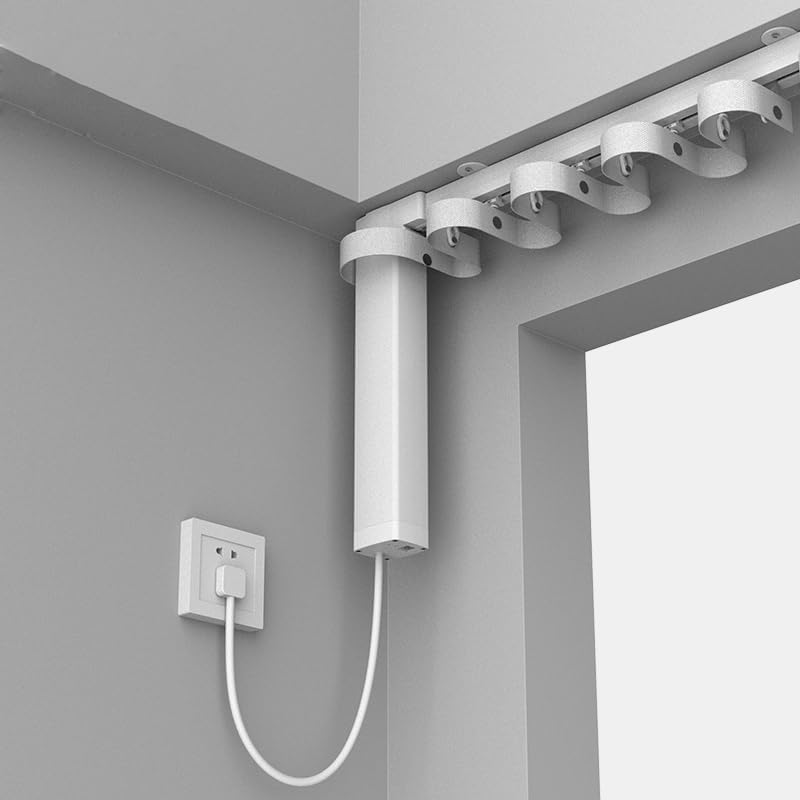
Image 1.1: Overview of the SIXIN Smart Curtains System with motor and track.
2. Packing List
Please verify that all components are included in your package:
- 1 x Smart Curtain Motor
- 1 x Motorized Curtain Track (Track length 2 meters / 78.75 inches)
- 1 x Remote control (batteries not included)
- 1 x Installation accessories package
- 1 x User manual (this document)
3. Technical Specifications
Detailed technical parameters of the SIXIN Smart Curtains System:
| Parameter | Value |
|---|---|
| Rated Voltage | 110~240V/AC @ 50/60Hz |
| Rated Current | 0.14A |
| Rated Power | 30W |
| Rated Torque | 1.2N.m |
| Rated Speed | 110rpm |
| Line Speed | 14cm/s |
| Protection Level | E |
| IP Level | IP41 |
| Maximum Payload | 40-60kg (88-133lbs) depending on track length |
| Operation Noise | ≤10dB (ultra quiet motor) |
| Working Temperature | -10°C ~ 50°C |
| Radio Frequency | 2.4G/433MHz |
| Product Dimensions | 100 x 100 x 100 inches (packaging) |
| Item Weight | 18 pounds |
| Material | Aluminium (track) |
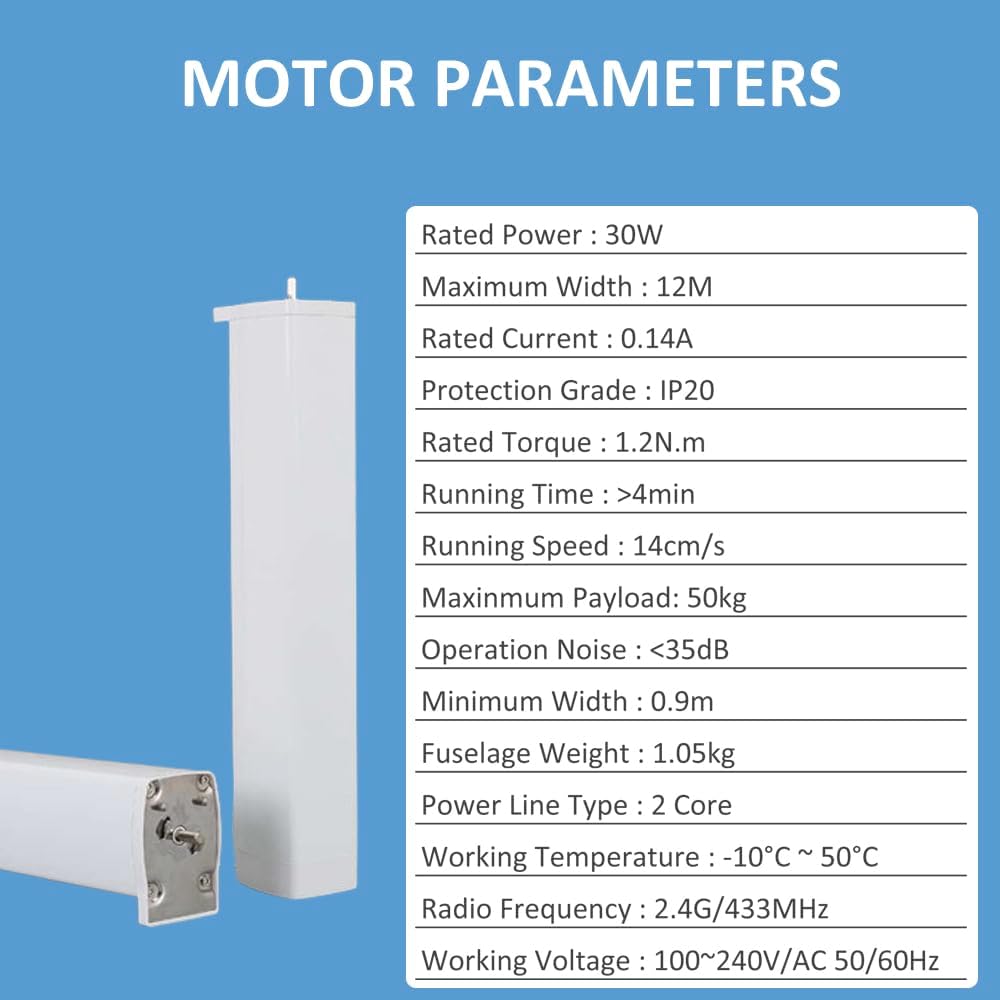
Image 3.1: Visual representation of motor parameters.
4. Installation Guide
The SIXIN Smart Curtains System is designed for easy installation. The electric curtain rod comes as a set and can be adjusted to your desired width without splicing. Ceiling brackets are included. Wall brackets are not included but can be purchased separately if needed.
4.1. Pre-Installation Checks
- Ensure you have all components listed in the packing list.
- Verify the track length matches your window width.
- Confirm a power outlet is available near the intended motor location.
- Gather necessary tools (e.g., screwdriver, drill, measuring tape).
4.2. Mounting the Track
- Measure and mark the desired mounting points on the ceiling for the brackets. Ensure the track will be level.
- Drill pilot holes at the marked locations.
- Secure the ceiling brackets using appropriate screws and anchors.
- Carefully attach the motorized curtain track to the installed brackets. The track is made of high-precision aluminum-magnesium alloy, designed for easy and tight fitting.
- Ensure the track is securely fastened and can support the weight of the curtains and motor.

Image 4.1: Securing the track with a screwdriver.
4.3. Attaching the Motor
- Slide the motor onto the designated end of the track.
- Secure the motor in place according to the specific mechanism (usually a clip or screw).
- Plug the motor into a power outlet.
4.4. Hanging the Curtains
The track adopts a folded corrugated design and comes with corrugated strips for S-wave ripple fold curtains.
- Attach your curtains to the runners on the track.
- Ensure the curtains move freely along the track without obstruction.

Image 4.2: Details of distance bead size and hanging buckle tape for S-wave curtains.
5. Initial Setup and Smart Control Configuration
5.1. APP Control (Tuya / Smart Life App)
To enable smart control via your smartphone, download the Tuya Smart application or Smart Life application from your device's app store (available for Android and iOS).
- Download and install the "Tuya Smart" or "Smart Life" app.
- Register or log in to your account.
- Ensure your smartphone is connected to a 2.4GHz WiFi network.
- Open the app and follow the on-screen instructions to add a new device. Select "Curtain" or "Curtain Switch" from the device list.
- Put the curtain motor into pairing mode (refer to the motor's specific instructions, usually involves pressing a button or power cycling).
- Confirm the device is found and connect it to your WiFi network through the app.
- Once connected, you can control the curtain's opening/closing, set schedules, and check its status directly from the app.

Image 5.1: Tuya WiFi Smart Folding Curtain app interface and remote control.
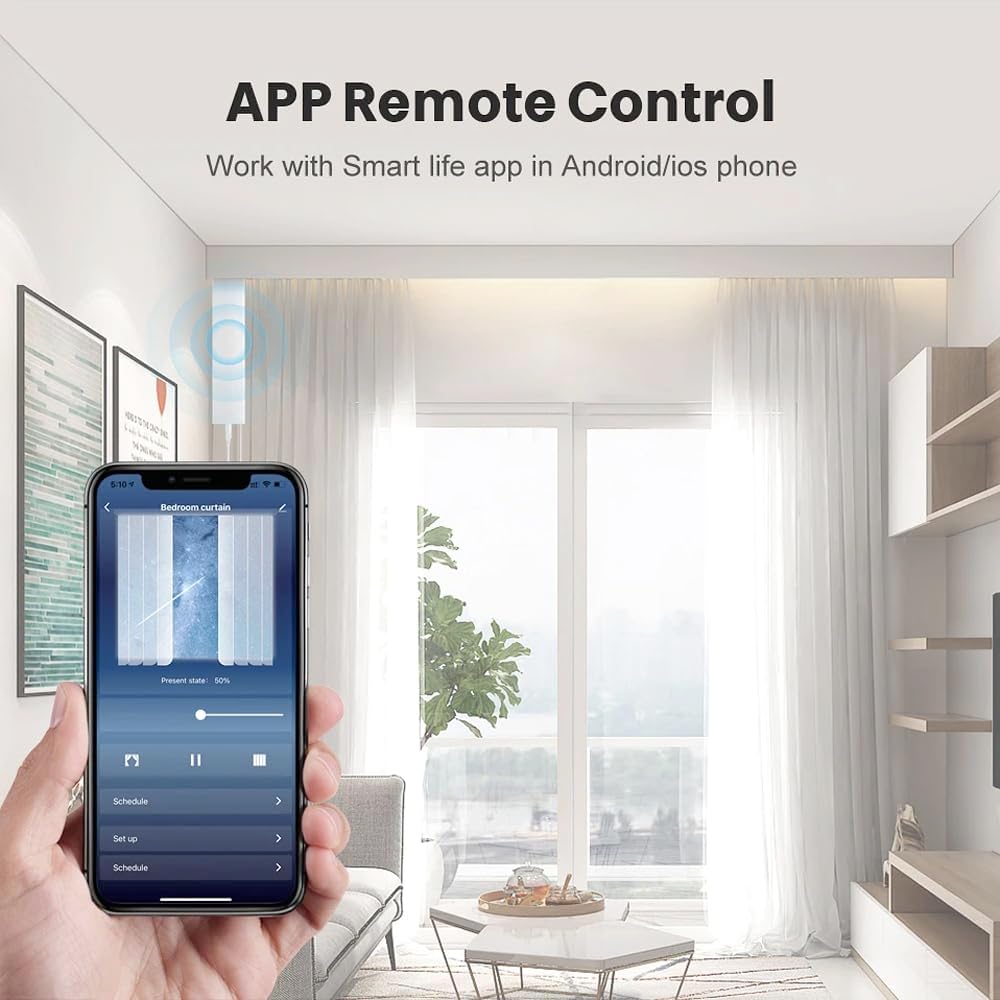
Image 5.2: APP Remote Control via Smart Life app on a smartphone.
5.2. Voice Control (Amazon Alexa / Google Home)
The SIXIN Smart Curtains System is compatible with Amazon Alexa and Google Home for convenient voice control.
- Ensure your smart curtain system is successfully connected to the Tuya Smart or Smart Life app.
- Open the Amazon Alexa app or Google Home app.
- Navigate to the "Skills & Games" section (Alexa) or "Works with Google" section (Google Home).
- Search for and enable the "Tuya Smart" or "Smart Life" skill/service.
- Link your Tuya Smart/Smart Life account with your Alexa/Google Home account.
- Discover devices. Your smart curtain system should now appear in your Alexa/Google Home device list.
- You can now use voice commands such as:
- "Alexa, open the curtain."
- "Hey Google, close the bedroom curtain."
- "Alexa, set curtain to 50%."

Image 5.3: Voice control integration with Alexa and Google Home.
6. Operating the Smart Curtains System
6.1. Remote Control Operation
The included remote control allows for direct operation of the curtains. Ensure batteries are inserted correctly.
- Open Button: Press to fully open the curtains.
- Close Button: Press to fully close the curtains.
- Stop Button: Press to stop the curtains at any desired position.
- Timer/Schedule: Some remotes may have buttons for setting basic schedules. For advanced scheduling, use the mobile app.

Image 6.1: Remote control for the smart curtain system.
6.2. Manual Pull Start Function (Touch Motion Activation)
The system features a "Lightly Pull Start Function." If you gently pull the curtain by hand, the motor will automatically activate and continue to open or close the curtain fully. This is a convenient feature for quick adjustments.

Image 6.2: Demonstrating the Light Touch and Start Function.
6.3. Obstacle Stop Function
For safety, the motor is equipped with an obstacle stop function. If the curtain encounters an obstruction during operation (e.g., a child pulling on it, or an object in the way), the motor will automatically stop to prevent damage to the system or injury.
6.4. Memory Function
The automatic curtain system can remember curtain positions and distance settings. This allows for consistent opening and closing to pre-set points.
6.5. Scene Linkage
Through the Tuya Smart or Smart Life app, you can integrate your smart curtain opener with other smart devices to create automated scenes. For example, you can set up a scene where the curtains automatically close when a door magnetic sensor detects your entry, or when the smart lights turn on.
7. Maintenance
Proper maintenance ensures the longevity and optimal performance of your SIXIN Smart Curtains System.
- Cleaning: Regularly wipe the curtain track and motor housing with a soft, dry cloth to remove dust. Avoid using abrasive cleaners or solvents.
- Track Inspection: Periodically check the track for any obstructions or debris that might hinder the smooth movement of the curtains.
- Curtain Condition: Ensure your curtains are clean and free from excessive weight or damage that could strain the motor.
- Power Supply: Make sure the power cord is not pinched or damaged.
- Battery Replacement: Replace batteries in the remote control as needed to ensure consistent operation.
8. Troubleshooting
If you encounter issues with your smart curtain system, refer to the following common problems and solutions:
| Problem | Possible Cause | Solution |
|---|---|---|
| Motor not responding to remote/app/voice. | No power; Remote batteries dead; App/WiFi connectivity issue; Motor not paired. | Check power connection. Replace remote batteries. Verify WiFi connection and app status. Re-pair motor if necessary (refer to setup section). |
| Curtains stop midway or do not open/close fully. | Obstruction on track; Track not level; Curtain weight exceeds limit; Limit settings incorrect. | Remove any obstructions. Ensure track is level. Verify curtain weight is within specifications. Reset limit settings via app or remote (refer to app instructions). |
| Voice control not working. | Incorrect voice command; Skill not enabled/linked; Internet connectivity issue. | Use precise commands. Ensure Tuya/Smart Life skill is enabled and linked in Alexa/Google Home app. Check internet connection. |
| Motor makes unusual noise. | Track obstruction; Worn components; Motor malfunction. | Check track for debris. If noise persists and affects operation, contact customer support. |
9. Warranty and Customer Support
SIXIN provides a 5-year warranty for your Smart Curtains System to address any manufacturing defects or performance issues.
For warranty claims, technical assistance, or any questions regarding customized services (including track length, track shape, opening method, installation method), please contact us via Amazon private message. Our customer support team is ready to assist you.
Contact Method: Please use the Amazon messaging system to reach SIXIN customer support.


