
1. Introduction
This manual provides comprehensive instructions for the safe and effective use of your REDTIGER Light-Adaptive Display Golf Rangefinder. Please read this manual thoroughly before operating the device and retain it for future reference. The rangefinder is designed to provide accurate distance measurements for golf, featuring a light-adaptive display and slope compensation.
2. Package Contents
Verify that all items are present in your package:
- REDTIGER Light-Adaptive Display Golf Rangefinder
- USB-C Charging Cable
- Cleaning Cloth
- Carrying Case
- Magnetic Golf Ball Marker Set
- User Manual
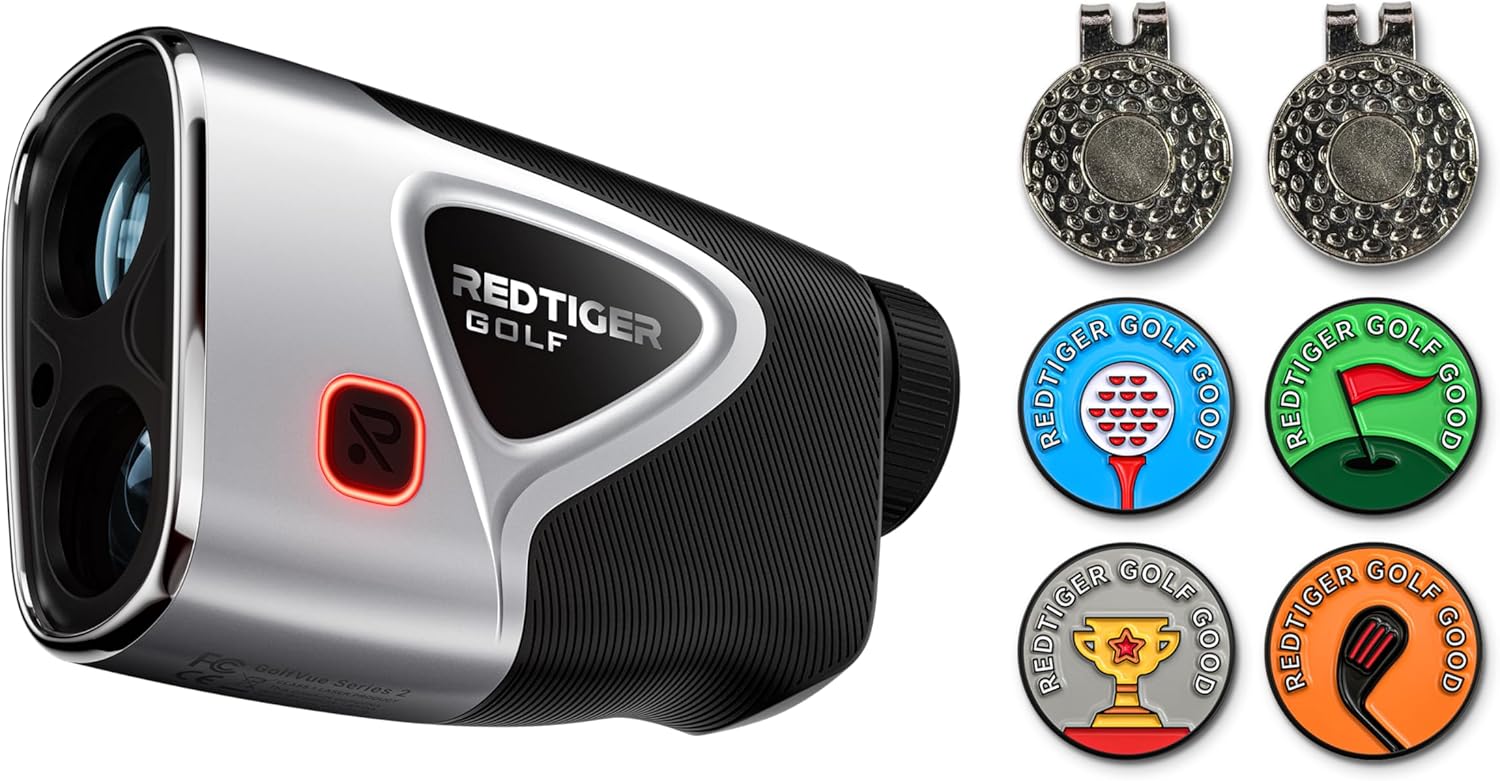
Image: REDTIGER Light-Adaptive Display Golf Rangefinder and accompanying magnetic golf ball markers.

Image: Assortment of REDTIGER magnetic golf ball markers with various golf-themed designs.
3. Product Overview
The REDTIGER Light-Adaptive Display Golf Rangefinder is a precision optical instrument designed for golf. It features a 7X magnification lens, a light-adaptive display for optimal visibility in varying light conditions, and a magnetic strip for convenient attachment to golf carts or clubs.
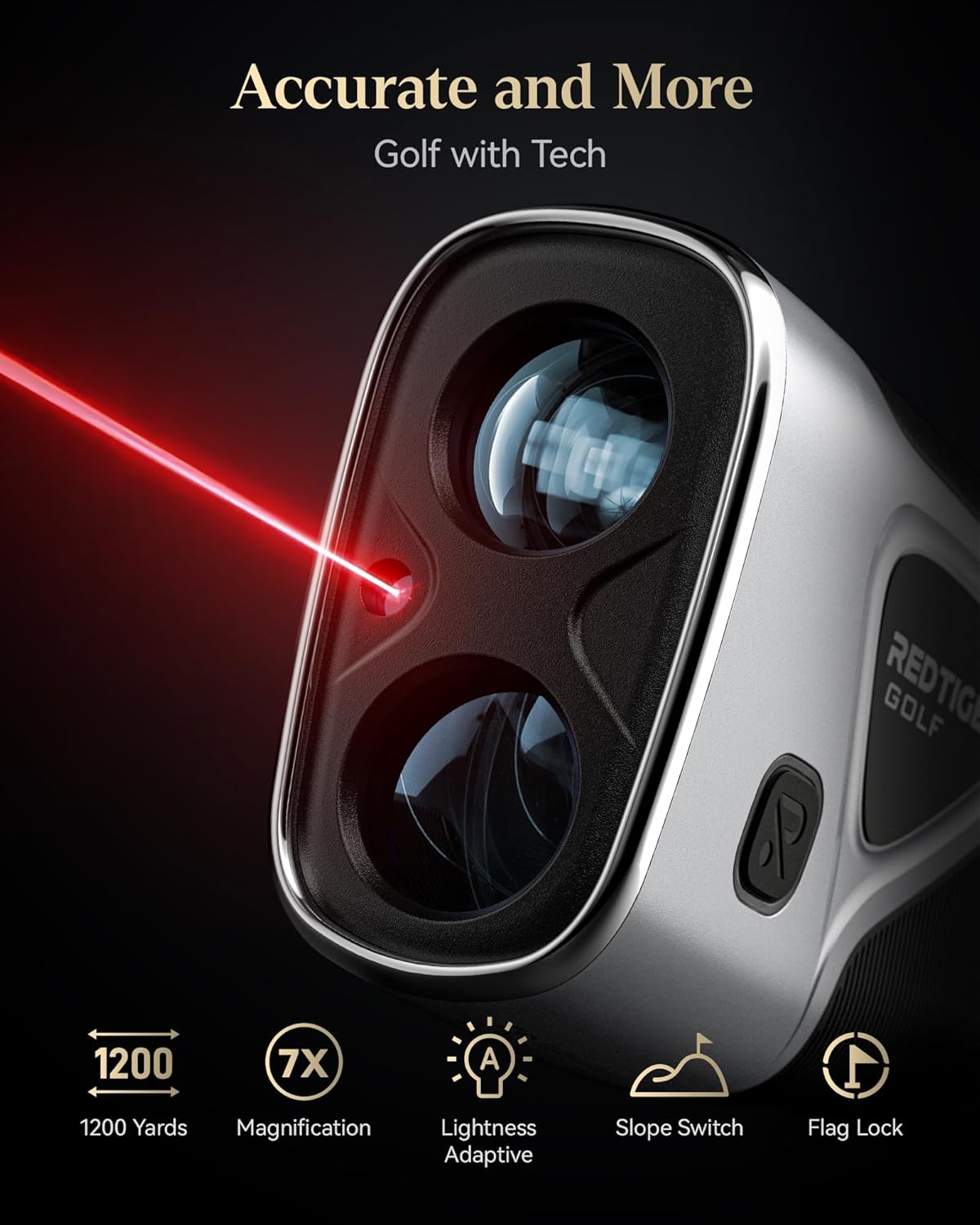
Image: REDTIGER Golf Rangefinder highlighting key features: 1200 yards range, 7X magnification, lightness adaptive display, slope switch, and flag lock.
4. Setup
4.1 Charging the Battery
The rangefinder is equipped with a 1000mAh USB-C rechargeable battery. Before first use, fully charge the device.
- Connect the provided USB-C cable to the charging port on the rangefinder.
- Connect the other end of the cable to a standard USB power adapter (not included) or a computer's USB port.
- The charging indicator light will illuminate during charging and change color or turn off when fully charged.
- A full charge provides approximately 10 hours of continuous use.
4.2 Power On/Off
- To power on, press the Power button (usually located on the top or side).
- The device will automatically power off after a period of inactivity to conserve battery.
4.3 Attaching the Magnetic Ball Marker
The rangefinder features a powerful magnetic strip for convenient attachment to metal surfaces, such as a golf cart frame or club. The included magnetic golf ball markers can be stored on this strip or attached to a hat clip.

Image: Dimensions of the REDTIGER magnetic golf ball marker and hat clip, highlighting vivid color, high magnetic strength, lightweight design, and hat clip functionality.
5. Operating Instructions
5.1 Basic Ranging
- Look through the eyepiece and aim the reticle at your desired target.
- Press the Measurement button (often the same as the Power button) to activate the laser and obtain a distance reading.
- The rangefinder has a measuring range of 5 to 1200 yards with an accuracy of ±0.5 yards.

Image: View through the REDTIGER golf rangefinder's eyepiece, displaying a target at 105.0 yards with 7X magnification and high accuracy.
5.2 Light-Adaptive Display
The rangefinder features a light-adaptive display that automatically adjusts brightness and reticle color based on ambient light conditions. In low light, the display will switch from a black reticle to a red reticle for improved visibility.
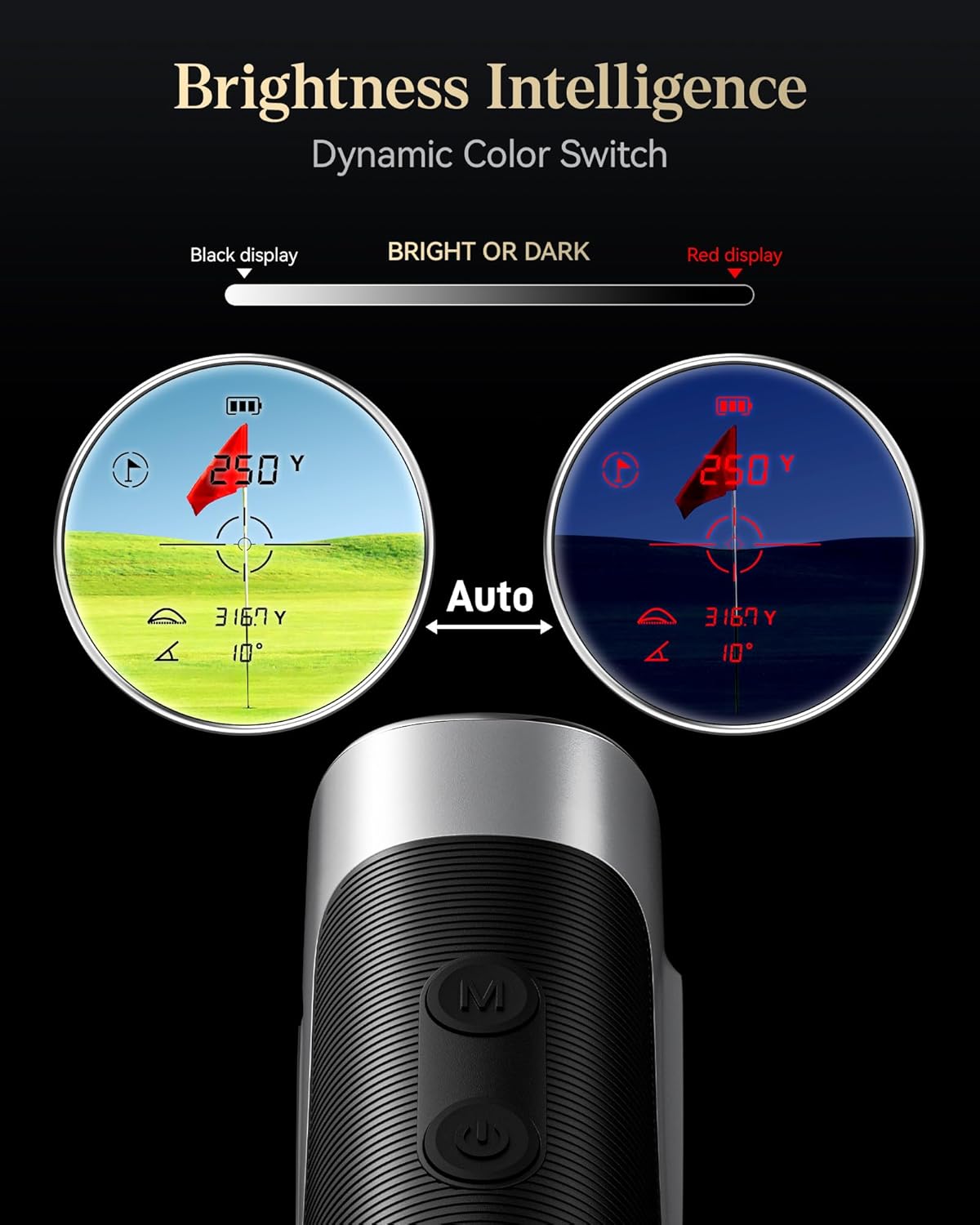
Image: Illustration of the REDTIGER rangefinder's dynamic color switch, showing how the display automatically changes between black and red reticles based on ambient light conditions.
5.3 Slope Compensation
The device includes a slope compensation feature that calculates the adjusted distance based on elevation changes. This feature can be toggled ON or OFF for tournament play compliance.
- Locate the Slope ON/OFF button (refer to product diagrams for exact location).
- Press the button to activate or deactivate the slope function.
- When active, the display will show both the actual distance and the slope-adjusted distance.
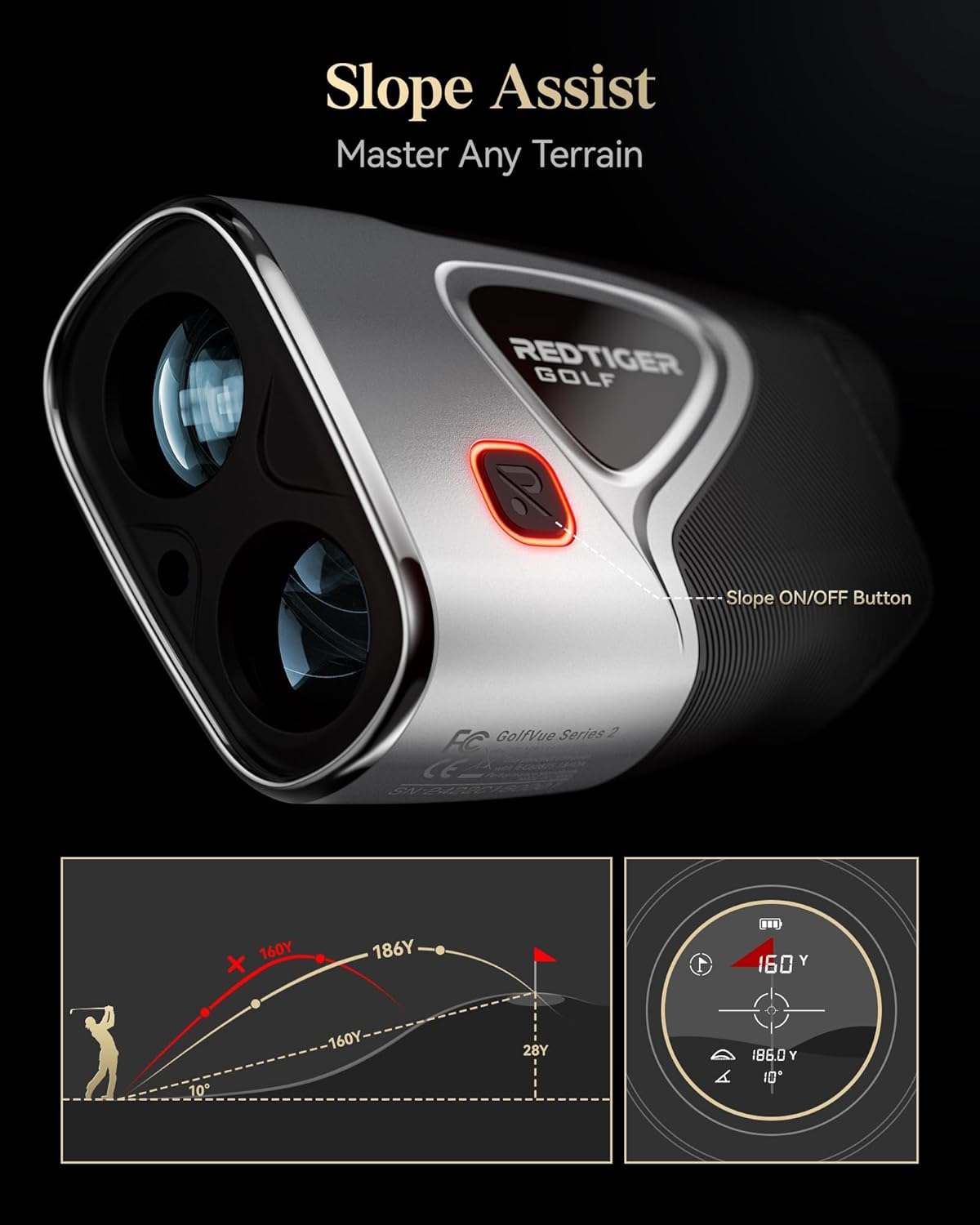
Image: REDTIGER rangefinder demonstrating slope assist feature with a diagram showing adjusted distance for uphill and downhill shots, and the physical slope ON/OFF button.
5.4 Flag Lock and Speed Measurement
The rangefinder supports flag lock technology to accurately target the flagstick and can also perform speed measurements. Refer to the on-screen prompts or additional mode buttons for specific activation of these functions.
5.5 Unit Switching (Yards/Meters)
The device allows switching between yards and meters for distance measurement. Consult the device's menu or mode button instructions for changing units.
6. Maintenance
6.1 Cleaning
- Use the provided cleaning cloth to gently wipe the lenses and exterior surfaces.
- Do not use abrasive materials or chemical cleaners, as they may damage the optics or finish.
6.2 Storage
- Store the rangefinder in its carrying case when not in use to protect it from dust and impact.
- Avoid storing in extreme temperatures or high humidity.
6.3 Water Resistance
The rangefinder has an IP54 water resistance rating, meaning it is protected from dust and splashing water from any direction. It is not designed for submersion.
7. Troubleshooting
| Issue | Possible Cause | Solution |
|---|---|---|
| Device does not power on | Low battery; Device malfunction | Charge the battery; Contact customer support |
| Inaccurate readings | Obstructed view; Unstable aiming; Environmental factors | Ensure clear line of sight; Hold device steady; Re-measure in different conditions |
| Display is dim or unreadable | Low battery; Extreme lighting conditions | Charge the battery; Allow light-adaptive display to adjust; Move to a different lighting environment |
| Cannot switch modes/units | Incorrect button press; Device frozen | Refer to operating instructions for correct button sequence; Power cycle the device |
8. Specifications
| Feature | Detail |
|---|---|
| Brand | REDTIGER |
| Model | Light-Adaptive Display Golf Rangefinder |
| Measuring Range | 5-1200 yards |
| Accuracy | ±0.5 yards |
| Magnification | 7X |
| Battery Type | Lithium-Ion Polymer |
| Battery Capacity | 1000mAh, 3.7V |
| Water Resistance | IP54 |
| ASIN | B0DRPC2STB |
9. Warranty and Support
REDTIGER provides a 2-year unconditional assurance for this product. Additionally, lifetime technical support and 24/7 customer service are available to assist you with any inquiries or issues.
For support, please refer to the contact information provided with your product packaging or visit the official REDTIGER website.