WOPET Automatic Pet Feeder with Camera
User Manual
Model: WOPET 6L Automatic Pet Feeder with Camera
Product Overview
The WOPET Automatic Pet Feeder with Camera is designed to provide convenient and reliable feeding for your pets, whether you have one or two. Equipped with advanced features like smart app control, an HD camera with night vision, two-way audio, and dual power backup, this feeder ensures your furry companions are well-fed and monitored, offering peace of mind for pet parents.

Figure 1: WOPET Automatic Pet Feeder with Camera, showing the main unit with dual food bowls and a smartphone displaying the camera feed.
This smart feeder supports both 5GHz and 2.4GHz WiFi networks, allowing for flexible placement and consistent connectivity. You can customize feeding schedules with up to 10 meals per day and 1-20 portions per meal, all managed directly from the Wopet Life app on your smartphone.
Setup Guide
- Unpack and Assemble: Carefully remove all components from the packaging. Ensure you have the main feeder unit, dual stainless steel bowls, power adapter, and the included 4G micro SD card.
- Power Connection: Connect the power adapter to the feeder and a wall outlet. For dual power backup, insert 3 D-size batteries (not included) into the battery compartment at the bottom of the feeder. It is recommended to use both the adapter and batteries for optimal performance and to ensure feeding during power outages.
- Install SD Card: Locate the micro SD card slot, typically near the camera lens or at the back/bottom of the unit. Insert the included 4G micro SD card (or your own up to 256G) for video storage.
- Download Wopet Life App: Scan the QR code in the quick start guide or search for "Wopet Life" in your smartphone's app store (available for iOS and Android). Install the app.
- Network Pairing:

Figure 2: Step-by-step guide for connecting the WOPET Pet Feeder to your home WiFi network via the Wopet Life app.
- Open the Wopet Life app and create an account or log in.
- Click the "+" or "Set Up Device" button to add a new pet feeder.
- Select the device named "Heritage View 10" or similar.
- Ensure your phone's Bluetooth is turned on and allow the app to pair with the device.
- Enter your home WiFi password. The feeder supports both 5GHz and 2.4GHz networks.
- Follow the on-screen prompts to complete the pairing process.
- Fill Food Hopper: Open the lid of the feeder and pour dry kibble into the food storage hopper. Ensure the kibble size is between 2-12mm to prevent jamming.
Operating Instructions
- Setting Feeding Schedules:

Figure 3: Screenshot of the Wopet Life app interface for setting up daily meal schedules.
Within the Wopet Life app, navigate to the 'Meal Schedule' section. You can set up to 10 meals per day for up to two pets. For each meal, specify the time and the number of portions (1-20) to be dispensed. The app allows for precise control over your pet's diet.
- Live View and Playback:

Figure 4: The Wopet Life app interface showing live camera feed and playback options, allowing users to monitor their pets.
The feeder features a 1080P HD camera with a 160° ultra-wide-angle lens and 4X digital zoom. Access the live feed through the app to monitor your pets at any time. Videos can be saved to the micro SD card, and you can review past recordings via the playback function.
- Night Vision:

Figure 5: The WOPET Pet Feeder's camera provides clear night vision, allowing monitoring in low-light conditions.
The camera includes enhanced night vision with an effective range of up to 33 feet, ensuring clear visibility of your pets even in complete darkness.
- Two-Way Audio & Personalized Meal Call:
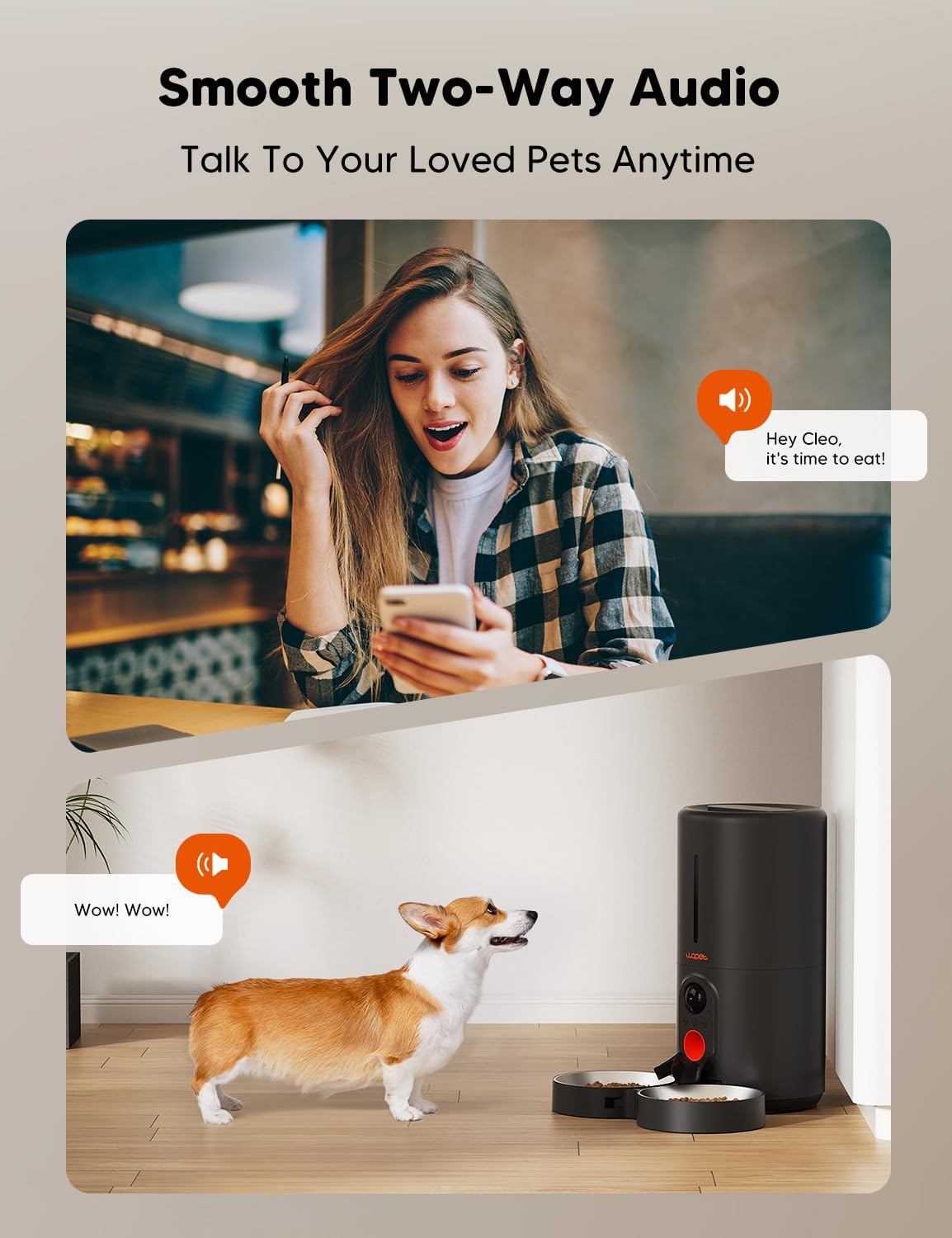
Figure 6: A user interacting with their pet via the two-way audio feature of the WOPET Pet Feeder.
Utilize the built-in microphone and speaker to communicate with your pets remotely. You can also record a custom meal call (up to 10 seconds) that will play during feeding times, providing a familiar and comforting sound for your pet.
- Privacy Protection:

Figure 7: The Wopet Life app allows users to enable or disable the camera for privacy protection.
For privacy, you can enable or disable the camera directly through the Wopet Life app's privacy settings. This gives you full control over when the camera is active.
- Multi-User Access:

Figure 8: The Wopet Life app supports multiple users, enabling family and friends to share access and monitor pets simultaneously.
The Wopet Life app supports multiple users, allowing you to share access with family and friends. There is no limit on the number of accounts that can view the feeder simultaneously on both iPhone and Android devices.
- Low Food Sensor: The feeder is equipped with a low food sensor that alerts you via the app when the kibble level is low, ensuring your pet never runs out of food.
Maintenance
- Cleaning: Regularly clean the food hopper and bowls to maintain hygiene and prevent food spoilage. The feeder is made from BPA-free materials. Refer to the app's 'Hopper Cleaning Guide' and 'Bowl Cleaning Guide' for detailed instructions.
- Food Compatibility:

Figure 9: Visual guide for recommended kibble sizes and types compatible with the WOPET Pet Feeder.
The feeder is designed for dry food only. Recommended kibble size is between 2-12mm. Do not use kibble over 12mm, as it may cause the feeder to jam.
- SD Card Management: Periodically check the SD card storage. Videos can be saved on micro SD cards up to 256G. The included 4G SD card provides direct storage without monthly subscription fees.
Troubleshooting
| Issue | Possible Cause | Solution |
|---|---|---|
| Feeder not connecting to WiFi | Incorrect WiFi password, wrong network band (5GHz vs 2.4GHz), weak signal. | Ensure correct password. Try connecting to both 5GHz and 2.4GHz networks. Move feeder closer to router. Restart feeder and router. |
| Camera not working / Black screen | Privacy mode enabled, app glitch, connectivity issue, camera malfunction. | Check privacy settings in the app to ensure camera is enabled. Restart the app. Verify stable WiFi connection. Contact support if issue persists. |
| Food not dispensing / Jammed | Kibble size too large, foreign object in dispenser, low food level. | Ensure kibble is within 2-12mm. Check hopper for obstructions. Refill food if low. Clean dispenser mechanism. |
| Two-way audio / Meal call not working | Microphone/speaker issues, app settings, connectivity. | Check app volume settings. Ensure stable connection. Test recording a new meal call. Contact support if hardware issue suspected. |
| App crashing / Unresponsive | Outdated app version, software bug, insufficient phone storage. | Update Wopet Life app to the latest version. Clear app cache/data. Reinstall the app. Ensure sufficient storage on your phone. |
Specifications
- Model: WOPET 6L Automatic Pet Feeder with Camera
- Capacity: 6 Liters
- Camera: 1080P HD, 160° Ultra-Wide-Angle Lens, 4X Digital Zoom, Night Vision (up to 33 ft)
- Connectivity: 5GHz / 2.4GHz WiFi
- Feeding Schedule: Up to 10 meals/day, 1-20 portions/meal
- Audio: Two-Way Audio, Personalized Meal Call (up to 10 seconds)
- Storage: Micro SD Card (up to 256G, 4G card included)
- Power: AC Power Adapter, 3 x D-size Batteries (not included) for backup
- Material: BPA-free
- Recommended Kibble Size: 2-12mm
- Dimensions: 7.78 x 7.48 x 15.75 inches
- Weight: 4.13 pounds
Warranty and Support
The WOPET Automatic Pet Feeder comes with a standard return policy of 30 days from the date of purchase. For extended coverage, protection plans are available for 3-Year, 4-Year, and a Complete Protect option.
For any product inquiries, technical assistance, or warranty claims, please visit the official WOPET Store on Amazon or refer to the contact information provided in your product packaging. You can also find additional resources and FAQs within the Wopet Life app.
Note: There are no monthly subscription fees for notifications or video recording when using the included SD card for direct storage.