
ARCCAPTAIN LY600
ARCCAPTAIN True Color Auto Darkening Welding Helmet LY600
User Instruction Manual
1. Introduction
This manual provides essential information for the safe and effective use of your ARCCAPTAIN True Color Auto Darkening Welding Helmet, model LY600. Please read this manual thoroughly before operating the helmet and retain it for future reference. This helmet is designed to protect your eyes and face from sparks, spatter, and harmful radiation under normal welding conditions.
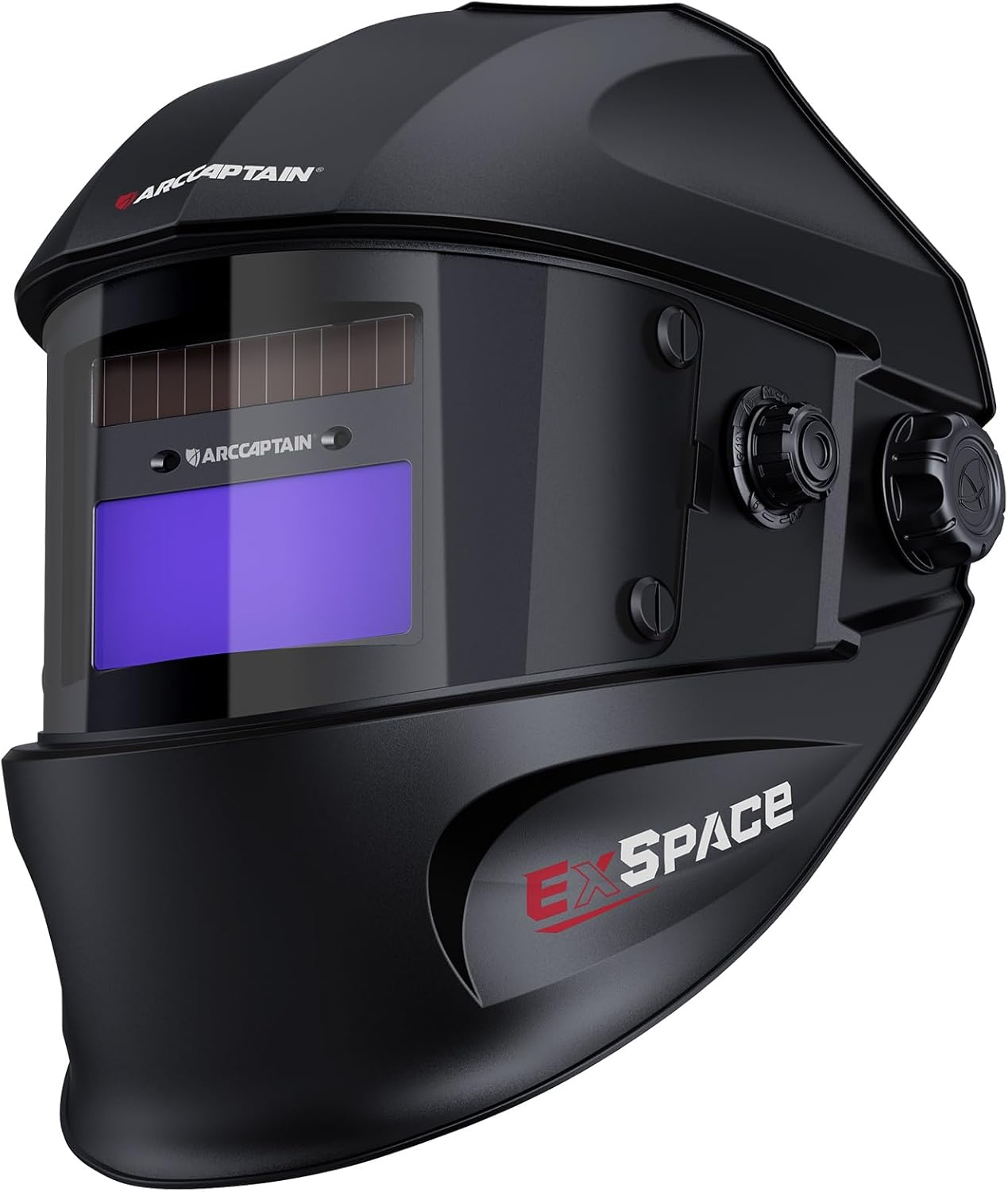
Image 1: ARCCAPTAIN LY600 Auto Darkening Welding Helmet
2. Safety Precautions
Always observe the following safety precautions to prevent personal injury and equipment damage:
- Eye Protection: The auto-darkening filter (ADF) is designed to protect against harmful UV/IR radiation even in the light state. However, direct exposure to welding arc without the helmet in the dark state can cause severe eye damage.
- Impact Protection: This helmet is not designed for impact protection against severe hazards such as grinding wheels or explosive devices. Always wear appropriate primary eye protection (safety glasses) underneath the helmet.
- Heat Exposure: Do not place the helmet on hot surfaces.
- Maintenance: Do not modify the helmet or the auto-darkening filter. Use only genuine replacement parts.
- Temperature Range: Operate the helmet within the specified temperature range of -5°C to 55°C (23°F to 131°F).
3. Product Overview and Components
The ARCCAPTAIN LY600 welding helmet consists of several key components designed for optimal performance and user comfort.

Image 2: Exploded view of ARCCAPTAIN LY600 Welding Helmet components, showing the lens frame, inside lens cover, lens assembly, outside lens cover, and headset mounts.
Key Features:
- New Generation Screen: Features a 3.64" x 1.67" viewing area with 1/1/1/1 optical clarity and true color technology.
- Upgraded Arc Sensors: Two new generation arc sensors for faster auto-darkening (1/25000 seconds).
- Adjustable Controls: Easily adjustable brightness, sensitivity, and delay.
- Dual Power Source: Solar panel and replaceable CR2450 lithium battery.
- Durable Material: Made from eco-friendly PP materials.
- Advanced Eye Protection: 12-in-1 smart filter with automatic DIN 16 UV/IR protection.
- Comfortable Headgear: Newly upgraded knob section for easy adjustment and improved fit.
4. Setup and Adjustment
Proper setup and adjustment are crucial for comfort and safety.
4.1 Initial Setup
- Remove Protective Films: Before first use, carefully remove the protective films from both the inner and outer surfaces of the auto-darkening filter lens. Failure to do so will impair visibility and helmet function.
- Install Outer Cover Lens: Ensure the outer cover lens is securely in place.
4.2 Headgear Adjustment
The helmet features an upgraded headgear system for a secure and comfortable fit.

Image 3: Headgear adjustment points, including head circumference adjustment, tightness adjustment knob, and side buttons for angle adjustment.
- Head Circumference: Use the knob at the back of the headgear to adjust the circumference for a snug fit.
- Helmet Angle: Adjust the side buttons to set the desired angle of the helmet when in the raised position.
- Distance from Face: Adjust the pins on the headgear to control the distance between the helmet and your face.
- Top Strap: Adjust the top strap for flexible and balanced positioning on your head.
The larger adjustment knobs allow for easy manipulation even while wearing welding gloves.
5. Operating Instructions
Understand the controls and modes for effective welding and grinding.
5.1 Auto-Darkening Filter (ADF) Controls

Image 4: Controls for Delay, Shade, and Sensitivity on the auto-darkening filter.
- Sensitivity Control: Adjusts the sensitivity of the arc sensors to ambient light conditions. Turn to 'HI' for weak arcs (e.g., low amperage TIG) or 'LO' for strong arcs (e.g., high amperage MIG/ARC) to prevent false triggering.
- Delay Control: Adjusts the time it takes for the lens to return from dark to light state after welding. A shorter delay ('MIN') is suitable for tack welding, while a longer delay ('MAX') is recommended for high amperage welding to reduce eye fatigue.
- Shade Control: Sets the darkness level of the filter.
- Grind Mode: DIN 4 (Light state for grinding).
- Cut Mode: DIN 5-9.
- Weld Mode: DIN 9-13 (Adjust according to welding process and amperage).
5.2 Power Source
The helmet is powered by a combination of solar energy and a replaceable CR2450 lithium battery. The solar panel charges the battery during use, extending its lifespan. A 'Low Battery' indicator will illuminate when the battery needs replacement.
5.3 Applications

Image 5: The ARCCAPTAIN LY600 Welding Helmet is suitable for various applications including Stick, MIG, TIG welding, and grinding.
The ARCCAPTAIN LY600 is suitable for a wide range of welding and grinding applications, including:
- Stick Welding (ARC)
- MIG Welding
- TIG Welding
- Grinding
Ensure the correct shade level is selected for your specific application to ensure adequate eye protection.
5.4 Video Demonstration
Watch this official product video for a visual guide on the helmet's features and operation.
Video 1: Official ARCCAPTAIN video demonstrating the features and adjustments of the True Color Auto Darkening Welding Helmet.
6. Maintenance
Regular maintenance ensures the longevity and proper function of your welding helmet.
- Cleaning: Clean the helmet shell and cover lenses regularly with a mild soap and water solution and a soft cloth. Do not use harsh abrasives or solvents.
- ADF Cleaning: Gently wipe the auto-darkening filter with a clean, lint-free cloth. Do not immerse the ADF in water or cleaning solutions.
- Battery Replacement: When the 'Low Battery' indicator illuminates, replace the CR2450 lithium battery located at the back of the ADF. Ensure correct polarity.
- Storage: Store the helmet in a dry, cool place away from direct sunlight and extreme temperatures.
- Inspection: Periodically inspect the helmet for any signs of damage, cracks, or wear. Replace damaged parts immediately.
7. Troubleshooting
If you encounter issues with your welding helmet, refer to the following common troubleshooting steps:
| Problem | Possible Cause | Solution |
|---|---|---|
| Lens does not darken when welding. | 1. Protective films not removed. 2. Low battery. 3. Sensitivity set too low. 4. Arc sensors obstructed. | 1. Remove all protective films. 2. Replace CR2450 battery. 3. Increase sensitivity setting. 4. Clean or clear arc sensors. |
| Poor visibility through the lens. | 1. Protective films not removed. 2. Lens or cover plates are dirty/scratched. | 1. Remove all protective films. 2. Clean lenses or replace scratched cover plates. |
| Helmet feels uncomfortable or loose. | Headgear not properly adjusted. | Adjust head circumference, angle, and top strap for a secure fit. |
If the problem persists after attempting these solutions, contact ARCCAPTAIN customer support.
8. Specifications
Detailed technical specifications for the ARCCAPTAIN LY600 Welding Helmet:
| Feature | Specification |
|---|---|
| Model Number | LY600 |
| Optical Clarity | 1/1/1/1 |
| Viewing Area | 3.64" x 1.67" |
| Response Time (Light to Dark) | 1/25000 seconds |
| Dark State Levels | DIN 4/9-13 |
| UV/IR Protection | DIN 16 (Automatic) |
| Arc Sensors | 2 |
| Power Source | Solar Cell & 1x CR2450 Lithium Metal Battery (included) |
| Operating Temperature | -5°C to 55°C (23°F to 131°F) |
| Storage Temperature | -20°C to 70°C (-4°F to 158°F) |
| Material | Polypropylene (PP) |
| Item Weight | 1.94 pounds |
| Included Components | 1 x ARCCAPTAIN Storage Bag, 1 x Replaced Lithium Battery, 1x Welding helmet, 3 x Replacement Lens |
9. Warranty Information
ARCCAPTAIN products are manufactured to high-quality standards. For specific warranty details, including coverage period and terms, please refer to the warranty card included with your product or visit the official ARCCAPTAIN website. Keep your purchase receipt as proof of purchase for any warranty claims.
10. Customer Support
For further assistance, technical support, or to purchase replacement parts, please contact ARCCAPTAIN customer service or visit our official store:
Ask a question about this manual
Ask about setup, troubleshooting, compatibility, parts, safety, or missing instructions. Manuals+ will review the question and use this page’s manual context to help answer it.