Airiton AI-G7 4G POC Two-Way Radio User Manual
Model: AI-G7
1. Introduction
The Airiton AI-G7 is a state-of-the-art 4G Push-to-Talk Over Cellular (POC) two-way radio designed for seamless, long-distance communication. Leveraging 4G network technology, it offers unlimited communication range, covering distances up to 5000 miles, making it ideal for various professional and personal applications. This manual provides essential information for setting up, operating, and maintaining your AI-G7 radio.
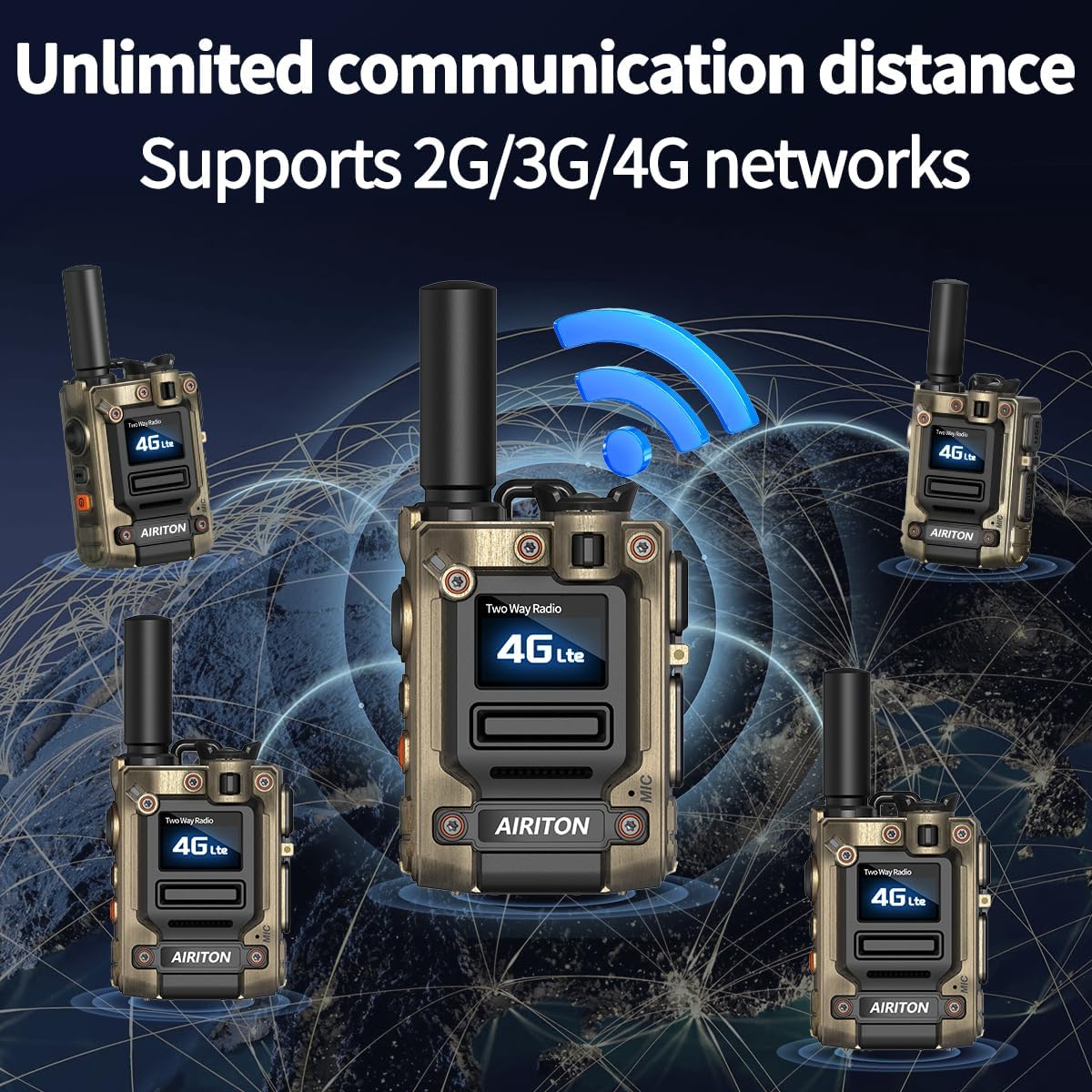
Figure 1.1: Airiton AI-G7 radios connected across a global network, illustrating unlimited communication distance via 4G POC technology.
2. What's in the Box
Upon unboxing your Airiton AI-G7 package, please verify that all the following components are included:
- 2 x Airiton AI-G7 Radio Body
- 2 x Battery
- 2 x Type-C USB Charger (Cable and Adapter)
- 2 x Belt Clip
- 2 x Hand Strap (Lanyard)
- 1 x Screwdriver
- 1 x User Manual (This document)
- 2 x SIM Card (pre-installed)
- 2 x Earpiece
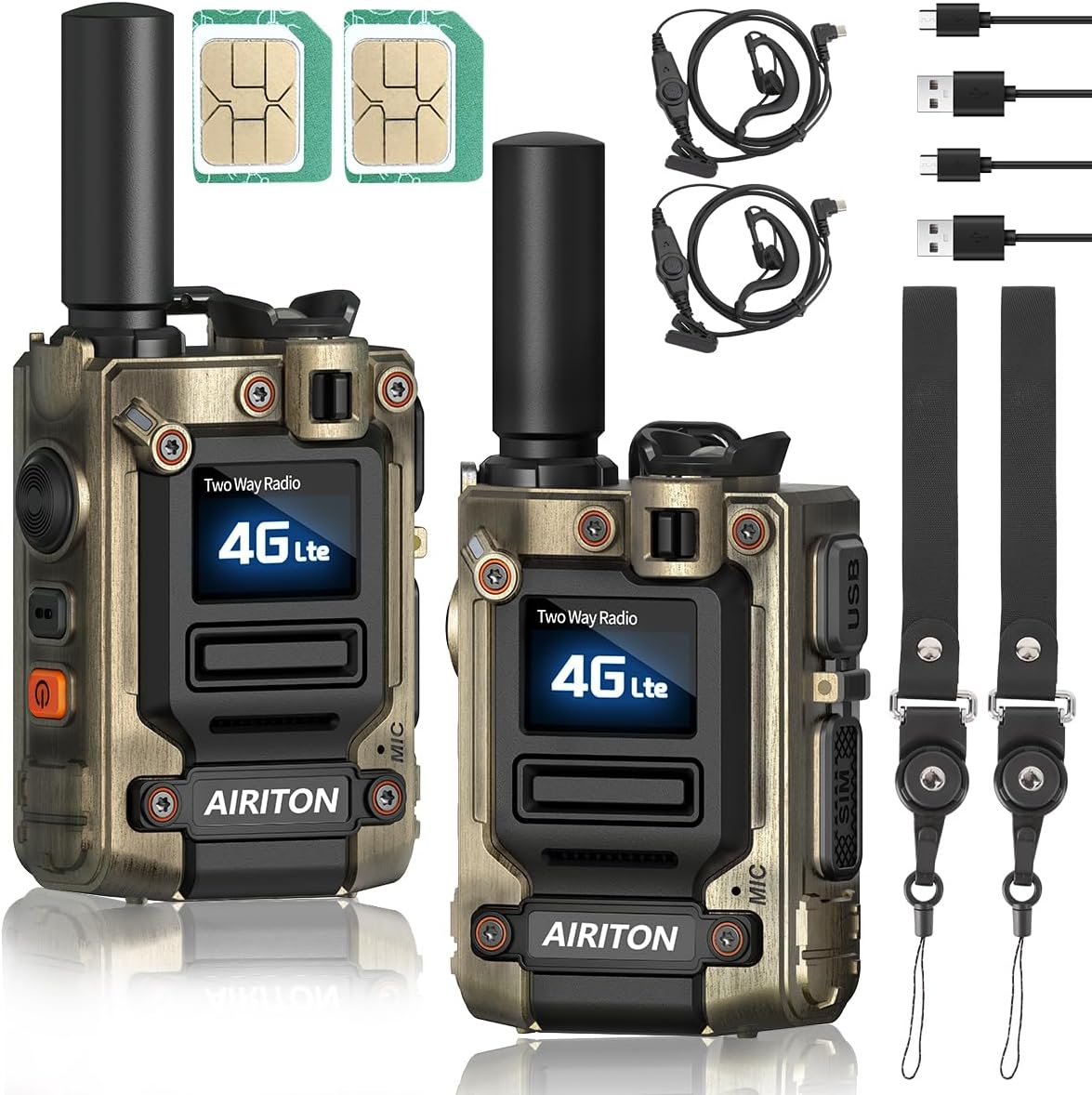
Figure 2.1: Overview of the Airiton AI-G7 package contents, showing two radios, SIM cards, charging cables, power adapters, lanyards, and earpieces.
Video 2.1: An unboxing video demonstrating the contents of the Airiton AI-G7 package and initial setup steps.
3. Setup
3.1 SIM Card Installation
The AI-G7 radios come with SIM cards pre-installed in the side card slot. No manual installation is typically required for initial use. If you need to access or replace the SIM card:
- Locate the SIM card slot cover on the side of the radio.
- Carefully open the cover.
- Insert or remove the SIM card as needed, ensuring correct orientation.
- Securely close the SIM card slot cover to protect against dust and moisture.

Figure 3.1: Visual guide for SIM card installation, highlighting the side slot where the SIM card is inserted.
3.2 Charging the Radio
Before first use, fully charge your AI-G7 radio. Use the provided Type-C USB charger.
- Connect the Type-C USB cable to the charging port on the side of the radio.
- Connect the other end of the cable to the power adapter.
- Plug the power adapter into a standard electrical outlet.
- The radio's display will indicate charging status. A full charge typically takes several hours.

Figure 3.2: Illustration of the Type-C charging process for the Airiton AI-G7 radio, demonstrating connection to a power source.
4. Operating Instructions
4.1 Radio Controls and Display
Familiarize yourself with the main controls and indicators on your AI-G7 radio:

Figure 4.1: Detailed diagram of the AI-G7 radio, highlighting key components such as the PTT button, volume controls, charging port, and display.
- On/Off Key: Press and hold to power the radio on or off.
- PTT (Push-to-Talk) Key: Press and hold to transmit your voice. Release to listen.
- Flashlight/Menu Key: Short press to activate/deactivate the flashlight. Long press to access menu options.
- Volume/Menu Up/Down: Adjust volume or navigate menu options.
- Color Screen: Displays current status, group information, battery level, and network signal.
- Type-C Charging Port: For charging the radio.
- SIM Card Slot: Houses the pre-installed SIM card.
4.2 Communication Modes
The AI-G7 supports both single and group call functions:
- Single Call: For one-on-one private communication.
- Group Call: For broadcasting messages to a pre-defined group of radios. This is the primary mode for team communication.
To switch between groups or initiate a single call, use the menu navigation buttons. The radios are typically pre-set with default groups for immediate use.

Figure 4.2: Visual representation of the two primary communication modes: single call for private conversations and group call for team communication.
4.3 Flashlight Function
The AI-G7 radio includes a built-in flashlight for convenience in low-light conditions.
- To turn the flashlight on or off, short press the Flashlight/Menu Key.
- Some models may offer multiple brightness levels or a strobe mode, which can be cycled through by repeated short presses.
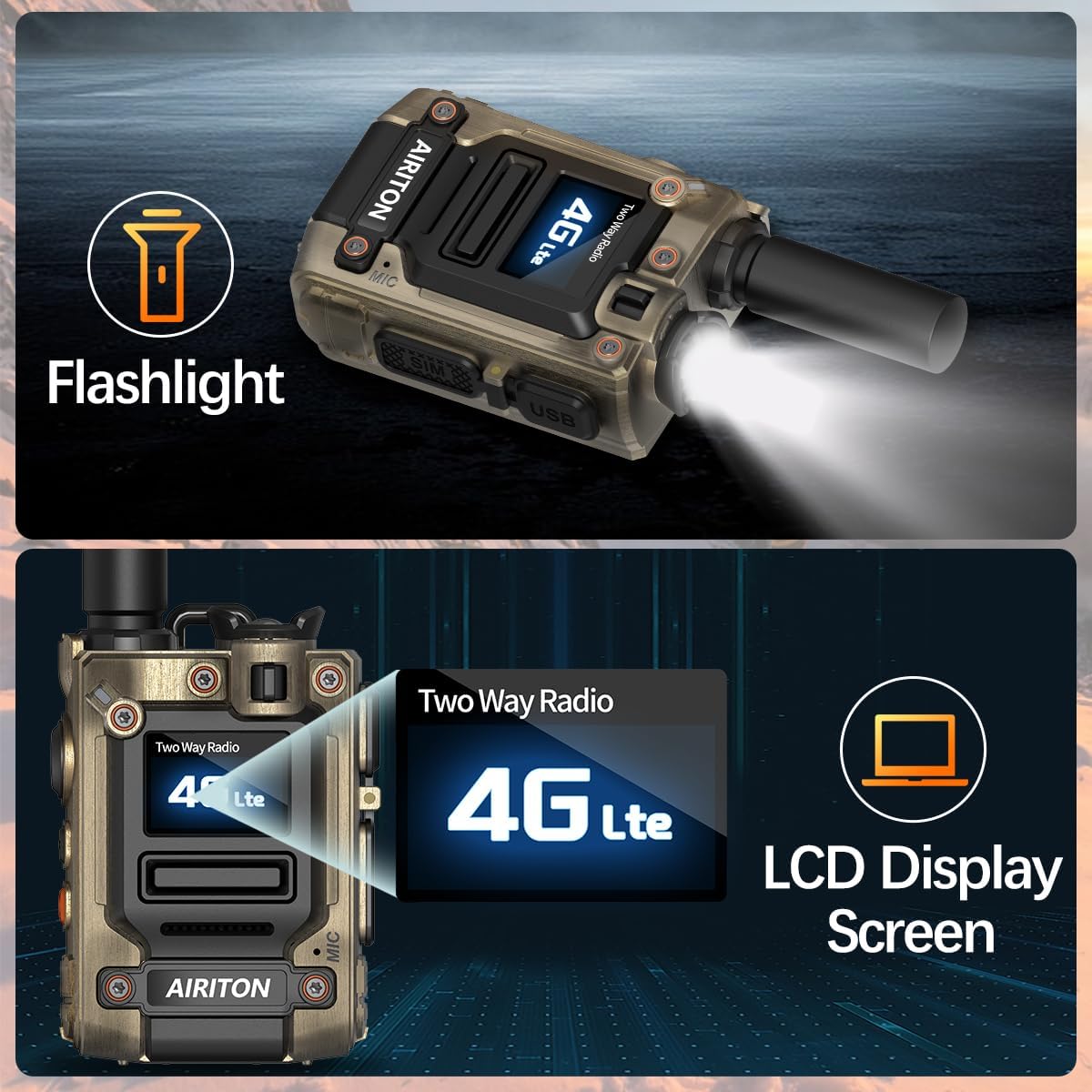
Figure 4.3: The AI-G7 radio demonstrating its integrated flashlight feature, useful for various environments.
5. Maintenance
To ensure the longevity and optimal performance of your Airiton AI-G7 radios, follow these maintenance guidelines:
- Cleaning: Use a soft, damp cloth to clean the radio's exterior. Avoid harsh chemicals or abrasive cleaners.
- Storage: Store the radios in a cool, dry place away from direct sunlight and extreme temperatures.
- Battery Care: Fully charge the battery before long-term storage. Avoid completely draining the battery frequently.
- Durability: The AI-G7 features a zinc alloy body designed to be shockproof and drop-resistant. While durable, avoid unnecessary drops or impacts to prevent damage.

Figure 5.1: The robust metal casing of the AI-G7 radio, designed for enhanced durability and resistance to wear and impact.
6. Troubleshooting
If you encounter issues with your Airiton AI-G7 radio, refer to the following common problems and solutions:
| Problem | Possible Cause | Solution |
|---|---|---|
| Radio does not power on. | Low or depleted battery. | Charge the radio fully using the provided Type-C charger. |
| No signal or poor communication. | Out of 4G network coverage; SIM card issue. | Move to an area with better 4G coverage. Ensure SIM card is properly installed. Contact customer service if issues persist. |
| Audio is unclear or distorted. | Weak signal; microphone obstruction; volume too low/high. | Check network signal strength. Ensure microphone is clear. Adjust volume. The AI-G7 has advanced noise-cancelling microphones for clear sound. |
| Cannot communicate with other radios. | Radios are not in the same group; pairing issue. | Ensure all radios are set to the correct communication group. If you purchased more radios, contact Airiton customer service with serial numbers for pairing assistance. |
7. Specifications
Key technical specifications for the Airiton AI-G7 4G POC Two-Way Radio:
- Model: AI-G7
- Communication Technology: 4G POC (Push-to-Talk Over Cellular)
- Coverage: National, up to 5000 miles (network dependent)
- FCC Certification: FCC ID: 2BMG4-AI-G7
- Frequency Range: 700 MHz to 2.6 GHz
- Number of Channels: 200
- Power Source: Rechargeable Battery
- Charging Port: Type-C USB
- Body Material: Zinc Alloy (shockproof, drop-resistant)
- Audio Features: Advanced noise-cancelling microphones
- Water Resistance Level: Not Water Resistant
- Additional Features: Built-in flashlight, color LCD display, group and private call functions.
- Dimensions (Approximate): 3.1 inches (height) x 2.54 inches (width) x 1.6 inches (depth)
- Weight: 1.92 pounds
8. Warranty and Support
Your Airiton AI-G7 radio comes with an annual SIM card service for the first year, providing unlimited high-speed data. After the first year, you have the option to renew the service or use your own compatible SIM card.
For technical guidance, pairing additional radios, or any other customer service inquiries, please contact Airiton customer support. Provide your radio's serial number for efficient assistance.
Note: The manufacturer provides no explicit warranty information beyond the SIM card service. Please refer to your purchase documentation or contact the seller for specific warranty terms.