
1. Introduction & Overview
The ANCHEER Under Desk Elliptical is an electric, motorized leg exerciser designed for convenient use while sitting. It provides a low-impact workout suitable for seniors and adults, promoting leg movement and improved circulation without disturbing others. This manual provides essential information for setting up, operating, and maintaining your device.
Key Features:
- Built-in Display Monitor: Tracks time, speed, count, and calories.
- Multiple Movement Functions: Offers Auto (P1-P3) and Manual (5-levels speed) modes, with forward and backward pedal direction.
- Smooth, Quiet & Portable: Designed for silent operation and easy portability. No assembly required.
- Large Anti-slip Pedals: Textured pedals ensure a secure foot placement during exercise.
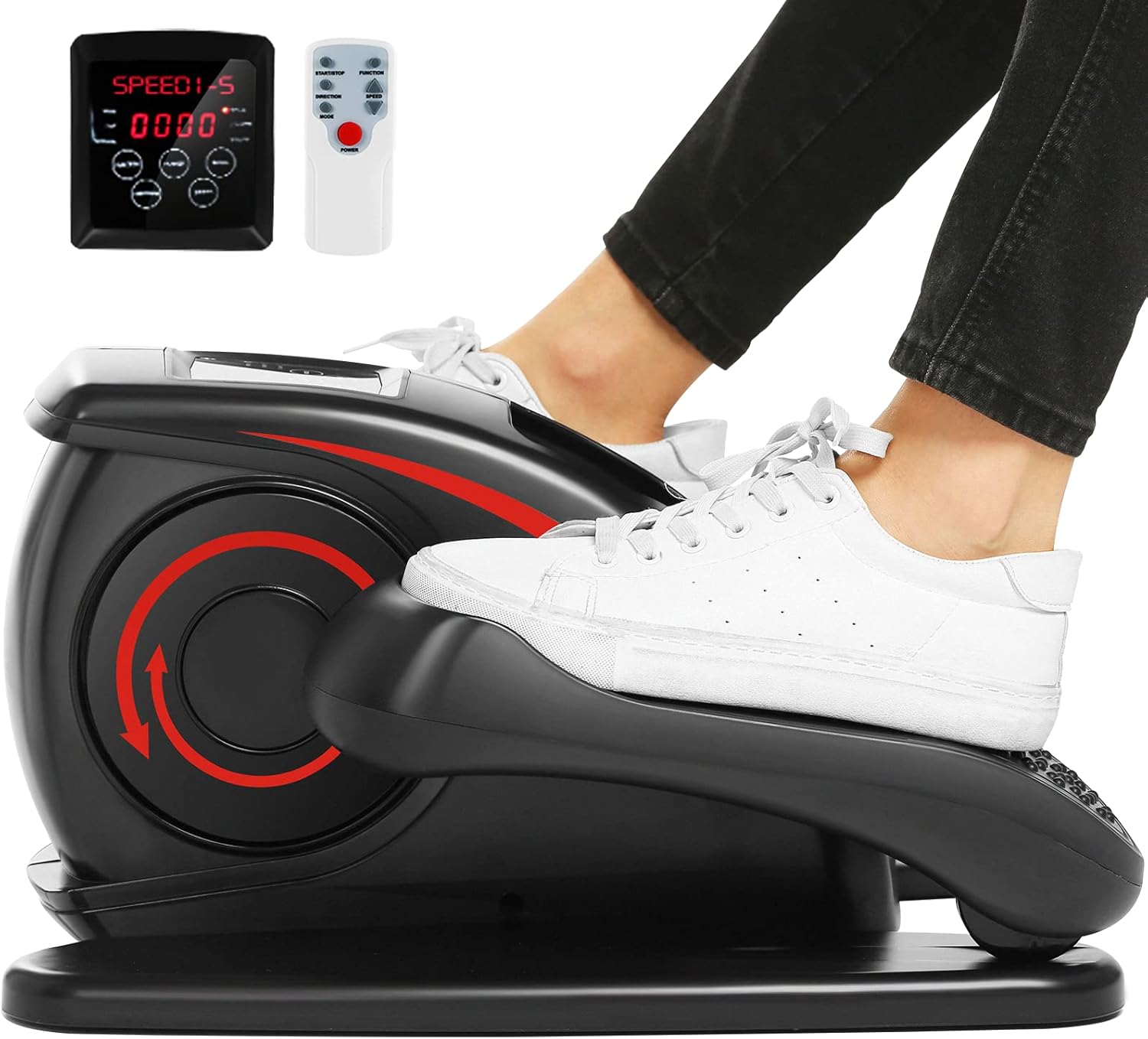
Figure 1: ANCHEER Under Desk Elliptical with its remote control and digital display.
2. Setup
Unboxing and Initial Placement:
The ANCHEER Under Desk Elliptical comes 100% pre-assembled, requiring no complex setup. Simply remove it from its packaging. It is designed to be compact and can be easily placed under a desk or in any desired location for seated use.

Figure 2: The elliptical is pre-assembled and ready for immediate use upon unboxing.
Power Connection:
To utilize the motorized functions and display monitor, connect the power cable to the elliptical and then to a standard electrical outlet. The device can also be used manually without being plugged in, though the display will not function.

Figure 3: The control panel and remote for operating the elliptical.
3. Operating Instructions
Using the Display Monitor and Remote Control:
The elliptical features an integrated LCD display and comes with a remote control for convenient operation. Both allow you to manage workout settings and view data.
- Power On/Off: Use the 'Power' button on the device or remote.
- Start/Stop: Press 'Start/Stop' to begin or pause your workout.
- Mode Selection: Cycle through 'Manual' (HA) mode or 'Auto' modes (P1, P2, P3) using the 'Mode' button.
- Speed Adjustment: In Manual mode, use the 'Speed' up/down arrows to select from 5 speed levels.
- Direction Change: In Manual mode, press 'Direction' to switch between forward and backward pedaling.
- Data Display: Use the 'Data' button to cycle through displayed metrics: time, distance, speed, count, and calories.

Figure 4: The remote control provides convenient access to all functions.
Workout Modes:
- Manual Mode (HA): Allows full control over speed (1-5 levels) and pedal direction (forward/backward).
- Auto Modes (P1, P2, P3): These are pre-programmed routines that automatically adjust speed and direction. In Auto mode, manual speed or direction changes are not possible.

Figure 5: Choose between manual control or automated programs for your workout.
4. Maintenance
General Care:
Keep the elliptical clean by wiping it with a damp cloth. Avoid using abrasive cleaners. Ensure the device is stored in a dry place away from direct sunlight.
Quiet Operation:
The ANCHEER elliptical is designed for whisper-quiet operation. If any unusual noises occur, ensure no foreign objects are obstructing the pedals or internal mechanisms. Regular light lubrication of moving parts (if accessible and recommended in a more detailed manual) can help maintain smooth performance.

Figure 6: The portable design allows for easy movement and storage.
5. Troubleshooting
Common Issues:
- Feet Sliding Off Pedals: Ensure feet are placed securely on the textured anti-slip pedals. Consider wearing appropriate footwear for better grip.
- Machine Moving During Use: Place the elliptical on a stable, non-slip surface. A mat can be used underneath to prevent movement.
- Unusual Noises: Check for any obstructions around the pedals or within the unit. If noises persist, contact customer service.
- Device Not Powering On: Verify that the power cable is securely plugged into both the elliptical and a working electrical outlet.
Contact Support:
If you encounter issues not covered here or require further assistance, please contact ANCHEER customer service. Refer to the warranty and support section for contact details.
6. Specifications
| Attribute | Value |
|---|---|
| Model Name | AR-65 |
| Brand | ANCHEER |
| Color | Black |
| Product Dimensions | 18"D x 16"W x 10"H |
| Material | Aluminum |
| Resistance Mechanism | Manual |
| Maximum Weight Recommendation | 390 Pounds |
| Number of Resistance Levels | 1 |
7. Warranty and Support
Warranty Information:
The ANCHEER Under Desk Elliptical comes with a 1-Year Warranty from the manufacturer.
Customer Support:
For any questions, concerns, or warranty claims, please contact ANCHEER customer service. Lifetime friendly customer service is available. Refer to the product packaging or official ANCHEER website for the most current contact information.
Legal Disclaimer: If you have any questions, please contact our 24-hour online customer service.

