
Introduction
Thank you for choosing the Hwagol Smartwatch. This device is designed to enhance your daily life with smart features, health monitoring, and fitness tracking. This manual will guide you through the setup, operation, and maintenance of your smartwatch to ensure optimal performance.
Please read this manual carefully before using the product and keep it for future reference.
1. Package Contents
Ensure all items are present in the box:
- Hwagol Smartwatch
- Steel Strap (if included)
- Silicone Strap (if included)
- Charging Cable
- User Manual
2. Setup
2.1 Charging the Smartwatch
Before first use, fully charge your smartwatch. Connect the magnetic charging cable to the charging contacts on the back of the watch and plug the USB end into a power adapter (not included) or a computer's USB port. The watch display will indicate charging status.
2.2 App Download and Pairing
To unlock all features, download the companion app on your smartphone (compatible with Android and iOS). Search for the app name (usually mentioned in the quick start guide or on the watch screen) in your phone's app store.
- Download and install the app on your smartphone.
- Open the app and create an account or log in.
- Ensure Bluetooth is enabled on your smartphone.
- In the app, navigate to the device pairing section and search for your smartwatch.
- Select your smartwatch from the list of available devices. Follow the on-screen prompts to complete the pairing process.
- Once paired, the watch will synchronize time and data with your phone.
3. Operating Instructions
3.1 Display and Navigation
The Hwagol Smartwatch features a 1.85-inch HD touchscreen display for intuitive interaction.
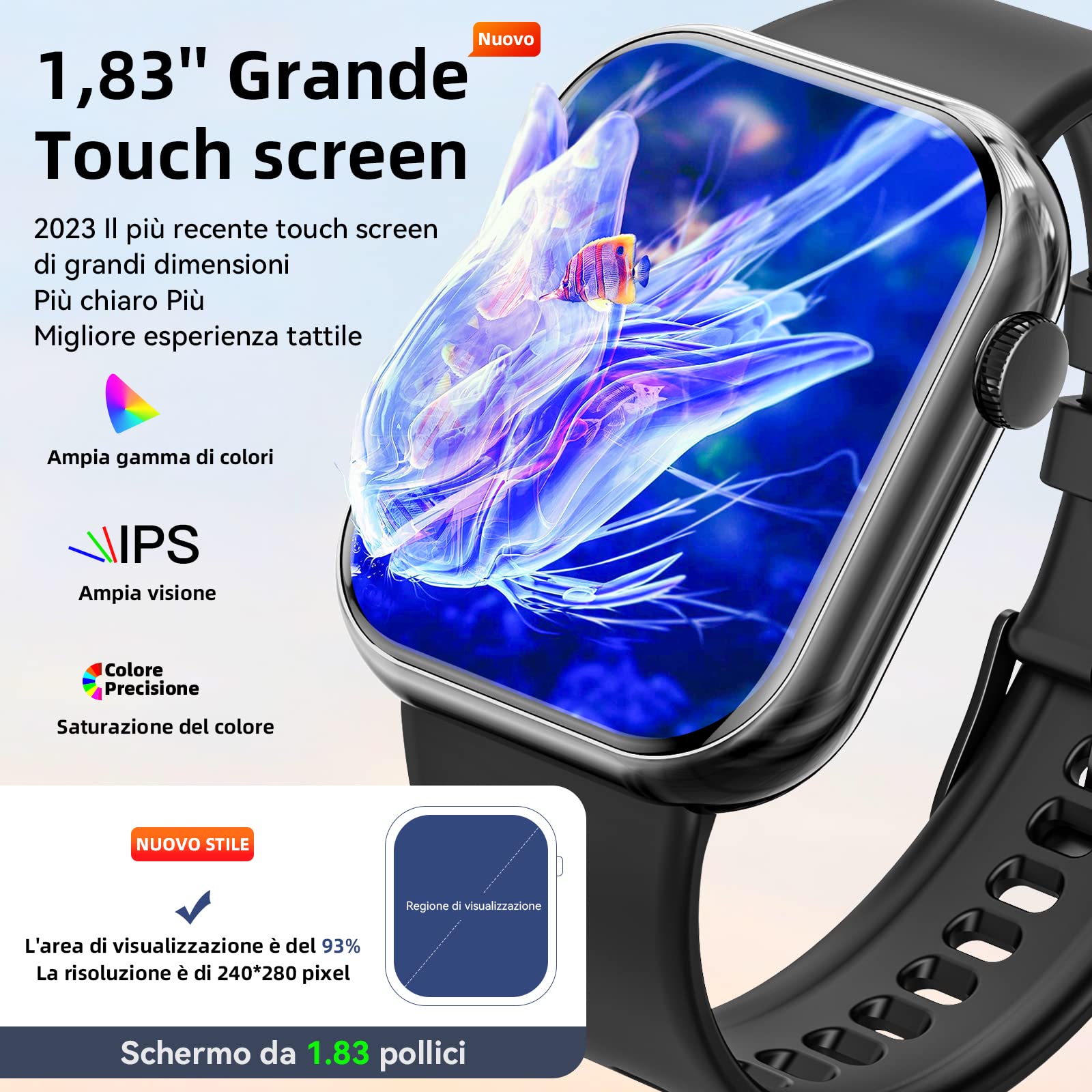
Description: An image showing the Hwagol Smartwatch with its 1.85-inch HD touchscreen display, highlighting its wide color gamut, IPS technology for broad viewing angles, and precise color saturation. The display area is indicated as 93% with a resolution of 240*280 pixels.
- Swipe Up/Down: Scroll through menus and notifications.
- Swipe Left/Right: Access quick functions or widgets.
- Tap: Select an item or confirm an action.
- Press Side Button: Return to the home screen or power on/off.
3.2 Bluetooth Calling
Once paired with your smartphone, you can make and answer calls directly from your smartwatch.
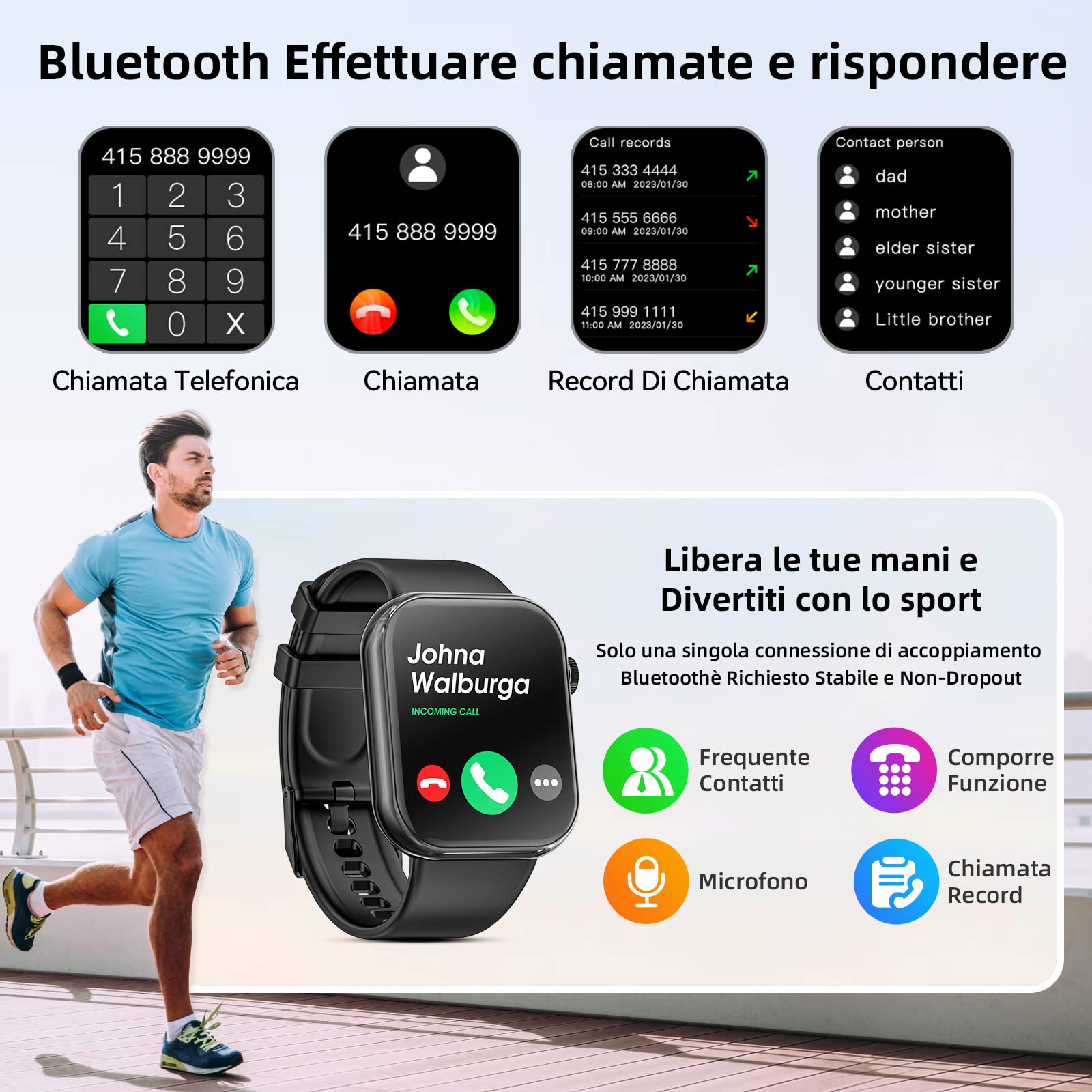
Description: An image illustrating the Bluetooth calling feature of the Hwagol Smartwatch. It shows the dial pad, incoming call screen, call records, and a contact list, demonstrating the ability to manage calls directly from the watch.
3.3 Voice Assistant
Activate the voice assistant on your smartwatch to perform tasks using voice commands, such as checking the weather or setting alarms.
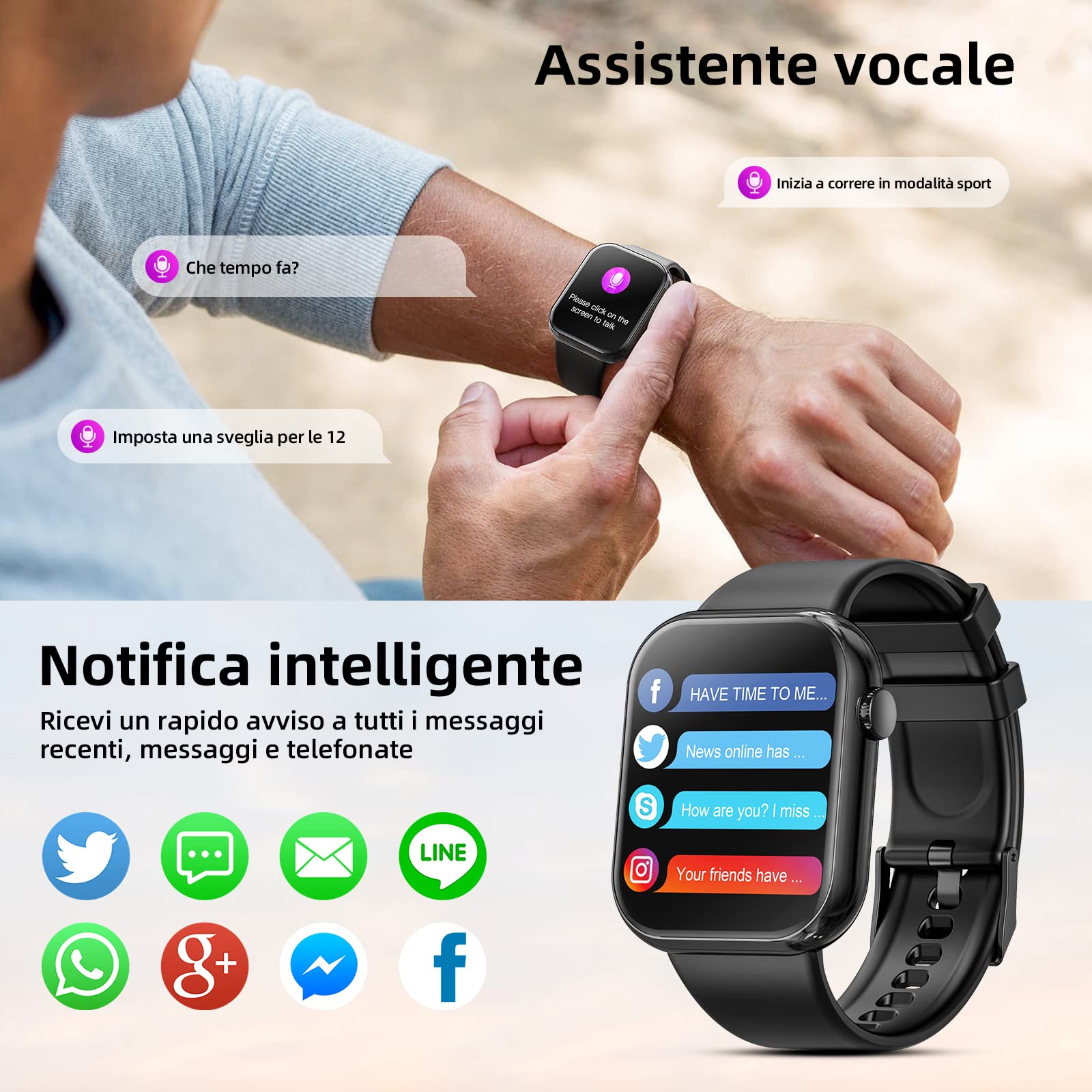
Description: An image depicting the voice assistant functionality, showing a user interacting with the watch to ask about the weather or set an alarm. Below, the smart notification feature is shown with icons for various social media and messaging apps like Twitter, WhatsApp, Facebook, and Line.
3.4 Smart Notifications
Receive real-time notifications for calls, messages, and app alerts directly on your wrist. Ensure notification permissions are enabled in both your phone settings and the companion app.
3.5 Multi-Sport Modes
The smartwatch supports over 140 sports modes, tracking your exercise data for both indoor and outdoor activities.
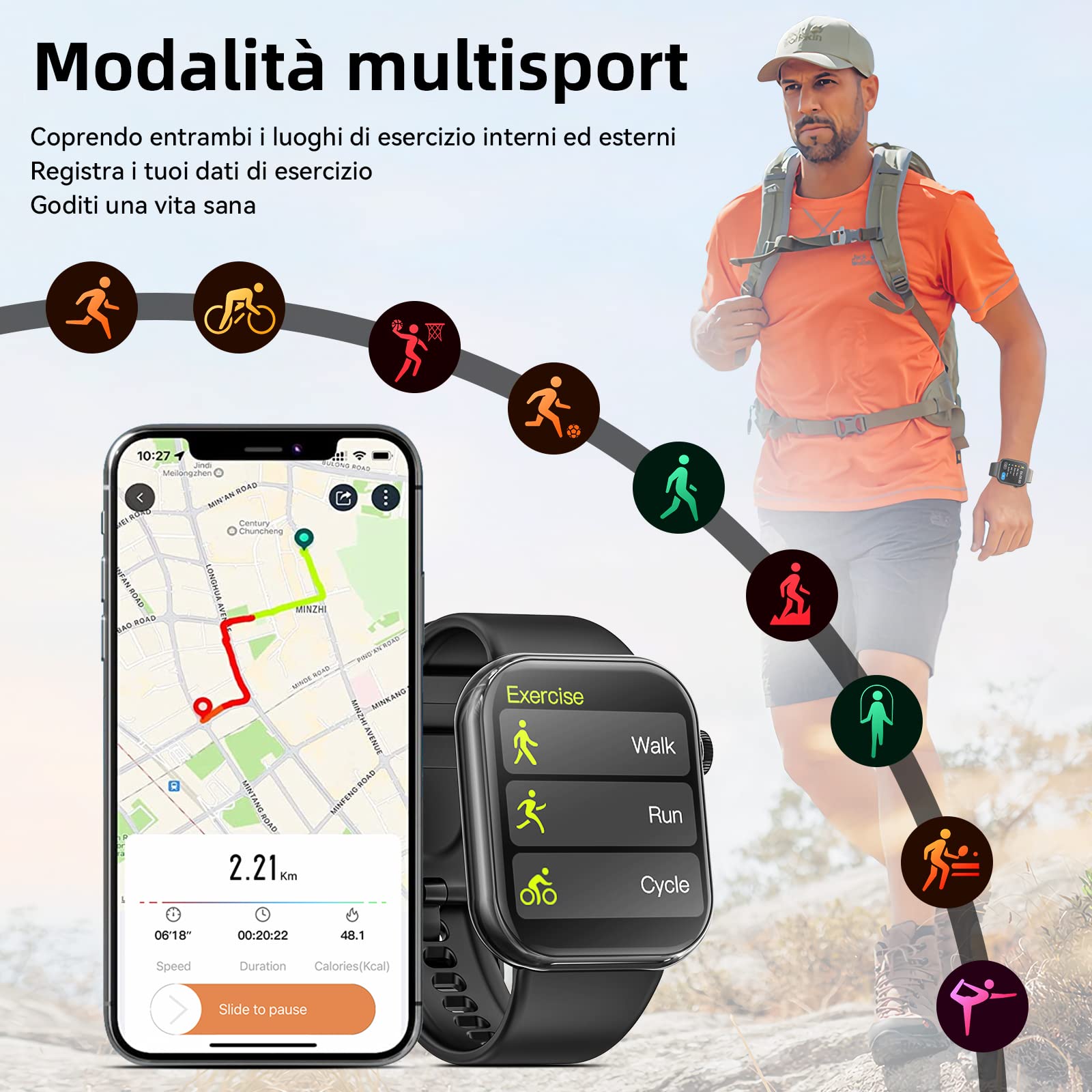
Description: An image showcasing the multi-sport modes feature, with a person hiking and various activity icons (running, cycling, basketball, football, etc.) displayed. A smartphone screen shows a map and exercise data, while the smartwatch displays options like Walk, Run, and Cycle.
3.6 Health Monitoring
Your Hwagol Smartwatch is equipped with advanced sensors to monitor various health metrics.
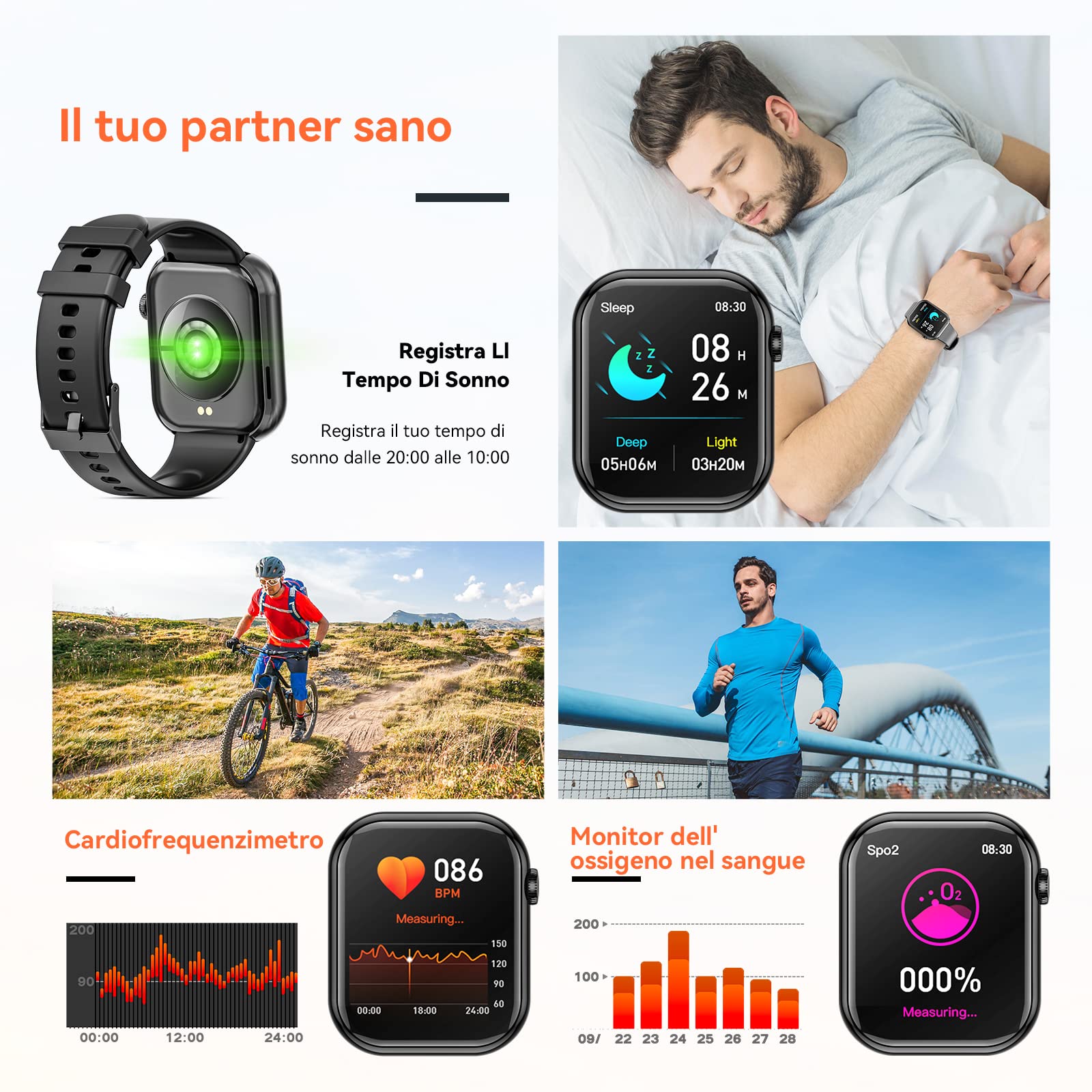
Description: An image illustrating the health monitoring capabilities, including sleep tracking (showing deep and light sleep duration), heart rate monitoring (with a graph and current BPM), and blood oxygen (SpO2) level monitoring (with a percentage display).
- Heart Rate Monitor: Tracks your heart rate 24/7.
- Blood Oxygen (SpO2) Monitor: Measures your blood oxygen saturation levels.
- Sleep Tracking: Monitors your sleep patterns, including deep and light sleep stages.
- Pedometer: Counts your steps, distance, and calories burned throughout the day.
3.7 Other Functions
The smartwatch offers a variety of convenient functions to meet your daily and work needs.
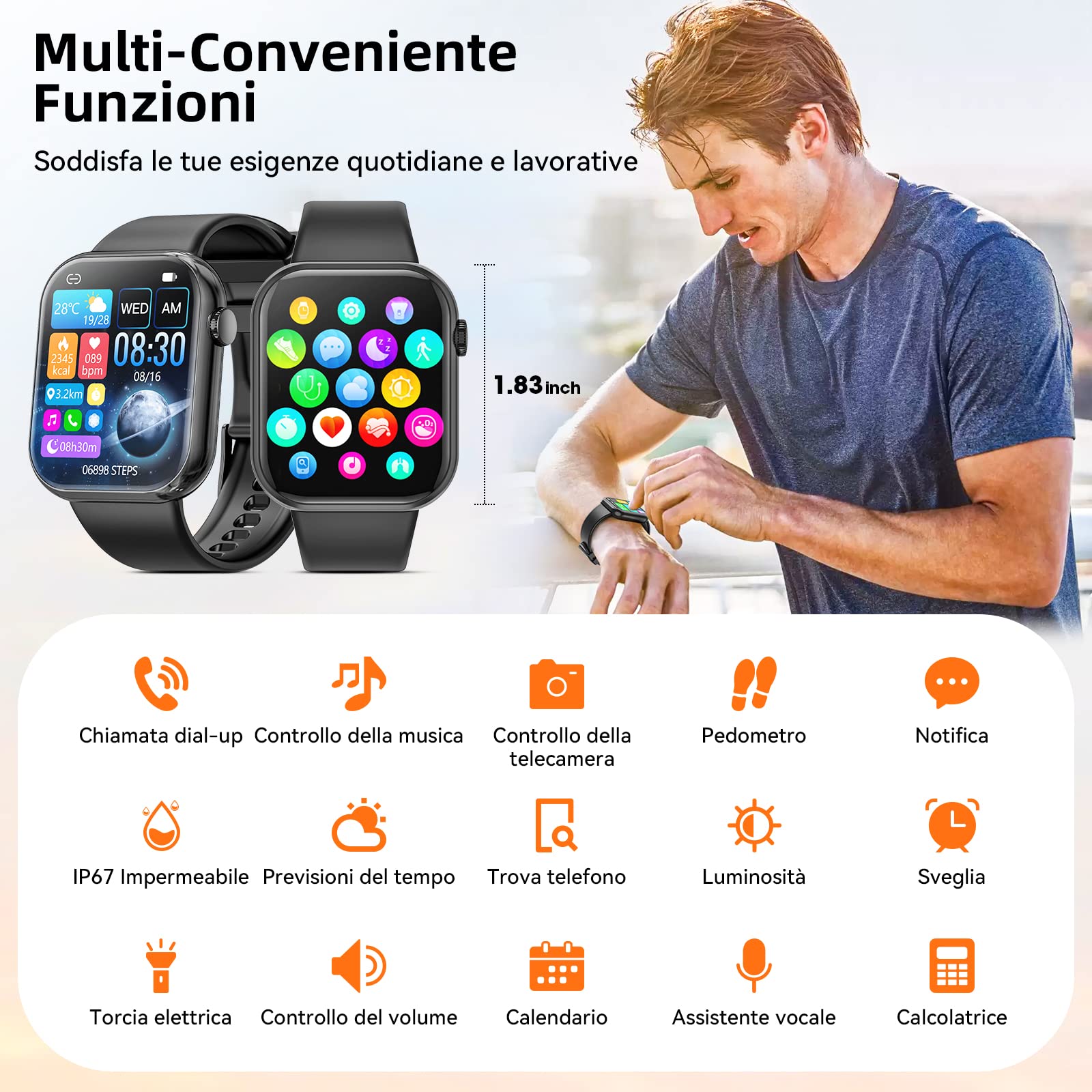
Description: An image displaying an overview of the smartwatch's multi-functional capabilities. It shows the watch face with various app icons and lists features such as dial-up calls, music control, camera control, pedometer, notifications, IP67 waterproofing, weather forecasts, find phone, brightness adjustment, alarm, flashlight, volume control, calendar, voice assistant, and calculator.
- Music Control: Control music playback on your phone.
- Camera Control: Use your watch as a remote shutter for your phone's camera.
- Weather Forecast: Get real-time weather updates.
- Alarm Clock: Set alarms and reminders.
- Find Phone: Locate your misplaced phone.
- Flashlight: Use the screen as a temporary light source.
- Calendar: View your schedule.
- Calculator: Perform basic calculations.
- Breathing Exercises: Guided breathing for relaxation.
- Sedentary Reminder: Get alerts to move after periods of inactivity.
- Stopwatch: Time your activities.
4. Maintenance
4.1 Cleaning and Care
To maintain the performance and appearance of your smartwatch:
- Wipe the watch and strap regularly with a soft, dry cloth.
- Avoid using harsh chemicals or abrasive materials.
- Keep the charging contacts clean and dry.
4.2 Water Resistance (IP67)
The Hwagol Smartwatch is IP67 water-resistant, meaning it can withstand splashes, rain, and brief immersion in water up to 1 meter deep for 30 minutes. It is suitable for daily wear and hand washing.

Description: An image demonstrating the IP67 waterproof capability of the smartwatch, showing a person wearing the device while in a swimming pool. This illustrates its resistance to water splashes and brief immersion.
Important:
- Do not wear the watch in hot water, saunas, or during swimming for extended periods.
- Water resistance is not permanent and may decrease over time with normal wear.
- Avoid exposing the watch to high-velocity water or sudden temperature changes.
4.3 Battery Care
The smartwatch uses a Lithium-ion battery with an average life of 5 days. To prolong battery life:
- Avoid extreme temperatures.
- Charge the battery before it completely drains.
- If storing the watch for a long period, charge it to about 50% and store in a cool, dry place.
5. Troubleshooting
If you encounter any issues with your Hwagol Smartwatch, please refer to the following common solutions:
- Watch not turning on: Ensure the watch is fully charged.
- Cannot pair with phone: Check if Bluetooth is enabled on your phone and the watch. Restart both devices and try pairing again. Ensure the app is updated.
- Notifications not received: Verify notification permissions are granted to the app in your phone's settings and within the app itself. Ensure the watch is connected via Bluetooth.
- Inaccurate health data: Ensure the watch is worn snugly on your wrist, not too tight or too loose. Clean the sensors regularly.
- Screen unresponsive: Restart the smartwatch. If the issue persists, contact customer support.
Many issues can be resolved by restarting the device or checking app settings. If problems persist, please contact Hwagol customer support for assistance.
6. Specifications
| Feature | Detail |
|---|---|
| Brand | Hwagol |
| Model Number | 614173002596 |
| Screen Size | 1.85 Inches |
| Resolution | 320 x 320 |
| Operating System | Wear OS |
| Connectivity Technology | Bluetooth, USB |
| Wireless Communication Standard | Bluetooth |
| Special Features | Blood Oxygen Level Monitoring, Heart Rate Monitoring |
| GPS | No GPS |
| Battery Composition | Lithium Ion |
| Average Battery Life | 5 Days |
| Water Resistance Level | IP67 (1 Meter Depth) |
| User Interface Interaction | Touchscreen |
| Supported Application | Fitness Tracker, Productivity Apps, Smart Home Integration |
| Compatible Devices | Smartphones, Tablets (e.g., iPhone 14 Pro Max, Samsung Galaxy S22, Google Pixel 7, OnePlus 10 Pro) |
| Band Material Type | Silicone |
| Closure Type | Buckle |
7. Warranty and Support
7.1 Warranty Information
Your Hwagol Smartwatch comes with a limited warranty. Please refer to the warranty card included in your package for specific terms and conditions. Keep your proof of purchase for warranty claims.
7.2 Customer Support
For any questions, technical assistance, or suggestions regarding your smartwatch, please do not hesitate to contact our customer support team. We are committed to providing 24/7 support to resolve any issues you may encounter.
You can typically find contact information for customer service through the companion app or on the official Hwagol website. Please provide your model number (614173002596) and a detailed description of the issue when contacting support.


