
1. Introduction
This manual provides essential information for the safe and effective operation of your Twotrees 800W 30000RPM Wood Router. Please read all instructions carefully before use to ensure proper setup, operation, and maintenance. Retain this manual for future reference.
2. Safety Instructions
Always prioritize safety when operating power tools. Failure to follow these instructions may result in electric shock, fire, or serious injury.
- Work Area Safety: Keep your work area clean and well-lit. Cluttered or dark areas invite accidents. Do not operate power tools in explosive atmospheres, such as in the presence of flammable liquids, gases, or dust.
- Electrical Safety: Power tool plugs must match the outlet. Never modify the plug in any way. Avoid body contact with earthed or grounded surfaces.
- Personal Safety: Always wear eye protection, hearing protection, and a dust mask. Dress properly; avoid loose clothing or jewelry. Secure long hair.
- Tool Use and Care: Do not force the power tool. Use the correct power tool for your application. Disconnect the plug from the power source before making any adjustments, changing accessories, or storing power tools.
- Maintenance: Maintain power tools. Check for misalignment or binding of moving parts, breakage of parts, and any other condition that may affect the power tool’s operation.
3. Package Contents
Verify that all items listed below are included in your package. If any items are missing or damaged, please contact customer support.

Image: The Twotrees Wood Router along with its accessories, including a product manual, wrenches, zip ties, and power supply, laid out on a surface.
- Twotrees 800W Wood Router
- Product Manual
- Power Supply Unit
- Wrenches (various sizes)
- Zip Ties for cable management
- Mounting Brackets (for CNC integration)
- Connection Cables
4. Product Features
The Twotrees Wood Router is designed for precision and durability in various woodworking and CNC applications.

Image: The wood router showing its thoughtful design, including an accurate depth scale and a multi-gear speed adjustment dial.
- High-Power Motor: Equipped with an 800W motor, providing robust performance for various cutting tasks.
- Adjustable Speed: Features a speed range of 10,000 to 30,000 RPM, allowing for precise control over different materials and applications.
- Durable Construction: Built with a heavy-duty aluminum motor housing for increased durability and resistance to drops.
- Efficient Heat Dissipation: Designed with features for faster heat dissipation, contributing to greater tool longevity.
- Versatile Application: Suitable for various professional engraving and woodworking tasks, especially when integrated with a CNC machine.

Image: An internal diagram illustrating the high-power motor, highlighting its 800W (±10%) output and speed range of 10,000-30,000 r/min.

Image: A detailed view of the router's spindle, emphasizing its operational speed range of 10,000-30,000 RPM for enhanced performance.
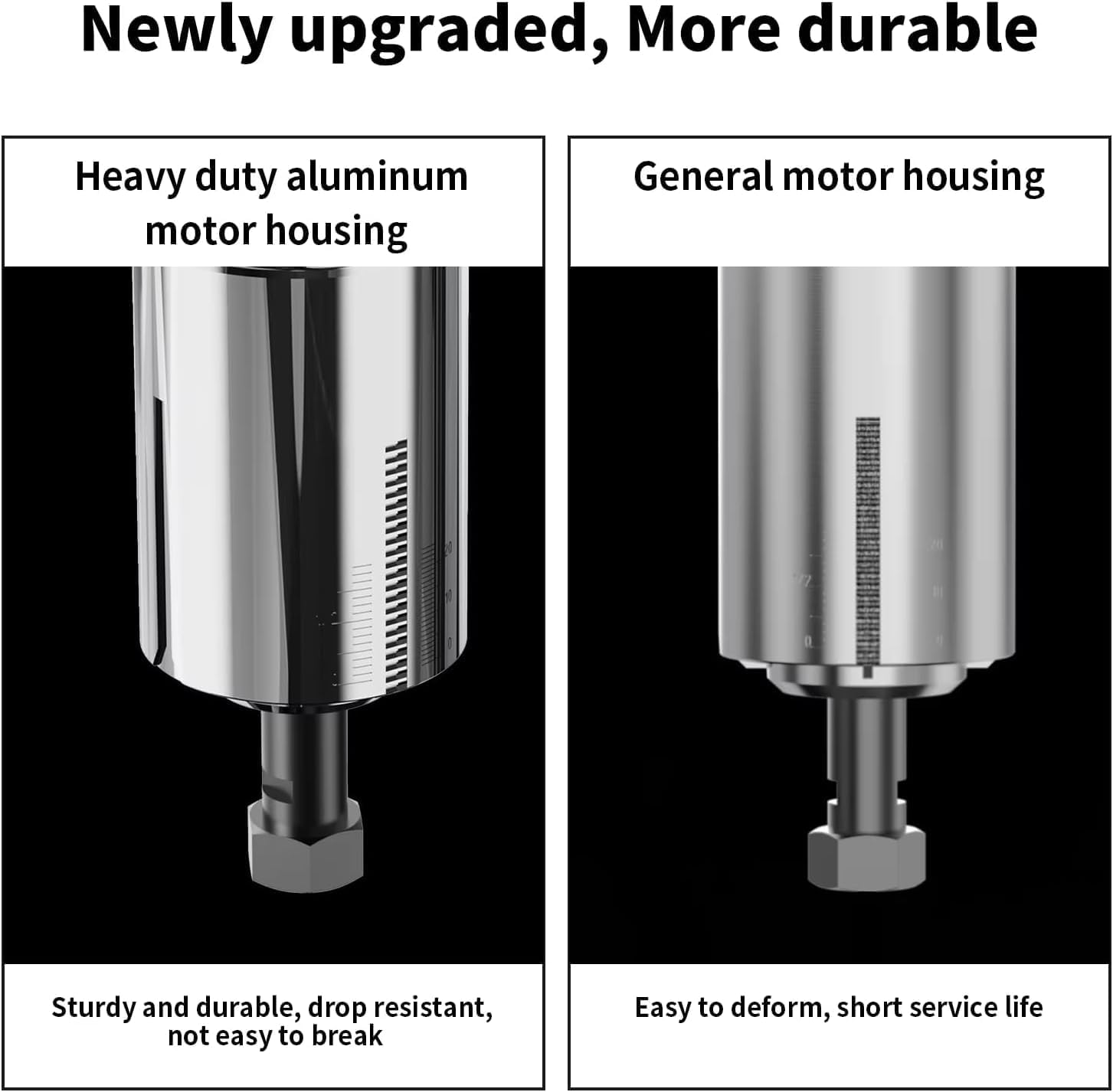
Image: A side-by-side comparison showing the robust heavy-duty aluminum motor housing on the left, contrasted with a general motor housing on the right, highlighting the improved durability.

Image: The wood router with an inset showing its ventilation design, indicating features for faster heat dissipation to enhance durability.

Image: The wood router actively mounted on a CNC machine, demonstrating its capability for professional engraving on a wooden workpiece.
5. Setup
This section details the steps for setting up your Twotrees Wood Router, particularly for integration with a CNC machine. Ensure the power is disconnected before beginning installation.
5.1 Mounting the Router to a CNC Machine
Follow these steps to securely mount the wood router onto your CNC machine's spindle holder.
- Remove any existing spindle or laser module from the CNC machine's Z-axis carriage. This typically involves unscrewing the mounting screws that secure the current tool.
- Attach the provided mounting plate to the Z-axis carriage using the appropriate screws and Allen wrench. Ensure it is firmly secured.
- Assemble the two halves of the router mounting bracket. Insert the screws into the designated holes and partially tighten them to allow for adjustment.
- Attach the assembled router mounting bracket to the mounting plate on the Z-axis carriage. Secure it with screws, but do not fully tighten yet.
- Carefully insert the Twotrees Wood Router into the opening of the mounting bracket. Ensure it slides in smoothly and is seated correctly.
- Adjust the router's position as needed, then fully tighten all screws on the mounting bracket to secure the router in place.
5.2 Electrical Connections
Connect the router to its power supply and the CNC machine's control system.
- Connect the router's power cable to the power supply unit.
- Connect the power supply unit to a suitable electrical outlet.
- For CNC integration, connect the control cable from the router's power supply to the designated 'Rotary' port on your CNC machine's control board. Ensure the 24V ON/OFF switch on the CNC board is set correctly for rotary tool operation.
- Use the provided zip ties to manage and secure all cables, preventing them from interfering with the CNC machine's movement.
6. Operating Instructions
Once the router is properly installed, follow these guidelines for operation.
6.1 Installing Router Bits
- Ensure the router is unplugged from the power source.
- Use the provided wrenches to loosen the collet nut.
- Insert the desired 1/4'' router bit into the collet, ensuring it is fully seated but not bottomed out.
- Tighten the collet nut firmly with the wrenches. Do not overtighten.
6.2 Adjusting Speed
The router features a multi-gear speed adjustment dial.
- Locate the speed adjustment dial on the top of the router.
- Turn the dial to select the appropriate speed setting (1-6) for your material and router bit. Lower speeds are generally for harder materials or larger bits, while higher speeds are for softer materials or smaller bits.
6.3 Operating the Router
- Ensure the workpiece is securely clamped to the CNC bed.
- Connect the router to the power source.
- Turn on the router using the power switch.
- Initiate the CNC program or manually control the router for your desired operation.
- Always observe the cutting process and adjust parameters as needed.
- After use, turn off the router and disconnect it from the power source.
7. Maintenance
Regular maintenance ensures the longevity and optimal performance of your router.
- Cleaning: After each use, disconnect the power and clean the router body and collet area with a soft brush or compressed air to remove dust and debris. Do not use solvents that could damage plastic parts.
- Bit Inspection: Regularly inspect router bits for sharpness and damage. Dull or damaged bits can cause poor cuts and put undue strain on the motor. Replace bits as necessary.
- Collet Care: Keep the collet and collet nut clean and free of debris to ensure proper bit gripping.
- Storage: Store the router in a dry, clean place, away from direct sunlight and extreme temperatures.
8. Troubleshooting
Refer to this section for common issues and their solutions.
| Problem | Possible Cause | Solution |
|---|---|---|
| Router does not turn on | No power supply; Power switch off; Loose connection | Check power outlet and connections; Ensure power switch is ON. |
| Poor cutting performance | Dull or damaged bit; Incorrect speed setting; Too fast feed rate | Replace bit; Adjust speed; Reduce feed rate. |
| Excessive vibration or noise | Loose bit; Damaged bit; Motor issue | Ensure bit is securely tightened; Replace bit; Contact support if motor issue persists. |
| Router overheating | Prolonged heavy use; Blocked ventilation | Allow router to cool down; Clear any obstructions from ventilation ports. |
9. Specifications
Key technical specifications for the Twotrees Wood Router.
| Feature | Detail |
|---|---|
| Brand | Twotrees |
| Model | Twotrees Roteador |
| Power | 800W |
| No-Load Speed | 10,000-30,000 RPM |
| Collet Size | 1/4 inch (6.35mm) |
| Input Voltage | 110V (as per product title) |
| Dimensions (Packaging) | 31 x 27 x 14 cm |
| Weight (Packaging) | 3 kilograms |
| ASIN | B0DRK251TX |
10. Warranty and Support
Specific warranty details are not provided in the available product data. For warranty information, technical support, or replacement parts, please contact Twotrees customer service directly through their official website or the retailer where the product was purchased. Always provide your product model and ASIN (B0DRK251TX) when seeking support.