
1. Setup
The iScooter iX3 Electric Scooter features a one-piece pre-installation design, meaning minimal assembly is required upon receipt. Ensure all packaging materials are removed carefully.
1.1 Initial Charging
Before embarking on your first ride, fully charge your electric scooter for optimal performance. The 48V 10Ah battery typically requires 6-7 hours for a full charge. Locate the charging port on the scooter's deck and connect the provided charger.
1.2 Handlebar Adjustment
The handlebar height is adjustable from 47 to 50 inches to ensure a comfortable fit for different riders. To adjust, locate the quick-release lever on the stem, open it, adjust the handlebar to your desired height, and securely close the lever.

Figure 1: iScooter iX3 Electric Scooter with Seat, showcasing its overall design.
1.3 Seat Installation (iX3 with Seat variant)
For the iX3 with Seat variant, ensure the ergonomic seat is securely attached. The seat post can be adjusted for height to maximize comfort during longer commutes. Refer to the included quick-start guide for specific attachment instructions.

Figure 2: Details of the scooter's soft and breathable saddle, showing its height adjustment and retractable aluminum alloy rod for comfortable seating.
1.4 App Installation and Pairing
Download the MiniRobot app to unlock smart features. The app allows you to adjust speed settings, track battery life, and lock your scooter for added security. Follow the in-app instructions to pair your scooter via Bluetooth.
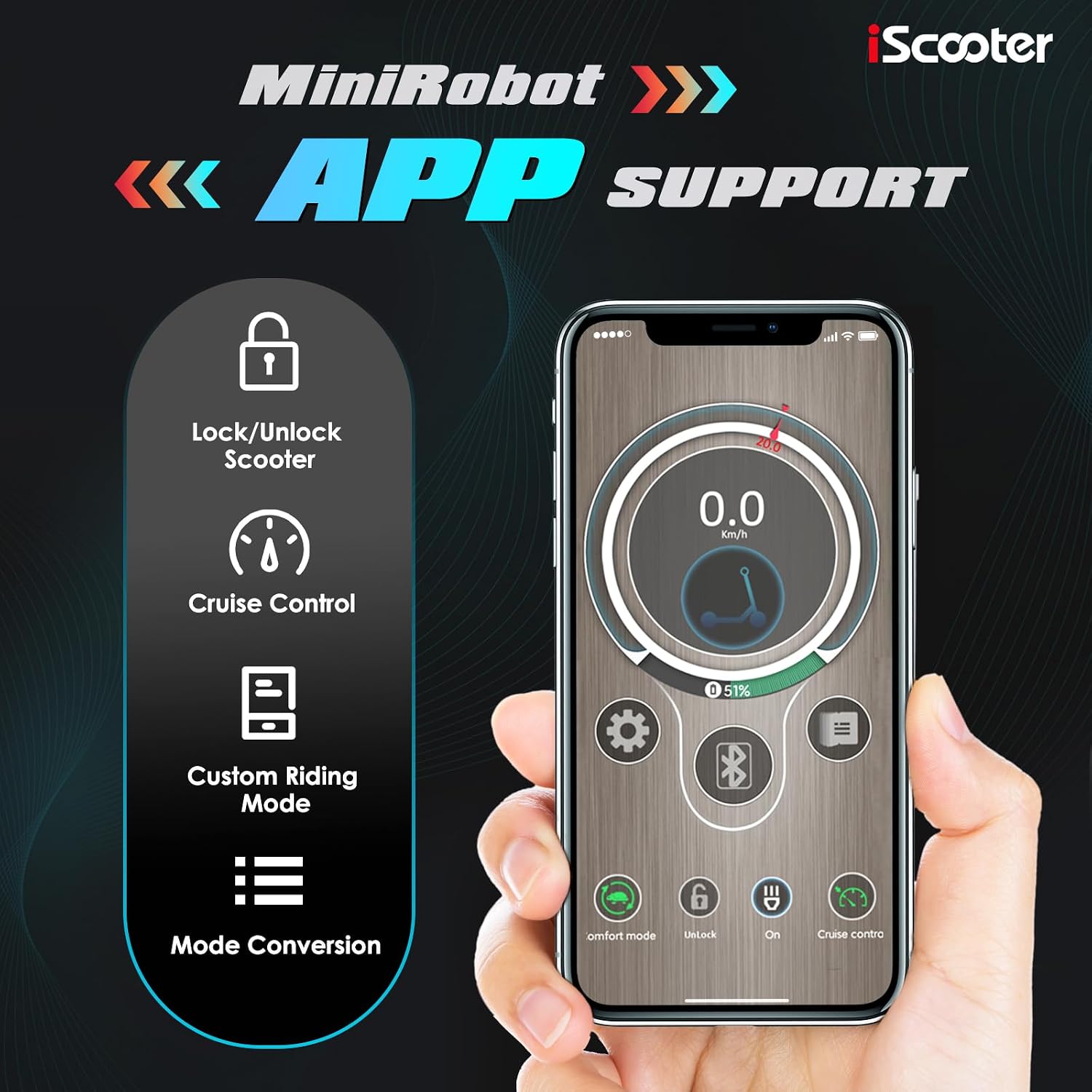
Figure 3: The MiniRobot app interface on a smartphone, illustrating features such as scooter lock/unlock, cruise control, custom riding modes, and mode conversion.
2. Operating Instructions
2.1 Power On/Off and Display
Press and hold the power button on the smart LCD display to turn the scooter on or off. The display provides real-time information including current speed, battery level, trip miles, and temperature. You can switch between MPH/KM/h and Fahrenheit/Celsius readings via the mode button.

Figure 4: The scooter's smart LCD display, providing essential ride information at a glance.
2.2 Speed Modes
The iX3 offers three distinct speed modes to suit various riding conditions:
- ECO Mode: Up to 10 MPH for energy efficiency.
- Standard Mode: Up to 18 MPH for balanced performance.
- Turbo Mode: Up to 25 MPH for maximum speed.
Switch between modes using the dedicated mode button on the handlebar controls.

Figure 5: Rider demonstrating the scooter's maneuverability and comfortable ride.
2.3 Throttle and Braking
Engage the throttle to accelerate. The scooter is equipped with a dual braking system, combining disc brakes with an electronic braking system for quick and responsive stopping power. Regenerative braking helps to recharge the battery during deceleration. Both front and rear brakes are controlled by levers on the handlebars.
2.4 Lighting System
For safe riding day or night, the scooter features a comprehensive lighting system:
- Bright Front Headlight: Illuminates the path ahead.
- Brake Tail Light: Activates upon braking for rear visibility.
- Four Corner Turn Signals: Indicates turns for enhanced safety.
- Ambient Lights: Located on both sides of the deck for increased visibility and style.

Figure 6: The scooter's full lighting system, ensuring visibility and safety during night rides.
2.5 Terrain and Incline Performance
The 10-inch inner tube off-road pneumatic tires provide superior grip and shock absorption, making the iX3 suitable for various terrains. The dual front and rear suspension system further enhances ride comfort by minimizing bumps and vibrations. The powerful 800W motor allows the scooter to effortlessly climb inclines of up to 20-25%.

Figure 7: Visual representation of the scooter's impressive range and speed capabilities.
3. Maintenance
3.1 Tire Care
Regularly check the pressure of the 10-inch inner tube pneumatic tires to ensure optimal performance and prevent punctures. Maintain recommended tire pressure as indicated in the product documentation.
3.2 Cleaning and Storage
Clean the scooter regularly with a damp cloth. Avoid using high-pressure water jets directly on electronic components. Store the scooter in a dry, cool place away from direct sunlight and extreme temperatures. The scooter features a foldable design for convenient storage and transport.
3.3 Battery Care
To prolong battery life, avoid completely depleting the battery before recharging. Store the scooter with a partial charge if it will not be used for an extended period. The regenerative braking system helps maintain battery charge during use.
4. Troubleshooting
4.1 Power Issues
If the scooter does not power on, ensure the battery is fully charged and the power button is pressed correctly. Check the charging cable and adapter for any damage.
4.2 Performance Issues
If the scooter's speed or range is lower than expected, check tire pressure, ensure the battery is fully charged, and verify that you are in the appropriate speed mode (ECO, Standard, or Turbo). Riding on steep inclines or rough terrain can affect performance and range.
4.3 App Connectivity
If the MiniRobot app fails to connect, ensure Bluetooth is enabled on your device and the scooter is powered on. Try restarting both the app and the scooter. If issues persist, consult the warranty and support section.
5. Specifications
| Feature | Specification |
|---|---|
| Brand | iScooter |
| Model Name | iX3 |
| Motor Power | 800W Brushless Motor |
| Top Speed | 25 MPH (adjustable via 3 modes: 10/18/25 MPH) |
| Maximum Distance Range | 18-25 Miles |
| Battery | 48V 10Ah Lithium Ion Battery |
| Charging Time | 6-7 Hours |
| Tire Type | 10-inch Inner Tube Off-Road Pneumatic Tires |
| Suspension Type | Dual Front and Rear Suspension |
| Brake Style | Disc Brake + Electronic Braking System (Dual Braking Systems) |
| Weight Limit | 264 Pounds |
| Hill Grade Capability | 20-25% |
| Handlebar Type | Adjustable (47-50 inches) |
| Water Resistance | IPX4 (durable in light rain) |
| Frame Material | Aluminum |
| Included Components | Electric scooter with seat |
6. Warranty and Support
iScooter prioritizes quality and technical excellence. The iX3 Electric Scooter comes with a 360-day or 180-day warranty on different parts. For fast and professional service, please get in touch with iScooter customer support. Your satisfaction is our priority.


