
Wooask F56
Wooask AI Translator Earbuds F56 User Manual
Model: F56
1. Product Overview
The Wooask AI Translator Earbuds F56 are designed to provide seamless, real-time language translation, enabling effortless communication across various languages and accents. These open-ear earbuds offer comfort, high accuracy, and multiple translation modes to suit diverse situations.

Image: Wooask AI Translator Earbuds F56 in their charging case.
2. Package Contents
Please verify that all items are present in your package:
- 2 x Translation Earbuds
- 1 x Offline Redemption Card (for offline version users)
- 1 x Charging Cable
- 1 x Charging Case
- 1 x User Manual (this document)
3. Getting Started (Setup)
3.1 Charging the Earbuds and Case
Before first use, fully charge the Wooask F56 earbuds and their charging case. Connect the provided charging cable to the charging case and a compatible USB power source. The indicator light on the case will show charging status. A full charge provides up to 40 hours of total usage with the charging case, and 5 hours of continuous translation from the earbuds.

Image: Visual representation of the Wooask F56 earbuds and charging case, highlighting extended battery life.
3.2 App Installation and Pairing
The Wooask F56 earbuds require the dedicated Wooask application for full functionality. Download the app from your device's app store (iOS/Android). Once installed:
- Ensure Bluetooth is enabled on your smartphone.
- Open the Wooask app.
- Take the earbuds out of the charging case. They will automatically enter pairing mode.
- Follow the on-screen instructions in the app to connect the earbuds via Bluetooth 5.3.
- Once connected, the app may prompt you to download necessary language packages. It is recommended to download these over a stable Wi-Fi connection as some files can be large.

Image: Illustration of Bluetooth 5.3 technology, ensuring seamless and power-efficient connectivity.
4. Operating Your Translator Earbuds
The Wooask F56 offers four distinct translation modes to adapt to various communication scenarios:

Image: Overview of the four smart translation modes: Free Talk, Speaker, Touch, and Photo translation.
4.1 Free Talk Mode
In Free Talk Mode, both individuals wear one earbud each. Translation runs continuously without the need for manual control. This mode is ideal for natural, flowing conversations.

Image: Illustration of Free Talk Mode, where two users wear earbuds for continuous, hands-free translation.
4.2 Speaker Mode
Speaker Mode is designed for one-on-one interactions where one person wears the earbuds and the other uses the smartphone. The person with earbuds hears real-time translation, while the phone's speaker translates for the other person. This mode is useful for quick interactions or when only one person needs the earbuds.

Image: Illustration of Speaker Mode, where one person uses earbuds and the other uses the phone for translation.
4.3 Touch Mode
In Touch Mode, both individuals wear one earbud each. To initiate translation, simply tap your earbud. Tap again to stop. This mode provides more control over when translation occurs, suitable for turn-based conversations.

Image: Illustration of Touch Mode, showing two users with earbuds tapping to control translation.
4.4 Photo Translation
Utilize the Photo Translation feature within the Wooask app to translate text from images. Simply take a photo of text (e.g., signs, menus) using your phone's camera through the app, and it will provide a translation.

Image: Illustration of Photo Translation, demonstrating how to use the app to translate text from an image.
5. Key Features
5.1 Unmatched Precision and Speed
The Wooask F56 Translator Earbuds boast an impressive 98% translation accuracy and an ultra-fast 0.5-second response time, ensuring smooth and natural conversations.

Image: Display showing 98% accuracy and 0.5s rapid translation, with a phone displaying translated conversation.
5.2 Extensive Language Support
Communicate across 144 languages and numerous accents, breaking down virtually any language barrier.

Image: Graphic highlighting natural and instant translation with 74 languages and 70 accents.
5.3 Open-Ear Comfort and Hygiene
The innovative open-ear design ensures comfort and security, sitting securely without in-ear pressure. This design also addresses hygiene concerns often associated with shared earbuds.
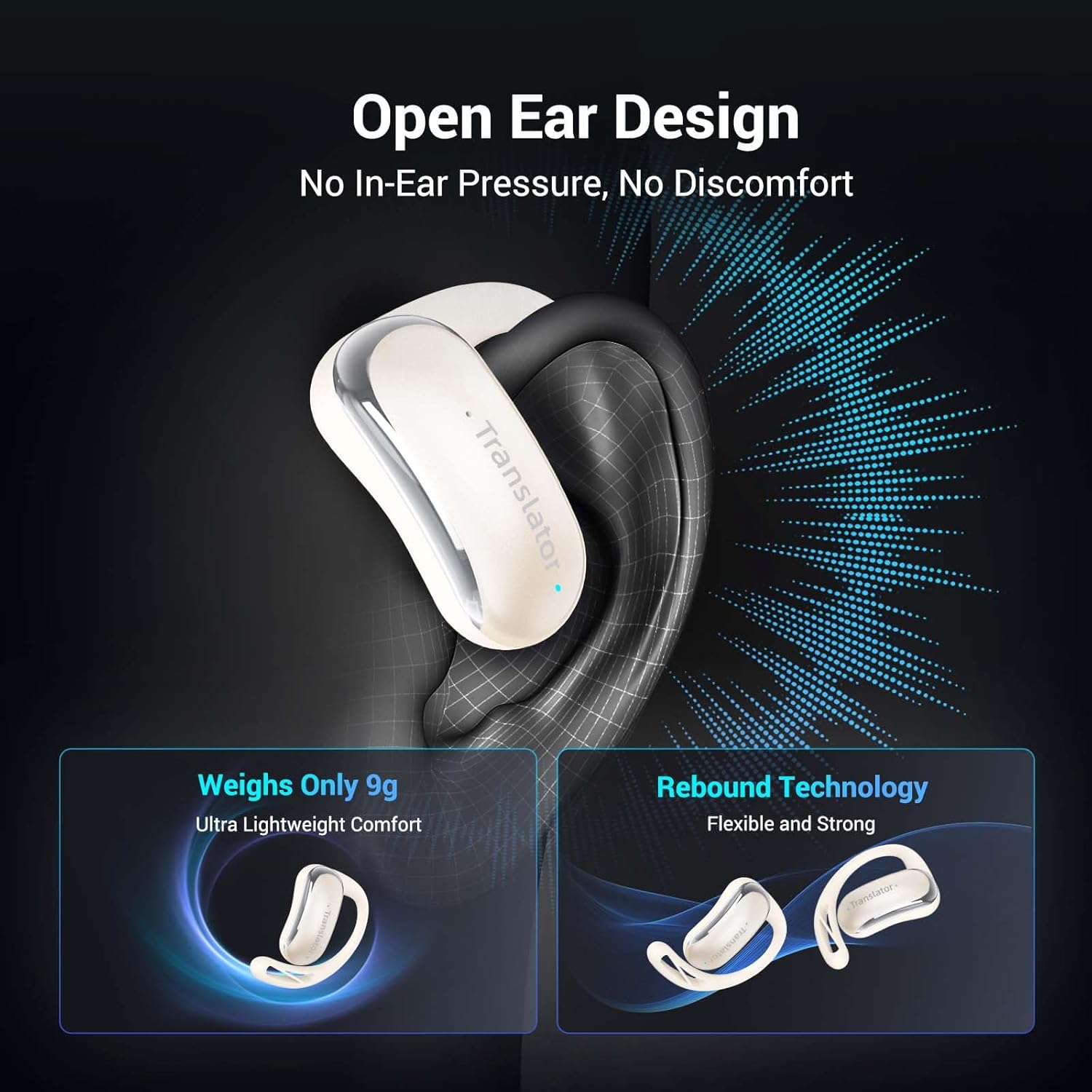
Image: Illustration demonstrating the open-ear design for comfort and no in-ear pressure.
5.4 High-Fidelity Audio
Equipped with 13mm speakers, the earbuds deliver clear stereo sound, enhancing both translation clarity and general audio playback.

Image: Exploded view illustrating the internal components responsible for Hi-fi Audio, including 13mm speakers.
6. Offline Translation (Optional)
For users who purchased the version with an offline package, you can enjoy translation without an internet connection for selected languages. Your package includes an Offline Redemption Card with a code. Follow the instructions within the Wooask app to activate your lifetime free offline access for supported languages (e.g., Chinese, Korean, French, Spanish, Japanese, German, Russian, English).

Image: Comparison table showing features of 'No Offline Package' vs 'With Offline Package', including language support and activation card.
7. Technical Specifications
| Specification | Detail |
|---|---|
| Model | F56 |
| Brand | Wooask |
| Connectivity | Bluetooth 5.3 |
| Translation Accuracy | 98% |
| Response Time | 0.5 seconds |
| Online Languages Supported | 144+ |
| Earbud Continuous Translation Time | Up to 5 hours |
| Total Battery Life (with charging case) | Up to 40 hours |
| Battery Type | Lithium Ion (included) |
| Item Weight | 7.4 ounces |
| Package Dimensions | 5.47 x 3.78 x 1.93 inches |
| Manufacturer | Wooask Tech |
| Country of Origin | China |
8. Troubleshooting
- Translation Delay or Inaccuracy:
Ensure a stable internet connection (for online translation). Speak clearly and at a moderate pace. Minimize background noise. Ensure the earbuds are properly connected to the app. - Earbuds Not Connecting:
Make sure Bluetooth is on and the earbuds are charged. Restart the Wooask app and your phone. Try re-pairing the earbuds through the app's settings. - Offline Package Activation Issues:
Verify you have the correct offline redemption card for your product version. Ensure you are following the exact activation steps within the Wooask app. If issues persist, contact Wooask customer support. - Poor Audio Quality:
Check earbud placement for optimal sound. Ensure no obstructions are covering the speakers. Clean the earbuds if necessary.
9. Care and Maintenance
- Keep the earbuds and charging case clean and dry. Use a soft, dry cloth for cleaning.
- Avoid exposing the device to extreme temperatures, humidity, or direct sunlight.
- Store the earbuds in their charging case when not in use to protect them and maintain battery life.
- Do not attempt to disassemble or repair the device yourself. This will void the warranty.
10. Warranty and Support
Wooask is committed to providing high-quality products and excellent customer service. Your Wooask AI Translator Earbuds F56 come with a 24-Month Hassle-Free Warranty.
For any questions, concerns, or support needs regarding product setup, usage, or if your translator stops working, please contact Wooask customer service. We aim to provide a solution or guidance within 24 hours.
Wooask promises that everything you buy from them is their responsibility, and it is your right to have a nice working product.

Image: Information regarding Wooask's Lifetime Customer Care and warranty policy.
Related documentsF56


Ask a question about this manual
Ask about setup, troubleshooting, compatibility, parts, safety, or missing instructions. Manuals+ will review the question and use this page’s manual context to help answer it.