
1. Introduction
This manual provides detailed instructions for the safe and efficient operation of your bonsaii L421-A A4 Laminator. Please read this manual thoroughly before first use and keep it for future reference.
2. Safety Instructions
- Always connect the laminator to a grounded power outlet.
- Do not operate the laminator with wet hands or near water.
- Keep children and pets away from the laminator during operation.
- Do not insert objects other than laminating film into the feed opening.
- Unplug the laminator when not in use or before cleaning.
- Ensure proper ventilation around the machine during operation.
- Do not attempt to open or repair the laminator yourself. Contact customer support for assistance.
3. Product Overview and Features
The bonsaii L421-A is a compact A4 laminator designed for home and office use, offering efficient and high-quality lamination. It features NTC temperature control for consistent results and an anti-jam function for smooth operation.
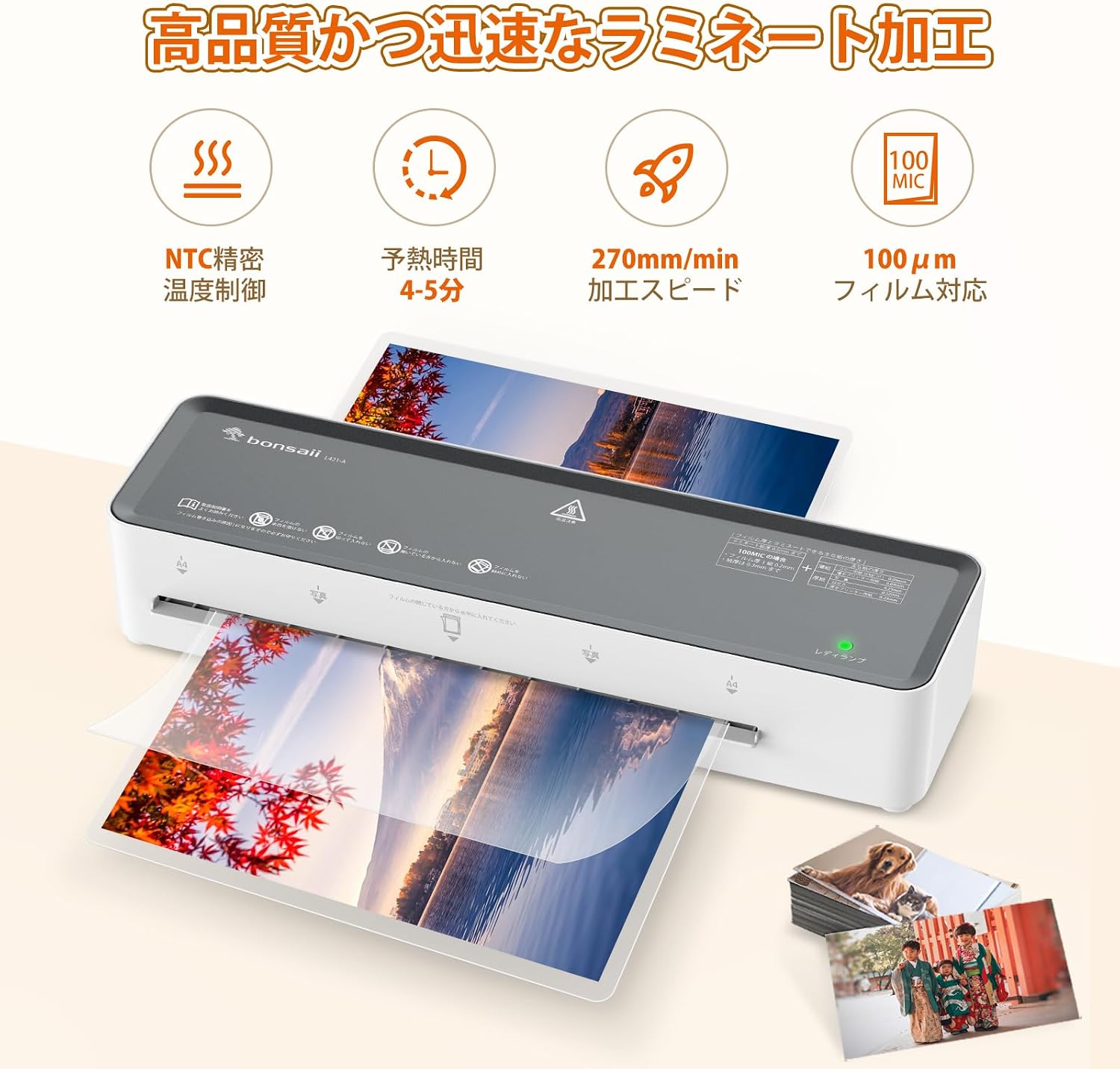
Image: Overview of the bonsaii L421-A laminator highlighting its key features: NTC precise temperature control, 4-5 minute warm-up time, 270mm/min processing speed, and 100μm film compatibility.
- Starter Kit Included: Comes with 5 A4 laminating films, ready for immediate use.
- Wide Range of Applications: Capable of laminating documents, photos, and craft projects from A4 size down to A5 and A6.
- NTC Temperature Control: Automatic temperature adjustment ensures uniform heating and pressure, resulting in wrinkle-free and bubble-free lamination, enhancing document durability.
- Compact Design: Slim body design allows for neat storage in small spaces like desk gaps or shelves.
- Anti-Jam Function: Equipped with a laminate stop button to easily resolve paper jams, ensuring smooth operation.

Image: The bonsaii L421-A laminator being stored in a backpack, demonstrating its lightweight and portable design (dimensions 321x95x61mm, weight 0.7kg).
4. Setup
- Unpack the laminator and remove all packaging materials.
- Place the laminator on a stable, flat surface with adequate ventilation.
- Ensure the power switch is in the "OFF" position.
- Plug the power cord into a standard electrical outlet.
5. Operating Instructions
5.1 Lamination Process
- Turn on the laminator by pressing the power switch. The red indicator lamp will illuminate, indicating the warm-up phase.
- Wait approximately 4-5 minutes for the laminator to reach operating temperature. The green "Ready" indicator lamp will illuminate when ready.
- Insert your document into a laminating film, ensuring it is centered and aligned.
- Feed the sealed edge of the laminating film into the laminator's entry slot. Ensure the film is fed straight and evenly.
- The laminator will automatically pull the film through. Do not pull or push the film during this process.
- Once the laminated document exits the machine, place it on a flat surface to cool.

Image: Visual guide showing the four steps of lamination: 1. Plug in and wait for warm-up (red light), 2. Insert document into film, 3. Feed film into machine (green light indicates ready), 4. Lamination complete.
5.2 Anti-Jam Function
In case of a paper jam, press and hold the "Laminate Stop" button located at the rear of the machine. This will release the rollers, allowing you to gently pull out the jammed film.

Image: The bonsaii L421-A laminator showing the location of the "Laminate Stop" button on the back, used to resolve paper jams.
6. Maintenance
- Cleaning: Ensure the laminator is unplugged and cool before cleaning. Wipe the exterior with a soft, dry cloth. Do not use abrasive cleaners or solvents.
- Roller Cleaning: Periodically run a cleaning sheet (not included) through the laminator to remove adhesive residue from the rollers.
- Storage: Store the laminator in a dry, dust-free environment when not in use. Its compact size allows for storage in drawers or on shelves.

Image: The bonsaii L421-A laminator neatly stored inside a desk drawer, illustrating its compact dimensions (321mm length, 95mm width, 61mm height) for convenient storage.
7. Troubleshooting
| Problem | Possible Cause | Solution |
|---|---|---|
| Laminator does not turn on. | No power, power switch off. | Check power cord connection. Ensure power switch is ON. |
| Film jams in the machine. | Film inserted incorrectly, film too thick, or foreign object. | Press the "Laminate Stop" button to release. Gently pull out the film. Ensure correct film thickness and insertion. |
| Laminated document has bubbles or wrinkles. | Incorrect temperature, old film, or uneven feeding. | Ensure the green "Ready" light is on. Use fresh, high-quality film. Feed film straight and evenly. |
| Laminator is slow to warm up. | Normal operation, or cold environment. | Allow the full 4-5 minutes warm-up time. Ensure the room temperature is not excessively cold. |
7.1 Important Precautions
Failure to follow proper usage methods may lead to paper jams or wavy results. Please observe the following:
- X Do not laminate empty film.
- X Do not insert the open side of the film first. Always insert the sealed edge.
- X Do not feed the film unevenly or at an angle.
- X Do not connect multiple films together.
- X Do not cut the film before lamination.
- X Do not use deformed or damaged film.
- X Do not attempt to laminate two films simultaneously.

Image: A visual guide showing common incorrect practices during lamination, such as laminating empty film, inserting the open side first, uneven feeding, connecting films, cutting film beforehand, using deformed film, or laminating two films at once.
8. Specifications
| Feature | Detail |
|---|---|
| Brand | bonsaii |
| Model | L421-A |
| Product Dimensions (L x W x H) | 32.1 cm x 9.5 cm x 6.1 cm |
| Product Weight | 0.7 kg |
| Number of Rollers | 2 |
| Film Thickness Compatibility | 100μm |
| Warm-up Time | Approx. 4-5 minutes |
| Lamination Speed | 270mm/min |
| Max Document Size | A4 |
| Safety Certification | PSE Certified |
| Country of Origin | China |

Image: The bonsaii L421-A laminator demonstrating its compatibility with various document sizes, including A4, A5, A6, and smaller card sizes.
9. Warranty and Support
The bonsaii L421-A Laminator comes with a 1-year warranty from the date of purchase. If you encounter any issues or require assistance, please contact bonsaii customer support.
Our dedicated staff provides support in Japanese and offers prompt repair and exchange services within Japan for any product defects during the warranty period.

Image: A customer support representative, symbolizing the available support for bonsaii products.

