
Setup
Unboxing and Initial Setup
Carefully remove all components from the packaging. Ensure the alarm clock, USB charging cable, and power adapter are present.
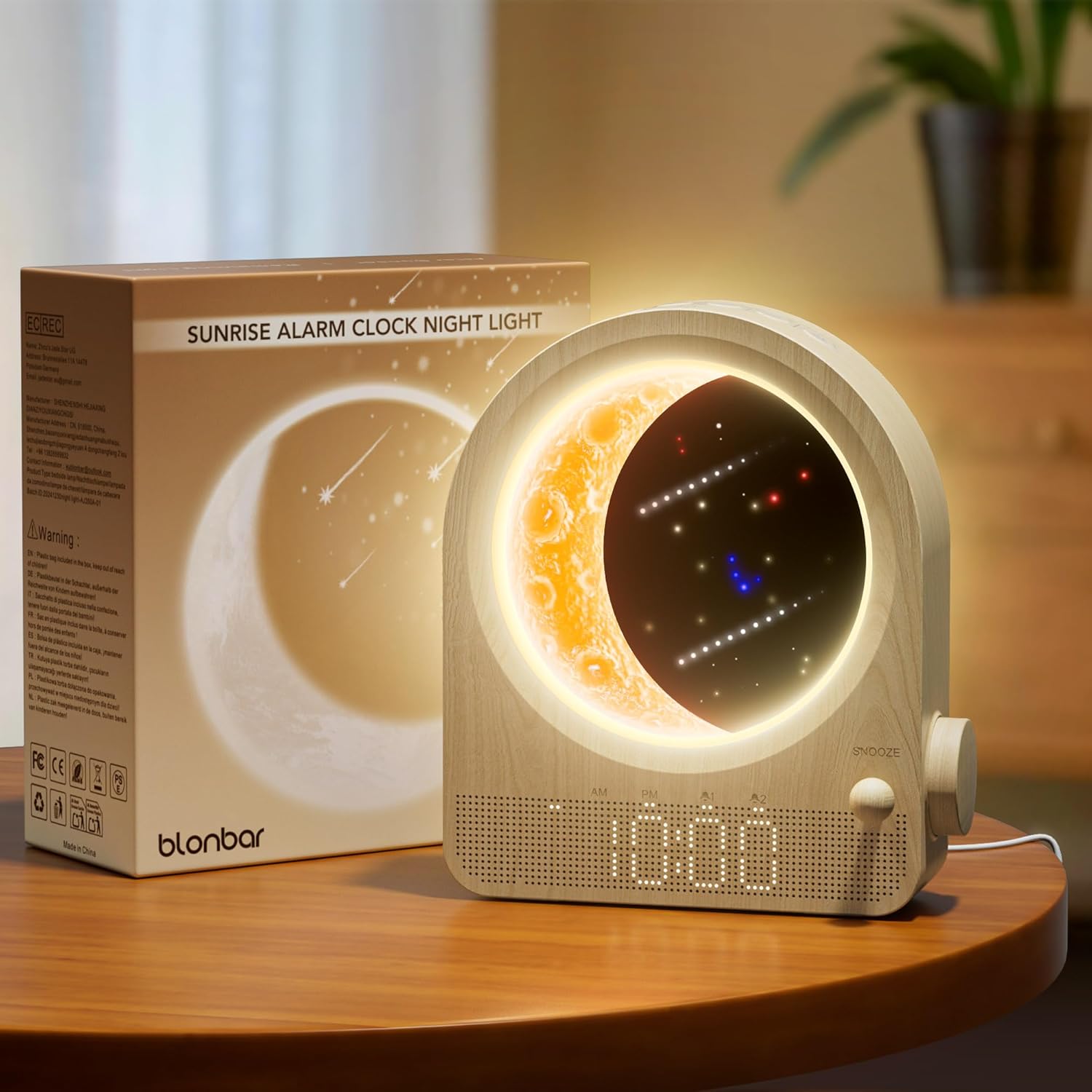
Image Description: The blonbar Sunrise Alarm Clock in woodgrain finish, next to its product packaging, highlighting its design and the moon lamp feature.
Power Connection
Connect the USB charging cable to the back of the alarm clock and plug the power adapter into a standard electrical outlet. The device requires continuous power to operate.

Image Description: A close-up of the back of the alarm clock, showing the power input port and the connected USB cable.
Setting the Time
Locate the "Clock" button on the top panel. Press and hold this button to enter time setting mode. Use the rotary knob on the side to adjust hours and minutes. Press the "Clock" button again to confirm. The clock supports both 12-hour and 24-hour formats.

Image Description: An illustrative diagram demonstrating how to set the time using the clock button and the rotary knob, with visual cues for AM/PM and 24-hour format.
Operating Instructions
Alarm Settings
This device features dual alarm settings (Alarm 1 and Alarm 2).
Setting Alarm 1 (Wake-up Light)
Press and hold the "Alarm 1" button. Use the rotary knob to set the desired wake-up time. Select your preferred natural sound (from 10 options) and volume level (1-12). Alarm 1 includes a gradual wake-up light simulation that begins 10 minutes before the set alarm time.

Image Description: A visual guide illustrating the dual alarm clock settings, including the wake-up light feature for Alarm 1, and options for ringtones and volume.
Setting Alarm 2
Press and hold the "Alarm 2" button. Use the rotary knob to set the desired alarm time. Select your preferred natural sound and volume level.
Snooze Function
When an alarm sounds, short press the "Snooze" button (the small knob on the side) to activate a 10-minute snooze. The alarm will sound again after 10 minutes. Long press the "Snooze" button to turn off the alarm completely.

Image Description: A diagram detailing the snooze function, indicating a 10-minute snooze duration and options for dimming the time display.
Natural Sounds & Countdown Timer
The alarm clock offers 10 soothing natural sounds that can be used as a sleep aid or for relaxation.
To activate natural sounds, short press the "Music Note" button. Use the rotary knob to cycle through the 10 sounds.
To set a countdown timer for the natural sounds (30/60/90 minutes), press the "Hourglass" button. The sound will automatically turn off after the selected duration.

Image Description: An illustration showcasing the 10 natural sounds available and the countdown timer function for sleep or relaxation.
Moon Lamp & Meteor Light
The moon lamp features stepless dimming. Short press the "Star" button to turn on the moon lamp. Long press the "Star" button for stepless dimming to adjust brightness.
The moon lamp also includes twinkling meteor lights for a dreamy starry sky effect.

Image Description: A visual guide explaining the moon lamp's infinite dimming capability and the meteor light effect.
Night Light (Outer Ring)
The outer ring of the lamp functions as a 3-level touch-controlled night light. Tap the "Sun" button to cycle through the 3 brightness levels. Long press the "Sun" button to turn off the night light.

Image Description: An illustration demonstrating the 3-level dimmable touch lamp feature of the outer ring.
Maintenance
Cleaning
To clean the device, gently wipe the surface with a soft, dry cloth. Do not use abrasive cleaners or solvents.
Storage
Store the alarm clock in a cool, dry place when not in use for extended periods.
Troubleshooting
Display Not Lighting Up
Ensure the power adapter is securely plugged into both the alarm clock and a working electrical outlet. The device must be plugged in to operate.
Alarm Not Sounding
Verify that the alarm time is correctly set and activated (indicated by the alarm icon being lit). Check the alarm volume level using the rotary knob.
Lights Not Working
Ensure the device is powered on. For the moon lamp, short press the "Star" button. For the night light, tap the "Sun" button.
Specifications
- Brand: blonbar
- Model Number: AJ350A
- Product Dimensions: 7.9"D x 3"W x 7.23"H
- Item Weight: 1.23 pounds (0.56 Kilograms)
- Power Source: Corded Electric
- Voltage: 120 Volts (AC)
- Wattage: 5 watts
- Light Source Type: LED
- Switch Type: Touch
- Special Features: Dimmable, Timer, Adjustable Brightness, Sunrise Simulation, Dual Alarm, 10 Natural Sounds, Moon Lamp, Meteor Light, Snooze Function.
Warranty and Support
For warranty information or technical support, please refer to the contact details provided in your product packaging or visit the official blonbar website.
