
1. Product Overview
The Fenix BC22R is a high-performance rechargeable bicycle light designed for various cycling conditions. It features a maximum output of 1400 lumens, multiple brightness levels, and a quick-release mounting system. The light is equipped with an anti-glare cut-off facula line to prevent blinding oncoming traffic and pedestrians.
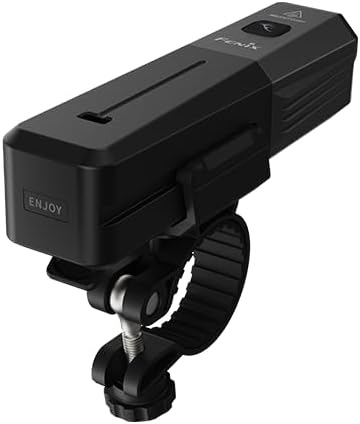
Figure 1: Fenix BC22R bike light with quick-release mount attached.
Package Contents:
- Fenix BC22R Bicycle Light
- Fenix ARB-L18-3400 Rechargeable Battery
- Handlebar Mount
- Adapter Mount
- USB Type-C Charging Cable
- Spare O-ring
- User Manual
- Warranty Card

Figure 2: All items included in the Fenix BC22R product package.
2. Setup
2.1 Battery Installation and Charging
- Unscrew the tail cap of the BC22R light to access the battery compartment.
- Insert the Fenix ARB-L18-3400 rechargeable battery with the positive (+) terminal facing towards the light head.
- Securely screw the tail cap back on.
- Connect the USB Type-C charging cable to the charging port on the light and to a USB power source. The indicator light will show charging status.
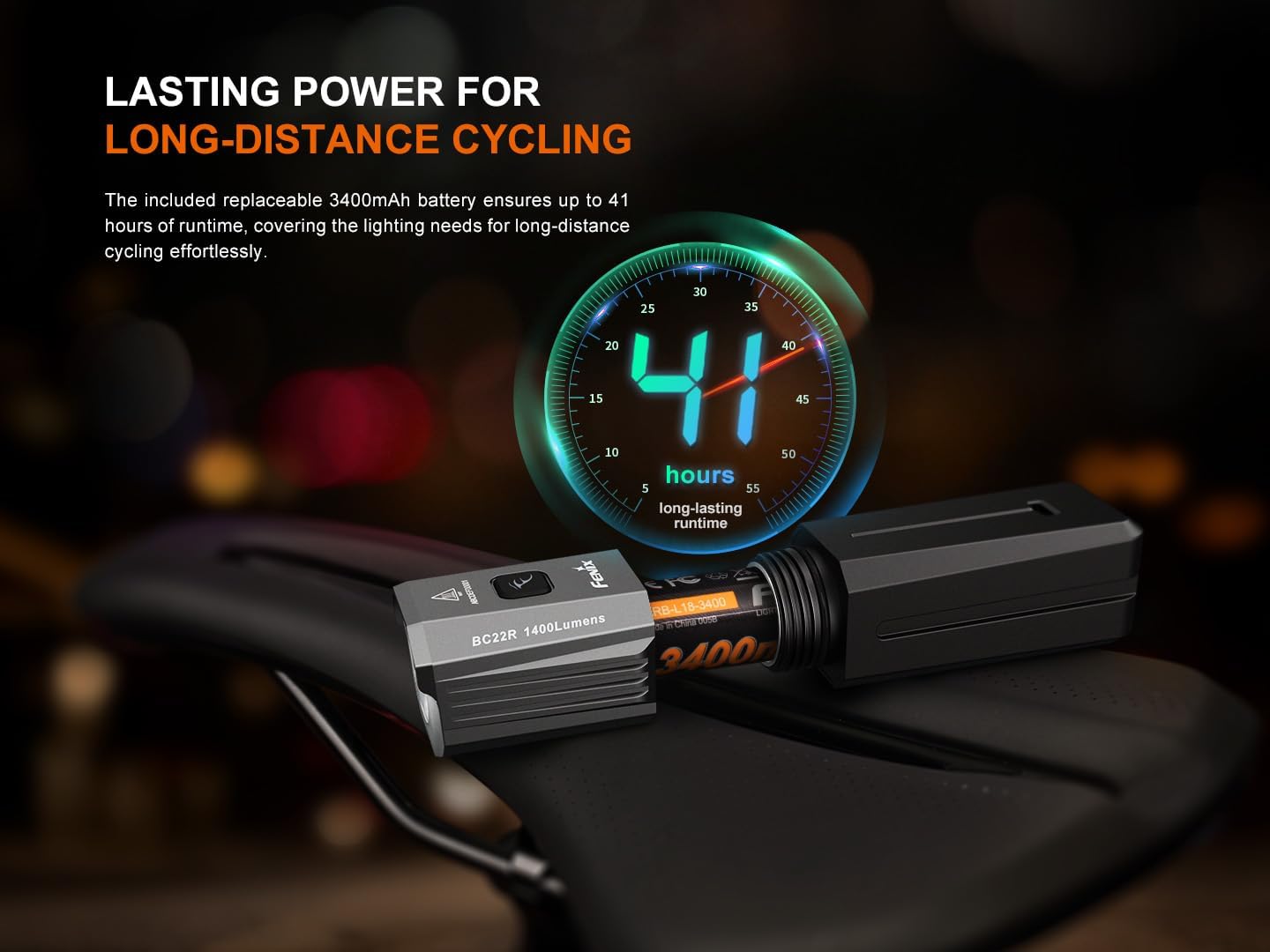
Figure 3: The Fenix BC22R with its replaceable battery compartment open.
2.2 Mounting the Light
The BC22R features a quick-release mount for easy attachment and removal. It can be mounted on the top or bottom of your bicycle handlebar.
- Attach the handlebar mount to your bicycle handlebar. Ensure it is securely fastened.
- Slide the BC22R light onto the mount until it clicks into place.
- Adjust the angle of the light to ensure optimal illumination and to utilize the anti-glare cut-off line effectively.

Figure 4: Fenix BC22R bike light securely mounted on a bicycle handlebar.
3. Operating Instructions
3.1 Power On/Off
- To Turn On: Press and hold the power switch for 0.5 seconds.
- To Turn Off: Press and hold the power switch for 0.5 seconds.
3.2 Brightness Level Selection
With the light switched on, single-click the power switch to cycle through the output selections: Low → Med → High → Turbo.
The light memorizes the last selected output level, excluding the Flash mode.
3.3 Flash Mode Activation
With the light switched on, press and hold the power switch for 1.2 seconds to activate the Flashing mode.

Figure 5: Control interface for selecting brightness levels and activating flash mode.
3.4 Anti-Glare Feature
The BC22R features an anti-glare cut-off facula line. This design directs light downwards and forwards, preventing the beam from shining directly into the eyes of pedestrians or oncoming traffic, enhancing safety for all road users.
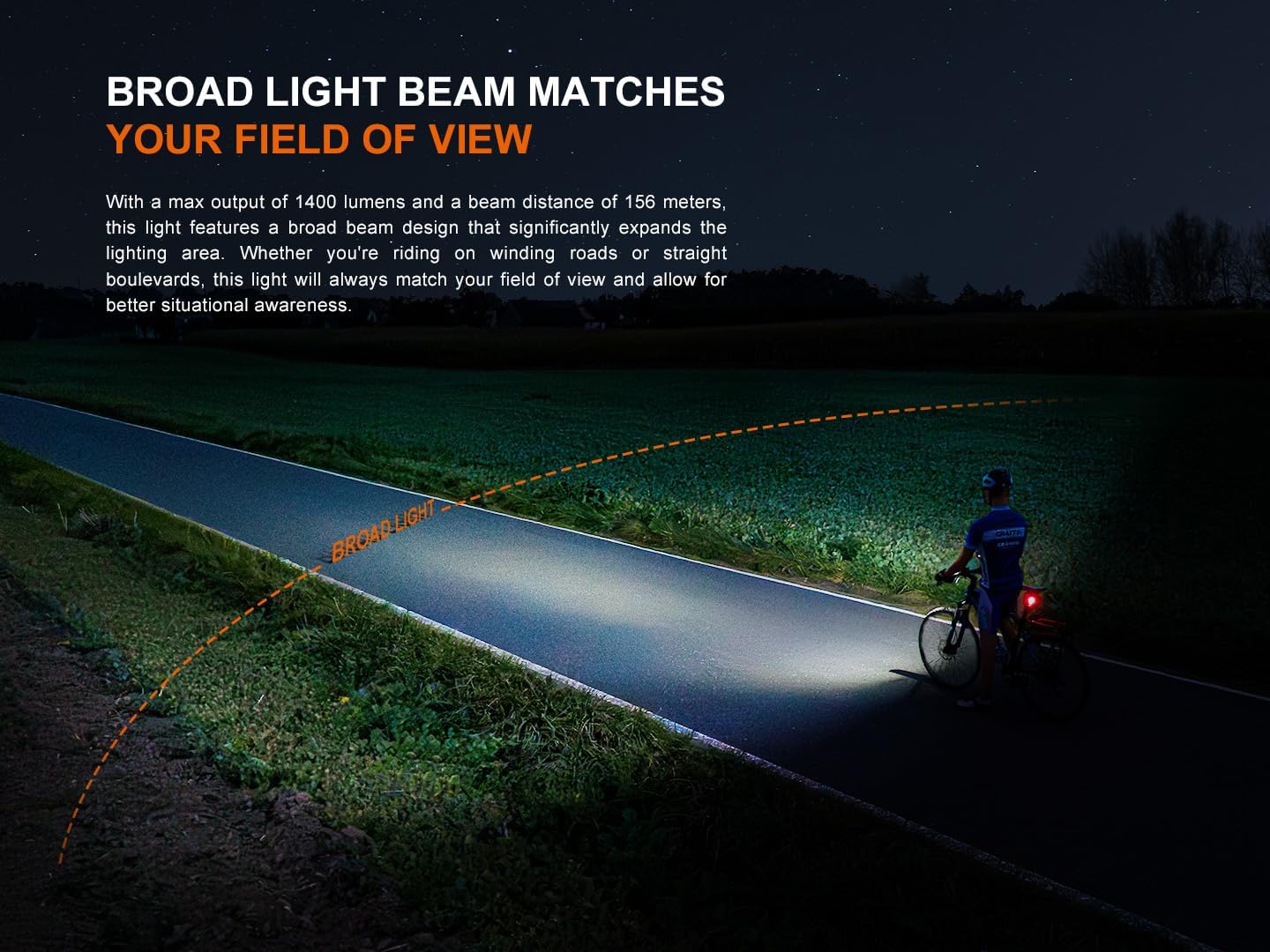
Figure 6: Visual representation of the Fenix BC22R's broad light beam and anti-glare design.
4. Maintenance
4.1 Cleaning
- Wipe the light body with a clean, soft cloth.
- Clean the lens with a lens cleaning cloth to maintain optimal light output.
4.2 Battery Care
- Recharge the battery regularly, especially if the light has not been used for an extended period.
- Store the light and battery in a cool, dry place when not in use.
- If the light will not be used for a long time, remove the battery to prevent potential leakage.
4.3 O-ring Maintenance
Periodically check the O-ring for wear and tear. Replace it with the spare O-ring provided if necessary to maintain the IP66 water resistance rating.
5. Troubleshooting
If your Fenix BC22R is not functioning as expected, please refer to the following common issues and solutions:
- Light does not turn on:
- Ensure the battery is correctly inserted with the positive (+) terminal facing the light head.
- Check if the battery is charged. Connect the light to a charger to verify.
- Ensure the tail cap is fully tightened.
- Light flickers or changes modes unexpectedly:
- The battery may be low. Recharge the battery.
- Clean the battery contacts and the contact points inside the light with a cotton swab dipped in rubbing alcohol.
- Reduced brightness or runtime:
- The battery may be nearing the end of its lifespan or not fully charged.
- Ensure the light is not operating in an extremely hot environment, which can trigger thermal protection and reduce output.
If these steps do not resolve the issue, please contact Fenix customer support for further assistance.
6. Specifications
The following table details the technical parameters and performance specifications of the Fenix BC22R bike light:

Figure 7: Detailed technical parameters including output, runtime, and distance.
| Parameter | Value |
|---|---|
| Maximum Output | 1400 Lumens |
| Beam Distance | 156 meters (512 feet) |
| Maximum Runtime | 41 hours (Low mode) |
| Brightness Levels | Turbo, High, Med, Low, Flash |
| Battery Type | Fenix ARB-L18-3400 Rechargeable (included) |
| Charging Port | USB Type-C |
| Water Resistance | IP66 rated |
| Impact Resistance | 1.5 meters |
| Dimensions (L x W x H) | 4.53" x 1.14" x 1.34" (115mm x 29mm x 34mm) |
| Weight | 5.54 ounces (157g) including battery |
| Material | Aluminum |
7. Warranty and Support
7.1 Warranty Information
The Fenix BC22R is covered by a manufacturer's warranty. Please refer to the warranty card included in your package for specific terms, conditions, and duration of coverage. Retain your proof of purchase for warranty claims.
7.2 Customer Support
For technical assistance, warranty claims, or general inquiries, please contact Fenix customer support. You can find more information and contact details on the official Fenix website or through their Amazon store: