
LifePro LP-ALVBDFT-BLK
Lifepro Infrared Red Light Therapy Mat User Manual
Model: LP-ALVBDFT-BLK
1. Introduction
The Lifepro AllevaBody Fit Light Therapy Mat is designed to provide comprehensive red light therapy for the entire body. Utilizing advanced LED technology, it emits both 660nm (red light) and 850nm (near-infrared light) wavelengths to support various wellness goals, including pain alleviation, inflammation reduction, skin rejuvenation, and enhanced recovery.
This manual provides essential information for the safe and effective use of your Lifepro Red Light Therapy Mat, covering setup, operation, maintenance, and troubleshooting.
2. Safety Information
Please read all safety instructions carefully before using the Lifepro Red Light Therapy Mat. Failure to follow these guidelines may result in injury or damage to the device.
- Always wear the provided protective eyewear during therapy sessions to shield your eyes from the intense light.
- Do not use the device if you are pregnant, have a pacemaker, or suffer from epilepsy without consulting a healthcare professional.
- Avoid direct contact with water or excessive moisture. The device is not waterproof.
- Keep out of reach of children and pets.
- If you experience any discomfort, redness, or irritation during use, discontinue therapy immediately.
- Ensure the power adapter and cables are not damaged before each use.
- Do not attempt to open or repair the device yourself. Contact customer support for assistance.
3. Product Overview
The Lifepro AllevaBody Fit Light Therapy Mat is designed for full-body coverage and ease of use. It features 1280 advanced LEDs that emit both red (660nm) and near-infrared (850nm) wavelengths.
Key Features:
- Dual Wavelengths: Combines 660nm (red light) and 850nm (near-infrared light) for comprehensive therapy.
- Full-Body Coverage: Generous dimensions of 62 x 23.6 inches provide ample space for full-body sessions.
- Adjustable Intensity: Allows users to customize light intensity and brightness to suit individual sensitivity.
- Multiple Modes: Offers various therapy modes, including red light only, near-infrared only, combined, and pulsation mode.
- Portable Design: Crafted from neoprene, the mat is flexible and can be rolled up for easy storage and transport.
- User-Friendly Remote: Simple and easy-to-use remote control for adjusting time, intensity, and modes.
Components:
- Lifepro AllevaBody Fit Light Therapy Mat
- Power Adapter
- Remote Control
- Protective Eyewear
- Storage Bag

Figure 1: The Lifepro Red Light Therapy Mat in use, demonstrating its full-body application.
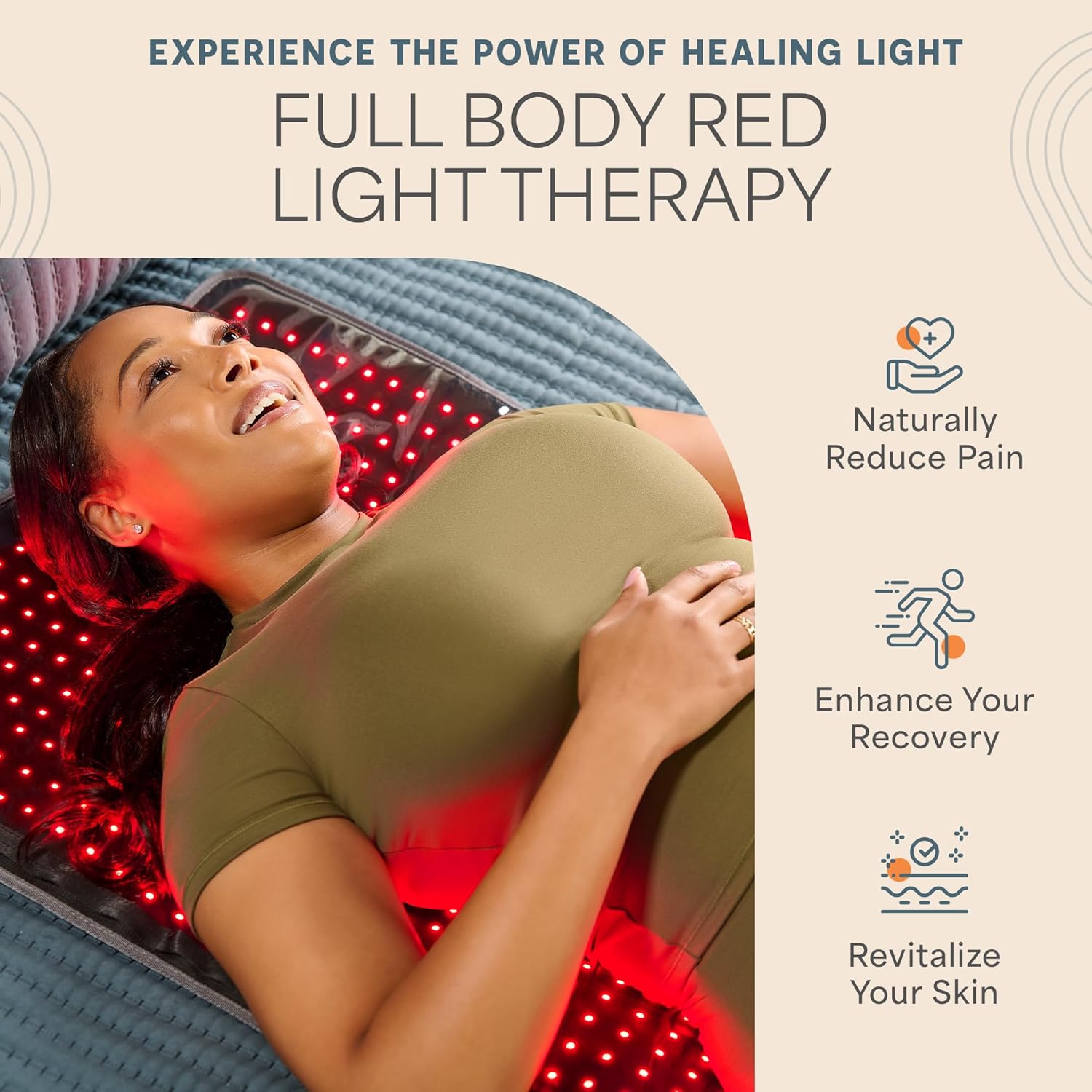
Figure 2: Visual representation of the benefits of red light therapy, including pain reduction, enhanced recovery, and skin revitalization.

Figure 3: Explanation of the dual-wavelength therapy, highlighting 660nm red light and 850nm near-infrared light, and their combined use.

Figure 4: Illustration of the mat's 1280 triple chip LEDs, emphasizing their effectiveness and high irradiance.

Figure 5: Overview of the adjustable light intensity settings and therapy modes available on the mat.

Figure 6: The mat's dimensions and its ability to fold away easily for convenient storage.
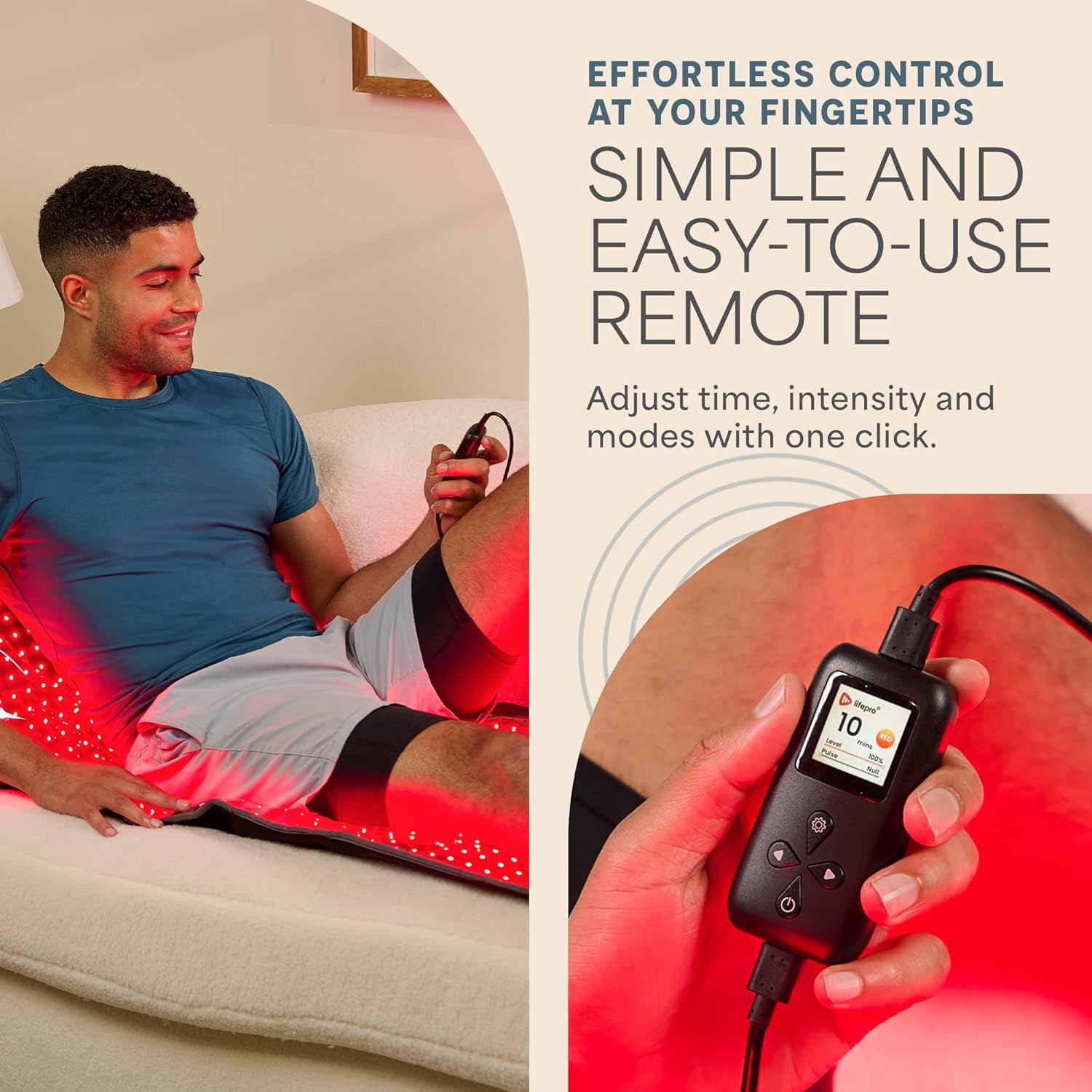
Figure 7: The simple and easy-to-use remote control for adjusting therapy settings.
4. Setup
Follow these steps to set up your Lifepro Red Light Therapy Mat:
- Unpack the Mat: Carefully remove the therapy mat and all accessories from its packaging.
- Unroll the Mat: Lay the mat flat on a comfortable, stable surface, such as a bed, couch, or floor. Ensure there is enough space around the mat for comfortable use.
- Connect Power: Connect the power adapter to the mat's input port. Then, plug the power adapter into a standard electrical outlet.
- Connect Remote Control: Attach the remote control cable to the designated port on the power adapter.
- Wear Protective Eyewear: Before turning on the device, put on the provided protective eyewear to shield your eyes from the bright light.
5. Operating Instructions
Once set up, you can begin your red light therapy session:
- Power On: Press the power button on the remote control to turn on the mat. The LEDs will illuminate.
- Select Mode: Use the mode selection buttons on the remote to choose your desired therapy mode:
- 660nm Red Light: For skin rejuvenation and cellular activation.
- 850nm Near Infrared Light: For anti-inflammatory effects and deep tissue relief.
- 660nm + 850nm Combined: For wound healing and overall skin health.
- Pulsation Mode: To speed up healing processes.
- Adjust Intensity: Use the intensity adjustment buttons on the remote to increase or decrease the brightness of the LEDs. Start with a lower intensity and gradually increase it to a comfortable level.
- Set Timer: The remote control includes a timer function. Set the desired session duration. Typical sessions are around 30 minutes.
- Position Yourself: Lie comfortably on the mat, ensuring the area you wish to treat is exposed to the light. The mat's design allows for full-body coverage.
- Begin Therapy: Relax and allow the light to work. The mat will automatically turn off once the set timer expires.
- Power Off: After your session, press the power button to turn off the mat if it hasn't already.
6. Maintenance
Proper maintenance ensures the longevity and optimal performance of your Lifepro Red Light Therapy Mat:
- Cleaning: After each use, gently wipe the surface of the mat with a clean, damp rag. Do not use harsh chemicals or abrasive cleaners. Ensure the mat is completely dry before storing.
- Storage: When not in use, roll up the mat and place it back into the provided storage bag. Store in a cool, dry place away from direct sunlight and extreme temperatures.
- Cable Care: Avoid bending or kinking the power cables excessively. Store cables neatly to prevent damage.
7. Troubleshooting
If you encounter any issues with your Lifepro Red Light Therapy Mat, refer to the following common problems and solutions:
| Problem | Possible Cause | Solution |
|---|---|---|
| Mat does not turn on. | Power cable not properly connected; Power outlet issue; Remote control not connected. | Ensure all cables are securely plugged in. Try a different power outlet. Verify the remote control is connected to the power adapter. |
| Lights are dim or flickering. | Low power supply; Intensity setting is too low. | Check power connections. Increase the intensity setting using the remote control. |
| Remote control is unresponsive. | Loose connection; Remote malfunction. | Ensure the remote control cable is firmly connected. If the issue persists, contact customer support. |
| Mat feels too warm. | Normal operation; Prolonged use. | A slight warmth is normal. Ensure adequate ventilation. Discontinue use if it becomes uncomfortably hot. |
If the problem persists after attempting these solutions, please contact Lifepro Customer Support for further assistance.
8. Specifications
| Feature | Detail |
|---|---|
| Model Number | LP-ALVBDFT-BLK |
| Dimensions (LxWxH) | 62 x 23.6 x 1 inches |
| Item Weight | 6.5 Pounds |
| Package Weight | 4.72 Kilograms |
| Wavelengths | 660nm (Red Light) & 850nm (Near Infrared Light) |
| LED Count | 1280 (Triple Chip LED) |
| Material | Neoprene |
| Color | Black |
9. Warranty and Support
Lifepro stands behind the quality of its products. The Lifepro AllevaBody Fit Light Therapy Mat comes with a lifetime dedicated customer support.
For any questions, technical assistance, or warranty claims, please contact Lifepro Customer Support. You can also visit the official Lifepro Store for more information and resources:
Ask a question about this manual
Ask about setup, troubleshooting, compatibility, parts, safety, or missing instructions. Manuals+ will review the question and use this page’s manual context to help answer it.